Pricing checked September 26, 2026. USD; calculations exclude taxes and negotiated discounts. This guide covers Make.com, the automation platform formerly known as Integromat — not other products called Make.
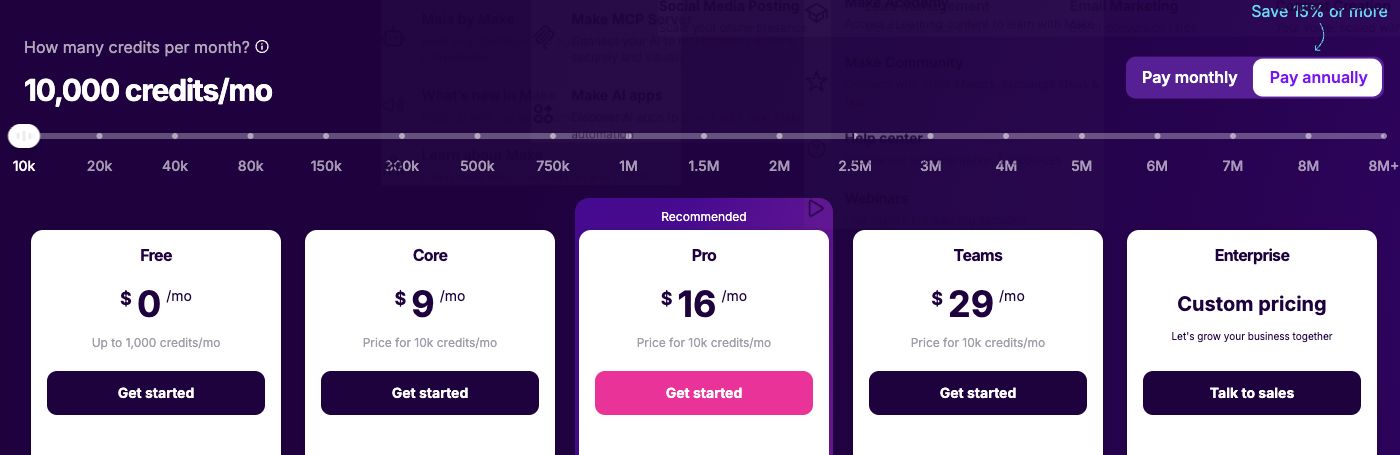
Make.com pricing starts with a free plan that includes up to 1,000 credits per month. At 10,000 credits per month, monthly billing is $10.59 for Core, $18.82 for Pro and $34.12 for Teams. Annual billing displays $9, $16 and $29 per month equivalent, respectively. Enterprise requires a quote. Make pricing
There is an unusual thing about that list worth noticing straight away: Core, Pro and Teams all include the same 10,000 credits. You are not paying more for volume as you move up — you are paying for execution speed, file size, and collaboration features. That makes choosing a Make plan a capability decision, not a throughput one.
This guide explains what consumes a credit, which limit actually forces each upgrade, and how to estimate your monthly consumption before committing.
Make pricing at a glance
| Plan | Monthly price | Annual monthly equivalent | Included credits | Active scenarios | Minimum interval |
|---|---|---|---|---|---|
| Free | $0 | $0 | Up to 1,000 | 2 | 15 minutes |
| Core | $10.59 | $9 ($108/year) | 10,000 | Unlimited | 1 minute |
| Pro | $18.82 | $16 ($192/year) | 10,000 | Unlimited | 1 minute |
| Teams | $34.12 | $29 ($348/year) | 10,000 | Unlimited | 1 minute |
| Enterprise | Not published | Not published | Custom | Unlimited | 1 minute |
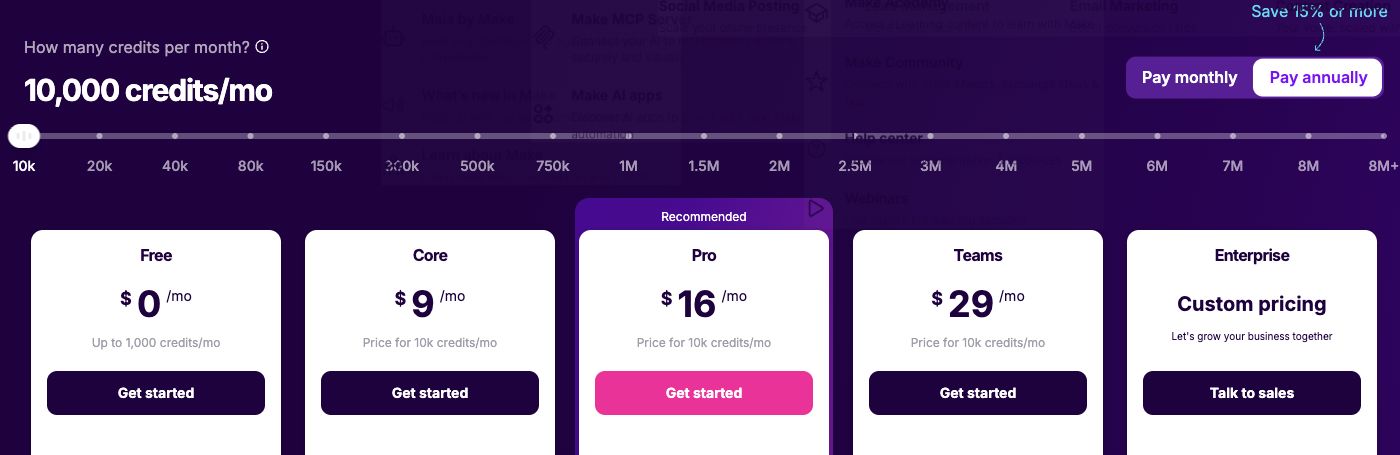
Monthly and annual figures were read directly from the billing toggle. The annual cards already include the discount; do not subtract it again. Higher credit volumes are available on each paid plan; the figures above are the 10,000-credit tier. Official plan comparison
The limits that actually differ
| Limit | Free | Core | Pro | Teams | Enterprise |
|---|---|---|---|---|---|
| Maximum execution time | 5 min | 40 min | 40 min | 40 min | 40 min |
| Maximum file size | 5 MB | 100 MB | 250 MB | 500 MB | 1,000 MB |
| Execution log storage | 7 days | 30 days | 30 days | 30 days | 60 days |
What each plan includes
Free: two scenarios and a 15-minute floor
The free plan gives you 1,000 credits and two active scenarios. The 15-minute minimum applies to scheduled runs. Instant webhooks can trigger immediately, so distinguish polling from webhook-driven workflows before treating this as a reason to upgrade.
The 5-minute execution ceiling and 5 MB file limit also rule out most document or bulk-data work. Use Free to prove a scenario's logic, then price the real thing.
Core: the plan that removes the structural limits
At $10.59 per month, or $9/month equivalent billed annually, Core lifts the interval to one minute, scenarios to unlimited, execution time to 40 minutes and files to 100 MB. For most teams this is the genuine entry point, and it is inexpensive relative to comparable tools.
If 10,000 credits covers your consumption, Core is very likely the correct plan — and you should be sceptical of arguments to go higher unless you need a specific capability above.
Pro: priority execution and operational visibility
Pro adds priority scenario execution, custom variables, full-text log search and a 250 MB file ceiling. None of that increases your credit allowance.
Priority execution matters when scenarios compete during busy periods; full-text search matters when you are debugging a failure across thousands of runs. Both are operational quality-of-life rather than capacity.
Teams: shared ownership
Teams adds team collaboration, shared templates and a 500 MB file ceiling. As with Pro, credits stay at 10,000.
The case for Teams is the same as for any shared-ownership tier: it removes the risk of scenarios living in one person's account. Buy it when automations are shared infrastructure, not when you need more runs.
Enterprise: quote-only
Enterprise pricing is not published. It raises files to 1,000 MB and log retention to 60 days, with custom credit volumes. Bring an estimated monthly credit figure and your compliance requirements to the conversation.
How Make calculates your bill
"Each module action in your scenario, like adding a Google Sheet row or fetching Gmail account data, counts as one credit." That covers reading, searching, creating, updating, deleting, transforming, aggregating and iterating. Make pricing
So the formula mirrors step-metered pricing:
Monthly credits ≈ (modules that act per run) × (runs per month), summed across scenarios
Two consequences follow. First, iterators are expensive: a module that loops over 50 records is not one action. Second, scenario design changes your bill — consolidating three update modules into one, or filtering earlier so fewer modules run, directly reduces credits. That is the opposite of run-metered tools, where complexity is free.
What does Make cost for a real scenario?
Illustrative calculations using the documented credit rule. Not invoices.
Example 1: one lead-routing scenario
Assume a webhook, enrichment action, CRM write and Slack message each consume one credit; a condition is handled by a filter. At 300 submissions per month, with no retries or additional AI charges:
| Input | Value |
|---|---|
| Acting modules per run | 4 |
| Runs per month | 300 |
| Monthly credits | 1,200 |
| Free plan (1,000 credits) | Insufficient |
| Plan needed | Core — $10.59/month, or $108/year ($9/month equivalent) |
This lands just past the free allowance. The scheduling interval is not a second blocker here: this example uses an instant webhook. See Make's webhook documentation.
Example 2: adoption grows and a loop appears
Submissions triple to 900 per month. Assume the execution log confirms four credits of base work, including trigger and iteration overhead, plus a downstream action consuming one credit for each of three line items:
| Input | Value |
|---|---|
| Base acting modules per run | 4 |
| Iterated module actions per run | 3 |
| Total actions per run | 7 |
| Runs per month | 900 |
| Monthly credits | 6,300 |
| Plan needed | Core still sufficient at 10,000 credits |
Volume tripled and consumption rose 5.25×, because the loop multiplies per run. Even so, 10,000 credits absorbs it — which illustrates why most Make users should reach for a higher credit volume rather than a higher plan tier when they grow.
Add-ons and costs beyond the base plan
Higher credit volumes are purchasable on each paid plan; that, not the tier, is the lever for growth. Scenarios calling external AI models may incur charges from the model provider, billed separately by them.
Budget separately for building and maintaining scenarios, and for handling failures. Make moves and transforms data between systems; it does not give your team an interface for reviewing the results.
Where Jet Admin fits alongside Make
Make is an integration and automation engine; Jet Admin is an application layer over your existing data. They are complementary, and their usage units are not comparable — credits measure module actions, while Jet Admin's credits measure AI consumption during app building. Do not convert one into the other.
| Consideration | Make | Jet Admin |
|---|---|---|
| Billing unit | Credits — commonly one per standard operation; rates vary for some features | AI credits consumed while building |
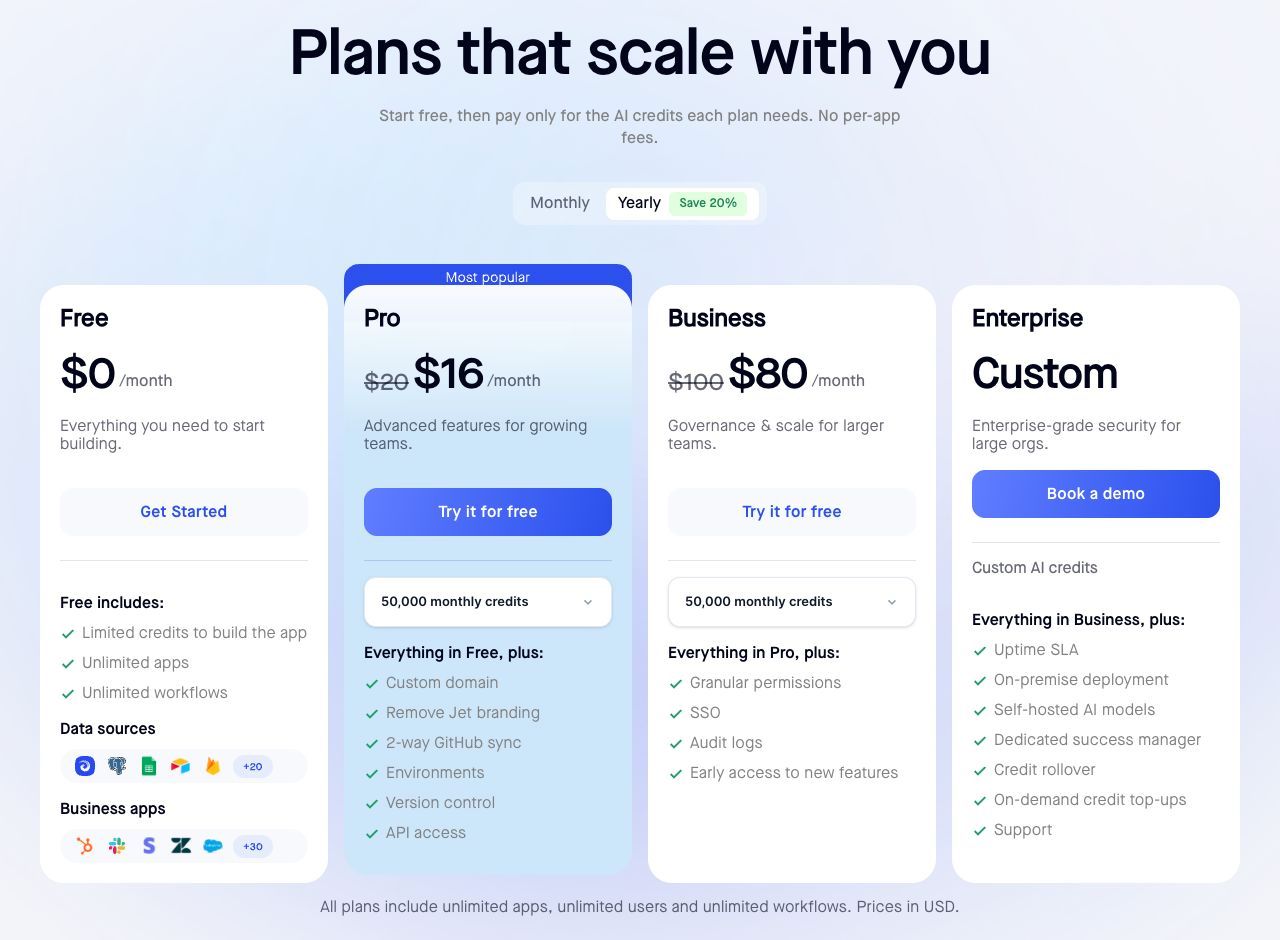
| Entry paid plan | Core $10.59/month; $9/month equivalent annually | Pro $20/month, $16 annually |
| Cost of more users | Collaboration features from Teams ($34.12/month; $29/month equivalent annually) | Unlimited users on every plan |
| Cost of more end-user activity | Rises with module actions | Not billed per end-user action |
| Permissions and audit logs | Governance largely on Enterprise | Granular permissions, SSO, audit logs on Business ($100/month, $80 annually) |
| Provides a user interface | No | Yes — this is the product |
Sources: Make pricing, Jet Admin pricing. Annual figures are monthly equivalents.
Because both usually stay in the stack, cost them together rather than treating either subscription as a saving. Make is also genuinely cheap at the entry tier, so the argument for pairing them is about capability, not price.
When to keep Make unchanged
If your work is connecting SaaS tools to each other with no human review step, Make's connector breadth and $9 annual monthly-equivalent entry price are difficult to argue with. Its cost model rewards well-designed scenarios, and there is nothing to replace.
Which plan should you choose?
Use Free when its credit, scenario, file-size and runtime limits fit. Scheduled polling has a 15-minute floor, while instant webhooks behave differently; small production workflows can fit.
Choose Core for almost all first real deployments. It removes every structural limit that matters and includes the same 10,000 credits as the tiers above it.
Choose Pro when you need priority execution during busy periods or full-text log search for debugging — not for capacity.
Choose Teams when multiple people must own and maintain scenarios together.
When you outgrow 10,000 credits, buy a higher credit volume on your current plan before assuming you need a higher tier.
Frequently asked questions
Does Make have a free plan?
Yes — up to 1,000 credits per month with two active scenarios, a 15-minute minimum interval, a 5-minute execution limit and 5 MB files.
What counts as a credit?
Most standard module operations consume one credit; some AI and other features use different rates. Check the module's current tariff. An iterator emits bundles that can cause downstream modules to run once per item. Count the iterator and downstream operations from the execution log rather than assuming one universal fee per output item.
Why do Core, Pro and Teams include the same credits?
Because the tiers sell capability rather than volume — execution priority, file size, log search and collaboration. Buy credits for throughput and tiers for features.
How much does annual billing save?
At the 10,000-credit tier, the annual cards show Core $9, Pro $16 and Teams $29 per month equivalent. Those correspond to $108, $192 and $348 per year. Compare these with the monthly toggle; the annual discount is already included.
How much does Make Enterprise cost?
Not published. Request a quote with your monthly credit estimate, file-size needs and compliance requirements.
How do I reduce my Make bill?
Filter earlier so fewer modules run, consolidate redundant update modules, and check whether iterators are processing more items than necessary. Because Make meters actions, scenario design has a direct effect on cost.
Audit your iterators first
The fastest way to understand your Make bill is to list each scenario, count its acting modules, note anything that loops, and multiply by run frequency. Loops are where estimates usually go wrong.
If that audit shows scenarios whose only job is putting records somewhere a person can review them, build that review interface on your data directly and see which modules stop being necessary.