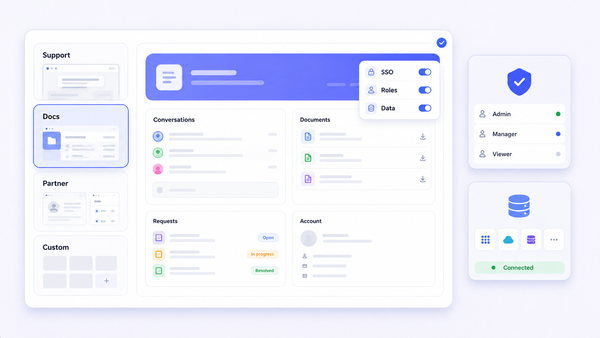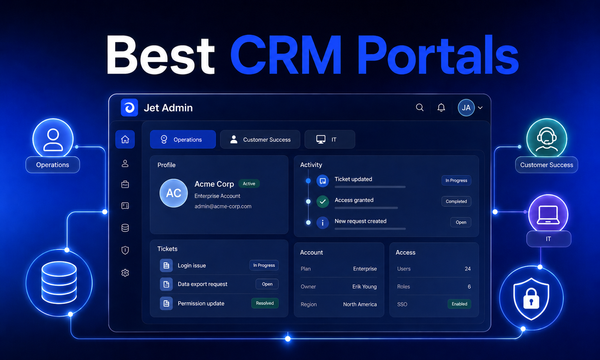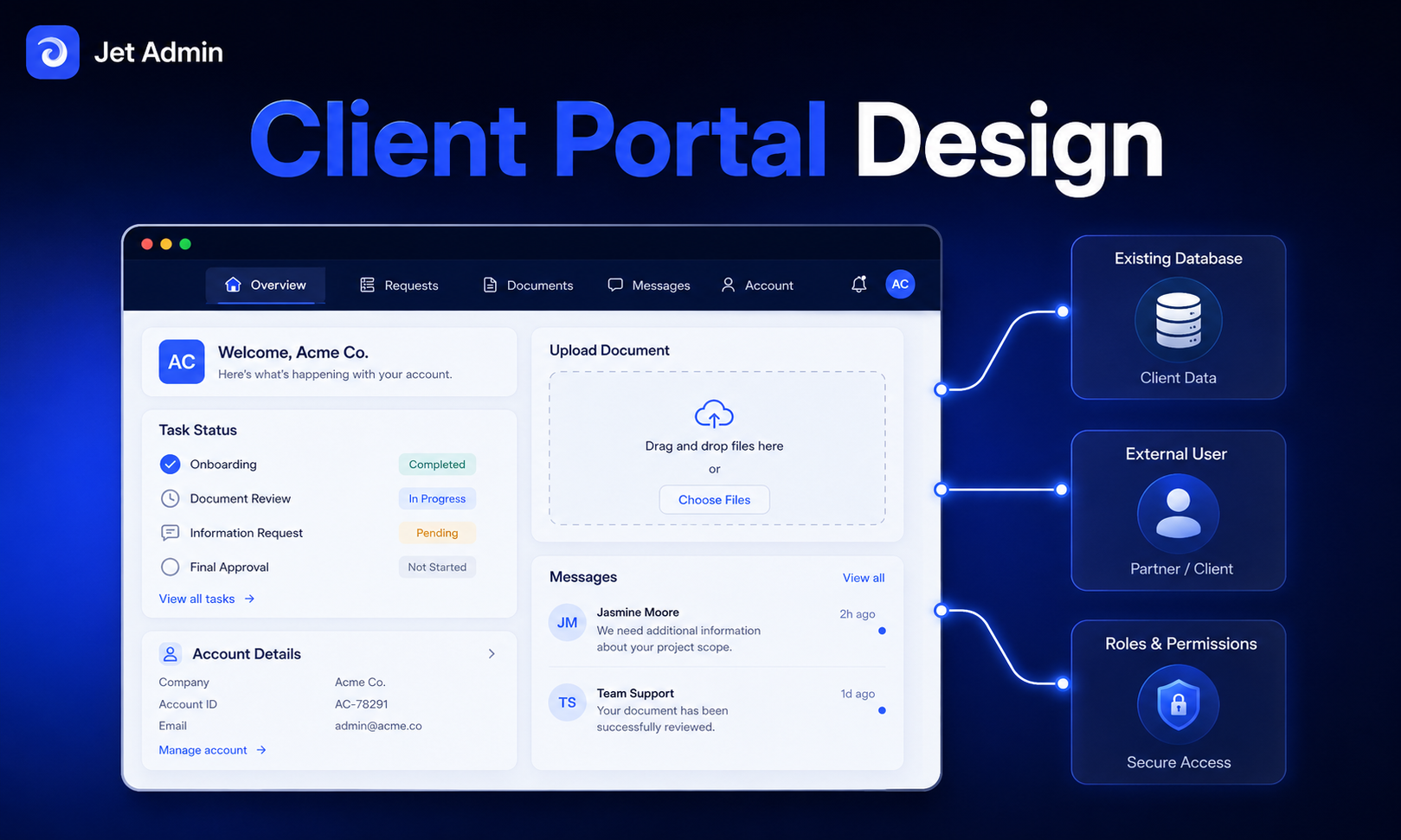
In 2026, client portal design is no longer optional for teams that manage external relationships at scale. Whether you run a web design agency, a B2B SaaS product, or an operations team sharing data with partners, the way you structure your portal directly determines whether clients adopt it or revert to email. This guide walks through the practical design decisions-users, security, workflows, interface, and iteration-that separate a portal people actually use from one that collects dust.
Key Takeaways
- Client portal design is the end-to-end process of planning user experience, security, data structure, and workflows-not just picking software or a color scheme.
- Strong design starts with clearly defined users and jobs-to-be-done, then translates those into access rules, navigation, and self-service workflows.
- Secure sign-in, role-based permissions, and clear data visibility rules are non-negotiable when external users access internal systems.
- Modern client portal software (including Jet Admin) can sit on top of existing databases, APIs, and SaaS tools, reducing custom development and operating costs. Client portals enhance client experience and operational efficiency when designed well.
- Good client portal design is iterative: launch a minimal, intuitive interface, measure behavior with analytics, and refine based on real usage. Successful client portals focus on reducing friction and increasing transparency.
What "Client Portal Design" Actually Means in 2026
Client portal design is the end-to-end process of planning the structure, security, UI, and workflows for a portal where customers, partners, or internal teams self-serve on shared data. It covers all the things from how users log in, to what they see, to how documents move between parties. It is not just about selecting portal software or applying branding.
This article focuses on practical design decisions-information architecture, roles, workflow, and interface-rather than a generic feature list or code-level implementation.
The most common contexts where teams need a well-designed portal include agencies running web design projects for different clients, B2B SaaS tools providing onboarding and billing dashboards, customer account portals for services like utilities or finance, and operations teams exposing data from a CRM or billing system to external partners.
The core building blocks you need to plan for:
- Secure authentication and user provisioning
- Role-based access and data visibility
- Client information organization and navigation
- Task management and self-service workflows
- Document and file sharing
- Branded UI with a custom domain
- Notifications, messaging, and analytics
Later sections map these building blocks to a step-by-step build flow and show where configurable portal software such as Jet Admin fits in.
Start With Users and Jobs-to-be-Done (JTBD), Not Features
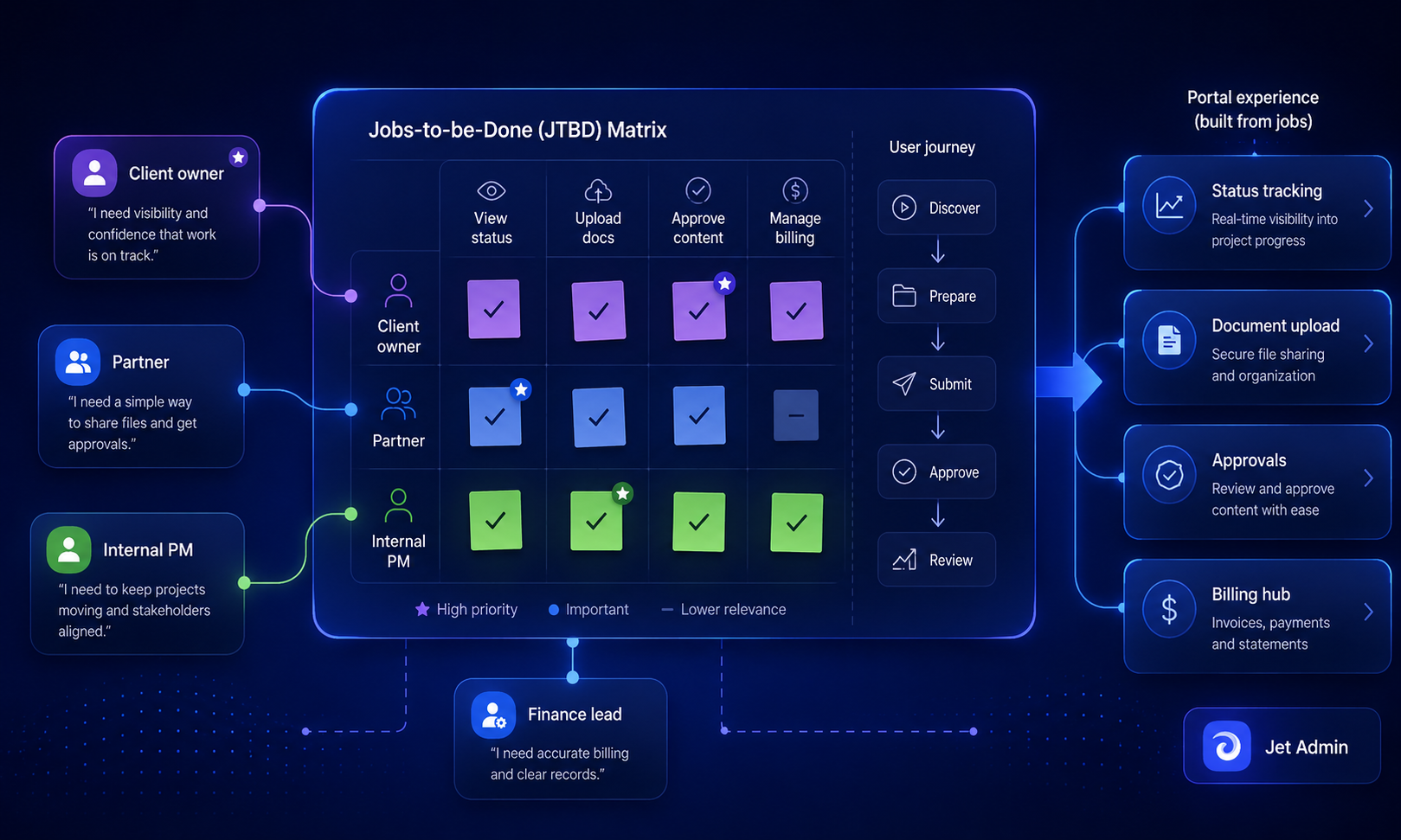
Design the portal around what specific users are trying to accomplish, not just what data you have. JTBD thinking-rooted in Clayton Christensen's research-prevents feature bloat by anchoring every design choice to a real task.
Typical external users: paying customers, web design clients, vendors, partners, and account stakeholders. Typical internal users: support agents, project managers, account managers, and freelancers who need selective access.
Concrete JTBD examples:
- A web design client uploads brand assets, provides feedback, and approves mockups.
- A B2B customer reviews invoices, updates payment methods, and tracks usage metrics.
- A partner tracks joint opportunities and collaborates on shared deliverables.
- A vendor confirms fulfillment and checks payments status.
A simple prioritization exercise: collect user interviews, review support tickets, and comb through email threads from the last 3–6 months. Identify the top 5–10 recurring tasks to focus on for the first portal release. Rank by frequency, business impact, and client frustration.
These JTBD become your navigation labels-"Tasks," "Invoices," "Design Proofs," "Files"-and default landing pages. Avoid abstract labels like "Records" or "Entities" that mean nothing to a client.
Suggested diagram (alt text): A matrix with rows for user types (client owner, partner, internal PM) and columns for key jobs (view status, upload docs, approve content, manage billing), with checkmarks showing overlap and priority.
Core Client Portal UX Principles: Intuitive Interface First
An intuitive interface means predictable navigation, minimal clicks for key tasks, mobile responsiveness, and clear feedback on actions like uploads and approvals. A clean and intuitive interface is essential for client portals-it is the single biggest factor in adoption. An intuitive user interface enhances client portal usability and reduces support burden.
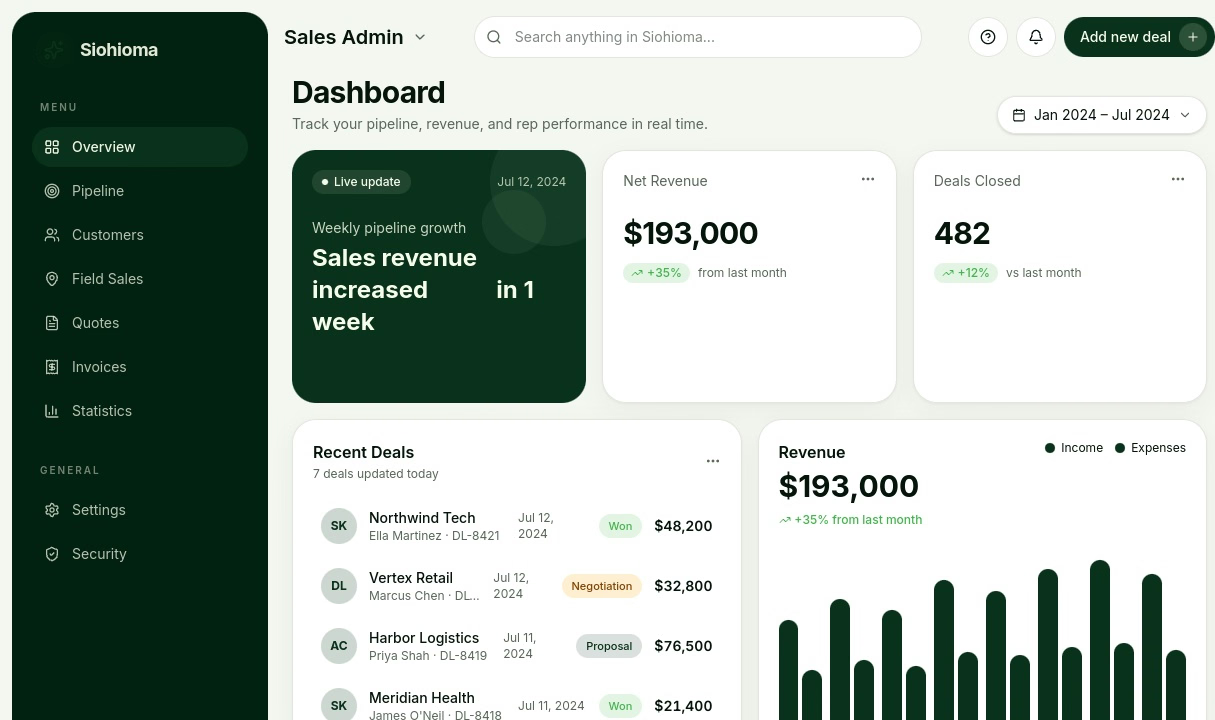
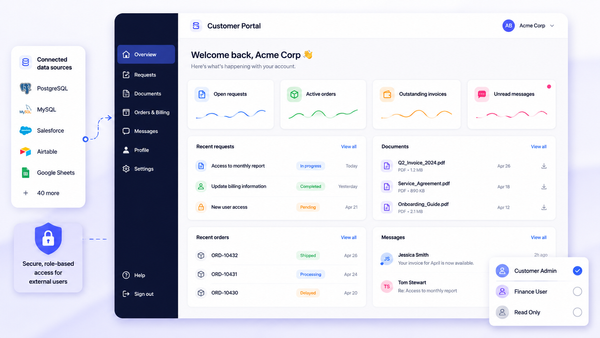
The main dashboard or home screen should surface 3–5 primary actions. A personalized dashboard helps clients view tasks, deadlines, and updates at a glance. For non-technical clients especially, the home screen should let them immediately view open tasks, upload documents, check project status, or send a message.
Use familiar patterns from consumer web apps: left or top navigation, clear page titles, prominent "New request" or "Upload file" buttons. This reduces training and makes the portal feel familiar even on first login.
Accessibility best practices matter, especially when handling compliance-sensitive client information: adequate contrast ratios, keyboard navigation, clear focus states, and descriptive labels. Best practices for client portals include robust security and mobile responsiveness. Mobile-first design ensures portal accessibility on smartphones and tablets, which is critical since many external clients access portals while traveling.
Examples of bad UX to avoid:
- Crowded dashboards packed with modules clients never use
- Deeply nested menus (Main → Service → Subservice → Documents → ...)
- Tech jargon labels like "entities" or "intake objects" instead of "projects" or "website content"
Designing Authentication, Sign-In, and User Provisioning
Secure but friction-light sign-in is central to any client portal design because it shapes first impressions and risk profile. Multi-factor authentication and encryption protect sensitive client information from unauthorized access-this is not optional in 2026.
Common approaches and when each makes sense:
Method | Best for |
|---|---|
Email + password | General-purpose, low-risk portals |
Passwordless magic links | Clients who rarely log in; reduces password fatigue |
OAuth / social login | Consumer-facing or low-sensitivity portals |
SSO / SAML | Enterprise clients, regulated industries |
Microsoft Entra ID is making passkeys the default authentication method, moving away from SMS-based verification due to phishing risk. This signals a broader industry shift toward phishing-resistant sign-in.
User provisioning workflows:
- Create portal accounts automatically from internal systems (e.g., when a CRM record is created)
- Invite users by email with a direct link to set up their account
- Allow self-registration with approval for open partner networks
Plan the full lifecycle: invitations, first login, password reset, account deactivation. Tie each event to audit logs for compliance. Avoid identity duplication by linking portal accounts to a canonical data source-like a customer record in your CRM-instead of creating duplicate client information across tools.
Configurable portal software like Jet Admin integrates with existing authentication providers (OAuth, OpenID/OIDC, and others listed on their integrations page) and can enforce consistent sign-in policies without custom coding.
Role-Based Access and Data Visibility: Designing Safeguards
Role-based access control (RBAC) and data visibility rules are design problems, not just technical toggles. They must be planned early in your client portal design process. Security measures in client portals include role-based access control and data encryption as foundational layers.
Typical roles for external portals:
- Client account owner – full visibility into their company's data
- Client collaborator – limited to assigned projects or tasks
- Vendor contact – sees only purchase orders and fulfillment data
- Internal roles: project manager, support agent, executive viewer
Map each role to specific permissions: which records they can see (e.g., only their company's projects), what fields they can edit (contact info but not pricing), and which actions they can perform (approve designs, submit tickets, upload files).
Concrete example: A client can view only their own invoices and see totals, but internal margin fields remain hidden. This prevents confusion and data leaks. It's a design decision, not just a technical setting.
Document a simple permissions matrix before configuring any portal software:
Role | View projects | Edit tasks | View invoices | Delete files | Approve designs |
|---|---|---|---|---|---|
Client owner | ✓ (own) | ✓ | ✓ (own) | ✗ | ✓ |
Client collaborator | ✓ (assigned) | ✓ | ✗ | ✗ | ✗ |
Internal PM | ✓ (all) | ✓ | ✓ (all) | ✓ | ✓ |
Start with least-privilege access and expand as real JTBD justify broader visibility. Platforms like Jet Admin allow defining fine-grained access rules based on user attributes and underlying data-down to rows, columns, and actions-helping implement these design choices efficiently.
Information Architecture: Structuring Client Data and Navigation
Information architecture (IA) is how you organize and label client information, tasks, files, and settings so users find what they need quickly. Good IA is grounded in JTBD, not internal database structure.
Sample IA for a web design client portal:
- Overview – project summary, upcoming deadlines, recent activity
- Tasks – outstanding items with status and due dates
- Content & Files – uploads, brand assets, final deliverables
- Design Reviews – mockups awaiting feedback or approval
- Billing – invoices, payments history
- Support – messages, tickets, help resources
Group related items logically. If clients get confused by distinctions like "assets" vs. "deliverables," combine them into a single "Files" area. Keep them separate only if compliance requires it.
IA should tie cleanly into your data model. Projects, tasks, invoices, messages, and documents should map to tables or collections in the underlying data sources. This structure prevents disjointed interfaces where data doesn't connect.
Use short, descriptive labels in the language your clients already use. "Website content" instead of "intake objects." "Support tickets" instead of "cases." Add breadcrumbs or contextual navigation (e.g., Client → Project → Tasks) so users always know where they are and can jump between related areas.
A client portal template or free template from a platform can provide a starting IA, but customize it to your exact workflow. Using templates can also standardize client feedback submissions across projects. Integrating billing and payment features in portals simplifies financial transactions for clients, so consider adding a billing section from the start.
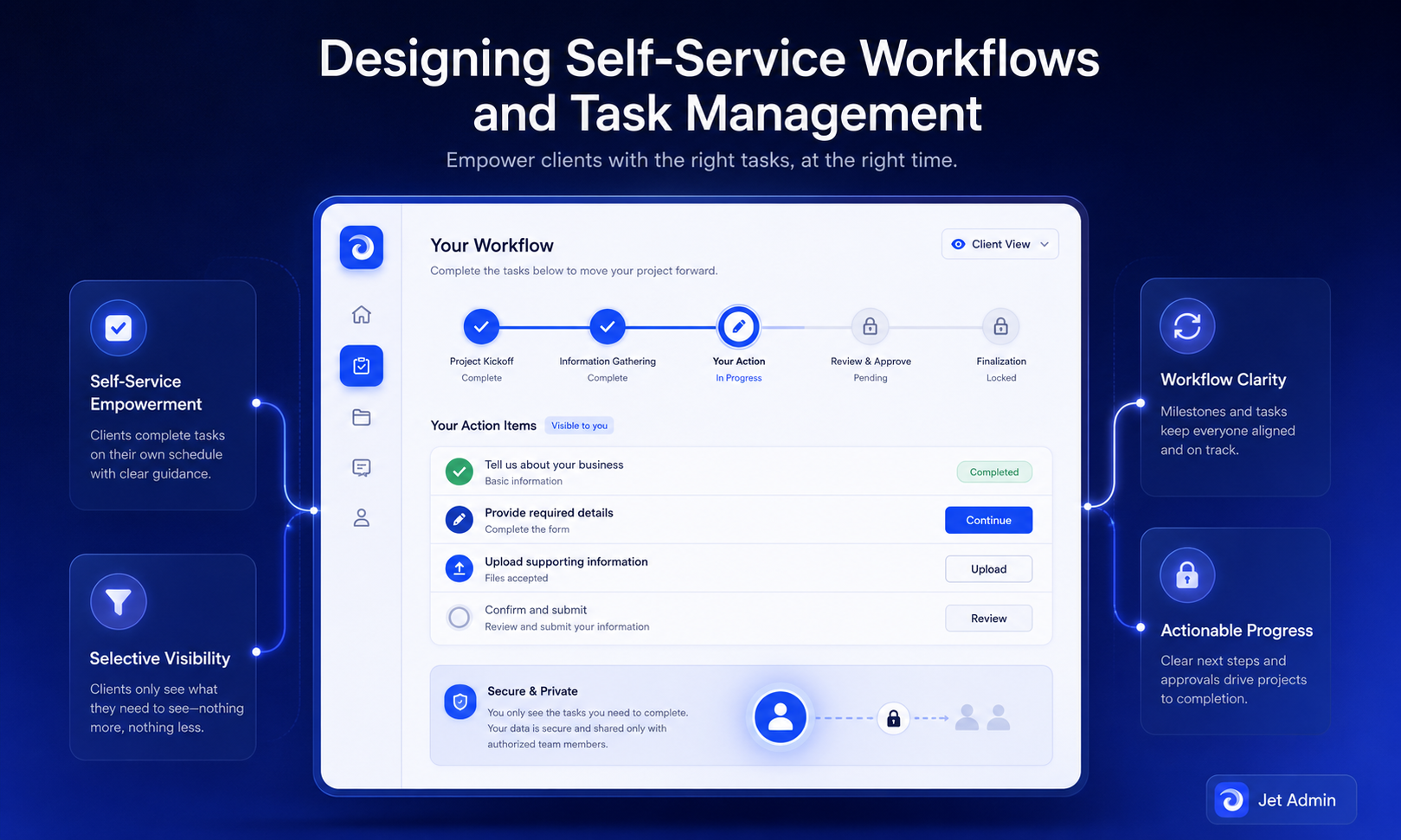
Designing Self-Service Workflows and Task Management
Once you know what clients repeat most often, turn those into guided, self-service flows within the portal. Self-service features reduce routine requests by 30% and improve client satisfaction by 40%-numbers that justify the design investment.
Common self-service workflows:
- Submitting a new request – structured forms that capture required details
- Uploading or updating documents – guided flows with format and completeness checks
- Approving a deliverable – e.g., a web design mockup with clear accept/reject actions
- Requesting support – routing to the right team with context attached
Client portal software should allow customization of forms and templates to match these workflows. Portals allow clients to complete forms independently, which reduces back-and-forth. Clear instructions improve the quality of client content submissions, so attach plain-language guidance to each step.
Example workflow, step by step:
- Client logs in and sees an "Outstanding tasks" widget on the dashboard
- Clicks "Provide homepage copy"
- Uploads files via a structured form with format requirements stated
- Portal displays "Awaiting internal review" and triggers a notification to the project manager
- Internal team reviews, updates status, and the client receives a progress update
Pair these workflows with task management: internal tasks trigger automatically when a client submits a form, changes status, or leaves feedback, so nothing falls through the cracks. Real-time project tracking reduces the frequency of status update requests from clients.
Configurable portal software like Jet Admin can connect these workflows to existing systems-updating tasks in project management tools or writing back to a database-without forcing teams to abandon their current stack. Integrating client portals with existing systems can reduce manual data entry and improve efficiency.
Keep the balance: expose only the milestones and tasks clients must see or act on, not your entire internal project management setup.
Files, Documents, and Data Exchange: Designing for Clarity and Compliance
For many portals, document and data exchange is the single highest-risk and highest-volume activity, replacing email attachments and ad-hoc share links. Document management in portals includes secure uploads and version history tracking to maintain an audit trail.
Best practices for organizing files:
- Per-project folders with clear naming conventions (e.g., "Homepage_v3_for_review_Jul2026")
- Separation between client uploads, working files, and final deliverables
- Filterable lists with labels like "Needs approval," "Signed," or "Archived"
Design upload flows with explicit instructions on allowed formats, size limits, and what "complete" looks like. Display upload progress bars, confirmation messages, and error handling directly on the page. Clients can access documents anytime via the portal, and clients can sign documents directly from their devices when digital signature workflows are integrated.
Permissions around documents:
- Who can upload, view, download, and delete
- How version history is handled
- Whether clients see internal comments or only public annotations
For sensitive information-financial records, health data, legal contracts-encryption in transit and at rest is required, along with retention policies. Avoid ever requiring clients to email sensitive attachments when a secure portal upload exists. Robust security features are essential for handling sensitive client data in these exchanges.
Portal software integrated with storage providers (such as Amazon S3, Google Cloud Storage, or Azure Blob, all of which Jet Admin supports) can centralize this exchange while respecting company-wide retention and security policies.
Branding, Custom Domain, and Client Trust
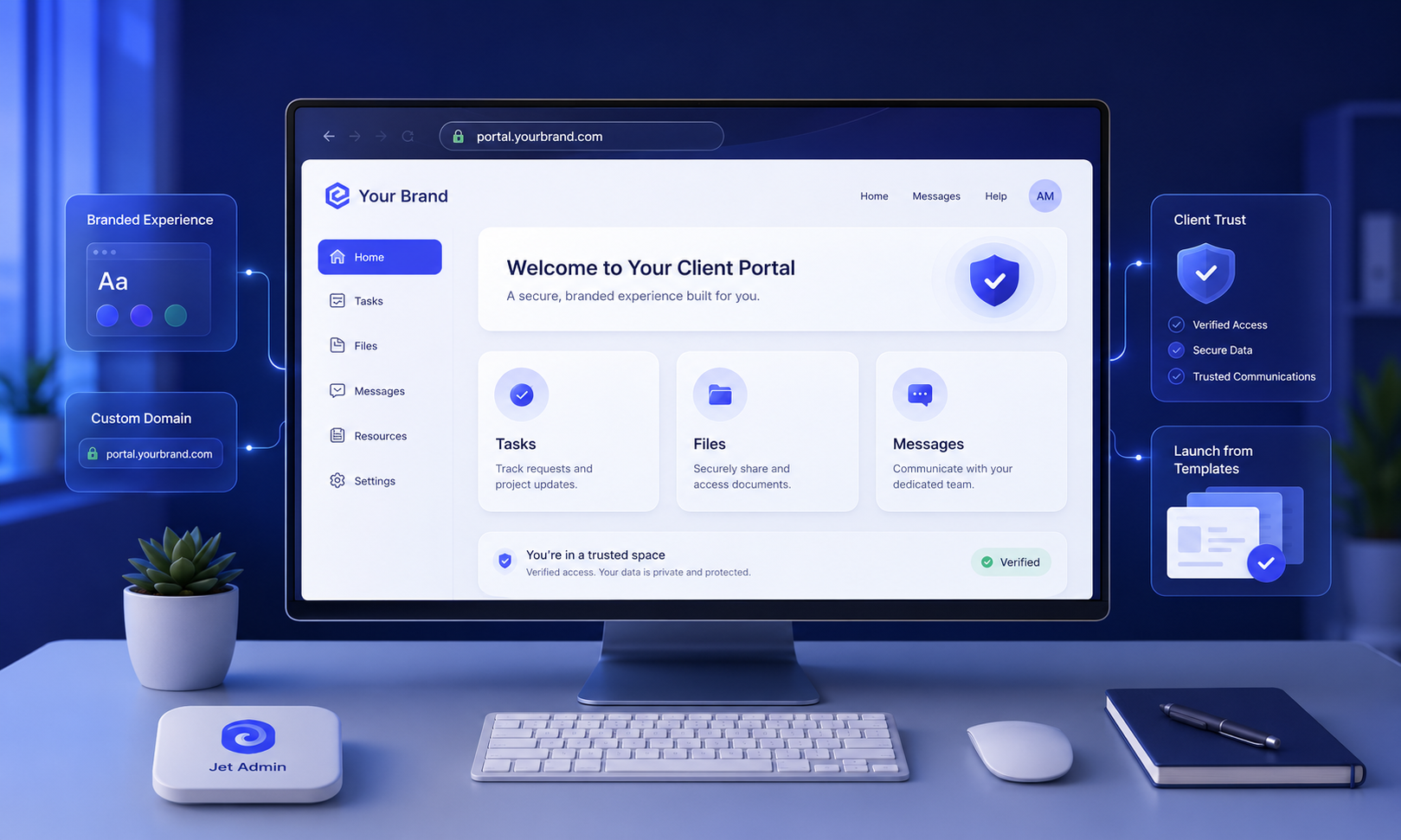
Design is not just function. Branding and visual continuity strongly influence whether clients trust the portal with sensitive data and day-to-day collaboration. White label software provides a fully branded client experience that feels like a natural extension of your business.
A custom domain (e.g., portal.yourcompany.com) ensures that sign-in and notification links feel first-party. This avoids confusion about third-party tools and reinforces trust. Use a custom URL that matches your main web presence.
Consistent branding matters: logo, color palette, typography, and the tone of microcopy should match your main website. A well-designed welcome or home page can reinforce your brand's promise with a concise value statement, support contact info, and perhaps a short "How to use this portal" section or video.
Cover white-label options in your portal software evaluation: hiding vendor branding, customizing email templates for notifications, and matching system emails to the same domain and brand voice. Overly heavy branding-large hero images, animations-should be avoided in the portal itself. Prioritize speed and clarity over marketing-style visuals.
Client portal templates often include pre-styled layouts that web designers or operations teams can quickly adjust to match brand guidelines, speeding up launch without starting from scratch.
Notifications, Messaging, and Reducing Email Chaos
Client portal design should centralize client communication while respecting clients' habits and avoiding alert fatigue. Effective client portals integrate communication tools to keep project discussions organized.
Design a clear messaging hierarchy:
- In-portal threads tied to specific projects or tasks for context
- High-signal email notifications for important changes (new task assigned, new file available, status change)
- Optional integrations with tools like Slack for internal teams
Automated alerts and notifications enhance client engagement within the portal experience. Notifications keep clients informed of important updates and task reminders within the portal. Design notification settings with sensible defaults, plus user-level preferences for frequency and channels.
Every notification should include a direct link back to the specific page in the portal-a deep link to the relevant task, document, or conversation-rather than a generic dashboard. This reduces friction for busy clients.
Balance direct messaging vs. structured forms: DMs are great for quick questions, while request forms ensure required details are captured for repeatable workflows. Client portals should provide easy access to support resources, so include a visible "Contact support" button or help widget. This prevents clients from reverting to scattered email threads when they hit friction.
Automation engines in portal platforms can power these notifications-triggering emails, Slack messages, or internal tasks based on events like a form submission or missed due date. Jet Admin's automation layer supports triggers, conditions, and over 30 action blocks for this purpose.
Analytics, Feedback Loops, and Iterating on Portal Design
Analytics are essential to client portal design. You need data on how real users behave to refine the interface, workflows, and content hierarchy.
Key metrics to track:
- Login frequency per user
- Completion rates for key workflows (document upload, task completion)
- Time-to-completion for onboarding steps
- Support tickets opened per user or project
- Drop-off points where users abandon a flow
Event tracking or built-in analytics dashboards (you can also integrate Google Analytics for page-level insights) can expose friction points-steps where users repeatedly trigger validation errors or leave forms incomplete.
Feedback mechanisms like surveys can encourage clients to engage more regularly with the portal. Design regular feedback moments: short in-portal surveys after key tasks, satisfaction ratings, or quarterly interviews with power users from major accounts. Guidance helps clients provide high-quality feedback, and effective feedback processes reduce project edits significantly. Client portals can streamline feedback collection and communication when these loops are built into the interface.
Institutionalize an iteration cadence. Quarterly reviews where product, operations, and support teams prioritize 3–5 portal improvements based on data and feedback keep the portal evolving. In low-code platforms, many UX and workflow changes can be shipped without full development cycles, making continuous improvement realistic even for a small team.
For high-volume portals with enough traffic, A/B test interface variations-different dashboard layouts, wording on critical CTAs, or search bar placement-to optimize engagement.
From Data to Deployed Portal: A Practical Build Flow
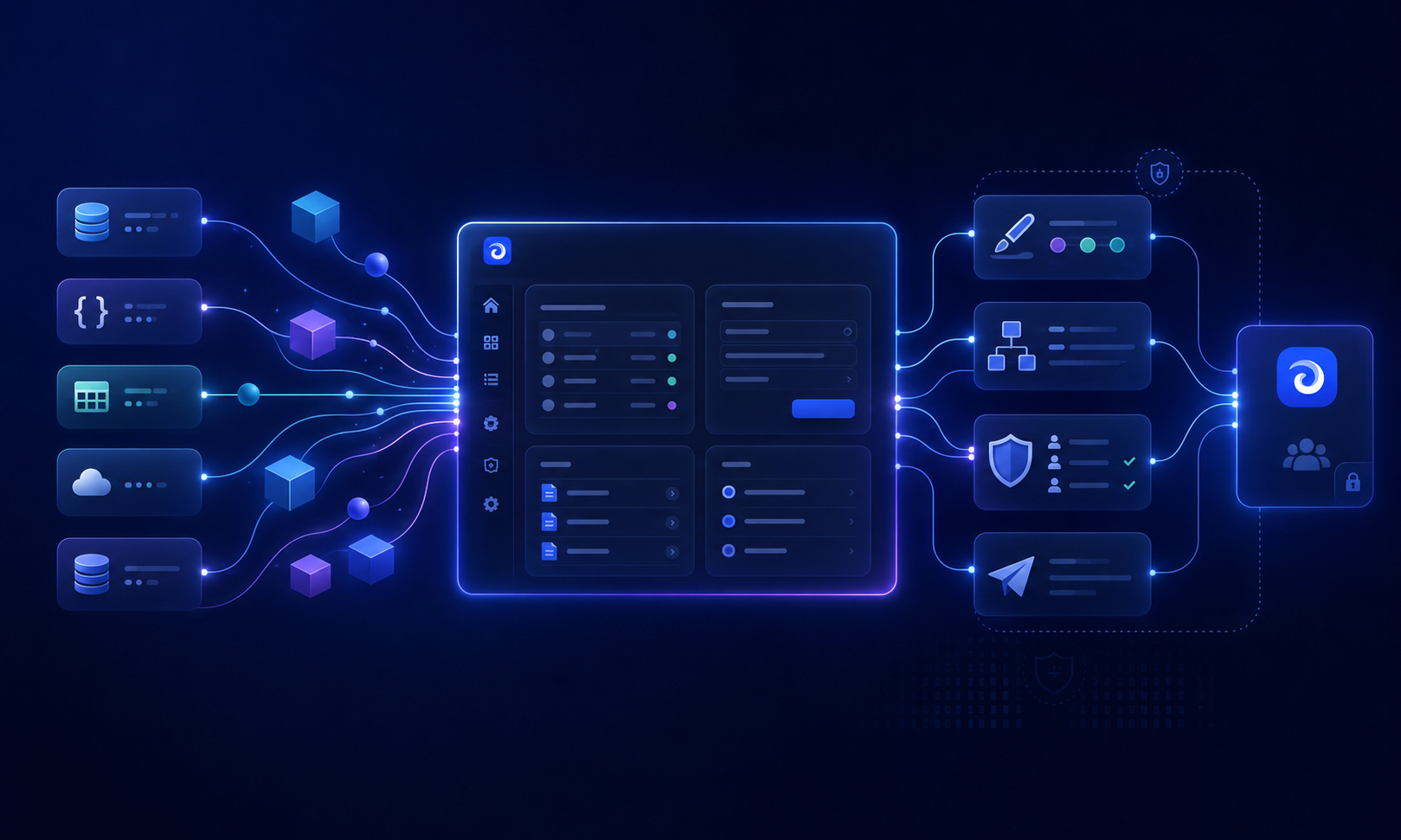
Here is the recommended build sequence: connect data, design the interface, configure permissions, test with pilot clients, then roll out broadly.
Step 1 – Inventory and connect data sources. Identify where client information currently lives-databases, CRMs, billing tools, spreadsheets. Decide which entities must appear in the portal: projects, invoices, tickets, assets.
Step 2 – Choose or adapt a client portal template. Use a pre-built client portal template or free template as a starting point for layout and navigation, then customize based on your JTBD and IA.
Step 3 – Design interfaces. Build or configure pages for dashboards, task lists, detail views, forms, and file libraries. Make sure each area directly supports a top-priority job. Implement a search bar for easy content discovery.
Step 4 – Configure authentication and permissions. Integrate with your identity provider, define roles and role-based access, and test user provisioning flows end-to-end.
Step 5 – Implement workflows and automations. Set up triggers for when clients submit forms, change statuses, or upload files. Wire them to internal project management or notification systems.
Step 6 – Test with a pilot group. Run through realistic scenarios with a mix of internal staff and 3–10 trusted clients. Collect files, test feedback flows, and gather specific input on clarity, performance, and missing steps.
Step 7 – Launch and support. Communicate launch dates, provide a simple quick-start guide, monitor analytics, and keep a changelog of portal improvements so clients see the new portal evolving.
Several agencies report building functional portals in roughly 8-week spans when using configurable platforms. A platform like Jet Admin is built around this flow: connect existing data sources, auto-generate basic CRUD interfaces, then refine UI, workflows, and permissions before sharing with live users. Manage projects and client deliverables from one place.
Balancing Security, Compliance, and Operating Cost
Many teams hesitate to expose internal data to external users because of security, compliance, and cost concerns. Good portal design addresses all three without creating an unusable fortress.
Security considerations:
- Encryption in transit (TLS) and at rest
- Rigorous authentication (MFA, passkeys, SSO)
- Least-privilege permissions and regular access reviews
- Audit logs of sensitive actions (downloads, edits, deletions)
The stakes are real. In 2024, the average cost of a data breach was $4.88 million. Cyber attacks increased by 72% from 2021 to 2023. Over 60% of small businesses fail within 6 months after a cyber attack. Security and privacy are key components of regulatory compliance, and these numbers make robust security features essential, not optional.
Compliance requirements that often apply: GDPR/CCPA obligations for client data, industry-specific standards (HIPAA, financial regulations), and internal policies on data residency and retention.
Cost drivers to plan for: engineering time to build and maintain a custom portal, support load for confused users, and license costs for portal software and supporting systems. Strategies to control cost while staying secure include choosing configurable portal software rather than building from scratch, reusing existing identity and logging infrastructure, and centralizing document storage instead of duplicating it.
Low-code platforms can reduce change costs over time because operations or product teams can update the portal without large dev backlogs. But budget for ongoing governance and UX refinement. Create a simple 12-month TCO comparison-including internal labor, support, and infrastructure-not just subscription fees.
How Configurable Portal Platforms (Like Jet Admin) Fit In
Configurable or low-code client portal platforms connect to existing data sources and let teams design interfaces, workflows, and permissions visually. They occupy a flexible middle ground between fully custom builds and rigid off-the-shelf tools.
Generic advantages:
- Faster time-to-market (prototype in days, pilot in weeks)
- Ability to iterate after launch without engineering bottlenecks
- Reduced reliance on developers for routine changes
- Enforcement of security and governance controls through configuration
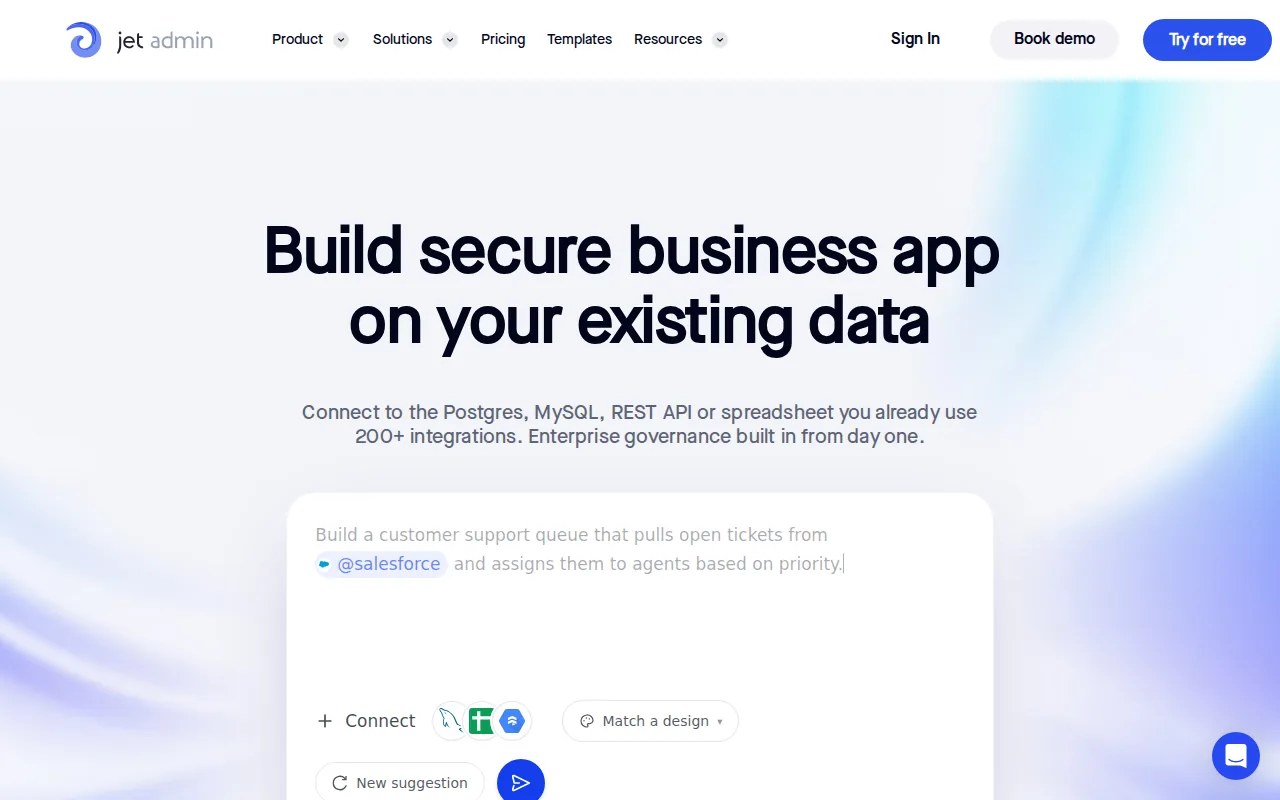
Jet Admin approaches client portal design by connecting to databases (PostgreSQL, MySQL, MongoDB, and many others), APIs, SaaS tools (Stripe, HubSpot, Salesforce), and storage providers. It auto-generates CRUD views, offers drag-and-drop UI design with 100+ components, and wires workflows through its automation layer with triggers, conditions, and actions. You can create, customize, and save portal layouts to match your exact needs.
Governance capabilities include granular access control down to rows, columns, and actions; support for modern authentication providers; and branded, custom-domain experiences. These help implement the design decisions described throughout this article.
Jet Admin is one option among others. It is particularly useful where teams want a branded client portal tightly integrated with operational data. Very small teams or extremely specialized use cases might still opt for simpler tools or fully custom builds.
When evaluating any portal software, test fit against your JTBD, data architecture, security requirements, and your team's ability to maintain the portal over multiple years-not just initial feature checklists. Look for free trials where available to validate assumptions before committing.
Conclusion: Turning Client Portal Design into a Repeatable Practice
Effective client portal design is a strategic practice-aligning user needs, security, data model, and UX-rather than a one-off software purchase. It is how agencies, B2B companies, and operations teams decide to manage the boundary between internal systems and external clients.
The key steps: define users and JTBD, design information architecture, plan authentication and role-based access, build self-service workflows, and iterate based on analytics and feedback.
Start small. A focused portal covering just onboarding and project tracking for web design clients can save hours per week. Expand as you see adoption and measurable time savings.
Your next action: sketch a simple permissions matrix and JTBD list, then trial a configurable portal solution or client portal template to validate assumptions with a pilot group.
If you want to explore how a configurable platform handles these design decisions, take a look at Jet Admin's customer portal capabilities and browse their available templates. A good client portal is one that evolves with your business-start building yours today.
FAQ: Client Portal Design
These questions cover practical design and implementation details not fully explored in the main sections.
How is a client portal different from a customer-facing website?
A portal is an authenticated, personalized workspace tied to live data-projects, invoices, files-whereas a website is mostly public marketing content. Portals require explicit design of permissions, data visibility, and workflows; websites typically do not expose internal systems. Design priorities differ too: portals emphasize clarity, performance, and repeatable tasks, while marketing sites emphasize storytelling and conversion.
Can I use my existing project management tool as a client portal?
Many teams start by exposing parts of tools like ClickUp, Asana, or Notion to clients, but these tools were built for internal collaboration. Navigation, permissions, and branding may be limited compared to purpose-built client portal software. Evaluate whether your clients find the interface intuitive and whether security and compliance needs are fully met before committing long-term.
How long does it take to design and launch a basic client portal?
A simple portal built on a configurable platform can often be prototyped in days and piloted within 2–4 weeks, assuming data sources are ready. The longest phases tend to be aligning stakeholders on JTBD, permissions, and information architecture-not the UI configuration work. Start with a narrow scope (e.g., only onboarding and document exchange) to reach production faster and expand later.
Do I need a dedicated web designer for my client portal?
Dedicated web design help is most valuable if the portal must reflect a refined brand experience or handle complex, consumer-grade UX. Many configurable platforms provide component libraries and templates so product or operations teams can assemble a solid interface without deep design skills. Involve designers at least for initial branding, layout review, and accessibility checks.
What is the best way to onboard clients to a new portal?
Send clear launch communications, short video walkthroughs, and a simple "first tasks" checklist inside the portal. Offer temporary parallel support channels (e.g., email plus portal) during the transition while gently nudging clients toward the new workflows. Collect early feedback to adjust labeling, navigation, and instructions before rolling out to your full customer base.