Choosing the right ai coding tool in 2026 means weighing model flexibility, deployment options, pricing transparency, and how well a tool fits your actual workflow. Claude Code set a high bar for terminal-based agentic coding, but its locked ecosystem, lack of a free tier, and Anthropic-only model support have pushed many developers to explore credible code alternatives. This guide gives you the evaluation criteria, head-to-head data, and migration framework to pick the best claude code alternative for your team.
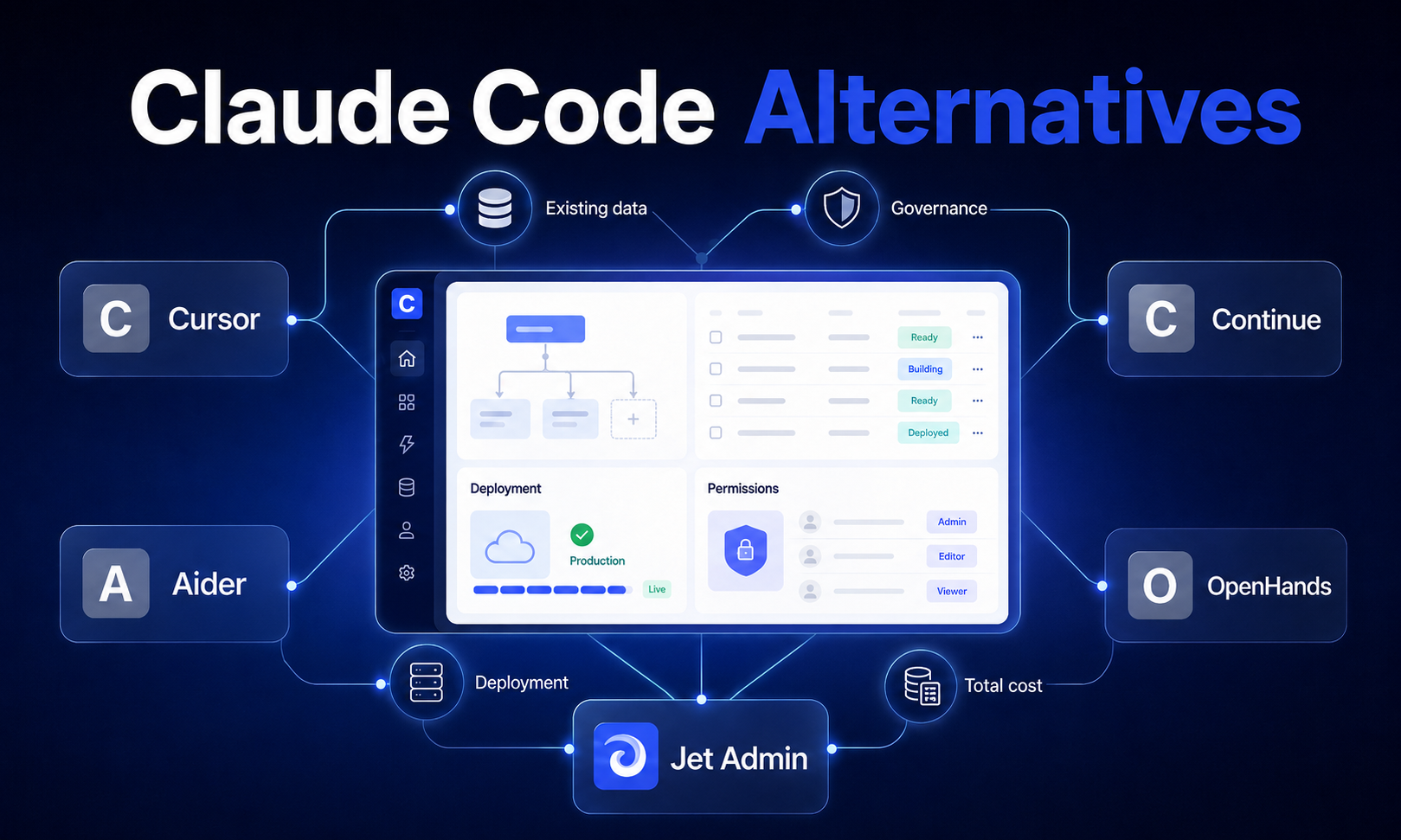
The short answer: There is no single best alternative to claude code-the right choice depends on whether you prioritize IDE-native visual editing (Cursor), free and open source flexibility (Cline or Aider), privacy and model agnosticism (OpenCode), GitHub-native workflows (Copilot), or building business applications on existing data (Jet Admin). Below, we break down each option across the dimensions that actually drive the decision.
Why Developers Are Seeking Claude Code Alternatives
Claude Code, launched by Anthropic in early 2025, introduced an agent loop architecture that reads files, runs shell commands, executes tests, and iterates autonomously until a task is complete. Its deep reasoning via claude sonnet and claude opus remains a genuine strength, especially for complex multi file refactors and documentation tasks. In a study of 7,156 pull requests, Claude Code led in documentation (92.3%) and feature-implementation acceptance (72.6%).
Yet several pain points are driving many developers to look elsewhere:
- Cost predictability. Claude Code costs $6 per developer per day, with no free tier. Teams running intensive agentic sessions report spending $100–$300/month per developer, and usage is metered per token with context fading on long sessions.
- Model lock-in. Claude Code only supports claude models-Sonnet, Opus, Haiku. There is no option to bring your own api key for GPT, Gemini, DeepSeek, or run local models.
- Workflow mismatch. Claude Code's terminal-native workflow may not suit all developers. Teams preferring visual diffs, side-by-side editing, or ide native tools find the CLI-only interface limiting.
- Deployment constraints. Cloud-only operation raises concerns for organizations with data residency requirements or air-gapped environments.
By mid-2026, the market has matured considerably. Several powerful alternatives to Claude exist for coding tasks, spanning open source alternatives, VS Code forks, terminal-first agents, and specialized app builders. The question is no longer whether alternatives exist-it's which one matches your specific requirements.
Essential Evaluation Criteria for AI Coding Tools
Before comparing tools, establish what actually matters for your workflow. These eight criteria separate genuine differences from marketing noise.
Build Speed and Development Velocity
How fast can the tool complete feature additions, refactors, debugging, and code edits? Key factors include context window size, support for multi file editing, test execution capabilities, and the quality of the agent loop. Tools that can process your entire codebase and handle autonomous multi file editing will outperform those limited to single-file suggestions.
Data Connectivity and Integration
Can the tool connect to private repos, existing APIs, databases, and external tools? Look for LSP integration, support for model context protocol (MCP) servers, and the ability to connect external tools like linters, build systems, and CI/CD pipelines.
Extensibility and Customization
Evaluate plugin systems, the ability to write rules and skills, support for multiple agents, custom agent workflows, and webhook integrations. Tools supporting MCP let you feed context from external resources securely.
Authentication, Permissions, and Access Control
For teams: SSO support, control over model usage, human-in-the-loop approval for tool actions, role-based access, and audit trails for every change. Enterprise features here are non-negotiable for regulated industries.
Deployment Flexibility
Cloud-only versus local versus hybrid. Can you run local models via Ollama or LM Studio? Is self-hosting possible? Does the tool work in air-gapped environments?
Governance, Audit Trails, and Compliance
Logs of every action, diff tracking, ability to review and revert, enforcement of code standards-track which model was used, when, and by whom. An empirical study of ~3,800 issues across coding agents found that tools enforcing verification loops and human approvals show fewer severe errors.
Pricing Models and Total Cost of Ownership
Subscription versus usage-based versus token billing. Factor in api costs, infrastructure for self-hosting, overage pricing, and hidden costs like data ingress/egress and GPU compute.
Long-Term Maintenance and Vendor Support
Open-source community health, vendor stability, update frequency, enterprise SLAs, and security vulnerability handling all affect whether a tool remains viable at scale.
Claude Code Alternatives Comparison at a Glance
Tool | Best For | Starting Price | Model Support | Deployment | Key Strength | Key Limitation |
|---|---|---|---|---|---|---|
Jet Admin | Business app development | AI-powered; MCP integration | Cloud with enterprise options | Secure apps on existing data; permissions | Focused on business apps, not general dev | |
Claude Code | Terminal agentic workflows, deep reasoning | ~$6/dev/day (~$180/mo) | Anthropic only (Sonnet, Opus, Haiku) | Cloud only (CLI + Web) | Full agent loop, task chaining, strong reasoning | No free plan; vendor lock in; CLI-only |
Cursor | Visual development teams | Free tier; Pro $20/mo | GPT-5/5.5, Claude, Gemini | Desktop app (Win/Mac/Linux) | Rich visual diffs, multi-file orchestration | Credit-based pricing unpredictability |
Cline | Model flexibility, cost control | Free (OSS); Teams $20/mo | Any model via own api key | Local, hybrid, cloud; VS Code + CLI | 8M installs; multi-model; rules/skills system | Setup friction for non-technical teams |
OpenCode | Privacy, model agnosticism | Free (OSS) | 75+ providers + local models | Terminal, desktop, IDE extension | Strong privacy; session sharing; any model | Early stage; less polish |
Aider | Terminal-first git workflows | Free (OSS) | Claude, OpenAI, Gemini, local | Terminal within local repo | Git-native; atomic commits; 6.8M installs | No visual diff; limited multi-agent |
Windsurf | Budget-conscious IDE users | Free tier; Pro $20/mo | Selected providers | Editor-native; cloud/hybrid | Generous free tier; Cascade agent mode | Pricing instability; limited model variety |
GitHub Copilot | GitHub-centric teams | Pro $10/mo; Business $19–39 | Primarily OpenAI; some Claude/Gemini | Cloud; GitHub-integrated | Deep GitHub integration; enterprise controls | Weaker multi-file refactoring |
OpenHands | Open-source autonomous agents | Free (OSS) | Multiple providers | Self-hosted | 80,500+ GitHub stars; autonomous coding | Requires infrastructure management |
The headline trade-off: commercial tools offer polish and support but introduce vendor lock in and higher costs, while open source alternatives provide flexibility and cost control at the expense of setup friction and self-management.
Top Claude Code Alternatives: Detailed Analysis
Jet Admin: Best for Business Application Development
When your goal shifts from general software development to building internal tools, dashboards, and CRUD applications on existing data, Jet Admin occupies a distinct and relevant position among code alternatives.
Core strengths:
- Builds secure business apps on existing data-connects to databases, APIs, spreadsheets, and SaaS tools
- Supports prompt-based app building, MCP/coding-agent workflows, and importing existing React code
- AI agents that can read data, call tools, and complete multi-step tasks under permissions and audit controls
- Generates both interface and application/backend logic, then deploys to users
Best for: Teams building internal tools and business applications who need controlled data access, permissions, and audit trails without writing everything from scratch. It's less a direct alternative to claude code for systems-level software development, and more a complement when the output is a business application rather than a codebase.
Key limitations: Focused on business application development rather than general-purpose ai assisted development. Not suited for deep engineering tasks like performance optimization, systems architecture, or large codebase refactors.
Cursor: Best for Visual Development Teams
Cursor is a vs code fork rebuilt as an AI-native code editor with agentic workflows baked into the interface. It supports frontier model access including GPT-5/5.5, Claude, and Gemini, letting teams switch models based on task complexity.
Core strengths:
- Cursor's Composer mode handles multi-file tasks from a single prompt-it creates a plan, shows diffs for approval, then applies changes across multiple files
- Cursor allows asynchronous multi-file tasks but runs agents sequentially, making it effective for orchestrated refactors
- Built-in workspace indexing, inline suggestions ("Tab completion"), and side-by-side diff views reduce the friction of reviewing code edits
- Empirical data shows Cursor performed better in bug-fix tasks (~80.4% acceptance) compared to Claude Code in head-to-head testing
Best for: Teams that want a familiar vs code environment with advanced ai assisted coding features, visual diff reviews, and multi file editing without leaving the editor.
Pricing: Free tier with limited features. Cursor's Pro plan is $20 per month. Power users may need higher tiers.
Key limitations: Heavier on system resources than terminal tools. Credit-based pricing can become unpredictable under heavy model usage. CLI-first developers may find the IDE approach restrictive for automation and scripting workflows. Less flexibility for running local models compared to fully open tools.
Cline: Best for Multi-Model Flexibility and Cost Control
Cline is an open-source ai coding agent with 8 million installs, available as a vs code extension, CLI tool, and SDK. It operates on a "Plan and Act" model: explore the codebase and ask clarifying questions in Plan mode, then execute in Act mode with human approval checkpoints.
Core strengths:
- Cline supports any model via user-provided API keys-Anthropic, OpenAI, Google Gemini, AWS Bedrock, OpenRouter, and local models via Ollama or LM Studio
- Cline allows users to bring their own API key for flexibility, and charges nothing on top of API provider rates
- Rules and Skills system lets teams encode coding conventions, architecture patterns, and linting standards
- Diff tracking, undo checkpoints, and real-time bash command monitoring provide transparent control
- Cline allows model switching and tracks API usage costs in real time
Best for: Developers and teams who want a free claude code alternative with full control over which models they use, what they spend, and how the agent behaves. Cline is an open-source alternative with model flexibility and cost control that appeals to many developers.
Pricing: Free and open source (Apache-2.0). Cline's Teams plan is $20 per month after Q1 2026. Your actual cost depends on your chosen model provider's api costs.
Key limitations: The vs code extension approach means you're dependent on the extension ecosystem. Setup friction is higher than turnkey commercial tools-configuring providers, keys, and rules requires upfront investment. Enterprise support may lag proprietary options. UI polish in some surfaces trails Cursor or Windsurf.
OpenCode: Best for Privacy and Model Agnosticism
OpenCode is a free, open-source coding platform that supports over 75 model providers plus local model support. It operates across terminal, desktop apps, and IDE extensions, with a strong emphasis on privacy-no storage of your code or context on external servers.
Core strengths:
- Multi-session agents working in parallel, with shareable sessions for debugging reference
- LSP integration for language-aware code intelligence
- "Zen" mode provides pre-benchmarked model configurations optimized for coding tasks
- Tools like Aider and OpenCode allow you to avoid vendor lock in entirely
- Support for Gemini 3.1 Pro, which offers a context window ideal for large codebases
Best for: Privacy-conscious teams, organizations with data residency requirements, and developers who want to run local models without any cloud dependency.
Pricing: Free (open-source). You pay only for model provider API access if using cloud models.
Key limitations: Still in active development with some experimental features. Less UI polish than mature commercial products. Enterprise SLAs and dedicated support are not available. Performance with local models on large codebases depends heavily on your hardware.
Aider: Best for Terminal-First Workflows
Aider is a terminal-first ai coding assistant that integrates directly with git for transparent version control. It processes 15 billion tokens weekly across 6.8 million installs, making it one of the most actively used open-source coding agents.
Core strengths:
- Aider is a terminal-first alternative with git-native workflow integration-it commits each change as an atomic git commit with descriptive messages
- Supports many LLM providers including Claude, OpenAI, Gemini, and local models
- Designate specific files for the agent to work on, then direct changes via natural language prompts
- Minimal setup: install, point at your repo, provide an api key, and start coding
- Extremely low total cost-free tool, pay only for model usage
Best for: Command-line focused developers who want an ai coding agent that fits seamlessly into a terminal first workflow with transparent git history. Ideal for incremental bug fixes, feature additions, and focused code edits.
Pricing: Free and open source. Cost is purely the model provider's token pricing.
Key limitations: CLI-only interface with no visual diff tools or graphical code review. Less suited for complex multi file refactors spanning many interconnected modules. Limited multi-agent orchestration capabilities. Governance and audit features are minimal compared to team-oriented tools.
GitHub Copilot: Best for GitHub-Centric Teams
GitHub Copilot remains the most widely adopted ai coding assistant, with deep integration into the GitHub ecosystem-pull requests, code reviews, GitHub Actions, and repository context.
Core strengths:
- Inline completions powered primarily by OpenAI models, with some Claude and Gemini access depending on plan
- Copilot Workspaces provide agent mode capabilities for larger tasks
- Enterprise features include SSO, organization-wide policies, audit logs, and code trimming
- Broad editor support: VS Code, JetBrains, Neovim, Xcode
- Lowest entry price among commercial tools
Best for: Teams heavily invested in GitHub workflows and the Microsoft ecosystem who want enterprise features and straightforward per-seat pricing.
Pricing: GitHub Copilot Pro costs $10 per month. Business tiers run $19–$39/user/month depending on features.
Key limitations: Limited multi-file refactoring capabilities compared to dedicated autonomous coding agent tools. Smaller context window than some competitors. Less flexibility for local models or self-hosting. Agent mode is still maturing relative to purpose-built agentic tools.
Windsurf: Best for Budget-Conscious IDE Users
Windsurf (formerly Codeium) is a vs code fork with built-in agentic workflows, including its signature Cascade mode for autonomous multi-file editing. Windsurf offers a free tier with autonomous multi-file editing capabilities, making it accessible for experimentation.
Core strengths:
- Windsurf's Cascade mode enables autonomous multi-file edits with step-by-step agent reasoning
- Generous free tier includes unlimited Tab completion
- Five pricing tiers from free through enterprise, restructured in 2026 from credit-based to quota-based billing (daily/weekly refreshes)
- Editor-native experience with visible agent features
Best for: Developers wanting an IDE-native ai coding tool with strong features per dollar and a viable free alternative for getting started.
Pricing: Free tier available. Windsurf's Pro plan costs $20 per month. Teams ~$40/user/month. Max ~$200/month.
Key limitations: Pricing model has shifted multiple times, creating uncertainty. Model flexibility is narrower than fully open tools-sometimes locked to selected providers. Less support for self-hosting or running local models compared to Cline or OpenCode.
Additional Notable Alternatives
OpenHands has over 80,500 GitHub stars as an open-source project, providing autonomous coding capabilities with self-hosted deployment. It's a strong option for teams wanting full infrastructure control.
Goose is an extensible AI coding agent with 51,100 GitHub stars, supporting plugin-based architecture and multiple agents for parallel task execution.
Verdent supports true parallel multi-agent execution in IDEs with Git worktree isolation, differentiating it from tools like Cursor that run agents sequentially.
OpenAI Codex is cited as a strong competitor for coding tasks-it excels in implementing features and debugging, and serves as the backbone for several other tools in this space.
DeepSeek is considered a high-performance alternative for coding tasks, particularly attractive for teams wanting premium models at lower api costs.
Migration and Selection Checklist
Switching ai tools mid-project carries real costs. Use this framework to evaluate before committing.
Pre-Migration Assessment
- Workflow audit: Document which tasks you currently perform in Claude Code-feature implementation, bug fixes, refactors, documentation, test generation. Match each to the alternative's proven strengths.
- Team skill evaluation: CLI-driven tools may offer lower costs and flexibility, but require terminal comfort. IDE integration is preferred for user-friendly coding environments and teams with mixed skill levels.
- Integration inventory: List every integration point-Git hosting, CI/CD pipelines, code review tools, build systems, linters-and verify the alternative supports them.
Technical Requirements Checklist
- [ ] Model preferences: Do you need specific frontier model access (Claude Opus, GPT-5.5)? Must you run local models for privacy?
- [ ] Deployment constraints: Cloud-only acceptable, or do you need on-premise/air-gapped support?
- [ ] Context window needs: Large codebases require tools with generous context windows-verify the tool handles your typical project size
- [ ] Command execution: Does the tool run terminal commands, execute tests, and interact with your build system?
- [ ] Multi-file support: Can it handle autonomous multi file editing across your typical refactor scope?
Cost Analysis Framework
- Subscription costs: Monthly per-seat fees (Cursor $20, Copilot $10–$39, Windsurf $20)
- Usage costs: Token-based api costs when using your own api key (Cline, Aider, OpenCode)
- Infrastructure costs: Self-hosting compute, GPU, storage if running local models
- Hidden costs: Developer onboarding time, productivity dip during transition, potential slowdown while learning new tools
- Scaling projection: Model your costs at 2× and 5× current usage to catch overage surprises
Pilot Program Recommendations
- Run a 2–4 week pilot on a non-critical repository
- Track: PR acceptance rate, time-to-completion, developer satisfaction, api costs, security incidents
- Compare against your Claude Code baseline on the same task types
- Evaluate with at least 3–5 developers to get representative feedback
Recommendations by Team Profile
For Enterprise Development Teams
Enterprise teams need enterprise features: SSO, audit trails, role-based access, compliance controls, and vendor stability.
Recommended: GitHub Copilot Enterprise for GitHub-centric organizations. Cursor Pro or Cline Teams for teams needing stronger agentic capabilities with governance. Jet Admin when the deliverable is internal business applications with controlled data access.
Key consideration: Budget for both subscription and model usage costs. Establish human-in-the-loop approval policies for agent-initiated code edits and command execution.
For Startups and Small Teams
Speed and cost control matter most. You need tools with minimal setup friction and predictable costs.
Recommended: Aider for terminal-first teams wanting zero overhead. Windsurf's free tier for IDE-native development on a budget. Cline for teams wanting multi model access without committing to a single vendor.
Key consideration: Freemium models are common in AI-powered coding tools-start with free tiers, measure actual model usage, then upgrade only when the ROI is clear.
For Open Source and Privacy-Focused Teams
Data residency, self-hosting, and full control over model selection are non-negotiable.
Recommended: OpenCode for maximum privacy and model agnosticism. Cline for teams wanting the flexibility to run local models while maintaining a polished VS Code workflow. Aider for lightweight, self-contained terminal usage with no cloud dependency.
Key consideration: Running local models requires meaningful hardware investment. Benchmark model quality on your actual codebase before committing-smaller local models may lag premium models significantly in reasoning quality.
Making Your Final Decision
The best claude code alternative depends on three factors: your preferred interface (CLI vs IDE), your cost sensitivity (subscription vs pay-per-token), and your flexibility requirements (single vendor vs multi-model).
If you're leaving claude code because of cost: Aider, Cline, or OpenCode eliminate subscription fees entirely-you pay only for model calls. Windsurf's free tier provides a capable starting point.
If you're leaving because of model lock-in: Cline and OpenCode give you multi model access across 75+ providers. Both let you bring your own api key and even run local models for complete independence.
If you want a richer visual experience: Cursor gives you the strongest code editor with AI features. Windsurf provides a competitive alternative at the same price point.
If your team lives in GitHub: Copilot remains the path of least resistance-its integration with PRs, Actions, and organizational controls is unmatched.
If you're building business applications, not engineering infrastructure: Jet Admin provides a purpose-built environment for secure internal tools on existing data, with permissions and audit controls that general-purpose coding agents don't offer.
Before full commitment: run a focused pilot, measure against your current productivity baseline, and calculate total cost at your expected scale. Tools for ai coding vary based on user workflow preferences-the best choice is the one that fits how your team actually works, not the one with the most features on a spec sheet.
Frequently Asked Questions
Can I use multiple AI coding tools together effectively?
Yes, and many teams do. A common pattern is pairing a CLI agent (Aider or Cline) for backend-heavy refactors with an IDE tool (Cursor or Windsurf) for frontend work and visual code reviews. The trade-off is context-switching cost and maintaining consistency across tools. Start with one primary tool and add a second only when you hit clear capability gaps.
How do I migrate existing workflows from Claude Code?
Start by mapping your most frequent Claude Code tasks-feature implementation, debugging, documentation, multi file changes-to the equivalent workflow in your target tool. Run both tools in parallel on a small repository for 2–3 weeks. Compare output quality, cost, and developer satisfaction before switching fully. Pay special attention to how the new tool handles shell commands and test execution, since these vary significantly across platforms.
What are the hidden costs of switching to alternatives?
The obvious costs are subscription and api costs. The hidden ones include: developer onboarding time (typically 1–2 weeks to reach prior productivity), lost efficiency on features that don't have a direct equivalent, potential need for new infrastructure (especially when self-hosting local models), and security review if the new tool handles code differently. Budget 15–20% productivity overhead during the first month of transition.
Which alternatives work best with existing development infrastructure?
GitHub-centric organizations should evaluate Copilot first-its integration is seamless. Teams with internal infrastructure or air-gapped systems should look at Cline, OpenCode, or Aider, all of which support local deployment. For VS Code users, Cline (as a code extension) and Windsurf (as a vs code fork) require the least workflow change. JetBrains users should check Cline and Copilot, which both support that IDE family.
How do I evaluate ROI and productivity gains from AI coding tools?
Measure four things during your pilot: (1) time spent on repetitive coding tasks before vs. after, (2) PR throughput and acceptance rate, (3) defect rates in AI-assisted code, and (4) total tool cost including subscriptions and model usage. Also estimate the value of freeing senior engineers from trivial tasks. A realistic expectation is 20–40% time savings on routine tasks, with diminishing returns on novel architectural work where task complexity is high.
What should I consider for team training and adoption?
Code development tools can differ based on IDE or CLI preferences-don't force terminal tools on IDE-native developers or vice versa. Provide hands-on workshops rather than documentation alone. Establish team-wide rules for agent permissions (what the tool can auto-execute vs. what requires human approval). Start with low-risk tasks to build confidence, then expand scope. Assign one team member as the tool champion responsible for configuration, model selection, and cost monitoring during the first quarter.