
The right Jotform alternative depends on what happens after someone clicks Submit. A survey, a payment form, and a document-heavy onboarding process require different limits, integrations, and staff workflows.
Quick answer: Tally is worth evaluating for simple document-style form building. Typeform is worth evaluating for conversational forms and respondent experience. Fillout is worth evaluating for forms connected to existing records.
Published by Jet Admin. Product and pricing information checked September 26, 2026 against official pages and documentation. Recommendations are editorial judgments, not benchmark results or claims of hands-on product testing. List order reflects use-case fit, not a measured score.
Best Jotform alternatives at a glance
| Product | Best fit | Main trade-off | Pricing model |
|---|---|---|---|
| Tally | simple document-style form building | Check fair-use terms and paid features such as branding or administration. Free submissions are not evidence that every business requirement is included. | Free forms and submissions subject to fair-use guidelines; Pro and Business add capabilities. |
| Typeform | conversational forms and respondent experience | Evaluate response allowances and the full data handoff. A polished form does not replace the application that staff use after a response arrives. | Plans have response, user, and feature limits; specialist offers and add-ons differ. |
| Fillout | forms connected to existing records | Confirm exact create-versus-update behavior, authentication, and plan limits. A two-way-looking workflow can still overwrite the wrong record without careful mapping. | Free and paid plans with response and feature allowances. |
| Google Forms | straightforward surveys in the Google ecosystem | Check account restrictions, file uploads, branding, and downstream processing. Advanced customer workflows may need another system around the form. | Personal access is available without a separate Forms subscription; Workspace adds organization-level services. |
| Formstack | forms, documents, and signatures in a business process | Confirm which products and capabilities are included in the proposed package. A forms-only comparison can miss document and signature requirements. | Product and suite plans have builder, submission, and document-delivery allowances; custom offers may apply. |
| Feathery | complex intake and document workflows | Specialist implementation and procurement may be excessive for a short public survey. Verify integrations and responsibilities with a representative workflow. | Current offers emphasize demonstrations and scoped packages; request a quote for the required process. |
What is Jotform, and why consider alternatives?
Create forms through a visual builder, collect payments where supported, and send submissions to connected systems. It suits teams with varied intake forms and common business integrations.
Start with the Jotform official product information and identify which of these requirements applies to your team:
- List form, response, payment, and storage requirements separately
- Decide whether document generation and signing are essential
- Test updates to existing records instead of only new submissions
When Jotform is still the right choice
Keep Jotform when its templates, integrations, and limits already support the process. Avoid replacing a complete workflow with a cheaper form that needs several extra services.
Types of Jotform alternatives
A form builder collects structured input; a workflow platform also routes and processes it. Decide whether you are replacing the respondent experience, the back-office process, or both. A low headline price is less useful than a plan that covers your real submission and attachment workload.
What to look for in a Jotform alternative
- Can conditional logic handle the longest real path without dead ends?
- Which submission, storage, upload, payment, and signature limits affect a busy month?
- Can the next team see only the submissions it owns?
- What happens when a webhook fails or a customer submits twice?
- Can you export attachments and retain consent records with each response?
1. Tally: best for simple document-style form building
Build forms by typing questions and adding blocks, including logic and common collection features. It is a useful option when a team values a lightweight authoring experience.
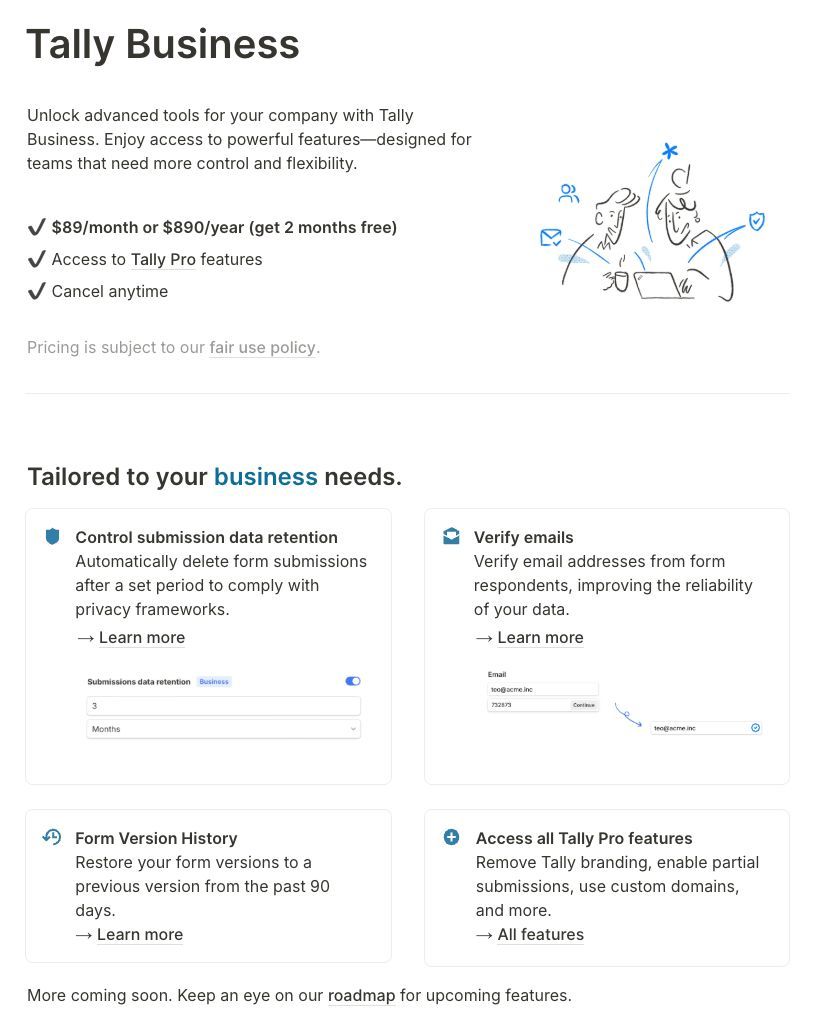
Why consider it: Consider Tally if your reason for leaving Jotform centers on simple document-style form building. Build a conditional form and verify the integration, branding, and file-upload behavior.
Trade-off: Check fair-use terms and paid features such as branding or administration. Free submissions are not evidence that every business requirement is included.
Pricing: Free forms and submissions subject to fair-use guidelines; Pro and Business add capabilities. Check current pricing and plan details.
Choose it when: Your priority is simple document-style form building. Before committing, ask the prospective owner to complete the evaluation task and explain what they would maintain after launch.
Source: Tally official product information.
2. Typeform: best for conversational forms and respondent experience
Design forms and surveys around a guided respondent experience, with logic and analysis capabilities. It is useful when question flow and presentation matter to the interaction.
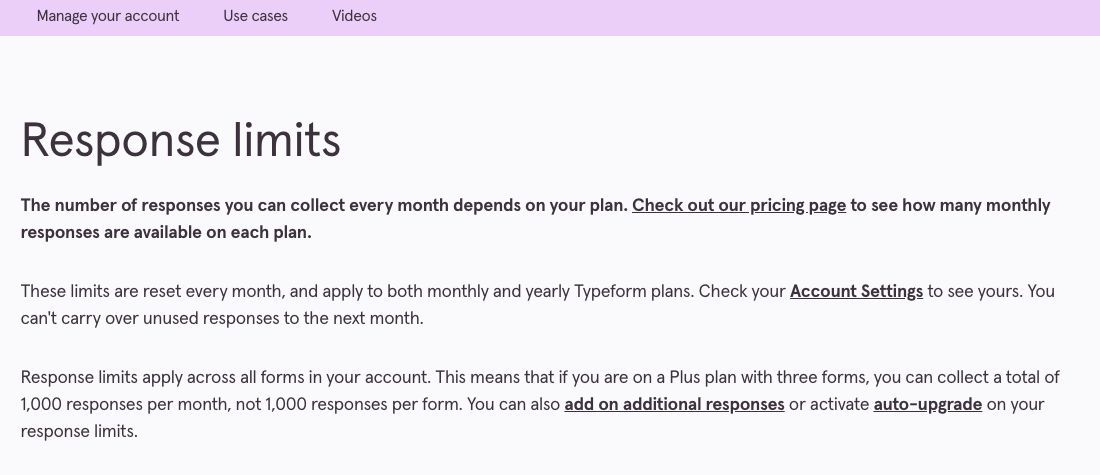
Why consider it: Consider Typeform if your reason for leaving Jotform centers on conversational forms and respondent experience. Test a branching survey on a phone and inspect how incomplete and complete responses are handled.
Trade-off: Evaluate response allowances and the full data handoff. A polished form does not replace the application that staff use after a response arrives.
Pricing: Plans have response, user, and feature limits; specialist offers and add-ons differ. Check current pricing and plan details.
Choose it when: Your priority is conversational forms and respondent experience. Before committing, ask the prospective owner to complete the evaluation task and explain what they would maintain after launch.
Source: Typeform official product information.
3. Fillout: best for forms connected to existing records
Build forms with logic and styling and connect them to a data workflow. Its product describes login forms and editing existing submissions, useful for more than one-way intake.
Why consider it: Consider Fillout if your reason for leaving Jotform centers on forms connected to existing records. Update an existing record through a form and check identity, validation, and duplicate prevention.
Trade-off: Confirm exact create-versus-update behavior, authentication, and plan limits. A two-way-looking workflow can still overwrite the wrong record without careful mapping.
Pricing: Free and paid plans with response and feature allowances. Check current pricing and plan details.
Choose it when: Your priority is forms connected to existing records. Before committing, ask the prospective owner to complete the evaluation task and explain what they would maintain after launch.
Source: Fillout official product information.
4. Google Forms: best for straightforward surveys in the Google ecosystem
Create forms and quizzes and send responses into a familiar Google workflow. It is a good starting point for ordinary internal surveys and simple intake.
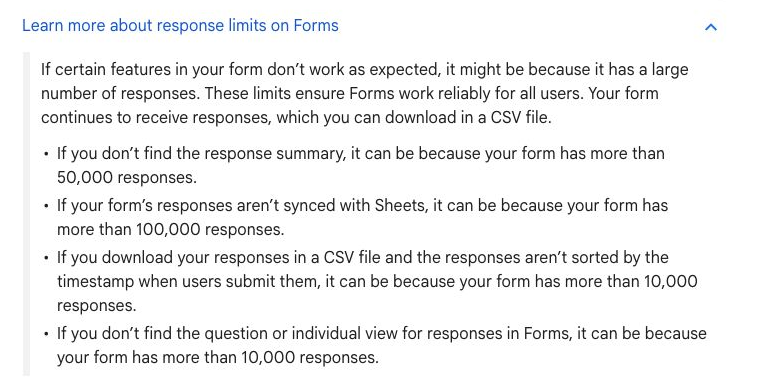
Why consider it: Consider Google Forms if your reason for leaving Jotform centers on straightforward surveys in the Google ecosystem. Create a form, submit as an external respondent, and check the linked response sheet.
Trade-off: Check account restrictions, file uploads, branding, and downstream processing. Advanced customer workflows may need another system around the form.
Pricing: Personal access is available without a separate Forms subscription; Workspace adds organization-level services. Check current pricing and plan details.
Choose it when: Your priority is straightforward surveys in the Google ecosystem. Before committing, ask the prospective owner to complete the evaluation task and explain what they would maintain after launch.
Source: Google Forms official product information.
5. Formstack: best for forms, documents, and signatures in a business process
Combine data collection with document generation and signature workflows through the relevant Formstack products. It is especially worth evaluating when Salesforce integration is central.
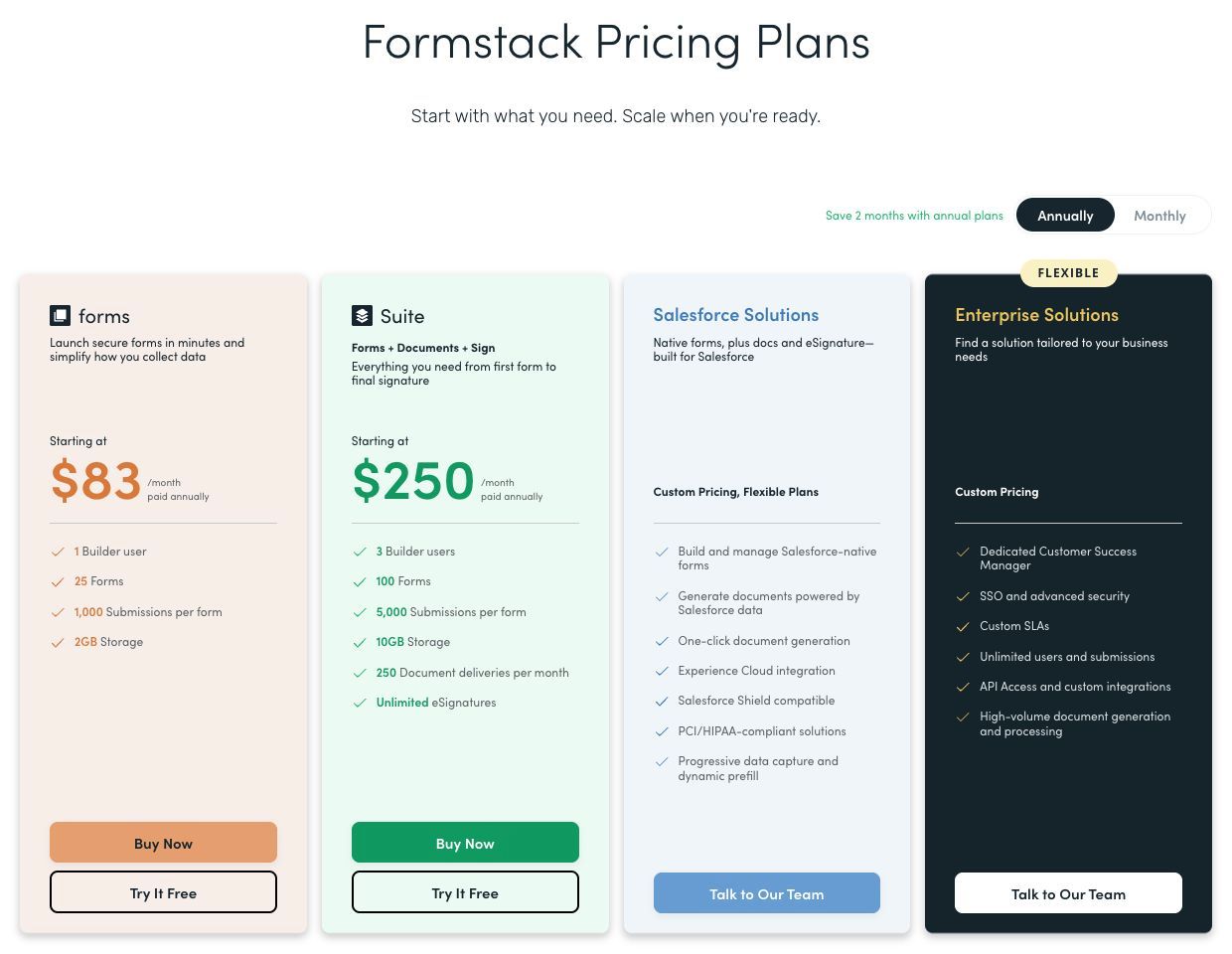
Why consider it: Consider Formstack if your reason for leaving Jotform centers on forms, documents, and signatures in a business process. Run intake through document generation and signing, checking field mappings at each step.
Trade-off: Confirm which products and capabilities are included in the proposed package. A forms-only comparison can miss document and signature requirements.
Pricing: Product and suite plans have builder, submission, and document-delivery allowances; custom offers may apply. Check current pricing and plan details.
Choose it when: Your priority is forms, documents, and signatures in a business process. Before committing, ask the prospective owner to complete the evaluation task and explain what they would maintain after launch.
Source: Formstack official product information.
6. Feathery: best for complex intake and document workflows
Build data collection and workflows around specialized business processes. Its current product positioning emphasizes insurance and wealth-management operations and related document flows.
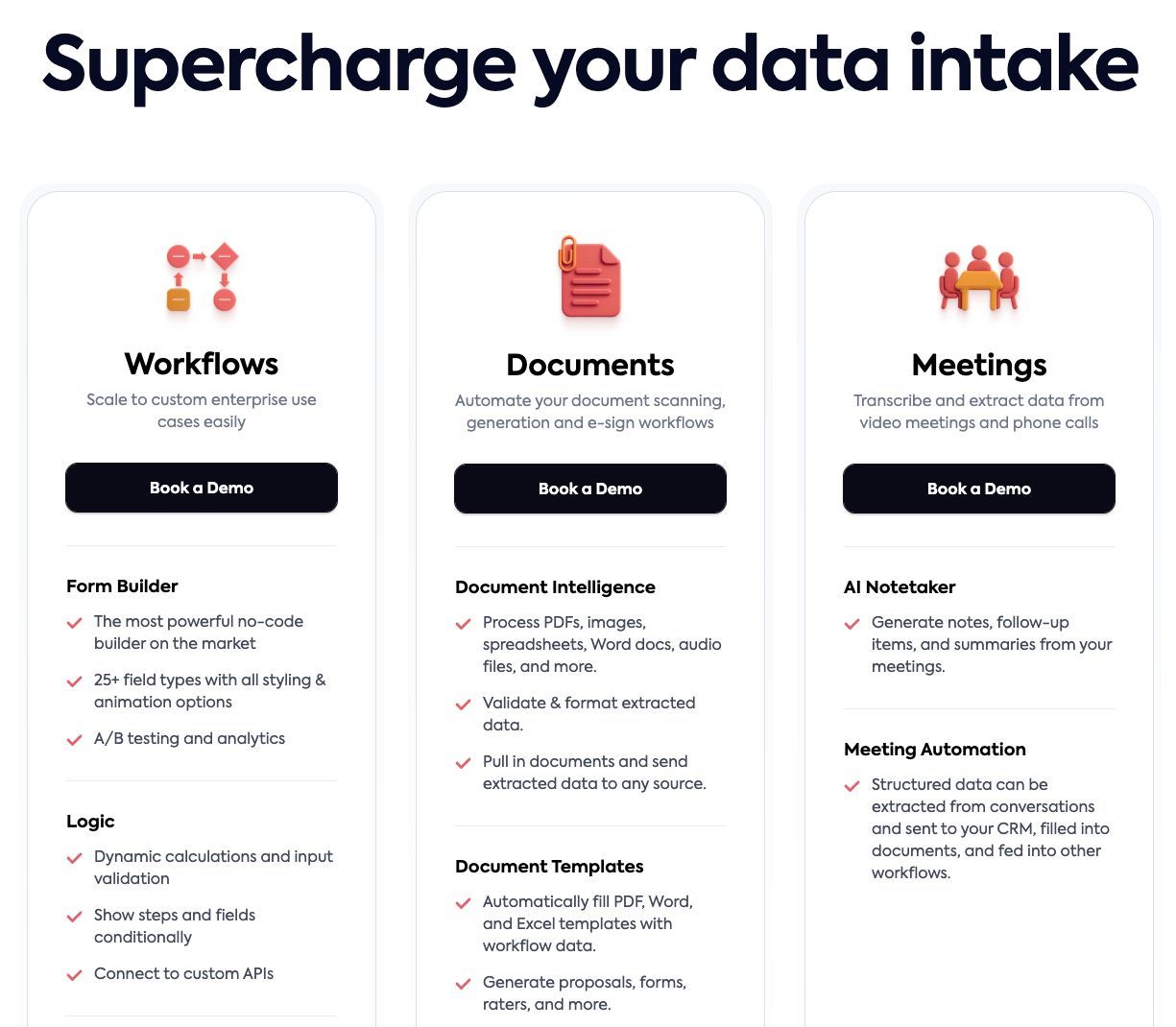
Why consider it: Consider Feathery if your reason for leaving Jotform centers on complex intake and document workflows. Run a realistic onboarding case with documents, exceptions, and a staff review.
Trade-off: Specialist implementation and procurement may be excessive for a short public survey. Verify integrations and responsibilities with a representative workflow.
Pricing: Current offers emphasize demonstrations and scoped packages; request a quote for the required process. Check current pricing and plan details.
Choose it when: Your priority is complex intake and document workflows. Before committing, ask the prospective owner to complete the evaluation task and explain what they would maintain after launch.
Source: Feathery official product information.
Which Jotform alternative should you choose?
Tally is worth evaluating for simple document-style form building. Typeform is worth evaluating for conversational forms and respondent experience. Fillout is worth evaluating for forms connected to existing records.
Run this proof of concept: Use a form with conditional fields, a file upload, a duplicate submission, and a downstream update. Include payment or signing only if the real process needs it.
Record what worked, what required custom work, which plan unlocked essential capabilities, and who can maintain the result. Compare the full monthly operating cost and the one-time migration effort. A successful demonstration is only useful if it covers the difficult permissions, exception, and maintenance requirements.
Keep Jotform when its templates, integrations, and limits already support the process. Avoid replacing a complete workflow with a cheaper form that needs several extra services.
Where Jet Admin fits alongside these tools
Jet Admin is relevant when submitted responses need to become an internal review queue, an approval process, or a customer-facing record. Keep the specialist form tool where its respondent experience is valuable, and evaluate the operational application as a separate layer.
This distinction matters: Jet Admin’s Business plan lists granular permissions, SSO, and audit logs; on-premise deployment is listed under Enterprise. Confirm the required Jet Admin plan before designing the rollout.
How to move from Jotform
Export submissions and files, map stable record identifiers, rebuild logic and notifications, and replace embedded forms only after validating downstream delivery.
- Inventory the data, attachments, integrations, owners, and access rules that the replacement must preserve.
- Separate transferable records from screens, formulas, workflows, and authentication behavior that need rebuilding.
- Use a limited pilot with representative records and explicit success criteria before switching the entire team.
- Reconcile record counts and key business outcomes, train the next owner, and document the fallback path.
Keep the existing system available during the pilot where your contract and technical setup permit it. Avoid simultaneous uncontrolled writes to two systems. Agree on a cutover owner and a rollback decision before the final move.
FAQs about Jotform alternatives
What is the best Jotform alternative?
Tally is worth evaluating for simple document-style form building. Typeform is worth evaluating for conversational forms and respondent experience. Fillout is worth evaluating for forms connected to existing records. There is no single winner across these use cases; choose the option that passes the representative test above.
Is a free alternative enough?
It can be for a limited workflow. Compare the published free-plan or open-source terms with the required users, usage, hosting, integrations, and governance. A trial is not a permanent free plan, and self-hosted software still needs infrastructure and maintenance.
Can I move everything without rebuilding?
Export submissions and files, map stable record identifiers, rebuild logic and notifications, and replace embedded forms only after validating downstream delivery.
How should I compare the real cost?
Use the same representative workload and the same access requirements for every vendor. Add subscriptions, usage charges, hosting or backend costs, migration work, and ongoing maintenance. Check which plan includes the required feature before comparing headline prices.
Is Jet Admin a direct Jotform replacement?
Jet Admin is relevant when submitted responses need to become an internal review queue, an approval process, or a customer-facing record. Keep the specialist form tool where its respondent experience is valuable, and evaluate the operational application as a separate layer.
Put the shortlist to work
Use a form with conditional fields, a file upload, a duplicate submission, and a downstream update. Include payment or signing only if the real process needs it. If that exercise reveals a need for a human-facing operational app, explore Jet Admin’s process automation use case and check the workflow against your own data and access requirements.