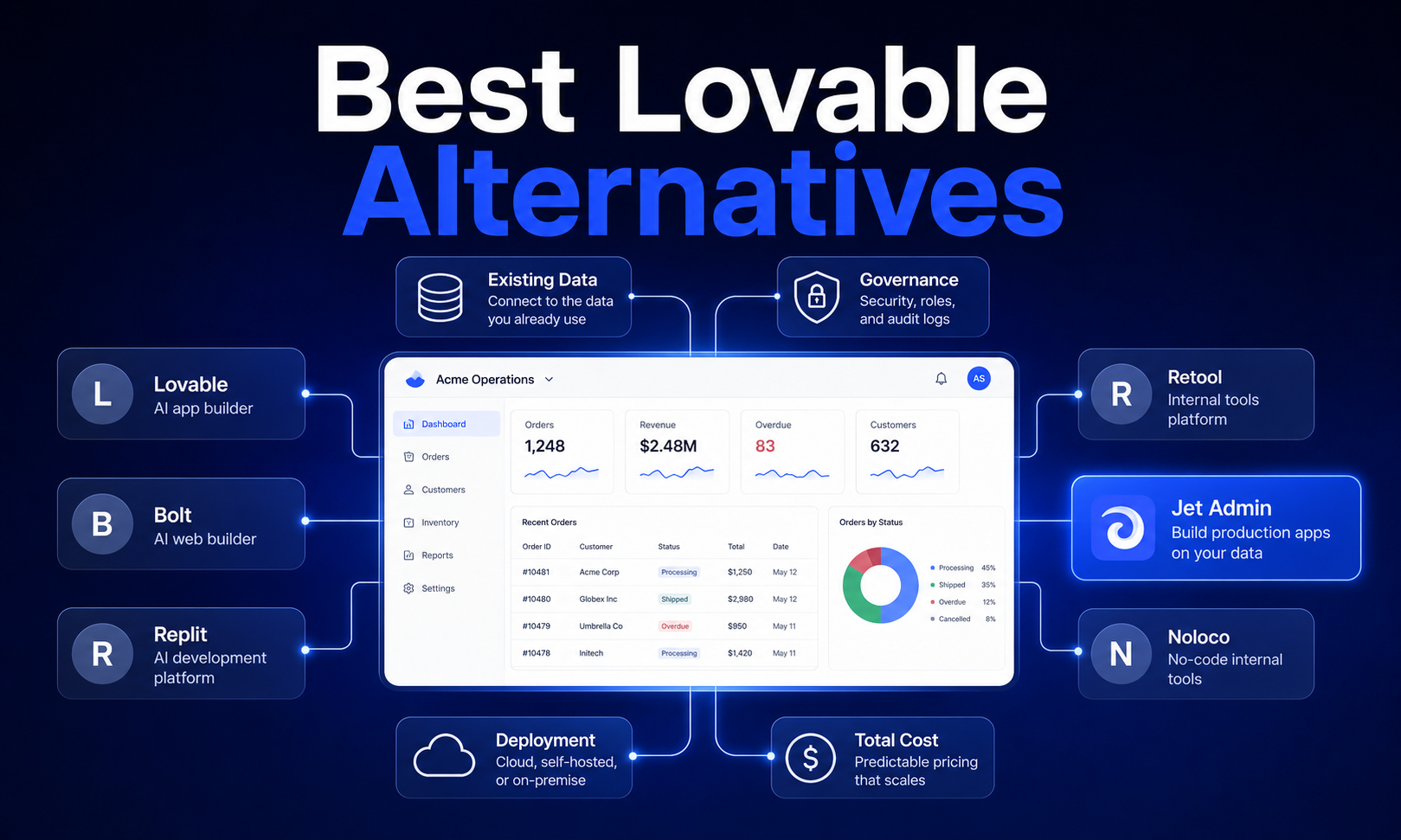
Choosing an AI app builder for production apps means weighing trade-offs that prototyping tools never force you to confront: data connectivity, governance, code ownership, and long-term maintenance costs. If you've used Lovable and found it excellent for rapid prototyping but limiting for complex apps, backend logic, or native mobile apps, you're not alone. This guide compares the best Lovable alternatives across eight criteria that matter for teams shipping real software - not just demos.
The short answer: There is no single best Lovable alternative - the right pick depends on your team profile. Developer-led teams with existing code benefit most from Cursor or GitHub Copilot. Non-technical users building business apps on existing data should evaluate Jet Admin or Bubble. For browser-based full stack generation, Bolt.new offers the closest experience to Lovable with strong code export. And enterprise teams needing governance at scale should look at platforms with built-in compliance controls and audit capabilities.
How We Evaluate AI App Builder Alternatives
Eight criteria separate production-ready ai app builders from tools that only shine during the initial ui drafting phase. We apply the same framework to every platform in this comparison, whether it's a visual builder, an ai coding tool, or an all in one platform.
Here's why each factor matters for technical evaluators and buyers making a platform commitment:
Build Speed and Development Velocity
Time from natural language prompts to a working app with real functionality is the headline metric. But iteration speed matters just as much - how quickly can you add features, fix bugs, and respond to feedback? We also consider the learning curve for both developers and non technical users, since a tool that's fast for experts but baffling for business users creates bottlenecks.
Data Connectivity and Integration Capabilities
Production ready apps need to connect to real data: existing databases, third-party APIs, SaaS tools, and structured data sources like Google Sheets. We evaluate native database support, API integration flexibility, real-time data handling, and compatibility with existing enterprise data infrastructure.
Extensibility and Customization Control
Can you edit code directly? Export it to GitHub? Build custom ui components and reuse them across the same project? Code export and framework flexibility determine whether you're building on a platform or trapped inside one. Vendor lock in is the central risk here.
Authentication, Permissions, and Security
Built-in user management, role-based access controls, and enterprise authentication integrations (SSO, LDAP, SCIM) are non-negotiable for production apps. We also evaluate data security posture, compliance certifications (SOC 2, ISO 27001, GDPR), and audit capabilities.
Deployment and Infrastructure Options
Some teams need cloud hosting; others require on-premise or hybrid deployment. We assess hosting flexibility, scalability under production loads, DevOps integration, CI/CD pipeline support, and custom domain configuration.
Governance and Enterprise Controls
Version control, approval workflows, change management, and team collaboration features separate enterprise-ready platforms from solo-builder tools. Compliance certifications and enterprise security standards factor heavily here.
Pricing Model and Total Cost of Ownership
Transparent pricing without usage surprises matters more than headline numbers. We evaluate cost scaling with team size and application complexity, free tier generosity, paid plans structure, and long-term value compared to manual coding or hiring developers.
Maintenance and Long-term Viability
Platform stability, update frequency, backward compatibility, and vendor financial health all affect whether your apps will still run well in two years. Community support and documentation quality round out this criterion.
Lovable Alternatives: Side-by-Side Comparison
Platform | Best For | Starting Price | Code Export | Deployment | Key Strength |
|---|---|---|---|---|---|
Jet Admin | Business apps on existing data | Contact for pricing | React code import | Cloud, on-premise, hybrid | Extensive data integrations + governance |
Replit | Full-stack dev teams | Free tier; paid plans for advanced features | Yes (full code) | Cloud-hosted | Real-time collaboration + cloud IDE |
Bubble | Complex no-code business apps | Free tier; paid from ~$32/mo | Limited | Bubble cloud | Mature visual platform with plugins |
Cursor | Developer teams with existing code | Free tier; Pro ~$20/mo | Full (your repo) | Self-managed | Deep codebase awareness |
V0 by Vercel | React UI component generation | Free tier with limited generations; paid plans | Full React export | Vercel ecosystem | Clean, production ready ui components |
Windsurf | Budget-conscious dev teams | Competitive free/paid tiers | Full code access | Self-managed | AI assisted coding at lower cost |
GitHub Copilot | Universal AI code assistance | Free tier; Pro ~$10/mo | N/A (your code) | N/A (editor plugin) | Broadest IDE compatibility |
Base44 | Rapid full-stack prototyping | Starter at $20/mo for 100 message credits | Limited | Built-in hosting | All-in-one with minimal config |
Bolt.new | Browser-based full-stack dev | Free tier with 1M tokens/month | Full (ZIP/GitHub) | Built-in hosting | Prompt-to-app in minutes |
Aider | Open-source AI development | Free (open source) | Full (your repo) | Self-managed | No vendor lock in, model flexibility |
The main takeaway: alternatives to Lovable spread across a spectrum from visual tools for non technical users (Bubble, Base44) to developer-focused ai tools (Cursor, Aider, GitHub Copilot), with platforms like Bolt.new and Jet Admin occupying productive middle ground for different use cases.
Jet Admin: Best for Business Apps with Existing Data
When your data already lives in databases, APIs, spreadsheets, and SaaS tools, the challenge isn't generating a frontend - it's building secure business apps that connect to what you already have. Jet Admin builds secure business apps on existing data, generating the interface and application/backend logic, then deploying the app to users.
Key strengths:
- Connects to existing databases, APIs, spreadsheets, and SaaS tools with extensive integration support - no need to migrate data to a new platform
- Supports prompt-based app building, importing existing React code, and AI agents that can read data, call tools, and complete multi-step tasks under permissions and audit controls
- Enterprise-grade security with role-based access controls, audit capabilities, and governance features designed for production deployment
- Deployment flexibility including cloud, on-premise, and hybrid options - critical for organizations with strict data residency requirements
Limitations:
- Positioned as an app generation platform rather than a pure code generation tool - teams wanting raw generated code may prefer Cursor or Bolt.new
- Custom pricing means you need to contact sales for enterprise tiers, which adds friction to evaluation
- Less suited for consumer-facing web apps or marketing sites - strongest for internal tools, admin panels, and business applications
Best for: Teams building business apps, internal tools, and admin panels on top of existing data sources. Jet Admin wins when data connectivity, enterprise security, and governance are higher priorities than rapid prototyping of net-new applications.
Replit: Best for Full-Stack Development Teams
Development velocity and real-time collaboration matter most for distributed teams that need to build, test, and deploy without local setup. Replit provides a cloud IDE for building full-stack applications, eliminating the friction of environment configuration entirely.
Key strengths:
- Replit handles complex logic and backend workflows accurately, making it viable for production apps - not just prototypes
- Replit allows real-time coding and deployment in the cloud, so multiple team members can work on the same project simultaneously
- Replit offers a generous free tier with paid plans for advanced features like increased compute and private projects
- AI assistance is built into the editor, supporting ai generation of boilerplate and ai assisted app building workflows
Limitations:
- Pricing at scale can climb quickly as compute and storage needs grow, especially for complex apps with significant traffic
- The learning curve for teams accustomed to traditional IDE workflows (VS Code, JetBrains) may slow initial adoption
- Less suited for teams that need on-premise deployment or strict infrastructure control
Best for: Small teams and technical founders who want to go from idea to deployed web apps without managing infrastructure. Replit wins when collaboration speed and zero local setup are priorities.
Bubble: Best for Complex Business Logic Without Code
Bubble remains the most mature visual platform for building complex business apps without writing code. Its drag and drop interface, extensive plugin marketplace, and workflow engine let non technical users build surprisingly sophisticated applications.
Key strengths:
- Visual editor with a mature drag and drop builder handles app logic, conditional workflows, and database operations without manual coding
- Extensive plugin ecosystem connects to external tools and services, extending functionality well beyond the core platform
- Proven track record with thousands of production apps running at scale
- Ready to use templates and reusable components accelerate development for common business app patterns
Limitations:
- Code export is severely limited - Bubble apps are largely locked into the Bubble ecosystem, creating significant vendor lock in
- Performance can degrade with complex apps handling large data volumes or high concurrent user counts
- The learning curve is steeper than simpler no code tools because Bubble's power comes with complexity
- Advanced customization beyond what the visual tools support requires workarounds rather than direct code control
Best for: Non-technical teams building internal tools, customer portals, or marketplace apps who accept the trade-off of limited code ownership for visual development speed.
Cursor: Best for Developer-Led Teams Wanting AI Assistance
For teams with existing codebases who want ai assistance without abandoning their current workflows, Cursor is the strongest option. It's a code editor with agents - not a visual builder - designed for developers who are already writing code and want AI to accelerate, not replace, their process.
Key strengths:
- Cursor excels at maintaining complex codebases with AI assistance, understanding project context across multiple files for accurate suggestions
- Full code ownership is inherent: you work in your own repository, and generated code lives in your version control system
- Agent mode handles multi-step tasks (planning, implementing, refactoring) with human oversight, reducing boilerplate while preserving code quality
- Team rules enforce coding conventions and architectural decisions, supporting governance within development workflows
- Valued at approximately $9 billion as of mid-2026, indicating strong financial viability and continued investment
Limitations:
- Not built for non technical users - requires coding expertise and familiarity with development environments
- No built-in ui generation, hosting, or deployment; you manage infrastructure externally through manual setup
- Less suitable for rapid prototyping of complete applications compared to visual tools like Lovable or Bolt.new
- Enterprise compliance certifications are less prominently documented compared to platforms built specifically for enterprise deployment
Best for: Developer teams wanting to accelerate existing code workflows with ai coding capabilities. Cursor wins when full control over architecture, code visibility, and development process matters more than speed-to-first-prototype.
V0 by Vercel: Best for React UI Component Generation
Frontend developers who need clean, production-ready React code will find v0 by Vercel uniquely focused on their needs. Rather than generating full stack apps, V0 generates production-ready UI components with minimal adjustments needed.
Key strengths:
- V0 by Vercel generates polished UI components ready for production - the code quality of its React and Tailwind output is consistently high
- Tight integration with the Vercel ecosystem means deployment is straightforward for teams already using Next.js
- V0 has a free tier with limited generations and paid plans that scale with usage
- Generated code is clean, well-structured React that developers can edit code directly and integrate into existing projects
Limitations:
- Frontend-only focus means you need to supply or build backend logic, authentication, and database connections separately
- Requires technical skills to integrate V0 output into a complete application - it's a component generator, not an app builder
- Less useful for non technical users who need a complete working app from a single prompt
- No built-in hosting for complete applications (though Vercel itself handles deployment of Next.js apps)
Best for: Frontend developers and design-focused teams who want ai generation of high-quality ui components that slot into existing React applications. V0 wins for UI quality but requires other tools for full stack generation.
Windsurf: Best for Budget-Conscious Development Teams
Cost considerations matter for small teams and startups that need ai assisted coding without enterprise-tier pricing. Windsurf offers a competitive value proposition with capable AI coding assistance at price points below most alternatives.
Key strengths:
- Competitive pricing makes AI-powered development accessible to budget-constrained teams
- Full code access and code export mean no vendor lock in - you own everything you build
- Supports multiple AI models and provides contextual suggestions within your development workflow
- Lighter-weight than full-platform alternatives, reducing the learning curve for developers
Limitations:
- Smaller feature set compared to more established platforms - fewer built-in integrations and advanced features
- Less enterprise focus means governance, compliance, and team collaboration features are less mature
- Community and ecosystem are smaller, which can affect documentation quality and third-party resource availability
- Not a visual builder - requires development expertise to use effectively
Best for: Cost-conscious technical teams and individual developers who want solid ai coding capabilities without paying premium prices. Windsurf wins on value per dollar for teams that don't need enterprise governance.
GitHub Copilot: Best for Universal AI Code Assistance
GitHub Copilot offers the broadest compatibility of any ai coding tool - it works across virtually every major IDE and programming language, making it the lowest-friction entry point for ai assisted coding.
Key strengths:
- Works inside VS Code, JetBrains, Neovim, and other editors - no need to switch your development environment
- Proven track record with millions of developers; extensive documentation and community support
- Cost-efficient: free tier available, Pro plans around $10/month - accessible for individual developers and small teams
- Accelerates writing code for repetitive tasks, boilerplate, and common patterns across any tech stack
Limitations:
- Code assistance only - GitHub Copilot does not generate complete applications, handle deployment, or manage databases
- No visual editing, ui generation, or app building capabilities; it's purely a coding accelerator
- Less contextually aware of full project architecture compared to Cursor's deeper codebase understanding
- Cannot replace platform tools for teams needing full stack generation or visual builder functionality
Best for: Developers who want ai capabilities embedded in their existing workflow without platform lock-in or switching costs. GitHub Copilot wins for universal accessibility but requires other tools for anything beyond writing code.
Base44: Best for Rapid Full-Stack Prototyping
Base44 appeals to teams that want an all in one platform for rapid prototyping with minimal configuration. Base44 manages database, hosting, and logic internally without external services, reducing setup complexity to near zero.
Key strengths:
- Integrated backend, database, and hosting mean you can go from prompt to deployed app with minimal manual setup
- Base44's Starter plan costs $20/month for 100 message credits, making it accessible for early-stage projects
- Built-in logic and data handling reduce the need for external tools during the prototyping phase
- Good for quick proof-of-concept development when speed matters more than long-term architecture
Limitations:
- Less customization and code export flexibility compared to platforms like Bolt.new or Cursor
- Newer platform with a smaller community - less documentation, fewer tutorials, fewer third-party integrations
- Advanced customization beyond what the platform supports may require migrating to a different tool
- Not ideal for complex apps with sophisticated backend logic or heavy external integration requirements
Best for: Teams needing fast proof-of-concept development with minimal configuration. Base44 wins for speed-to-first-prototype when you don't yet need production-grade architecture.
Bolt.new: Best for Browser-Based Development
Bolt.new is the closest direct alternative to Lovable in terms of workflow: describe what you want in natural language, get a working app, iterate via prompt or code editor. Bolt.new generates full-stack apps from prompts in minutes, with responsive apps built by default.
Key strengths:
- Bolt.new offers a free tier with 1M tokens/month - generous enough for meaningful experimentation
- Bolt.new generates readable, well-organized React code that you can export as a ZIP or sync via github integration
- Bolt.new offers one-click deployments and built-in hosting, eliminating deployment friction entirely
- Browser-based development means zero local setup - access from any machine, instantly
- Over 5.9 million apps created on the platform, demonstrating significant community adoption
- Supports integrations with Figma, Stripe, and other external tools for design-to-code and payment workflows
Limitations:
- Scaling complexity: user reports indicate that projects can become unwieldy as dependencies and custom logic grow
- Mobile apps for app store submission require additional steps outside the platform - native mobile export is limited
- Enterprise governance features (SSO, compliance certifications, audit controls) are less visible in publicly available documentation
- Browser-based environment imposes constraints on resource-intensive operations compared to local development
Best for: Teams that want the Lovable experience with strong code export and no local setup. Bolt.new wins for browser-based full stack generation but may require supplementing with other tools as complex apps grow.
Aider: Best for Open-Source AI Development
For technical teams that prioritize transparency, cost control, and freedom from vendor lock in, Aider offers an open-source approach to ai assisted coding. It runs locally, works with your existing code, and lets you choose your AI model.
Key strengths:
- Completely free to use - no paid plans, no credit limits, no token restrictions from the tool itself (you pay only for API access to your chosen AI model)
- Full code visibility and code control: everything runs in your repository with standard version control
- Model flexibility: use OpenAI, Anthropic, local models, or any compatible provider
- No vendor lock in of any kind - if you stop using Aider, your code is unchanged
Limitations:
- Requires significant technical expertise: command-line interface, local setup of development environments, and API key management
- No visual editing, ui generation, drag and drop building, or hosting - purely a terminal-based coding assistant
- Self-managed infrastructure means you handle deployment, databases, authentication, and everything else independently
- Smaller community compared to commercial tools, though active open-source contribution provides steady improvement
Best for: Cost-conscious technical teams and individual developers who want maximum control and transparency. Aider wins for open-source ai development but demands the most technical investment of any option on this list.

Which Lovable Alternative Should You Choose?
- Choose Replit if you need cloud-based collaboration and full-stack AI development without managing infrastructure
- Choose Bubble if you want visual development for complex business applications and accept limited code export
- Choose Cursor if you have existing codebases and want ai assisted coding with full code ownership
- Choose Jet Admin if you build business apps connected to existing data sources and need enterprise governance
- Choose V0 if you focus on React frontends with clean, production ready code and will handle backend separately
- Choose Windsurf if budget constraints are primary and you have development expertise on the team
- Choose GitHub Copilot if you want universal AI code assistance across any IDE without switching platforms
- Choose Base44 if you need the fastest path from idea to deployed prototype with minimal configuration
- Choose Bolt.new if you want the closest Lovable-like experience with strong code export and browser-based development
- Choose Aider if you prioritize open-source transparency and want no vendor dependencies
The strongest overall recommendation for most teams evaluating alternatives to Lovable depends on your data situation. If your data already lives in existing systems, Jet Admin's integration-first approach avoids the migration pain that prompt-first builders create. If you're building net-new applications and want speed with code ownership, Bolt.new offers the best balance. And if your team is developer-heavy with existing code, Cursor provides the deepest ai assistance without forcing you onto a new platform.
Migration and Selection Checklist
Before committing to any platform, run through this evaluation:
Technical evaluation:
- Audit your current databases, APIs, authentication providers, and hosting infrastructure
- Map which integrations are required versus nice-to-have
- Test whether the platform's code export produces artifacts compatible with your existing CI/CD pipelines
Team skills audit:
- Assess your team's comfort level with writing code versus using visual tools
- Match platform complexity to actual team capabilities - don't buy a developer tool for a business team
- Consider onboarding time and the learning curve for each platform
Pilot project recommendations:
- Start with a low-risk internal tool (time tracker, approval workflow, dashboard) rather than a customer-facing product
- Set a two-week timebox to evaluate build speed, integration difficulty, and deployment friction
- Test code export early - download or sync the generated code and verify you can run it independently
Success metrics:
- Time to first deployed feature
- Cost to maintain and bug-fix over 30 days
- Ability to onboard a new team member to the project
- Whether you can export and run the application outside the platform
Recommendations by Team Type and Use Case
For Non-Technical Business Teams
Prioritize platforms with visual editing, built-in business features, and minimal learning curve. Bubble offers the most mature visual platform for complex apps. Jet Admin is strongest when you need to build on existing data without manual coding. Base44 provides the simplest path for rapid prototyping.
Documentation quality and responsive support matter disproportionately for these teams - evaluate support channels before committing to paid plans.
For Developer Teams with Existing Codebases
Focus on ai assistance that integrates into your current workflows. Cursor provides the deepest existing code awareness. GitHub Copilot offers the broadest IDE compatibility with the least disruption. Aider gives maximum control for teams comfortable with local setup and terminal-based workflows.
Code export capabilities should be a pass/fail gate: if you can't extract and run the code independently, the tool creates risk you shouldn't accept for production ready web apps.
For Enterprise Teams with Governance Requirements
Prioritize security certifications, audit capabilities, role-based permissions, and deployment flexibility. Lovable itself holds SOC 2 Type II and ISO 27001:2022 certifications. Jet Admin supports enterprise security with permissions, audit controls, and flexible deployment including on-premise options.
Evaluate vendor stability and financial health - a tool that disappears or pivots dramatically creates migration costs that dwarf any upfront savings.
Frequently Asked Questions
Can these platforms replace custom development entirely?
For straightforward web apps, internal tools, dashboards, and CRUD applications - yes, most of these platforms can deliver production apps without custom development. However, applications with unusual performance requirements, complex real-time systems, or highly specialized backend logic will still benefit from manual coding, at least for critical components. The practical approach is using ai app builders for 80% of the work and custom development for the remaining 20%.
How do I migrate from Lovable to another platform?
Lovable supports code export via GitHub sync. Export your codebase (React + Vite or TanStack Start, depending on when you created the project), then assess compatibility with your target platform. For Bolt.new or Cursor, the React code should transfer with moderate refactoring. For Jet Admin or Bubble, you're effectively rebuilding the interface on top of your data layer. Expect one to three weeks for a typical migration depending on application complexity.
What's the total cost of ownership compared to hiring developers?
A mid-level developer costs $80,000–$150,000/year in salary alone, plus benefits, tooling, and management overhead. AI app builder costs range from free tiers to enterprise contracts. For small teams building two to five internal tools, platform costs typically run $200–$2,000/month - a fraction of a single developer hire. The break-even favors platforms until your application complexity requires full-time engineering attention, which usually happens when you have more than 10,000 active users or complex custom integrations.
How do I evaluate AI app builder security for enterprise use?
Request SOC 2 Type II reports and ISO 27001 certification documentation. Verify SSO and SCIM support for your identity provider. Test role-based access controls with realistic permission scenarios. Review data residency options - where is your application data stored and processed? Check whether the platform offers audit logs that meet your compliance team's requirements. Finally, confirm the vendor's incident response process and SLA commitments.
Which platforms offer the best long-term code ownership?
Cursor, GitHub Copilot, Aider, and Windsurf offer inherent code ownership because you work in your own repository. Bolt.new and Lovable provide strong code export with full React codebases you can run independently. V0 by Vercel generates clean React components you fully own. Bubble offers the weakest code ownership - applications are largely locked into the platform. For maximum flexibility, choose tools where code export is a core feature, not an afterthought.
Can I start with one platform and switch later?
Yes, but switching costs vary significantly. Moving between code-export platforms (Lovable → Bolt.new → Cursor) is relatively straightforward because the underlying React code is portable. Moving from a no-code platform like Bubble to a code-based tool typically means rebuilding from scratch. The best strategy: choose a platform with strong code export from day one, even if you don't plan to migrate, so you preserve optionality.
Ready to build production business apps on your existing data? Explore Jet Admin to see how prompt-based app building, extensive integrations, and enterprise-grade governance work together - or start with a pilot project to evaluate the platform against your specific requirements.