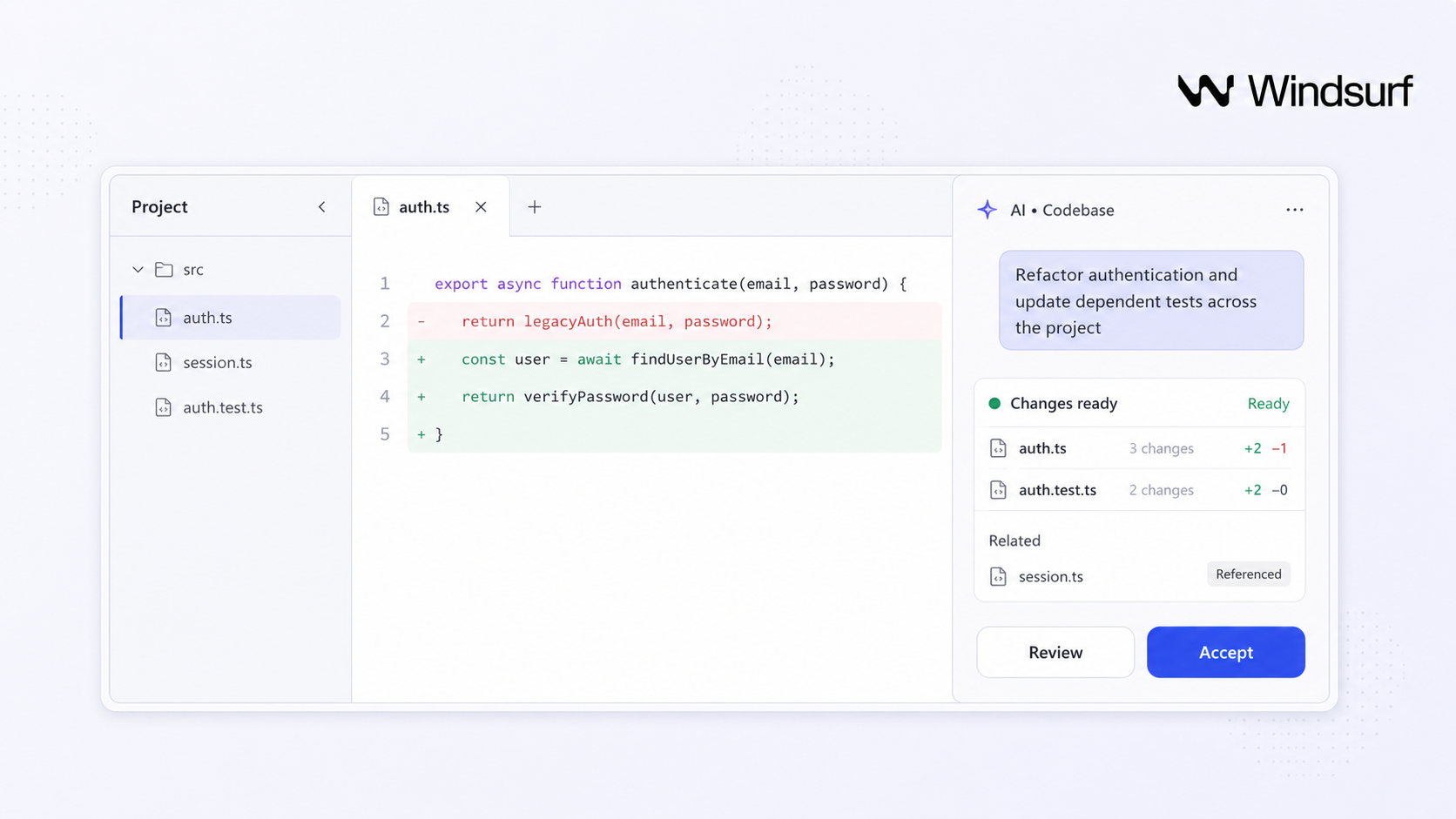
Windsurf AI is an ai powered coding environment that helps developers generate code, refactor, and navigate large codebases using natural language-all inside familiar development environments. But is it the right tool for your team, or do you need something different entirely?
Key Takeaways
- Windsurf AI is an ai powered assistance layer that combines inline autocomplete, chat, multi file editing, and codebase-aware agents to keep developers in a coding flow state rather than just predicting the next token. It functions as both a standalone IDE and a windsurf plugin for existing editors.
- It is best suited for professional engineering teams actively working on substantial codebases who want deep ai assistance inside their existing tools. Platforms like Jet Admin focus on a different problem: securely building full business apps over existing data with AI-generated UIs and workflows.
- With over a million developers now using ai tools like Windsurf, evaluation should focus on four areas: core capabilities and models, workflow fit, governance and security posture, and long-term cost of ownership.
- Windsurf is not a no-code platform. It assumes developer proficiency with Git, testing, and core programming concepts, making it a modern coding superpower for engineers rather than a replacement for them.
What Is Windsurf AI? Plain-English Definition
Windsurf AI is an ai powered coding environment and plugin ecosystem that layers intelligent agents, chat, and autocomplete on top of familiar IDEs like VS Code.
There are two ways to use it. The standalone Windsurf Editor is a VS Code fork with all agentic features built in. Alternatively, the windsurf plugin can be installed as one extension into other development environments like VS Code or JetBrains, exposing the same core ai code capabilities. Windsurf supports over 40 IDEs, while tools like cursor are limited to VSCode.
Under the hood, Windsurf uses large language models to read, generate, and refactor code, run terminal commands, and apply changes across multiple files. It supports 70+ programming languages including javascript, TypeScript, Python, Java, Go, and Rust, and provides unlimited access to its proprietary models. The product positions itself as a free code acceleration toolkit and modern coding superpower for professional developers-not a no-code platform.
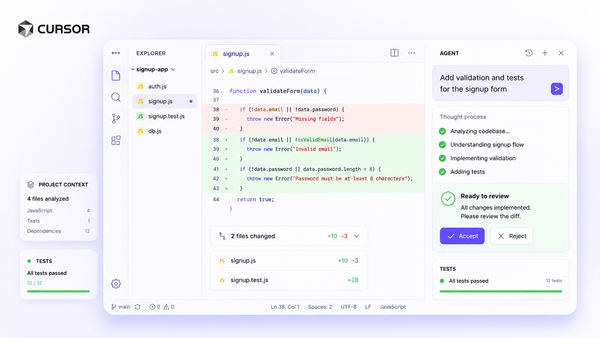
Windsurf sits in the same category as cursor, GitHub Copilot, and devin Desktop, but emphasizes fast proprietary models, deep codebase context, and enterprise-grade compliance features.

How Windsurf AI Works Under the Hood
Windsurf AI combines a client-side IDE extension with remote AI models that process code, natural language prompts, and file context at lightning fast speeds.
When you open a project, Windsurf collects context by reading open files, project trees, Git history, and developer-defined rules through its cascade Memories system. This persistent memory tracks syntactical and stylistic details, naming conventions, and architectural patterns across sessions.
When you type or ask a question in chat, Windsurf sends a structured request-code snippets, file paths, and natural language instructions-to its backend. It uses proprietary models like SWE-1.5, which is 13x faster than Sonnet 4.5 while approaching similar accuracy. Its Fast Context retrieval system locates relevant code context 10x faster than traditional search methods.
The AI returns suggested edits, code diffs, or explanations. The IDE then shows inline completions, side-by-side diffs, or multi-file change proposals you can accept, modify, or discard. Windsurf generates both frontend and backend code, keeping the human in the loop with visible review steps rather than silently rewriting your codebase. As with any ai technology, outputs are probabilistic-different runs may yield different but functionally equivalent implementations.
Core Capabilities of Windsurf AI
Windsurf's features span autocomplete, AI chat, multi file editing, refactoring, and code understanding tools. Here is what each delivers:
Autocomplete and Supercomplete. Windsurf predicts entire functions and code blocks based on surrounding context, offering unlimited single and multi-line completions. The windsurf tab feature anticipates patterns beyond your cursor, reducing boilerplate and generating code faster for repetitive work.
AI chat and agents. Developers ask natural language questions-"explain this module" or "add JWT-based auth"-and the cascade agent responds with code suggestions, explanations, or step-by-step changes. Windsurf can generate entire functions from natural language prompts and let windsurf handle writing the scaffolding while you focus on business logic.
Code understanding. Windsurf's Codemaps provide visual navigation of code structure, building a mental model of large codebases. Its search and "Explain" features help developers quickly understand unfamiliar repositories.
Refactoring and multi-file edits. Windsurf offers intelligent multi-file editing capabilities: bulk renames, cross-service pattern updates, and dead-code removal. It can refactor legacy code automatically, proposing code diffs that touch many files at once.
Testing. Windsurf automates testing by generating comprehensive test suites, helping teams maintain code quality as they accelerate development.
Collaboration. Real-time collaboration through AI Flows lets teams share context and work on projects together. Windsurf is optimized for codebases over 100 million lines, making it viable for enterprise-scale repositories.
Developer Workflow in Windsurf AI
Here is how a typical development workflow looks when you use Windsurf on a real project.
Setup. Download the installer from the official Windsurf website. Run the installer executable for Windows to install Windsurf AI. For macOS, drag the application to your Applications folder. Linux users should extract the archive and run the installation script. Log in to authenticate your session after installation. Windsurf AI provides free AI credits for nearly a month post-authentication, so you can evaluate the tool before committing.
Designing a change. Describe a feature in chat-"add payments with Stripe Checkout to our Next.js app"-and cascade proposes file changes, new modules, and integration steps. This keeps you in a flow state instead of context-switching between browser tabs and documentation.

Inline coding. Once stubs are created, windsurf tab completions fill in functions, tests, and boilerplate at fast speeds. You focus on edge cases and business logic while AI handles the repetitive work.
Testing and debugging. Windsurf generates unit and integration tests, runs terminal commands, and helps interpret stack traces or log output with targeted suggestions to fix and debug issues.
Code review and cleanup. Inspect AI-generated code diffs, roll back specific hunks, and use refactor tools to keep the repository healthy. Every change is visible, so you maintain control over details and structure.
Team collaboration. Teams can share settings, prompt snippets, or agent configurations so engineers get consistent behaviors across the same codebase, maintaining uniform stylistic details and patterns.
Best-Fit Users and Use Cases for Windsurf AI
Windsurf AI is designed for professional engineering teams who want to accelerate coding on complex projects while staying inside their favorite ide.
Best-fit users:
- Backend and full-stack engineers working on monoliths or large microservice architectures
- Platform teams maintaining internal tooling and shared libraries
- Tech leads responsible for refactors, migrations, and cross-cutting concerns
Enterprise and regulated teams. Windsurf provides comprehensive compliance certifications like HIPAA and FedRAMP, along with SOC 2 Type II, ITAR, RBAC, and SCIM support relevant to banks, healthcare providers, and government contractors evaluating ai tools.
High-impact use cases:
- Migrating from REST to GraphQL across services
- Modernizing a legacy Java/Spring stack
- Implementing observability, auth, or feature flags across dozens of services
- Writing tests faster and triaging bug reports with AI-generated analysis
Who is less well served. Non-technical business users who need internal dashboards, forms, and workflows on top of existing SaaS data are better served by an app builder like Jet Admin than a developer-centric ide. Windsurf assumes you want to create and modify raw code-not assemble applications visually.
Strengths, Limitations, and How to Evaluate Windsurf AI
Windsurf AI is powerful but not magic. It can dramatically accelerate development, yet requires careful evaluation for accuracy, governance, and cost.
Strengths:
- Deep code understanding on large repositories with fast context retrieval
- Multi-file refactors and cascade agents that reduce cognitive load
- Consistent coding patterns enforced via workspace memories
- Cutting edge ai technology with proprietary models that push the boundaries of speed and accuracy
Limitations:
- Hallucinations and subtle bugs remain a real risk; strong test coverage is essential for code quality
- Niche languages and proprietary frameworks receive weaker suggestions than popular ecosystems
- AI features depend on network connectivity; air-gapped environments may lose access to key capabilities
- Non-deterministic outputs mean you should always review AI-generated code before merging
Evaluation checklist. Run a structured trial: define a test project, measure time-to-feature, bug rate in ai code, and how well the tool integrates with existing CI/CD and code review policies. Windsurf offers a two-week Pro trial for evaluation.
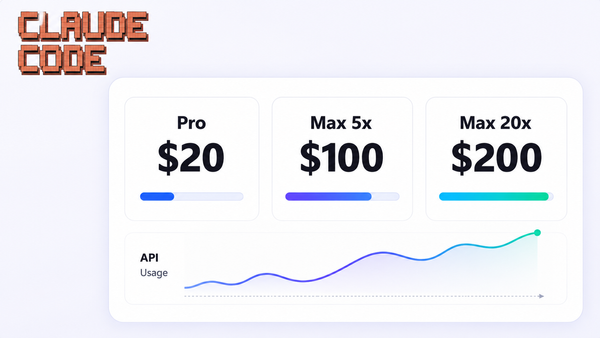
Pricing overview. Windsurf costs $20/month for individual developers. Windsurf charges $40/user/month at the Teams tier. Windsurf's Max tier matches Cursor's $200/month plan. Factor in per-seat pricing, model usage limits, and the impact on developer onboarding when calculating total cost of ownership.
Security, Governance, and Deployment Considerations
Security and compliance are top-of-mind for engineering leaders adopting ai tools for source code and production systems.
Data handling. Like other AI IDEs, Windsurf sends portions of code and instructions to remote models. Understand what is logged, retained, or used for model training before rolling out to sensitive repositories. Windsurf markets zero data retention options and BYOK integrations for privacy control.
Compliance posture. Windsurf markets certifications including SOC 2, HIPAA, and FedRAMP alongside role-based access control and SSO/SCIM. Verify the latest details directly on Windsurf's site, as certification scope can change.
Deployment. Windsurf generally operates as a cloud-based SaaS with desktop clients. Buyers requiring data residency or private networking should confirm options before procurement.
Source code governance. Restrict AI access to sensitive repositories where needed, enforce human code review on all AI-generated diffs, and log when agents run commands or apply large refactors.
Contrast with app builders. Platforms like Jet Admin, focused on business apps over existing databases and APIs, typically enforce granular data permissions and audit trails at the app layer rather than inside an ide.
Where Windsurf AI Fits vs. Jet Admin for Business Apps
Windsurf AI and Jet Admin solve adjacent but different problems. One accelerates coding inside an ide; the other helps teams build secure business applications over existing data.
Windsurf's role: AI code generation, refactoring, and debugging within traditional development workflows. Ideal when teams want to keep writing custom code and own their repositories.
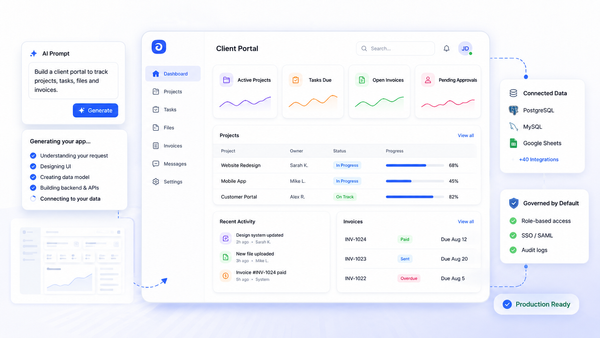
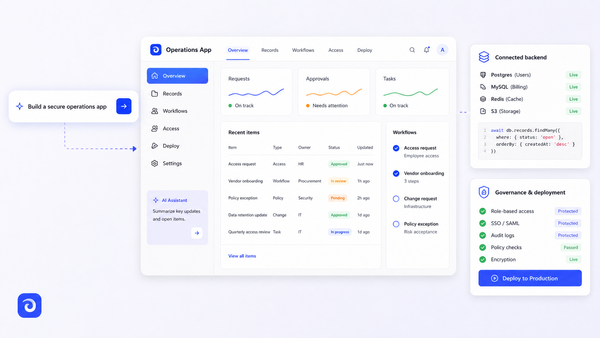
Jet Admin's role: Connects to existing databases, APIs, spreadsheets, and SaaS tools-PostgreSQL, MongoDB, Google Sheets, Stripe, Salesforce, and many more-to generate secure internal tools, admin panels, and customer-facing apps. Jet Admin supports prompt-based app building and AI agents that read data and call tools under explicit permissions and audit controls.
Criteria | Jet Admin | Windsurf AI |
|---|---|---|
Primary goal | Build business apps on existing data | Accelerate code writing |
Target user | Mixed technical/non-technical teams | Engineers, developers |
Output | Deployed applications with UI | Code in repositories |
AI role | App generation, data workflows | Code generation, refactoring |
Choose Windsurf first when building or modernizing a complex product codebase, writing libraries, or when your team wants maximum flexibility.
Choose Jet Admin first when shipping an internal CRM, operations dashboard, or customer portal where time-to-value and governance matter more than bespoke code.
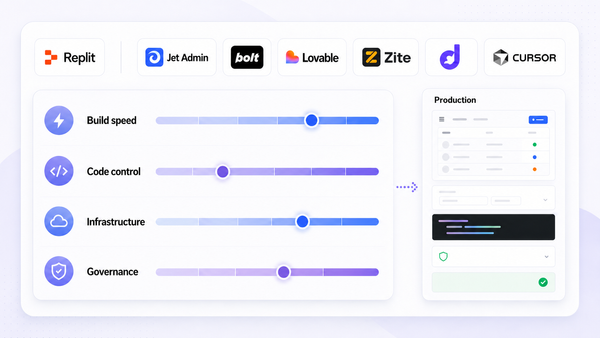
Combined strategy. Many organizations use both: engineers build core services with tools like Windsurf, then layer Jet Admin on top to ship secure, governed interfaces for non-technical users who enjoy windsurf-built APIs without touching code.
Leading Alternatives to Windsurf AI
Most teams benchmark Windsurf against other AI-powered IDEs before standardizing.
- Jet Admin: Not a direct IDE competitor, but an important alternative when the primary goal is shipping secure internal tools and business apps rather than maximizing raw coding throughput.
- Cursor: A VS Code–based AI IDE with strong support for javascript/TypeScript and Python. Cursor is suitable for small teams of 1-5 developers. Windsurf offers unlimited AI agent access compared to Cursor's limits on agent usage.
- GitHub Copilot: Pervasive autocomplete and chat integrated with GitHub Actions and pull request workflows. Broadest community adoption but less agentic capability than cascade.
- Devin Desktop: Agent-centric ide where coding agents own tasks, run tests, and iterate. Features Spaces for shared context and cloud handoff for long-running work.
Pilot at least two tools with the same project and metrics-feature cycle time, code review rejection rate, developer satisfaction-before choosing a standard.
Conclusion: Is Windsurf AI Right for Your Team?
Windsurf AI is a strong choice for teams that want deep, ai powered code assistance inside familiar editors, especially on large and complex codebases. The main decision factors come down to codebase size, compliance needs, preferred development environments, and how much your organization wants to invest in handwritten code versus higher-level app builders.
Regardless of tool, success depends on good engineering hygiene: tests, code reviews, observability, and clear architectural boundaries that keep AI-generated changes safe.
If your immediate priority is delivering secure business apps-dashboards, approval flows, CRMs-to non-technical stakeholders, explore Jet Admin's app builder and its integrations library as a faster path than coding everything from scratch. Try spinning up a small pilot app connected to PostgreSQL or Salesforce and compare that experience with experimenting in Windsurf on the same underlying systems.

FAQ About Windsurf AI
Is Windsurf AI free to use?
Windsurf AI offers a free tier with about 25 prompt credits per month and unlimited single and multi-line tab completions. Paid tiers start at $20/month for individuals, $40/user/month for teams, and a Max tier at $200/month. Exact quotas change frequently, so confirm on Windsurf's official pricing page. Windsurf also provides free AI credits for nearly a month after authentication, making initial evaluation low-risk.
Does Windsurf AI work with any programming language?
Windsurf AI supports 70+ programming languages, but suggestion quality is best where the underlying models have the most training data-javascript, TypeScript, Python, Java, and Go. Niche or proprietary languages may see weaker results.
How does Windsurf AI handle data privacy and training on my code?
Windsurf markets privacy features including zero data retention options and BYOK (bring your own key) integrations. However, verify current data retention, encryption, and training policies in their security documentation before rolling out to sensitive repositories, especially after the GhostApproval vulnerability that affected several AI coding assistants in mid-2026.
When should I use Jet Admin instead of an AI IDE like Windsurf?
Jet Admin is better suited when the goal is building secure business applications-internal tools, CRMs, back-office UIs-on top of existing databases and SaaS APIs like PostgreSQL, MongoDB, Stripe, or Salesforce. It works well for mixed technical and non-technical teams. Windsurf is a better fit when engineers want to keep building custom services in code with maximum flexibility.
Is "Windsurf AI" related to AI in the sport of windsurfing?
No. Windsurf AI is a software coding tool, but there is a separate and growing field of AI applied to the sport of windsurfing. In the sport, AI is being integrated into windsurfing through advanced technology in several ways: AI tracks position and analyzes riding performance in windsurfing. AI is integrated into wearables that provide feedback on body positioning. AI can build a personalized simulation of a sailor's technique. AI optimizes the flight dynamics of windfoil setups. Wearable devices utilize AI to track motion data and offer feedback. AI detects when a rider has separated from their board or stopped unexpectedly. AI detects stress fractures or potential equipment failure. AI transforms windsurfing from experience-based to data-driven. AI enhances safety through real-time monitoring. AI can automatically create highlights from windsurfing sessions. Sensors measure wind speed, angle, and pressure on the sail. AI provides insights on performance using large language models. AI models identify waves and provide risk estimates for windsurfers. AI analyzes real-time wind and water conditions for decision support. AI focuses on optimizing performance such as speed and sail efficiency. AI suggests improvements in movement and body position for safety. AI algorithms analyze data from sensors embedded in rigs and boards. AI analyzes video to compare rider movements to ideal stances. Computational simulations trained with machine learning evaluate sail shapes. AI can predict rapidly changing weather conditions for safety. AI-powered apps analyze GPS data to help sailors improve technique. AI systems monitor live weather feeds and local water conditions. AI combines GPS data with weather information for safety monitoring. AI suggests optimal trimming for maximum speed in windsurfing. AI uses machine learning models in the design phase for sail shapes. Some projects focus on AI that tracks a windsurfer's position. These are entirely separate from the Windsurf AI coding tool covered in this article.
Can I use Windsurf AI together with Jet Admin in the same organization?
Yes. Many teams do exactly this: developers use Windsurf or similar tools to build and maintain backend services and APIs, while Jet Admin connects to those services plus existing systems-PostgreSQL, MongoDB, Google Sheets, Stripe, Salesforce, and others-to deliver governed, AI-assisted apps and workflows to business users without requiring them to write or review code.