If you're evaluating tooljet pricing for your next internal tools project, you need numbers you can trust and a clear view of what actually drives your bill. This guide breaks down every ToolJet plan as of July 2026, explains the cost drivers most buyers miss, and helps you decide when ToolJet fits - and when an alternative like Jet Admin is worth a closer look.
Pricing summary
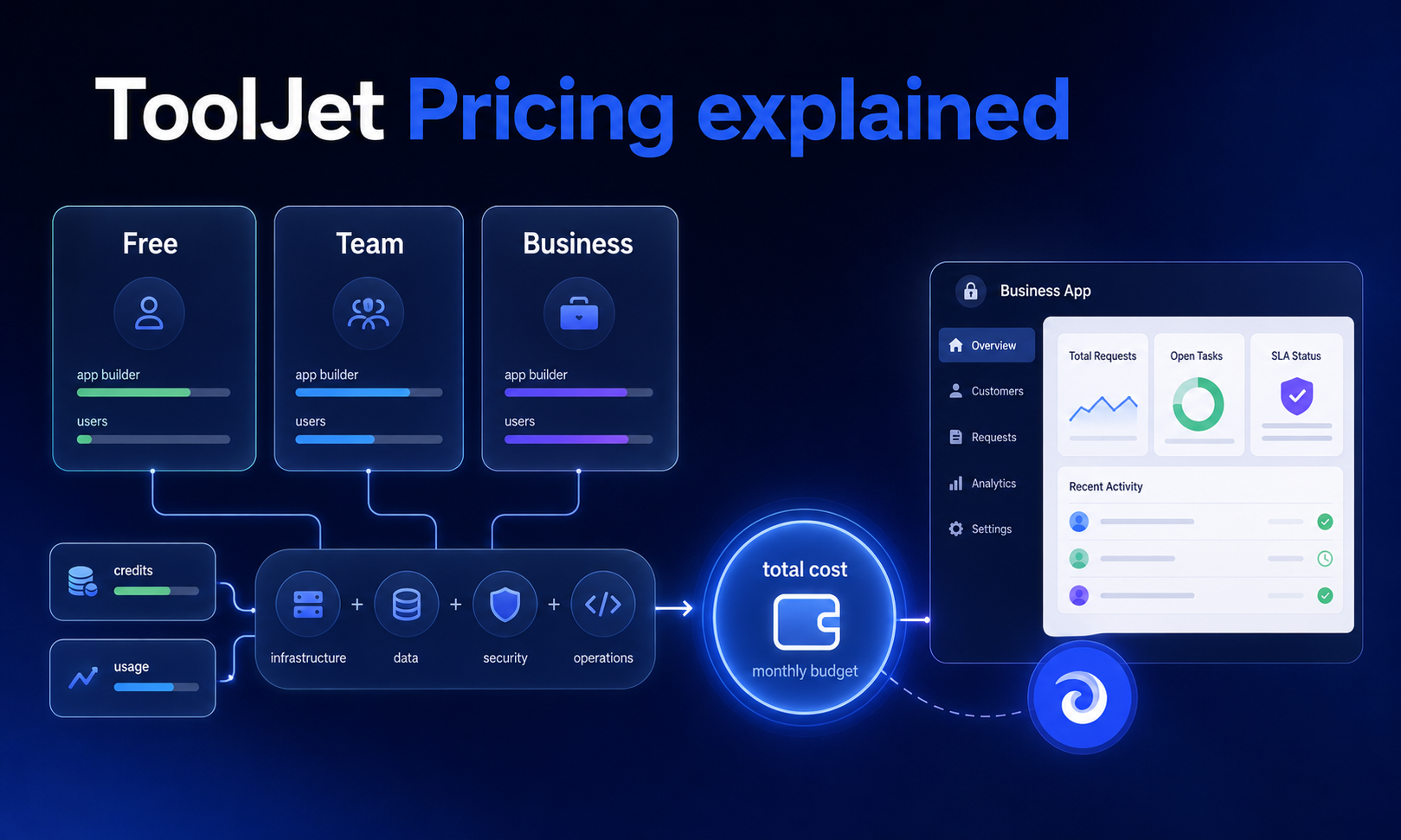
As of July 2026, ToolJet uses a builder-based pricing model with a free community edition, paid cloud tiers, and custom enterprise options. Here's the quick picture:
- Free plan: permanently free for up to 2 builders and 50 end users, with 2 apps and 100 AI credits per month.
- Starter: $24 per builder per month (cloud only), 50 end users, 2,000 AI credits.
- Pro: $99 per builder per month with 100 end users and 5 apps.
- Team: $249 per builder per month with unlimited end users and apps.
- Enterprise: custom pricing based on specific needs, starting at approximately $3,000 per month.
- Total cost is shaped more by builder count, end-user caps, AI credit consumption, and hosting mode than by sticker price alone.
- ToolJet suits technical teams building internal apps and ai agents; alternatives like Jet Admin can better fit mixed or non-technical teams needing a broader app builder with governance built in.
ToolJet pricing overview (July 2026)
ToolJet charges only for builders - the developers who actually edit apps - not end users. This pricing plan structure applies across both ToolJet Cloud and self-hosted deployments, though the community edition carries no license fee at all.
Each plan includes a specified number of AI credits monthly, which power the ai app builder features like app generation, query creation, and layout changes. Annual billing is discounted by about 20% compared with monthly billing, and ToolJet offers a 14-day free trial for premium features so you can test paid features before committing.
Here's how the tiers break down:
- Free: $0, 2 builders, 50 end users, 2 apps, 100 AI credits. Available on cloud and as a self-hosted community edition.
- Starter: $24/builder/month, cloud only, expanded ai assistance and 2,000 AI credits per builder.
- Pro: $99/builder/month, 100 end users, 5 apps, version control, and email support.
- Team: $249/builder/month, unlimited end users and apps, sso support, audit logs, white-labeling.
- Enterprise: custom pricing, advanced features including data retention, custom ai models, and dedicated support.
The open-source community edition is free to self-host, but infrastructure, backup, and maintenance costs still apply. ToolJet also offers a free self-hosted version for unlimited users under that community license.
ToolJet pricing at a glance: cloud and self-hosted
Below is a structured comparison reflecting the new pricing plan limits introduced in 2025–2026.
Plan | Price/Builder/Mo | Deployment | Builders | End Users | Apps | AI Credits/Builder | Best For |
|---|---|---|---|---|---|---|---|
Free | $0 | Cloud + Self-hosted | 2 | 50 | 2 | 100 | Prototyping, small teams |
Starter | $24 | Cloud only | Pay per builder | 50 | 2 | 2,000 | Growing teams testing paid features |
Pro | $99 | Cloud + Commercial self-hosted | Pay per builder | 100 | 5 | 2,000 | Mid-size teams, multiple internal apps |
Team | $249 | Cloud + Commercial self-hosted | Pay per builder | Unlimited | Unlimited | 2,000 | Orgs needing governance, custom groups |
Enterprise | Custom (~$3K+/mo) | Cloud, VPC, Air-gapped | Custom | Unlimited | Unlimited | Custom | Regulated industries, enterprise apps |
Self-hosted commercial tiers roughly mirror Pro, Team, and Enterprise cloud features but require your team to manage hosting, updates, and security. Starting with version v3.5.34-cloud-lts (released May 2025), ToolJet enforces hard caps: users beyond free plan limits may be automatically archived, and new app creation is blocked until you upgrade.
Note that some third-party sources still reference older pricing; always verify against ToolJet's official pricing page before signing a contract.
How ToolJet calculates your bill
Understanding who counts as a builder versus an end user is critical before choosing any tooljet pricing plan for your internal apps or enterprise apps.
Builders are users who:
- Edit or create apps using the low code visual editor
- Write JavaScript, configure queries, build workflows, or set up ai app features
- Each seat is billed monthly under every paid plan
End users are people who:
- Only run released tooljet apps - dashboards, admin panels, portals
- Included up to each plan's cap (50, 100, or unlimited end users)
- Do not pay per seat, but caps force upgrades
On lower tiers, end-user caps often push upgrades sooner than builder count. Consider: 4 builders on Pro costs 4 × $99 = $396/month but is limited to 100 end users. Meanwhile, 2 builders on Team costs 2 × $249 = $498/month but gives unlimited end users and apps. If your end-user audience exceeds 100, the Team plan may actually be cheaper long-term despite the higher per-builder cost.
AI credits are pooled across the workspace. Each builder adds 2,000 credits monthly on Pro or Team. When credits run out, teams must buy add-ons or wait for the next cycle - credits do not roll over.
This differs from alternatives that use per-app or flat per-workspace pricing, where growing teams face different trade-offs around user management and cost predictability.
Costs beyond ToolJet seats
Headline prices rarely reflect real spend. Here are the confirmed cost drivers:
- Builder seats: every active builder increases cost linearly. Retool, by comparison, charges $12 per builder plus $7 per internal user monthly, so the model difference matters at scale.
- End-user volume: exceeding caps (50 on Free/Starter, 100 on Pro) forces tier jumps, not incremental fees.
- App count: Free allows 2 apps, Pro allows 5. Teams with many internal tools hit this wall fast.
- AI credit consumption: generating a full ai app costs roughly 100 credits; layout changes ~50; query modifications ~30. Heavy ai builds and ai prompts drain budgets quickly.
- Deployment mode: ToolJet Cloud bundles infrastructure; self hosted tooljet (community edition) is license-free but you pay for compute, storage, monitoring, and DevOps time.
- Governance features: development lifecycle permissions, role based access, predefined user groups, dynamic access rules, granular access control, and audit logs are only available on Team or Enterprise tiers, which can force upgrades even when builder counts are low.
Teams should model a 12- to 24-month scenario: start with today's builder count, estimate app and end-user growth, then forecast when an upgrade or extra AI credits will be needed. While the community edition is "free," ongoing infrastructure and operations cost at scale can rival or exceed cloud pricing.

AI apps and agents: requirements to include
ToolJet positions itself as an ai-powered internal app builder rather than a general-purpose website builder. Its ai app builder generates UI, queries, and workflow automation from natural-language prompts, consuming AI credits bundled in each pricing plan.
Common use cases include building internal tools for operations teams, dashboards over existing databases and data sources, admin panels on top of a rest api, and ai agents that automate workflows across saas tools. The platform targets developers and data engineers comfortable with code and javascript, which affects who occupies a builder seat.
Plan alignment for AI use:
- Free/Starter: trying out ai app generation and basic ai assistance with limited credits
- Pro/Team: consistent ai use by multiple builders for app generation and workflow automation
- Enterprise plan: heavy AI workloads, custom AI models, and the option to bring your own LLM API keys for self hosting ai services in air-gapped environments
Some teams may prefer tools designed from the ground up as ai app or ai agent platforms with different pricing assumptions, which leads to the question of alternatives.
Jet Admin vs ToolJet: pricing and alternatives
Most buyers compare ToolJet against other low code and ai app builder platforms before committing. The differences come down to billing model and long-term cost, not minor feature gaps.
- ToolJet's per-builder billing with tiered end-user caps differs sharply from Retool (which charges per builder and per internal user) and from Zite, which charges $19 per month for unlimited users on a flat model.
- Some competitors offer flat pricing with unlimited end users at every tier, which is more predictable for customer-facing or partner-facing apps where user counts grow quickly and vendor lock in becomes a real risk.
- Open source flexibility is a ToolJet strength, but it demands operational maturity for self hosting.
Jet Admin takes a different approach: it builds secure business apps on existing data, connecting to databases, APIs, spreadsheets, and SaaS tools - including PostgreSQL, MySQL, Firebase, Stripe, HubSpot, and dozens more. Jet Admin can generate the interface and backend logic, then deploy the app to users. Its pricing aims for predictable cost as teams add apps and users, which can be advantageous for organizations shipping many saas apps or internal tools to mixed technical and non-technical audiences.
The choice often comes down to: engineering-heavy teams prioritizing open-source, self-hosted control (ToolJet) versus teams wanting opinionated workflows, strong security, governance, and bundled support (Jet Admin).
Which ToolJet plan should you choose?
When ToolJet is a strong fit:
- Your team has in-house developers comfortable with low code, javascript, and managing an instance
- You prefer open source and self-hosted control for your data
- You're focused on building internal tools and dashboards, and you can manage per-builder licensing and AI credits
- You want the flexibility of the community edition for small teams or prototyping
When another platform might be better:
- Product teams want to ship many small ai apps quickly to non-technical users
- Your organization dislikes per-builder billing or needs premium features without steep tier jumps
- You prioritize no-code simplicity, workflow automation, and a fast start building experience over open-source flexibility
When Jet Admin is worth a close look:
- You need to build secure business apps on top of existing databases, APIs, and saas tools with strong governance
- Both technical and semi-technical staff need to deploy apps without deep code knowledge
- You want predictable cost, environment management, and user management that scales without surprise upgrades
Compare not just list prices but deployment options (cloud vs on-prem), governance (RBAC, SSO, audit logs), AI features, and total cost over 2–3 years. If you're evaluating alternatives, review Jet Admin's pricing and integrations page, or start a free trial to compare hands-on against ToolJet for your own internal apps or AI projects.
Frequently asked questions
Below are common tooljet pricing questions not fully covered above.
Is ToolJet really free if I self-host the community edition?
The open-source community edition carries no license cost and can be self-hosted indefinitely. However, organizations still pay for servers, storage, backups, monitoring, and internal support. For small teams, this can be cheaper than cloud, but at larger scale the hidden infrastructure overhead can approach or exceed ToolJet Cloud or alternatives like Jet Admin. Commercial self-hosted tiers with enterprise features (SSO, audit logs, team features) are not free - they use per-builder licensing similar to cloud.
How do AI credits work across ToolJet pricing plans?
Each paid plan includes a monthly pool of AI credits per builder, consumed by operations like ai app generation, UI changes, query generation, and ai agents. Different actions cost different amounts - a full app generation averages ~100 credits, while auto-fix operations cost ~10. Once the monthly pool is exhausted, teams must buy additional credits (typically in increments of 2,000, valid for one year) or wait for the next billing cycle. Check ToolJet's AI credits documentation for the latest per-operation costs.
What happens if we exceed our end-user, app, or seat limits?
ToolJet's newer pricing plan versions enforce hard caps. Exceeding limits can result in restricted access - additional end users, apps, or builders may be blocked, and excess users may be automatically archived. Admins are responsible for reviewing workspace usage, un-archiving or reassigning users, and upgrading plans when approaching caps to avoid disruptions during critical releases.
Can we move from ToolJet Cloud to self-hosted, or vice versa?
ToolJet supports both cloud and self-hosted deployment, and many organizations start on ToolJet Cloud for speed, then evaluate self hosting when they need deeper control over their data and instance. Migrations involve moving app definitions, data source connections, and user management configurations, and may require engineering effort and planned maintenance windows. Confirm exact migration paths with ToolJet's documentation or support before committing in a contract.
How should enterprises compare ToolJet pricing with Jet Admin?
Map out your app portfolio, expected number of builders, and end-user audiences, then simulate 2–3 years of usage under both pricing structures. Beyond per-seat prices, evaluate governance (SSO, RBAC, audit logs), deployment flexibility, AI features, and support SLAs. Running a short proof of concept on both platforms using a realistic internal app - then factoring in build speed, maintenance overhead, and long-term flexibility - will give you a far more accurate comparison than list prices alone.