Pricing summary
- Stacker is a no-code platform that allows app building without coding knowledge, using an ai builder to create customer portals and internal tools fast.
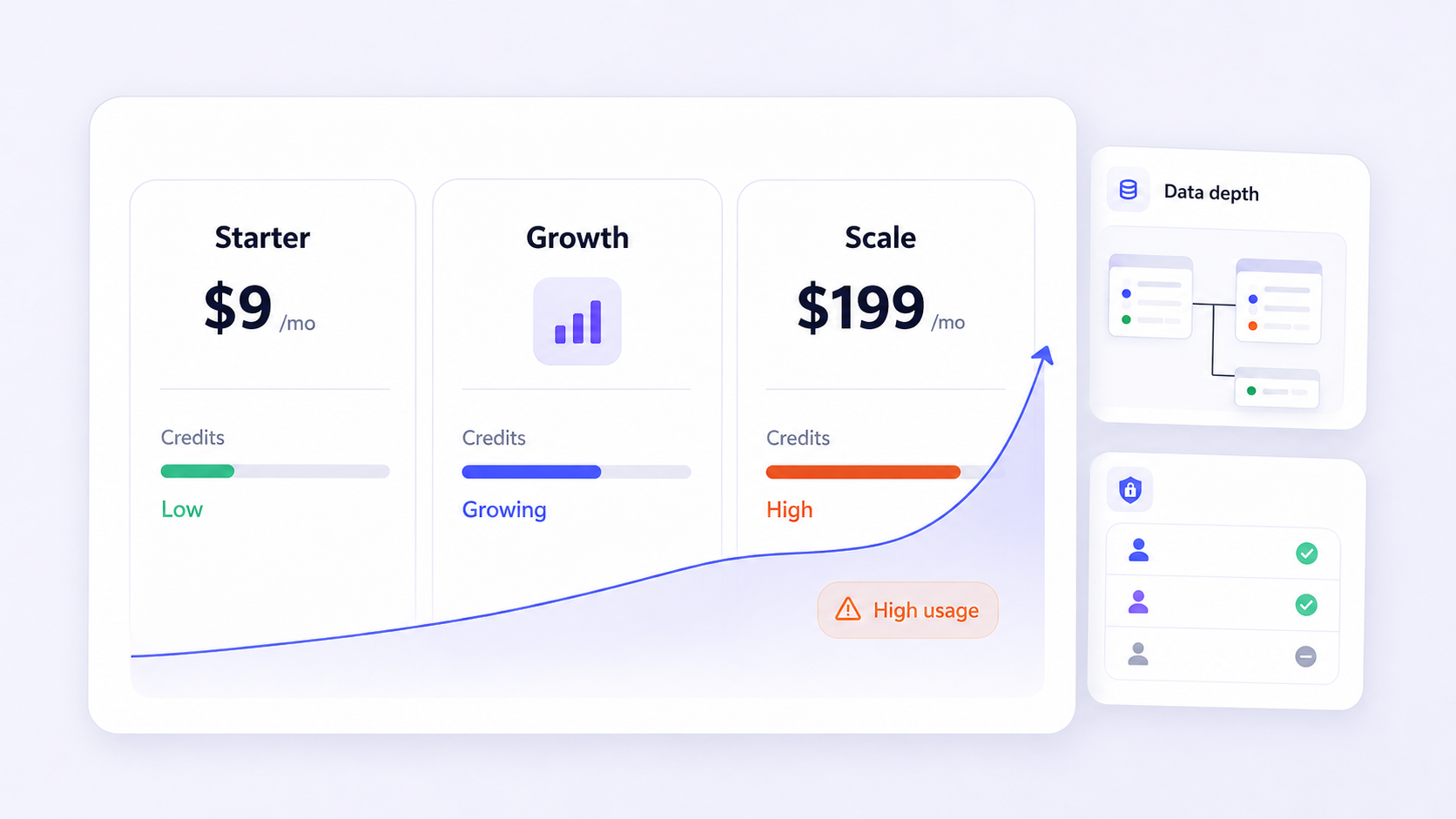
- Pricing runs from $9 to $199 per month, with external user caps (20–1,000) and credit-based usage that can drive cost spikes as teams grow.
- Teams typically look for alternatives when they need complex data connectivity, granular permissions, heavy automation, or self-hosted deployment.
- Jet Admin offers richer extensibility with 50+ data sources, drag-and-drop UI with 100+ components, and workflow automations-making it a strong fit for teams that need portals built on existing databases and APIs.
- Every alternative in this article is compared across build speed, data connectivity, extensibility, auth/permissions, deployment, governance, pricing model, and maintenance. Prices change frequently, so always confirm numbers on each vendor's current pricing page.
Stacker pricing at a glance
Stacker uses a tiered SaaS pricing model. As of mid-2026, published plans run from Personal ($9/month) through Pro ($199/month), with enterprise tiers requiring custom quotes. Confirm current figures on Stacker's pricing page.
Key pricing levers:
- External user caps per tier (20, 100, 200, or 1,000 customers)
- AI credits (consumed when building or editing) and cloud credits (consumed in production)
- Admin seat limits per plan
- Premium features (SSO, audit trails, white labeling, backup/restore) gated to higher tiers
- Workflows marked "coming soon" in some tiers, meaning added capability may not yet run in production
Total cost drivers go beyond list price: iteration frequency burns AI credits, growing your external user count forces tier jumps, and governance requirements (like cms-level controls or audit logging) may push you toward enterprise terms. Stacker is usually cost-effective for small teams with fewer than 100 external users and simple data models. Costs spike when you set up multi-brand deployments with thousands of people or need compliance features that fall only in enterprise plans.
What Stacker is designed for
Stacker is a no-code app and portal builder that lets teams deliver secure self-service access to business data. Users can tell Stacker what they want for app development through natural-language threads, and the platform can redesign layouts and add features automatically. Stacker AI agents learn on the job and remember context, connect to your tools for real data, draft emails in your voice, manage ad spend and monitor campaign performance, and generate images and videos for campaigns. Stacker powers mission-critical applications for businesses across customer-success, operations, and product teams.
Separately, Stacker also operates as a content distribution platform: it connects brands with over 3,000 publishers and distributes vetted brand stories to news outlets, enabling scalable distribution of editorial content. Stacker has generated over 1.7 million pageviews for Lodestar, and nearly half of Stacker's story pickups are on DR50+ sites-demonstrating real reach for newsrooms and publishers seeking coverage across multiple formats.
Ideal use cases include customer portals (ticket views, account health), operations dashboards, and lightweight product experiments. Teams typically outgrow Stacker when they need complex data models across large sources, deeply granular permissions, strict editorial standards for internal tools, or hybrid deployments.
A note on other meanings of "stacker": Outside software, a stacker is a machine designed to lift, move, and stack palletized goods. Stackers serve as a bridge between manual pallet jacks and high-capacity forklifts. They are commonly used in warehouses, retail stockrooms, manufacturing facilities, and distribution centers. Stackers are effective in tight spaces where larger equipment may struggle, and they can both transport goods and lift them vertically, unlike pallet jacks. Manual stackers rely on human effort for movement and lifting, semi-electric stackers require manual pushing but use electric motors for lifting, and fully electric stackers provide electric power for lifting and maneuvering. Straddle stackers handle various pallet sizes better than standard stackers. Stackers have a smaller footprint and turning radius than traditional forklifts, optimize warehouse space by allowing vertical stacking in narrow aisles, and are cost-effective alternatives to traditional forklifts in many operations. Operating a stacker requires less extensive training compared to forklifts. Stackers reduce the risk of workplace injuries by eliminating manual lifting and enhance safety in warehouse operations by automating the lifting of heavy items. In mining, stackers are used to create stockpiles of bulk materials and are often paired with reclaimers in bulk material handling operations. Even stacker toys help children develop motor skills and hand-eye coordination. This article focuses on the software platform.
Requirements that affect your Stacker budget
Before comparing headline prices, define what matters for your team. These criteria form the checklist used throughout this article:
- Build speed and UX: How quickly can non-technical staff publish a working portal? Does the tool use a visual builder, templates, or an ai-driven process?
- Data connectivity: Can you connect directly to databases, APIs, and SaaS tools? Is it live queries or scheduled sync? Can you join data from multiple connected sources without breaking workflows?
- Extensibility and automations: Does the platform support workflows, formulas, JavaScript or SQL steps, custom components, or the ability to embed apps?
- Auth, permissions, and governance: Role-based access down to rows, columns, and actions; SSO; audit logs; how security and trust are enforced on every portal page.
- Deployment: Cloud-only or self-hosted? Region-specific hosting? Data residency?
- Pricing model and maintenance: Per-user, per-app, or usage-based? Who will own ongoing work-ops, IT, product, or an external agency? Model the duration of ownership, not just month one.
Stacker pricing compared with alternatives
The table below offers a simple way to watch how each platform stacks up. Placement order is alphabetical, not a ranking.
Platform | Best For | Data Connectivity | Auth/Permissions | Deployment | Pricing Model | Notable Limitations |
|---|---|---|---|---|---|---|
Jet Admin | Portals on real databases | 50+ sources (SQL, APIs, SaaS) | Row/column/action RBAC, SSO | Cloud; self-hosted options | Seat + usage | Steeper learning curve vs. simple builders |
Glide | Mobile-first apps | Sheets, Airtable, APIs | Basic roles | Cloud | Per-app / per-user | Limited for complex data |
Noloco | Airtable-powered portals | Airtable, PostgreSQL, APIs | Role-based | Cloud | Per-app tiers | Smaller connector library |
Retool | Engineering-led internal tools | Databases, APIs, GraphQL | Granular RBAC, SSO, audit | Cloud, self-hosted | Per-user | Requires dev skills |
Softr | Website-style portals | Airtable, Sheets, HubSpot | Basic roles | Cloud | Per-app tiers | Limited extensibility |
Stacker | No-code customer portals | CRMs, Sheets, SaaS sync | Row/field-level, portal users | Cloud (SaaS) | Tiered + credits | User caps; workflows pending in some tiers |
Jet Admin and other Stacker alternatives
Each subsection below gives a practical, non-promotional view to help you match tools to your team type and deployment needs.
Jet Admin: Secure Portals on Top of Real Databases and APIs
Jet Admin lets teams build secure customer portals and internal apps directly on existing data. It connects to 50+ sources-PostgreSQL, MySQL, MongoDB, BigQuery, Snowflake, Stripe, Salesforce, HubSpot, Slack, Shopify, and many more-with live queries and saved datasets.
Strengths: Drag-and-drop UI with 100+ components, pixel-perfect theming, and automations using triggers, conditions, and actions. Workflows can be triggered by button clicks, API calls, webhooks, or schedules, with support for data transformations (formula, JavaScript, JSON parser), conditional branching, SQL/API steps, and built-in actions like email notifications, refunds, and Slack messages.
Best for: Teams needing richer workflows, tighter data connectivity, and more control over portal experiences while still letting operations and customer-success managers iterate without constant engineering work. Learning curve is higher than the simplest page builders. Validate enterprise governance features (SSO, audit logs, self-hosted deployment) directly with Jet Admin's documentation.
Stacker: Baseline for No-Code Data Apps
Stacker suits small to mid-size teams that want to build a portal without writing code. Its AI builder, opinionated layouts, and thread-based editing let non-developers ship a first page fast. Limitations surface when you need deeply custom logic, very granular permissions, or connectivity beyond standard CRMs. Pricing tiers work well at modest scale but require careful modeling for thousands of external users-a reason many teams continue evaluating alternatives as they grow.
Other Notable Alternatives (Retool, Softr, Glide, Noloco)
- Retool: Best for engineering-led teams. Rich extensibility with SQL, JS, and API steps. Higher learning curve; not ideal if non-technical people must own the build game end to end.
- Softr: A simple website-style portal builder. Great for FAQ pages and account dashboards powered by Airtable or Google Sheets. Limited when you need complex automations or deep information security.
- Glide: Mobile-first, strong for lightweight apps. Data connectivity is narrower; not built for large-scale enterprise portals.
- Noloco: Solid for Airtable-heavy teams wanting branded portals. Smaller connector library limits you if data lives in a SQL database or warehouse.
Pricing structures across these tools vary-seat-based, per-app, or usage-based-and may have changed after July 2026. Always verify on each vendor's current pricing page.
How to choose a platform and plan a migration
Before choosing a platform:
- Clarify who will build and maintain apps (ops, IT, product, or agency)
- List every data source that must be connected on day one
- Define governance and editorial standards for each portal page
- Estimate the volume and type of users (internal vs. external) over the next year
Questions by team type:
- Operations: How complex are your workflows? What SLAs matter?
- Customer-success: What insights do customers need? Can they self-serve?
- IT: What auth, security, and deployment requirements apply?
- Product: How fast must you run experiments?
Migration steps:
- Inventory existing Stacker apps, schemas, and permissions
- Choose a low-risk pilot app to re-platform
- Validate data connectivity and auth flows in the new tool
- Run UAT with a small user group
- Roll out, then decommission the old workspace
Use brand stories and internal news outlets to communicate changes to end users so trust in the new portal is established early.
Frequently asked questions
Is Stacker cheaper than most alternatives for external customer portals?
It depends on scale. Stacker's lower tiers are affordable for teams with fewer than 100 external users, but hard user caps mean cost can spike sharply as you grow. Model your real usage-credits, users, features-before comparing headline prices.
How hard is it to migrate from Stacker to another platform like Jet Admin?
Plan for a phased migration. Start by mapping your existing schemas and permissions, re-platform a low-risk app first, and validate data connectivity before moving production workloads. Realistic duration is a few weeks for a single portal.
Can non-technical teams manage permissions and governance without IT?
For basic role-based access, most tools let ops or customer-success handle things independently. When you need row-, column-, or action-level controls, audit logs, or SSO, IT should stay involved regardless of the platform.
What if I need on-prem or region-specific hosting?
Check each vendor's deployment documentation directly. Stacker appears cloud-only based on public docs. Jet Admin documents self-hosted options for enterprise contexts. Never assume data residency support-confirm it in writing.
How do I test AI features safely when building apps?
Set up a dedicated test environment with sample data. Review AI-generated layouts and workflows against your internal editorial standards before going live. Limit access to test data, and only publish to production after your team has edited and approved the output.
Choose your next step
Stacker is a solid place to start when your team values speed, a no-code form factor, and a relatively straightforward pricing model. Alternatives like Jet Admin or Retool earn their spot when connectivity to real databases, complex automations, or granular governance become the point that decides the result of your project.
Shortlist two or three platforms, test each against one concrete use case, and compare both build time and operational overhead. If you need secure portals on top of existing databases and SaaS tools, review Jet Admin's customer-portal capabilities and consider starting with a pilot app to validate fit before a full migration.