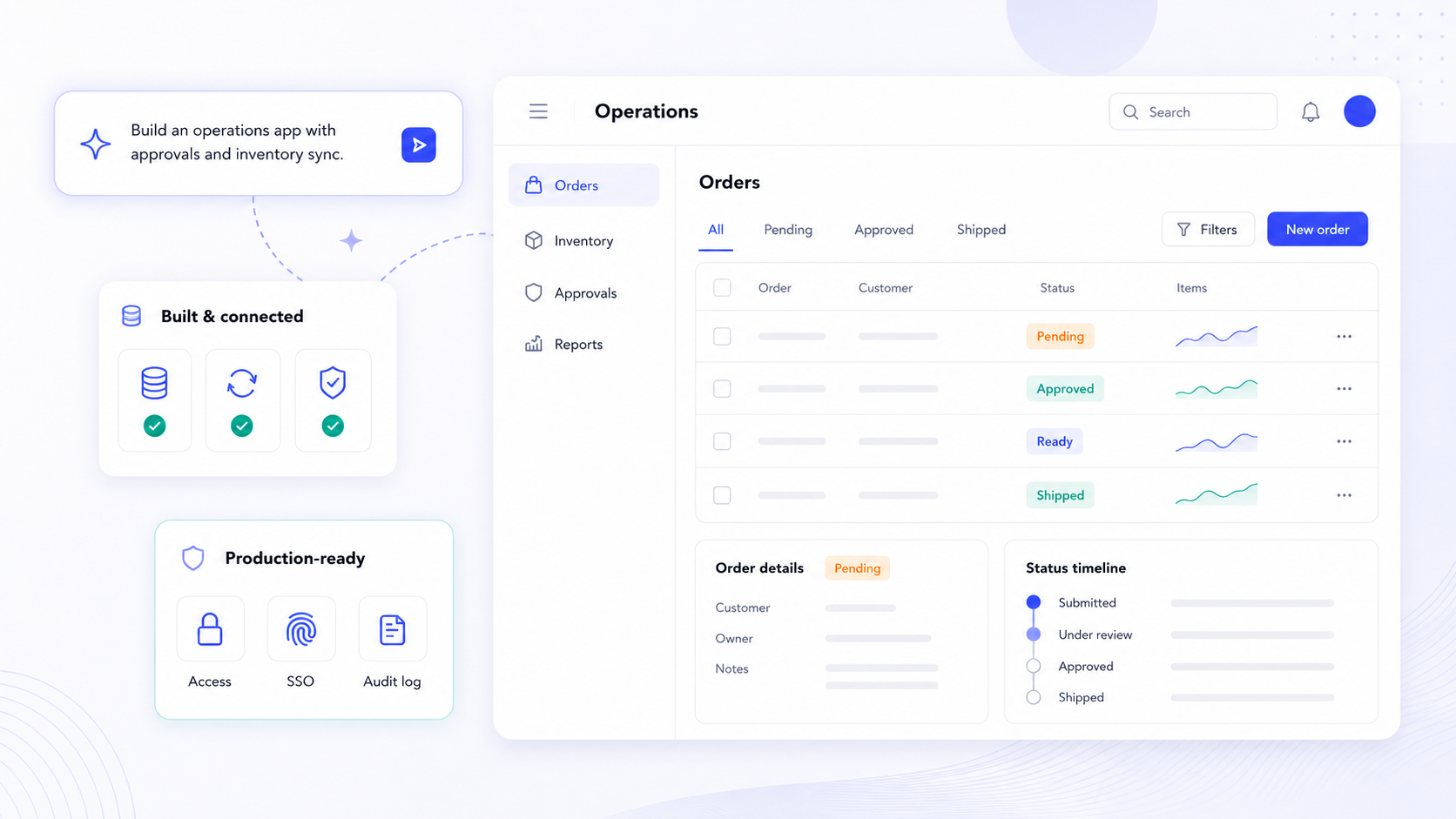
A no code platform is a development tool for creating software without traditional code, and in 2026, these tools have evolved far beyond simple form builders. Modern no code platforms use visual interfaces and drag-and-drop components for development, allowing operations teams, product managers, and IT leaders to ship secure, maintainable business apps on real data, complete with authentication, granular permissions, integrations, and deployment pipelines. This guide walks through the full path from prototype to production and helps you evaluate what actually matters when choosing a no code platform for serious work.
Key Takeaways
- A no code platform in 2026 is a visual environment for building fully functional apps, automated workflows, dashboards, and client portals, not just landing pages or simple apps.
- The full path matters: prompt-based prototyping and drag and drop building are only the start. Production-grade apps require real authentication, granular permissions, testing, deployment controls, and long-term maintenance plans.
- Critical evaluation criteria for operations and IT leaders include security posture, governance and audit logs, integration depth, data backend flexibility, extensibility via custom code, and vendor lock in risk.
- No code development reduces development time from months to days or hours, but teams still need testing discipline, documentation habits, and governance to sustain apps over years.
- Jet Admin serves as a no code app builder focused on secure business apps built on existing data, with AI-assisted building, connectors to dozens of databases and SaaS tools, and enterprise deployment options including self-hosted and on-premise setups.
What Is a No Code Platform? (And Why It Matters in 2026)
A no code platform lets business users, operations teams, and product managers create applications without writing code in the traditional sense. Instead of raw JavaScript, Python, or SQL, you work with a visual editor, configurable logic, prebuilt components, and increasingly, AI assistants that generate screens and workflows from natural language descriptions. No code platforms allow app building without coding experience and can eliminate technical barriers for individuals with ideas to implement.
In 2026, this category goes well beyond website builders or basic form tools. Teams now use no code development platforms to build internal tools such as inventory dashboards and support ticket trackers, external-facing client portals for customer onboarding, and workflow automation engines that handle approvals, notifications, and scheduled jobs. No code platforms empower non-technical teams to create solutions without IT support, which is why the global market is estimated at roughly $65 billion in 2026, growing at a 26–27% CAGR.
The distinction from a website builder like Webflow or Squarespace matters: those tools focus on content presentation. A no code platform provides secure data access, relational data models, role-based permissions, complex business logic, and deployment to production. No code platforms enable rapid prototyping of business concepts, and they reduce development time from months to days or hours. Common use cases include building internal tools and customer portals where data integrity and access control are non-negotiable.
How Modern No Code App Building Actually Works
Imagine an operations team that needs an internal business app to track field repair requests. On day one, someone describes the app in a prompt or selects a template, and the platform generates initial screens: a request form, a list view with filters, and a status dashboard. On day two, the team connects the app to their existing Postgres database, maps fields, and adds validation rules. By day three, they've configured automated workflows for approvals and Slack notifications. Day four: authentication is enabled, roles are assigned, and a pilot group starts using the app with real data.
The core building blocks behind this process are:
- Data and backend: Built-in tables or connections to existing databases, APIs, and spreadsheets. No code platforms provide a visual way to manage data and workflows, including relations between records, lookups, and validation.
- UI composition: Drag and drop interface elements like tables, forms, charts, kanban boards, and maps. Components are configurable and responsive across devices.
- Logic and automation: Visual if/then rules, event triggers, multi-step workflows, and scheduled jobs replace raw code. No code platforms offer easy updates through visual components instead of traditional coding.
Many no code platforms now include AI-assisted app generation features. The rise of AI in no code platforms enhances application development efficiency: AI can suggest screen layouts, generate data model scaffolds, and draft workflows from a short description, while humans refine and approve the output. Under the hood, the platform still generates code (JavaScript, SQL, API calls), handles hosting, and enforces security, but users are abstracted from those low-level details.

No Code vs Low Code vs AI "Vibe Coding": Choosing the Right Approach
Three broad approaches now compete for attention: pure no code, low code, and AI-generated code from prompts (sometimes called "vibe coding"). Understanding the differences helps you pick the right fit for your team and use case.
Pure no code tools are designed for non technical users and business users who need to build apps without coding knowledge. You work entirely within visual builders and predefined components. The upside is speed and accessibility; the trade-off is less flexibility for edge cases. Popular no-code platforms include Bubble, Glide, and Webflow, each excelling in different areas. Bubble has been popular in the no code space for over a decade and allows creation of complex web applications without code, though Bubble has a significant learning curve for new users. Emergent is easier for non-developers than code-first platforms.
Low code platforms allow developers to write code for customization while using visual tools. This is the sweet spot when you need advanced logic, bespoke integrations, or performance tuning that pure drag and drop tools can't handle. Low code platforms require some development experience but dramatically accelerate delivery compared to traditional coding methods.
AI "vibe coding" takes things further: describe your app in plain English, and an AI generates code, UI, and logic. The results can be remarkably fast, but risks include hallucinations, brittle logic, and security vulnerabilities if the output isn't carefully reviewed.
No code platforms add guardrails that raw AI code generation lacks: predefined components enforce consistent UIs, built-in validation catches common data errors, and permission models prevent unauthorized access by default. The most productive team model is often blended: business stakeholders use no code app builders for the majority of app building, while professional developers add custom code or review AI-generated logic where needed.
Core Capabilities You Should Expect from a No Code Platform
Think of this as a baseline checklist. Any serious no code platform in 2026 should deliver these key features without requiring workarounds or third-party patches.
UI building
- Drag and drop layouts with responsive design for web and mobile apps
- Reusable components: data tables, forms, charts, dashboards, client portals
- Theming and brand customization so apps don't look generic
- User interface elements that feel native, not bolted on
Data management
- Built-in data models or connectors to external databases and spreadsheets
- Validation rules, relationships between tables, and full-text search and filtering
- Data storage options that handle both greenfield projects and existing data
Workflow and automation
- Visual workflow builders for approval chains, escalation rules, and notifications
- Scheduled jobs and event triggers (e.g., on record update, on form submission)
- Ability to automate repetitive tasks and integrate with external services like email, Slack, or SMS
- No code platforms can automate tasks and integrate with external services, and they can help automate repetitive business processes for organizations
Collaboration and lifecycle
- Multi-user editing with change history or version control
- Staging vs production environments for safer releases
- Shared templates and reusable modules across teams
No code platforms lower development costs by eliminating the need for specialized developers for many internal business apps. And they can scale for enterprise use with proper tools, governance, and architecture.
Data and Backend Options in No Code Platforms
The backend is the foundation of any business app. No code platforms offer three main patterns:
Pattern | Best for | Trade-offs |
|---|---|---|
Built-in database | Greenfield apps, fast prototyping | Limited control, potential vendor lock in, opaque data storage |
Connect to existing databases (Postgres, MySQL, Snowflake, etc.) | Teams with existing data, one source of truth | More setup, requires schema understanding |
External APIs as virtual tables | Integrating SaaS tools, microservices | Dependent on API reliability, rate limits |
For most operations and IT teams, connecting to your organization's existing data is the strongest option. It avoids duplicating records, keeps your database as the source of truth, and reduces migration risk. Tools like Glide let users build apps from spreadsheets in minutes and Glide turns spreadsheets into responsive, AI-powered business apps. Glide connects to Google Sheets and Airtable for data, and Glide allows app creation in just 5 minutes, making spreadsheet data a viable starting point for simpler use cases. AppSheet integrates tightly with Google Workspace for app creation, and AppSheet integrates seamlessly with Google Workspace, which makes it a natural fit for organizations already using airtable and google sheets or Google's ecosystem.
Data management needs go beyond initial setup. Consider:
- Schema evolution: Can you add fields, change types, or restructure tables without downtime or data loss?
- Data quality: Validation rules, deduplication, and audit logs keep records trustworthy.
- Large datasets: Pagination, indexing, and query optimization matter for analytics dashboards with thousands of rows.
- Security: Encrypted connections, row-level and column-level permissions, and ensuring each user only sees the rows and fields they're authorized to view.
Integrations: Connecting Your No Code Platform to the Rest of Your Stack
Business apps rarely exist in isolation. Your internal tools need to read from CRMs, your client portals need to display billing information, and your workflow automation needs to post alerts to messaging platforms. External integrations are non-negotiable.
Common integration mechanisms include:
- Native connectors: Pre-built links to popular services (Stripe, HubSpot, Salesforce, Slack, Zendesk, Shopify, etc.)
- REST and GraphQL APIs: Generic HTTP-based connections to any service with an API
- Webhooks: Event-driven updates where the external service pushes data to your app in near real-time
- iPaaS tools: Middleware like Zapier or Make that act as glue between services. Zapier connects over 8,000 apps for automation, making it a common bridge. Blaze integrates with Salesforce and DocuSign for automation, demonstrating specialized connectors. Integromat offers advanced features for real-time data workflows.
Concrete examples: sync customer records from HubSpot into an operational dashboard, pull invoice data from QuickBooks for a finance review app, or post Slack notifications when a support ticket escalates. The difference between polling (checking periodically) and event-driven updates (webhooks) matters for near real-time operations; webhooks provide faster response but require error handling and retry logic.
When evaluating platforms, ask about connector catalog depth, rate limit handling, error monitoring, and how easily non-developers can configure and troubleshoot integrations.
Authentication, Roles, and Granular Permissions
Consider what happens when an internal app accidentally exposes payroll data to every employee, or when an external client portal leaks PII because role boundaries weren't enforced. The consequences range from compliance violations under GDPR or HIPAA to reputational damage and legal liability.
Core authentication options for no code apps include:
- Email and password for simple internal tools
- SSO via SAML, OIDC, or OAuth for enterprise identity centralization
- Social login or magic links for lower-friction external portals
Beyond authentication, granular permissions define what each user can see and do:
- Role-based access control (RBAC): Finance sees financial data, operations sees operational data, external clients see only their own records
- Row-level security: A client portal user sees only their own orders, not everyone else's
- Column-level security: Support agents see customer names but not payment details
- Action-level permissions: Only managers can approve refunds or delete records
Mapping these roles to real organizational structures is critical. Most no code platforms offer some form of RBAC, but depth varies. Some support only basic role toggles; others allow fine-grained, conditional rules tied to record ownership, team membership, or custom attributes.
Treat permission modeling as a first-class requirement during evaluation, not a "nice-to-have" to configure after launch.
Extensibility: When "No Code" Still Needs Code
Even the best no code platforms can't anticipate every business rule, integration pattern, or UI interaction your team will need. Extensibility is what separates tools you'll outgrow in six months from platforms you can invest in for years.
Common extensibility hooks include:
- Custom JavaScript or TypeScript functions for bespoke calculations or data transformations
- Server-side logic for operations that shouldn't run in the browser (e.g., secure API calls, batch processing)
- Custom components built with React, Vue, or vanilla HTML/CSS when prebuilt widgets fall short
- Connections to external microservices for heavy computation or specialized algorithms
FlutterFlow generates cross-platform mobile apps from prompts and also generates cross-platform apps from prompts or Figma designs, illustrating how some platforms blend no code convenience with developer-friendly extensibility. FlutterFlow generates mobile app screens from prompts and its paid plans start at $39/month for unlimited projects.
The key question: does extending the platform break upgrade paths, security guarantees, or vendor support? Developers and business users should collaborate in a "building block" model: developers create secure, tested custom code modules that non-technical builders assemble visually. This keeps the platform stable while giving teams the flexibility to handle complex apps and advanced logic.

Building with Prompts, Agents, and Existing React Code
Beyond traditional drag and drop, several modern build modes are reshaping how teams create apps:
Prompt-based building: Describe your app in natural language. The platform generates screens, data models, and initial workflows. Zite generates production-ready business software from plain English descriptions and builds employee onboarding portals in 15 minutes. Zite generates a functional app in under 15 minutes, with paid plans starting at $10/month for 100 AI credits. This approach is best for rapid prototyping or when you need a working proof-of-concept before investing in refinement.
Coding-agent and MCP-style workflows: Specialized AI agents help wire integrations, generate logic snippets, or refactor existing flows under human supervision. These agents can read data, call tools, and complete multi-step tasks, but they operate within permission boundaries and produce audit trails. This is ai app generation applied to the development process itself.
Importing existing React code: Teams with established design systems or battle-tested UI components can import them into a no code platform, avoiding the need to rebuild from scratch. This bridges the gap between custom-coded frontends and visual app assembly, letting developers contribute reusable assets while business users compose the final product.
Each mode has trade-offs:
Mode | Speed | Control | Review needed | Best for |
|---|---|---|---|---|
Prompt-based | Very fast | Low initially | High (verify AI output) | Prototyping, simple apps |
Agent workflows | Fast | Medium | Medium | Integration-heavy builds |
React import | Moderate | High | Low (already tested) | Reusing proven UI systems |
Choosing the right mode depends on your team's skills, the app's complexity, and how close you are to production.
From Prototype to Maintainable Production App: The Full Lifecycle
The typical lifecycle of a no code app follows a familiar pattern: ideation, prototype, pilot, production, and continuous improvement. What changes between each stage matters more than most teams realize.
Prototype: Quick builds with test data, minimal authentication, and a single environment. The goal is validating the concept and getting stakeholder feedback.
Pilot: Real data, real users, limited scope. This is where you discover data quality issues, permission gaps, and workflow edge cases.
Production: Full authentication, enforced roles and permissions, error handling, performance monitoring, and audit logging. The app serves real business processes and business users rely on it daily.
Continuous improvement: New features, schema changes, integration updates, and responding to user feedback without breaking existing functionality.
The shift from prototype to production requires adding:
- Real authentication and SSO
- Data governance and backup strategies
- Error handling and alerting
- Performance tuning for concurrent users
- Monitoring dashboards and incident response plans
No code platforms can systematize this lifecycle through environment management (staging vs production), version control or change history, and controlled releases to subsets of users. Success isn't just "did we launch?" It's "can we safely maintain and evolve this business app over years?"
Testing, Quality Assurance, and Reliability in No Code Development
Testing still matters, even when you're not writing raw code. Visual logic, integrations, and automated workflows can all break or regress when configurations change, APIs update, or data schemas evolve.
Practical testing methods for no code apps include:
- Manual test scripts: Document expected behavior for key workflows and run through them before each release
- Sandbox data: Use realistic test datasets that cover edge cases (empty fields, large numbers, special characters)
- Automated regression tests: If the platform supports them, set up tests that verify critical paths on every change
- User acceptance testing (UAT): Have actual business users validate the app against their real workflows
Error handling and observability are equally important. Look for:
- Logging of workflow executions and failures
- Alerts when integrations fail or data syncs break
- Audit trails that record who changed what and when
Performance considerations include load testing for apps with many concurrent users, monitoring long-running workflows, and optimizing queries against large datasets. Even when tools make shipping very fast, adopt basic QA practices: test plans, change approvals, and rollback strategies prevent the kind of outages that erode trust in no code solutions.
Deployment Models, Security, and Enterprise Governance
Deployment options for no code apps generally fall into three categories:
Model | When to use | Considerations |
|---|---|---|
Vendor-hosted cloud | Most teams, fastest setup | Data residency, shared infrastructure |
Private cloud / VPC | Regulated industries, data sensitivity | More control, more ops overhead |
Self-hosted / on-premise | Strict compliance, air-gapped environments | Full control, requires internal infrastructure |
Security expectations in 2026 include encryption in transit and at rest, access logging, least-privilege defaults, and adherence to standards like SOC 2 or ISO 27001. Enterprise governance extends beyond security to include centralized control over who can build and publish apps, workspace policies, and review/approval workflows before apps reach production.
Audit logs are critical for compliance and incident response. You need to answer questions like: who accessed which records, who changed which workflows, and when did changes go live. Without this visibility, debugging issues or responding to regulatory inquiries becomes guesswork.
When evaluating vendors, ask about:
- Security certifications and penetration testing schedules
- Incident response SLAs
- Data residency options (EU, US, specific regions)
- Whether the platform supports deploying apps to your own infrastructure
Collaboration Between Operations, Product, and IT on No Code Platforms
No code platforms change team dynamics. Operations and product teams can build directly, but IT still owns standards, security, and governance. The most effective collaboration model looks like this:
- IT curates the foundation: approved data sources, authentication providers, security policies, and deployment standards
- Business teams build on top: assembling interfaces, configuring workflows, and managing their own app logic within IT's guardrails
- Shared documentation: app specs, naming conventions, change logs, and ownership records, even when apps are built visually
To prevent duplication and conflicting tools, maintain a central catalog of approved no code apps, templates, and reusable modules. When multiple apps serve overlapping functions, consolidation saves time and reduces data inconsistency.
Consider creating a "no code guild" or center of excellence: a cross-functional group that sets best practices, supports new builders, shares project management tools and patterns, and reviews apps before they go to production. This prevents the chaos of dozens of uncoordinated app builders while preserving the speed advantage that drew teams to no code in the first place.

Vendor Lock-In and Long-Term Ownership of Your Apps
Many IT teams worry: what happens to our critical business apps if we outgrow the vendor, or if the vendor pivots, raises prices, or shuts down? Community reports confirm this is not hypothetical; tools do disappear or change direction.
Vendor lock in exists at several levels:
- Proprietary data models: If your data lives only in the vendor's opaque storage, extraction is painful
- Proprietary logic: Workflows and business rules encoded in a format that can't be exported or replicated elsewhere
- Closed hosting: No option to self-host or migrate to another infrastructure provider
Mitigation strategies include:
- Keep your source-of-truth data in your own databases (Postgres, MySQL, etc.) and let the no code platform read and write to them
- Use API-based integrations rather than vendor-specific data pipes
- Regularly export configuration and data as part of your backup strategy
- Prefer platforms that support code export, open standards, or self-hosting
Governance policies should ensure no code apps remain auditable and understandable even if the original builder leaves the company. Document every app's purpose, data sources, permission model, and integration dependencies.
Cost, Scalability, and Total Cost of Ownership
The cost of a no code platform goes beyond the license fee. The real calculus includes:
- Time-to-market savings: No code projects average roughly 3.2 weeks vs 14.8 weeks for traditional software development
- Reduced developer dependency: Fewer bottlenecks, lower hiring costs for routine internal business apps
- Ongoing maintenance: Visual components are generally easier to update than raw code, but governance and testing still require effort
Typical pricing levers vary across the no code space:
Platform | Starting price | Notes |
|---|---|---|
Zite | $10/month | 100 AI credits |
Appy Pie | $16/app/month | Designed for non-technical users to build apps easily |
Glide | $25/month | One app, individual plan |
Bubble | $32/month | Web apps, fully functional web apps |
FlutterFlow | $39/month | Unlimited projects |
Softr | $59/month | Client portals on top of existing data |
Scalability covers both technical dimensions (more users, more data, more workflows) and organizational ones (many teams building dozens of business apps). Model your total cost of ownership over 3–5 years, including potential refactors, training, governance investments, and the cost of managing multiple apps across departments, not just year-one spend.
When managed well, no code can actually reduce technical debt by producing consistent, well-structured apps rather than one-off scripts or ad-hoc spreadsheet-driven tools.
Practical Checklist: Evaluating and Adopting a No Code Platform
Use this as a concrete evaluation and rollout plan:
Define your use cases
- What will you build first? Internal tools, client portals, data management dashboards, workflow automation?
- Identify 2–3 high-impact, non-critical apps for your pilot
Shortlist vendors
- Match vendor strengths to your use cases (consumer apps vs internal business apps vs custom apps)
- Verify integration support for your existing stack (databases, SaaS tools, auth providers)
Run a security review
- Evaluate auth options: SSO, MFA, IP whitelisting
- Check deployment models: cloud, private cloud, self-hosted
- Review audit logging, data residency, and compliance certifications
Test real integrations
- Connect to your actual database or API, not just demo data
- Validate error handling, rate limits, and data sync reliability
Evaluate build modes
- Does the platform support drag and drop tools, prompt-based building, agent workflows, or importing existing code?
- Test the learning curve with your actual team, not just a technical evaluator
Plan your pilot
- Set success metrics: time saved, error reduction, user adoption rate
- Run for 4–6 weeks with real users and real data
Scale deliberately
- Train additional builders across departments
- Establish governance: app catalogs, review processes, documentation standards
- Know when a use case needs low code or full-code solutions instead of pure no code
How Jet Admin Fits into the No Code Platform Landscape
Jet Admin positions itself as a no code app builder for secure business apps built on existing data. Rather than targeting consumer apps or public-facing websites, it focuses on the internal tools, dashboards, admin panels, and client portals that operations and IT teams need to build and deploy quickly.
Jet Admin connects to a broad catalog of databases, APIs, spreadsheets, and SaaS tools. Its integrations page lists support for PostgreSQL, MySQL, MongoDB, Supabase, Firebase/Firestore, BigQuery, Snowflake, Oracle, SQL Server, ClickHouse, and many more, alongside API connectors for Stripe, HubSpot, Salesforce, Slack, Zendesk, Shopify, and others. AI providers including OpenAI, Anthropic, and Google Gemini are also supported, along with MCP integration for agent-based workflows.
On the governance side, Jet Admin offers role-based access down to rows, columns, and actions; SSO via SAML, OIDC, and Auth0; audit logs; branded and custom-domain experiences; and cloud or self-hosted deployment options. Custom components can be built using JavaScript SDKs, and developers can extend the platform with React, Vue, or vanilla HTML/CSS when visual tools don't cover a specific need.
For teams evaluating no code development platforms for production use, Jet Admin is worth exploring alongside your existing data to see how it handles your specific integration, permission, and deployment requirements.
Conclusion: Making No Code Work for Serious Business Apps
A modern no code platform can deliver maintainable, secure business apps, but only when paired with good governance, testing discipline, and clear ownership. The tools have matured well beyond prototyping; roughly 70% of new enterprise applications are now built with no code or low code approaches, and the market supports over 16.2 million citizen developers globally.
The evaluation pillars remain consistent: data and backend flexibility, integration depth, authentication and granular permissions, extensibility for when you need custom code, and lifecycle management from prototype through years of production use.
Start with a focused, high-impact app: an internal dashboard, a client portal, or a workflow automation that saves your team measurable hours each week. Build confidence, establish patterns, and scale from there.
If you're evaluating options, explore Jet Admin's integrations and product documentation to see how it handles your stack. Start a pilot with your own data and measure the results against your current development process.
No code is a complement to, not a replacement for, traditional development. Use it where it delivers the most leverage, and reach for code solutions, low code, or full custom builds when complexity or specialization demands it.
FAQ About No Code Platforms
Can a no code platform handle compliance requirements (e.g., GDPR, HIPAA)?
Compliance depends on both the vendor's security posture and how your organization configures and uses the platform. Look for platforms that offer data residency options, encryption, audit logging, and access controls that meet your regulatory framework. But remember: no code tools can support compliant workflows, yet they do not automatically make your organization compliant. You still need proper data processing agreements, retention policies, and oversight from your legal and security teams. Treat the platform as part of your compliance boundary, not a shortcut around it.
Can I build mobile apps with a no code platform, not just web dashboards?
Most no code platforms support responsive web apps that work on mobile browsers, and many offer Progressive Web Apps (PWAs) that can be installed on devices without going through app stores. For native mobile apps or android apps destined for the Apple App Store or Google Play, some platforms provide packaging and export options. FlutterFlow generates cross-platform mobile apps from prompts, making it possible to build real mobile apps from a no code starting point. Verify how each vendor handles push notifications, offline access, and OS-specific features before committing to mobile-heavy use cases. You can build mobile apps and build web apps from the same project in many cases, but deploy apps to app stores typically requires additional review and packaging steps.
What skills does my team need to succeed with no code development?
You don't need coding knowledge, but you do need logical thinking. The most effective no code builders understand their business processes deeply, have basic data modeling skills (understanding tables, fields, and relationships), and bring UX empathy so apps actually get adopted. Testing discipline and documentation habits remain essential for maintainable apps. Pair domain experts with a technically inclined "no code champion" who can standardize best practices, support other builders, and bridge the gap with IT when needed.
How do I prevent "shadow IT" when business teams build their own apps?
Shadow IT happens when teams build and deploy apps outside IT's visibility, creating unmanaged tools, inconsistent data usage, and security gaps. Prevent it by establishing an approved no code platform list, centralizing user management and authentication, requiring reviews for new apps before they go live, and maintaining shared documentation standards. Embracing no code under a governed framework is safer and more productive than trying to block it entirely. A central catalog of published apps keeps everyone aware of what exists and avoids duplicate efforts.
When should we choose traditional development instead of a no code platform?
Choose traditional software development when your requirements include highly specialized algorithms, extremely performance-sensitive systems, or public consumer apps with unique UX that no prebuilt components can deliver. If your needs exceed the platform's extensibility and integration options, custom development offers more control despite higher cost and longer timelines. That said, even teams with fully custom products benefit from using no code for adjacent internal tools like admin panels, reporting dashboards, and operations portals. Bubble allows users to design and deploy web applications without code for develop apps scenarios that are complex but still within the platform's capability range, though its learning curve is steeper than lighter no code tools.