Lindy alternatives should be chosen around the work an assistant performs and the control the team needs over it. Meeting follow-up, structured integrations, and autonomous research may belong in different tools.
Quick answer: Gumloop is worth evaluating for AI work across business tools. Zapier is worth evaluating for broad app-to-app automation. Make is worth evaluating for visual branching and data transformation.
Published by Jet Admin. Product and pricing information checked September 26, 2026 against official pages and documentation. Recommendations are editorial judgments, not benchmark results or claims of hands-on product testing. List order reflects use-case fit, not a measured score.
Best Lindy alternatives at a glance
| Product | Best fit | Main trade-off | Pricing model |
|---|---|---|---|
| Gumloop | AI work across business tools | Model quality and tool permissions need evaluation alongside automation logic. Keep a review step for consequential outputs rather than assuming every generated result is correct. | Paid offers include credits; evaluate model, tool, and orchestration consumption against the current pricing page. |
| Zapier | broad app-to-app automation | Verify the exact action you need, not only whether an app appears in the catalog. Task consumption can change with the steps and AI work in a run. | Free and paid task-based plans; AI, code, and connector behavior can affect consumption. |
| Make | visual branching and data transformation | A large scenario still needs documentation and an owner. Loops, polling, and repeated actions can change usage substantially. | Free and paid credit-based plans; modules and specialized actions have documented charging rules. |
| n8n | technical workflow automation with hosting choice | Self-hosting shifts operational work to your team. Review the license and enterprise feature gates instead of treating source availability as unrestricted commercial use. | Paid plans use workflow executions; self-hosted community and commercial offerings have different terms. |
| Activepieces | a visual automation and agent workspace | Check that required pieces support the exact actions and authentication you need. Deployment choice does not eliminate infrastructure or governance costs. | Free and paid offers with credits and team limits; confirm the current self-hosted terms. |
| Workato | enterprise integration and orchestration | Enterprise procurement and implementation can be disproportionate for a few personal automations. Use a scoped pilot and a workload-specific quote. | Vendor-scoped commercial pricing; request a quote for your usage and governance requirements. |
What is Lindy, and why consider alternatives?
Connect tools and company context so an assistant can help with repeated tasks such as meeting follow-up and record updates. Its current positioning emphasizes shared work and reusable skills.
Start with the Lindy official product information and identify which of these requirements applies to your team:
- Distinguish personal assistant work from shared production workflows
- Test approval boundaries and context handling
- Compare seats and credits against actual usage
When Lindy is still the right choice
Keep Lindy when its assistant workflow and shared context serve the team without unresolved control or cost issues.
Types of Lindy alternatives
Connector automation, developer-controlled orchestration, and AI agent workflows overlap, but they are not interchangeable. First decide whether the bottleneck is app coverage, custom logic, or judgment inside a process. Then test a failure path as carefully as the successful run.
What to look for in a Lindy alternative
- Does the connector support the specific trigger and action, including pagination?
- How are failed steps retried without creating duplicate business actions?
- Can a person approve, amend, or reject the proposed action?
- Who can inspect execution logs and rotate credentials?
- How do tasks, operations, credits, model calls, and concurrency affect cost?
1. Gumloop: best for AI work across business tools
Create AI-assisted workflows and agents that operate across connected business systems. It is useful when the job includes interpreting or generating content as well as moving structured data.
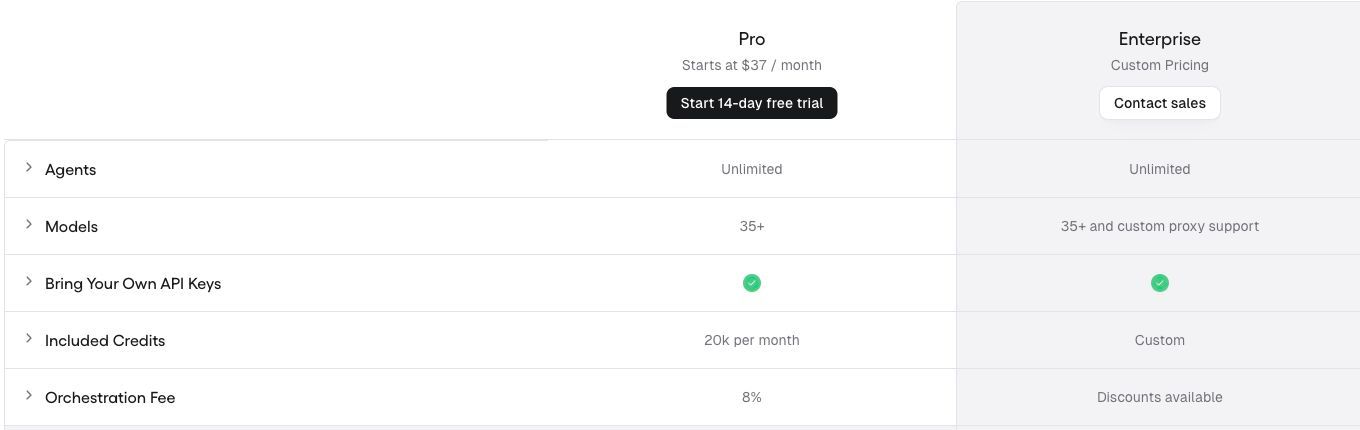
Why consider it: Consider Gumloop if your reason for leaving Lindy centers on AI work across business tools. Use a fixed sample of documents and compare extraction errors, human reviews, and credits.
Trade-off: Model quality and tool permissions need evaluation alongside automation logic. Keep a review step for consequential outputs rather than assuming every generated result is correct.
Pricing: Paid offers include credits; evaluate model, tool, and orchestration consumption against the current pricing page. Check current pricing and plan details.
Choose it when: Your priority is AI work across business tools. Before committing, ask the prospective owner to complete the evaluation task and explain what they would maintain after launch.
Source: Gumloop official product information.
2. Zapier: best for broad app-to-app automation
Connect business applications through workflows so events in one system can trigger actions in another. It suits teams that prefer a managed integration platform and documented connectors.
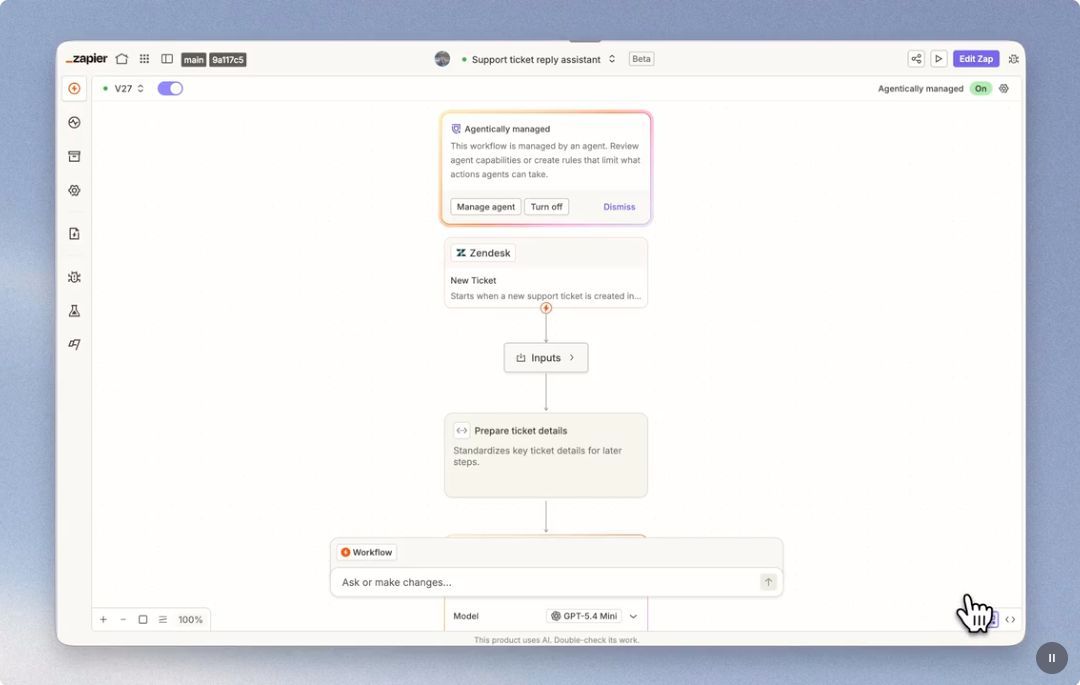
Why consider it: Consider Zapier if your reason for leaving Lindy centers on broad app-to-app automation. Run an intake-to-CRM workflow and inspect duplicate handling, failed actions, and task usage.
Trade-off: Verify the exact action you need, not only whether an app appears in the catalog. Task consumption can change with the steps and AI work in a run.
Pricing: Free and paid task-based plans; AI, code, and connector behavior can affect consumption. Check current pricing and plan details.
Choose it when: Your priority is broad app-to-app automation. Before committing, ask the prospective owner to complete the evaluation task and explain what they would maintain after launch.
Source: Zapier official product information.
3. Make: best for visual branching and data transformation
Build scenarios using modules, routers, filters, and connections. The visual flow is useful when a process has several paths and data transformations that an operator needs to inspect.
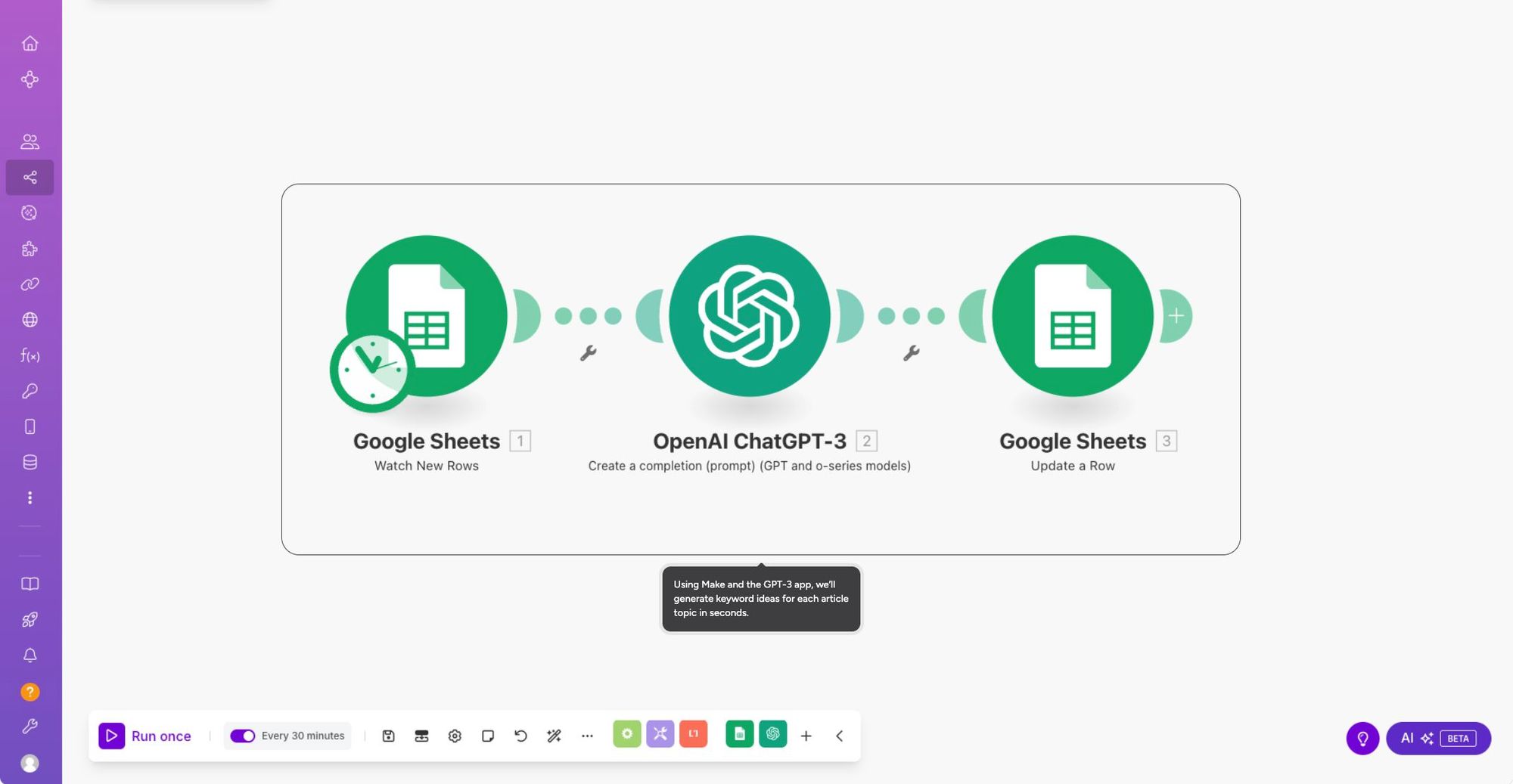
Why consider it: Consider Make if your reason for leaving Lindy centers on visual branching and data transformation. Rebuild a branching workflow and inspect credits, retries, and the output of each branch.
Trade-off: A large scenario still needs documentation and an owner. Loops, polling, and repeated actions can change usage substantially.
Pricing: Free and paid credit-based plans; modules and specialized actions have documented charging rules. Check current pricing and plan details.
Choose it when: Your priority is visual branching and data transformation. Before committing, ask the prospective owner to complete the evaluation task and explain what they would maintain after launch.
Source: Make official product information.
4. n8n: best for technical workflow automation with hosting choice
Connect nodes, APIs, and code in workflows, with cloud and self-hosted options. It suits teams that want engineers to control transformations and integrations.
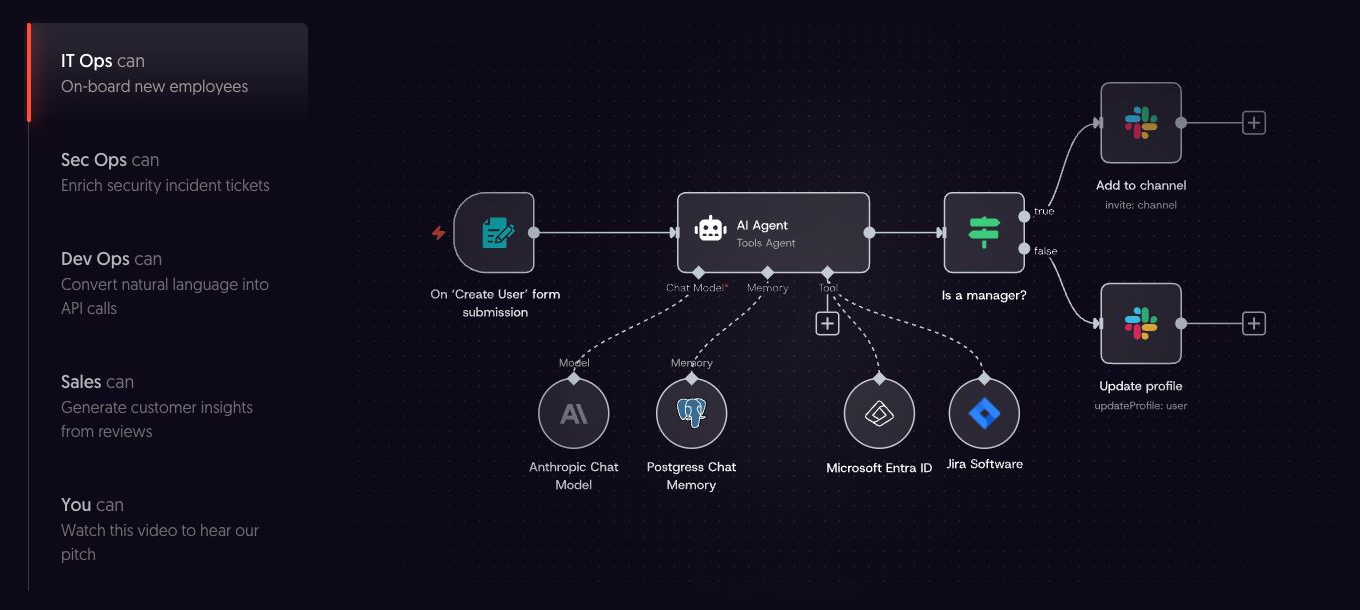
Why consider it: Consider n8n if your reason for leaving Lindy centers on technical workflow automation with hosting choice. Run the same workflow with malformed input, an unavailable API, and a repeated event.
Trade-off: Self-hosting shifts operational work to your team. Review the license and enterprise feature gates instead of treating source availability as unrestricted commercial use.
Pricing: Paid plans use workflow executions; self-hosted community and commercial offerings have different terms. Check current pricing and plan details.
Choose it when: Your priority is technical workflow automation with hosting choice. Before committing, ask the prospective owner to complete the evaluation task and explain what they would maintain after launch.
Source: n8n official product information.
5. Activepieces: best for a visual automation and agent workspace
Combine flows, agents, and connected applications in one workspace, with cloud and self-hosting options. It is worth testing when both nontechnical builders and technical operators will maintain automations.
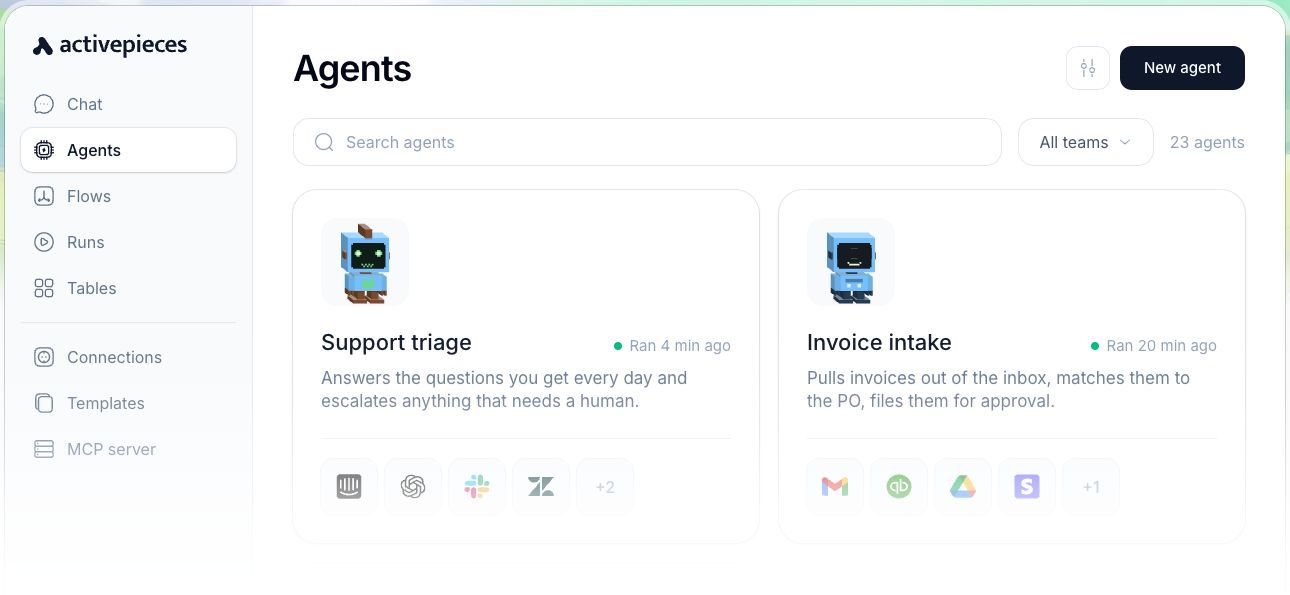
Why consider it: Consider Activepieces if your reason for leaving Lindy centers on a visual automation and agent workspace. Rebuild one automation with a human review point and document how failures are retried.
Trade-off: Check that required pieces support the exact actions and authentication you need. Deployment choice does not eliminate infrastructure or governance costs.
Pricing: Free and paid offers with credits and team limits; confirm the current self-hosted terms. Check current pricing and plan details.
Choose it when: Your priority is a visual automation and agent workspace. Before committing, ask the prospective owner to complete the evaluation task and explain what they would maintain after launch.
Source: Activepieces official product information.
6. Workato: best for enterprise integration and orchestration
Coordinate integrations, workflows, and AI agents with centralized governance. It belongs on a shortlist when many teams share business-critical connections and need a managed operating model.
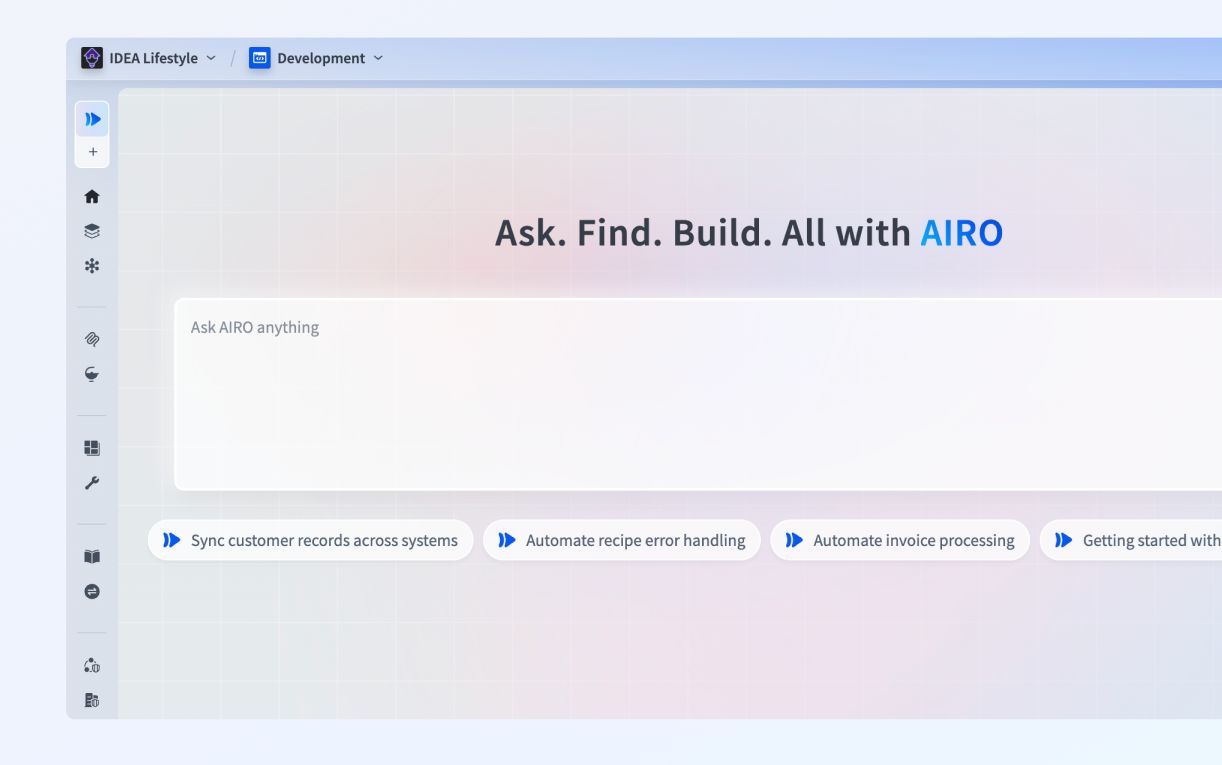
Why consider it: Consider Workato if your reason for leaving Lindy centers on enterprise integration and orchestration. Pilot a cross-system approval with centralized credentials, monitoring, and an accountable owner.
Trade-off: Enterprise procurement and implementation can be disproportionate for a few personal automations. Use a scoped pilot and a workload-specific quote.
Pricing: Vendor-scoped commercial pricing; request a quote for your usage and governance requirements. Check current pricing and plan details.
Choose it when: Your priority is enterprise integration and orchestration. Before committing, ask the prospective owner to complete the evaluation task and explain what they would maintain after launch.
Source: Workato official product information.
Which Lindy alternative should you choose?
Gumloop is worth evaluating for AI work across business tools. Zapier is worth evaluating for broad app-to-app automation. Make is worth evaluating for visual branching and data transformation.
Run this proof of concept: Use one recurring task with an external tool update. Check what happens when the input is incomplete and when approval is withheld.
Record what worked, what required custom work, which plan unlocked essential capabilities, and who can maintain the result. Compare the full monthly operating cost and the one-time migration effort. A successful demonstration is only useful if it covers the difficult permissions, exception, and maintenance requirements.
Keep Lindy when its assistant workflow and shared context serve the team without unresolved control or cost issues.
Where Jet Admin fits alongside these tools
Jet Admin is relevant for the human-facing part of a process: reviewing a record, approving a change, or handling an exception. It can sit alongside an automation platform. Treat connector orchestration and the team’s operational interface as separate requirements.
This distinction matters: Jet Admin’s Business plan lists granular permissions, SSO, and audit logs; on-premise deployment is listed under Enterprise. Confirm the required Jet Admin plan before designing the rollout.
How to move from Lindy
Document prompts, skills, schedules, context sources, and integrations. Rebuild tasks with least-necessary access and an explicit review point.
- Inventory the data, attachments, integrations, owners, and access rules that the replacement must preserve.
- Separate transferable records from screens, formulas, workflows, and authentication behavior that need rebuilding.
- Use a limited pilot with representative records and explicit success criteria before switching the entire team.
- Reconcile record counts and key business outcomes, train the next owner, and document the fallback path.
Keep the existing system available during the pilot where your contract and technical setup permit it. Avoid simultaneous uncontrolled writes to two systems. Agree on a cutover owner and a rollback decision before the final move.
FAQs about Lindy alternatives
What is the best Lindy alternative?
Gumloop is worth evaluating for AI work across business tools. Zapier is worth evaluating for broad app-to-app automation. Make is worth evaluating for visual branching and data transformation. There is no single winner across these use cases; choose the option that passes the representative test above.
Is a free alternative enough?
It can be for a limited workflow. Compare the published free-plan or open-source terms with the required users, usage, hosting, integrations, and governance. A trial is not a permanent free plan, and self-hosted software still needs infrastructure and maintenance.
Can I move everything without rebuilding?
Document prompts, skills, schedules, context sources, and integrations. Rebuild tasks with least-necessary access and an explicit review point.
How should I compare the real cost?
Use the same representative workload and the same access requirements for every vendor. Add subscriptions, usage charges, hosting or backend costs, migration work, and ongoing maintenance. Check which plan includes the required feature before comparing headline prices.
Is Jet Admin a direct Lindy replacement?
Jet Admin is relevant for the human-facing part of a process: reviewing a record, approving a change, or handling an exception. It can sit alongside an automation platform. Treat connector orchestration and the team’s operational interface as separate requirements.
Put the shortlist to work
Use one recurring task with an external tool update. Check what happens when the input is incomplete and when approval is withheld. If that exercise reveals a need for a human-facing operational app, explore Jet Admin’s process automation use case and check the workflow against your own data and access requirements.