We build Jet Admin, so treat this page accordingly. We wrote it because the existing "Jet Admin alternatives" articles are written by our competitors, and a couple of them describe pricing we stopped using. You deserve a version with the facts straight and the honest answer about when we are the wrong choice.
Everything below was checked against each vendor's own pricing page in September 2026. Where a number moves, the pricing model usually does not, so that is what we compare.
First, the thing most comparisons get wrong
The most common criticism of Jet Admin is per-seat pricing. It is out of date.
Jet Admin has four plans: Free, Pro at $20/month, Business at $100/month, and Enterprise. Every plan, including Free, includes unlimited users, unlimited apps and unlimited workflows. You pay for AI credits, not for people. There is no per-app fee.
That matters because it is the opposite of how most of this market prices:
| Platform | How you are billed |
|---|---|
| Jet Admin | Per plan. Unlimited users on every tier |
| Softr | Per plan |
| Retool | Per builder |
| Appsmith | Per seat |
| Budibase | Per creator |
| ToolJet | Per builder |
| UI Bakery | Per seat |
If you are putting an internal tool in front of forty people in operations, or a portal in front of every customer you have, the billing model decides the bill far more than the sticker price does. That is the single biggest difference between these tools, and it is worth working out before you compare features.
When Jet Admin is the wrong choice
Genuinely. If any of these describe you, one of the alternatives below will serve you better.
You need Redis or DynamoDB. We do not connect to either. If your data lives there, Retool has both.
You want to read and fork the source. Jet offers self-hosting on Enterprise, but it is not open source. Appsmith, Budibase and ToolJet are, and you can run any of them yourself today.
You want a native iOS or Android app. Jet builds responsive web apps. Glide and FlutterFlow are built for mobile-first.
You are building a public marketing website. That is not what this category is for. Use Webflow or Framer.
You want a simple client portal on Airtable, today. For a straightforward one, Softr will get you there faster. Know the ceiling before you start: you assemble it from their block library, so the first component they do not have, or business logic that will not fit in a block, is where that path stops.
The seven Jet Admin alternatives
1. Retool
The default for developer-built internal tools, and the most capable platform here if you have engineering time to spend.
Retool is strongest on data-heavy apps: tables, forms, charts and buttons wired to queries, across a very wide set of databases and APIs. It supports Redis and DynamoDB, which we do not. Their documentation and component library are the deepest in the category.
The trade-off is who it is for and what it costs. Retool bills per builder, so the price grows with the number of people making apps, and enterprise deployment sits behind a sales conversation. Non-technical users can edit a simple screen, but complex data flows still need someone who understands queries and permissions.
Pick Retool if you need a data source we lack, your team is already fluent in their component model, and the per-builder price fits how many people build.
2. Softr
The fastest way to put a client portal over Airtable or Google Sheets, and the closest competitor to us on portals.
Softr's block editor is approachable, their AI co-builder scaffolds pages and permissions from a description, and like us they bill per plan rather than per collaborator. For an agency putting a branded portal in front of clients, it is a short path from nothing to launched.
The trade-offs are flexibility, deployment and data shape. You build from Softr's blocks, which is why the first version is quick and why the fourth one is hard: a component outside their library, or business logic that does not fit a block, is not something you can add. There is no self-hosting, so the connection to your data runs through their cloud. And the platform is built around spreadsheet-shaped sources; if your source of truth is a production Postgres database with foreign keys, you will feel the gap.
Pick Softr if your data is in Airtable or Sheets, you want a polished portal quickly, and cloud hosting is fine.
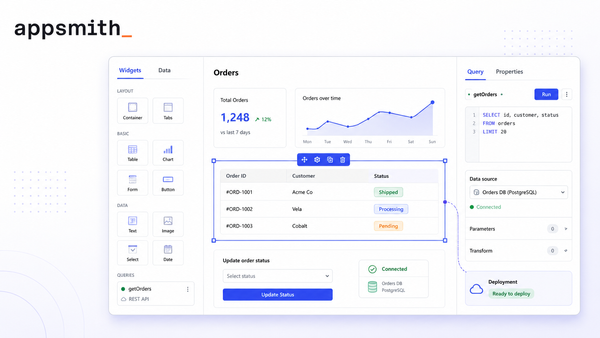
3. Appsmith
Open source, widely deployed, and the most established of the self-hosted options.
You can run Appsmith on your own infrastructure at no license cost, read the source, and extend behavior with JavaScript. For a team whose security review ends at "can we host it ourselves", that answer is yes on day one rather than at Enterprise.
The trade-offs are ownership and audience. Self-hosting means you own upgrades, backups, secrets and uptime. The paid tiers bill per seat. And it expects JavaScript for anything beyond the basics, which suits developers more than operations staff.
Pick Appsmith if open source matters more than a managed service, and you have someone to run it.
4. Budibase
A middle ground between low-code speed and open-source control, aimed at teams who want a working app soon.
Budibase handles forms, CRUD screens, approval flows and light dashboards well, and an operations lead can usually follow how an app is put together. It is open source with a self-hosted option, and paid plans bill per creator.
The trade-off shows up at the deep end: complex governance, fine-grained permissions and strict deployment requirements are where it thins out relative to the enterprise-focused tools.
Pick Budibase if you want speed with a path to hosting it yourself, and your governance needs are moderate.
5. ToolJet
Open source, self-hostable, and pitched at technical teams who want a visual editor without giving up deployment control.
ToolJet covers the common internal workflows — a support queue, a data review screen, an operations dashboard — and the open-source edition gets you onto shortlists where cloud-only tools are hard to approve.
Two trade-offs. It bills per builder, and end-user caps have a habit of pushing teams up a tier sooner than expected, so model the full cost before committing. And self-hosting still leaves you managing the host, secrets and updates.
Pick ToolJet if source access and deployment control are the deciding factors.
6. UI Bakery
The closest competitor to us on database interfaces specifically, with a large library of content and templates around building GUIs on Postgres, MySQL, MongoDB and others.
If your job is "put a usable interface on this database", UI Bakery is a direct comparison and worth a trial alongside us.
The trade-off is the billing model again: per seat. For a tool whose whole value is letting more people reach the data, a per-seat price works against the use case as the team grows.
Pick UI Bakery if you want a database GUI, your team is small, and per-seat pricing suits you.
7. Superblocks
Built for enterprise IT teams whose main worry is not the first prototype but what happens when a hundred people start building apps.
Superblocks leads on governance: audit logs, SSO, access controls, and the ability to run inside your own cloud environment. If your buying reason is "we need to see what every app connects to and who can use it", they have built their whole product and their content around that question.
The trade-off is weight. The governance machinery is heavier than a small team needs, and the controls that make it worth choosing generally sit behind enterprise pricing.
Pick Superblocks if central governance is the reason you are buying, and you have a platform team to own it.
Jet Admin alternatives compared
| Platform | Billing | Self-hosting | Open source | Best fit |
|---|---|---|---|---|
| Jet Admin | Per plan, unlimited users | Enterprise | No | Apps on a production database, governed |
| Retool | Per builder | Enterprise | No | Developer-built tools, widest data support |
| Softr | Per plan | No | No | Portals over Airtable and Sheets |
| Appsmith | Per seat | Yes | Yes | Self-hosted, developer-led |
| Budibase | Per creator | Yes | Yes | Fast internal apps with a hosting option |
| ToolJet | Per builder | Yes | Yes | Self-hosted low-code |
| UI Bakery | Per seat | Yes | No | Database GUIs for small teams |
| Superblocks | Enterprise | Yes | No | Governance-first enterprise IT |
When Jet Admin is the right choice
Five situations, and if none of them apply, pick from the list above with our blessing.
Your data is in a real database, not a spreadsheet. Postgres, MySQL, MongoDB, SQL Server, Snowflake, ClickHouse, Firebase and 200+ more sources. Jet reads your schema in place and generates the screens. There is no sync, no migration and no second copy of the data.
More people need the data than should have credentials. Row- and column-level permissions, SSO and audit logs let you hand a screen to operations, support, or a customer without issuing a database account for each person. Those controls are on Business and above.
Where it runs matters. Jet Cloud, your own cloud account, fully on-premise, or air-gapped on Enterprise. If production data cannot leave your network, that is a requirement most of this list cannot meet.
Cost should not scale with headcount. Unlimited users on every plan, including Free.
Your engineers want the code. Write custom components in React, Vue or Angular, run server-side Functions for logic that must not sit in the browser, and turn on 2-way GitHub sync so the app lives in your repository and you edit it in your own IDE. The CLI is built to work with Claude Code and Cursor. You are not locked out of the thing you shipped.
Most teams arrive for one screen and stay for the rest. You start with a database viewer, add an admin panel over the tables your team touches, and end up with an internal tool for operations or a customer portal on your own domain — on the same connection, without rebuilding anything.
You can build an internal tool on your own data or start from a database GUI, and the pricing page has the full plan breakdown.
How to choose between any of these
Four questions, in this order. They will eliminate most of the list quickly.
- Where does the data live? List every database, API and spreadsheet the app must read or change. Anything the platform cannot connect to directly needs a second service in the middle, and that cost is rarely in the quote.
- Who has to use it, and how many of them? Ten builders and ten users is a different bill from two builders and four hundred users. Match that shape against per-seat, per-builder and per-plan pricing before you compare features.
- Where must it run? Cloud, your own cloud account, on-premise, air-gapped. Ask this early. It removes several options outright and is awkward to discover after you have built something.
- Who owns it in six months? Self-hosting means upgrades, backups, secrets and uptime belong to you. That is a fair trade for control, but it is a real cost and it belongs in the comparison.
Then build one small real workflow in the two finalists. A demo hides permission gaps, slow queries and awkward handoffs; a real workflow with real roles surfaces them in an afternoon.
FAQ
What is the best Jet Admin alternative?
It depends on why Jet Admin is not working for you. For open-source self-hosting, Appsmith, Budibase and ToolJet. For developer-built tools on the widest set of data sources, Retool. For a fast client portal over Airtable, Softr. For enterprise governance at scale, Superblocks.
Is Jet Admin priced per user?
No. All four plans, including Free, include unlimited users, unlimited apps and unlimited workflows. Pricing is based on AI credits. Comparisons that describe per-user pricing for Jet Admin are describing an older model.
Which of these are open source?
Appsmith, Budibase and ToolJet. Jet Admin, Retool, Softr, UI Bakery and Superblocks are not, though most offer self-hosted or private deployment on their higher tiers.
Can Jet Admin be self-hosted?
Yes, on Enterprise. You can run it in your own cloud account, fully on-premise, or air-gapped when data cannot leave your network. Appsmith, Budibase and ToolJet offer self-hosting at lower tiers because they are open source.
Does Jet Admin support Redis or DynamoDB?
No. If your data lives in either, Retool supports both and is the better fit.
Can I edit the code, or am I stuck in a visual builder?
You can edit it. Jet Admin supports custom React, Vue and Angular components, server-side Functions, in-app code editing and 2-way GitHub sync, so the app can live in your repository and be edited in your own IDE. Appsmith, Budibase and ToolJet go further by being open source; Retool expects JavaScript for anything non-trivial.
Which alternative is cheapest?
For one or two builders, the open-source options are hard to beat, especially self-hosted. As soon as the number of people using the app grows, plan-based pricing usually wins, because per-seat and per-builder costs scale with the team while the plan price does not.
The short version
If you want open source, take Appsmith, Budibase or ToolJet. If you want the deepest developer platform and have the engineering time, Retool. If your data lives in Airtable and you want a portal fast, Softr. If governance is the whole reason you are buying, Superblocks.
If your data sits in a production database, more people need to reach it than should hold credentials, and you would rather not pay more every time someone joins the team, that is the case we built Jet Admin for. You can build an internal tool on your existing data on the free plan, with unlimited users, and decide from there.