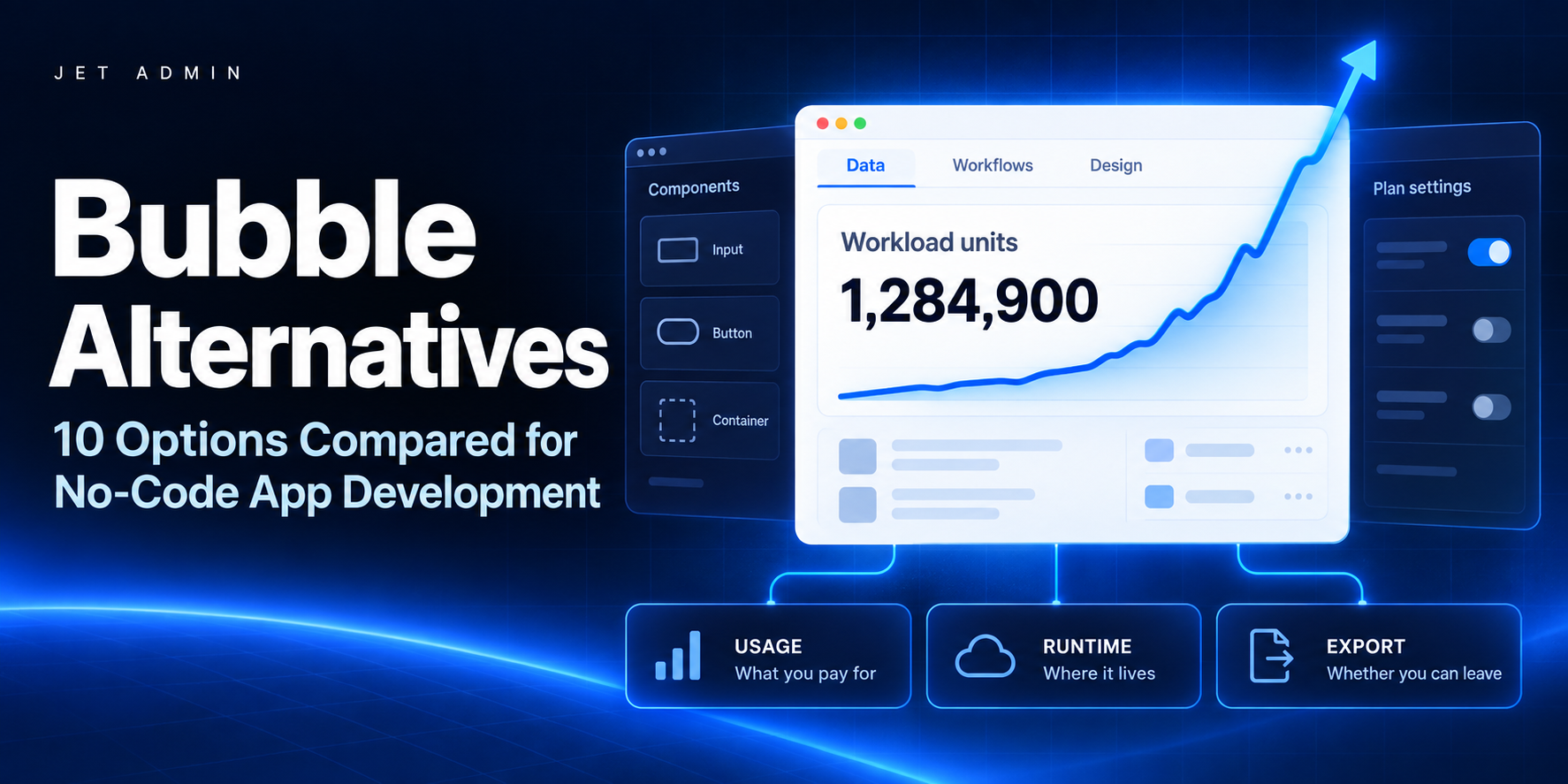
Almost nobody leaves Bubble because it cannot do the thing. They leave because of what it costs to keep doing it, or because the app outgrew a runtime it can never leave. Both problems arrive after the build, which is why this decision usually gets made under pressure.
This guide covers ten credible replacements and says plainly which fits which situation. Bubble’s own pricing mechanics are explained first, because they are the reason most people are reading. Pricing was checked in September 2026.
For client portals and internal tools on the database you already run, Jet Admin. For a front end you can host yourself, WeWeb. For real native mobile with code export, FlutterFlow. For the simplest possible portal, Softr. For spreadsheet-backed apps, Glide. For simple consumer mobile, Adalo. For a content-heavy marketing site, Webflow. For data-driven business apps, Knack. For internal tools built by engineers, Retool. And if you would rather own React code than a visual app, Lovable or Bolt.
Best Bubble alternatives at a glance
Platform | Best for | Key limitation | Code ownership | Entry price |
|---|---|---|---|---|
Jet Admin | Client portals and internal tools on your data | Not for public marketing sites | Export supported | Free tier, from $30/user |
WeWeb | A front end on a backend you control | You supply the backend | Code export, self-host | Free (dev), ~$25/mo |
FlutterFlow | Native iOS and Android apps | Closer to development than no-code | Full Flutter source export | Free, then $39/mo |
Softr | The simplest portal on Airtable | No drag-and-drop canvas | No | Free (1 app), then $49/mo |
Glide | Spreadsheet-backed apps and mobile | Limited for complex logic | No | Free, then $25/mo |
Adalo | Simple consumer-style mobile apps | Struggles with heavy data | No | Free (preview), then $45/mo |
Webflow | Content-heavy marketing sites | Not an application platform | Code export | Free, then paid tiers |
Knack | Data-driven business applications | Less design freedom | No | Tiered |
Retool | Internal tools built by developers | Developer-first, self-host on enterprise | No | Per editor + per end user |
Lovable / Bolt | Owning real React code from a prompt | You own the maintenance too | Full source | Free tiers, then paid |
Bubble (baseline) | Full SaaS products with custom UX | Workload units make cost hard to predict | No export | Free (50k WUs), then $29–59/mo |
What is Bubble, and why look for alternatives?
Bubble is a full visual development platform: its own database, its own workflow engine, its own runtime, and a plugin marketplace covering most of what it does not do natively. It is the most capable no-code tool for building an actual product rather than a portal, and that is not in dispute. Teams leave for five reasons.
Workload units make the bill hard to predict
This is the reason people phrase most bluntly, and it deserves real numbers rather than a complaint. Bubble meters server work in workload units. A simple page load costs roughly 0.5 to 2 WUs; a complex search can cost 10 to 50. Each plan includes a monthly allowance that resets: about 50,000 on the free plan, roughly 175,000 on Starter, around 250,000 on Growth, about 500,000 on Team. Go over and the overage is $0.30 per 1,000 WUs.
The consequence is that your bill scales with how much your app is used, not with how much value it produces, and you cannot know the number until real traffic arrives. Our breakdown of Bubble pricing and workload units works through the arithmetic properly.
The learning curve is steeper than the marketing suggests
Bubble does not require programming, but it does require learning Bubble: an internal logic language, its own conventions, and habits you pick up over weeks. No code and no learning are different claims, and the gap between them is where a lot of abandoned projects live.
Front end and back end are one thing
The runtime keeps the interface and the data together. That is simpler at the start and considerably less flexible later, when you want to swap a database, put the logic behind an API, or let a second team own the backend. Teams that hit this usually want a clean separation, which is the entire premise of WeWeb and of connecting a builder to your own database.
Design has a ceiling
Pixel-perfect output is not achievable through standard capabilities. For an internal tool nobody cares. For a product with customers looking at it, design freedom turns into a real constraint sooner than teams expect.
Plugins carry more weight than they should
The marketplace is a genuine strength and a genuine risk in the same sentence. A feature you depend on may be maintained by one person, and third-party plugins are also the largest surface where things break after a platform update.
When Bubble is still the right choice
If you are building a public-facing product with custom UX, you have no developers, and the workload maths works at your expected traffic, nothing else here matches what Bubble can do in one place. Switching would cost months and buy you less than you think.
Types of Bubble alternatives
The alternatives to Bubble fall into six categories, and deciding which one you need removes most of the list before you compare a single feature.
- Front-end builders on a backend you control. The separation Bubble does not give you. WeWeb.
- Operational platforms on your own data. Portals and internal tools with permissions included. Jet Admin, Retool, Knack.
- Portal and spreadsheet builders. Simpler than Bubble by design. Softr, Glide, Adalo.
- Native mobile builders. When the deliverable is an app in a store. FlutterFlow, Adalo.
- AI code generators. You leave no-code entirely and own React. Lovable, Bolt.
- Site builders. If the thing was really a website. Webflow.
What to look for
Five questions settle most of these evaluations. What is the pricing unit, because tasks, credits, editors and workload units behave completely differently as an app succeeds. Where does the data live, and can the platform read the database you already run rather than a copy of it. Can you leave, meaning code export, self-hosting, or at minimum a clean data export. Who maintains this in a year, and whether that person writes JavaScript. And what does the plan above the one you are quoting cost, since that is where the features you will need in six months usually sit.
1. Jet Admin, best for client portals and internal tools on your own data
Pros and cons. Solves the two problems that push people off Bubble: it runs on the database you already have rather than a proprietary store, and pricing does not meter server work. It is not the tool for a public product with custom consumer UX, which is exactly where Bubble is strongest, and marketing sites are out of scope.
Key features. Connects your own databases, warehouses and APIs, blending several sources into one table. Granular component access: individual fields placed anywhere on the canvas, values passed from a clicked row into another page. Server-side dynamic filtering for multi-tenancy, approval flows and conditionals without code, with JavaScript available to extend. Figma import. Row-level permissions, SSO, and self-hosted or on-premise deployment.
Pricing. Free plan with 20+ integrations and Figma import. Internal tools from $30 per user, with client portals priced separately from internal seats.
Best for teams whose Bubble app was really an operations tool or a customer portal, and who now need real permissions and a database they own.
2. WeWeb, best for a front end you can host yourself
Pros and cons. The cleanest answer to Bubble’s monolith: you build the interface, you choose and own the backend, and you can export the code. The flip side is that you now own a backend, which is work Bubble was doing for you.
Key features. Visual front-end builder over any REST API, Supabase, Xano or SQL, with code export and self-hosting.
Pricing. Free for development, paid plans from around $25 per month.
Best for teams with developers or an existing backend who want out of a proprietary runtime.
3. FlutterFlow, best for native mobile with real code export
Pros and cons. Produces genuine Flutter applications for iOS and Android and hands you the source. Closer to development than no-code, so expect to think about state and data modelling.
Key features. Visual Flutter builder with Firebase and Supabase integration, custom code injection, and full source export for the app stores.
Pricing. Free tier available, paid plans from $39 per month.
Best for teams whose requirement is an app in the store rather than a responsive web app.
4. Softr, best for the simplest possible portal
Pros and cons. Faster than everything else here for a read-mostly portal on Airtable, because it removes the canvas entirely. That same constraint means no complex flows, and API, CSV export and SQL connections sit on higher tiers.
Key features. Block-based portals and simple internal apps on Airtable, Google Sheets or a database, with member authentication and a large template library.
Pricing. Free plan with one published app and ten users. Basic $49 per month, Professional $139, Business $269.
Best for client portals that are mostly lists, detail views and forms.
5. Glide, best for spreadsheet-backed apps
Pros and cons. The shortest route from a sheet to something usable on a phone, with almost no learning curve. Business logic beyond the straightforward gets awkward and per-user overages sit on top of the plan.
Key features. Apps on Google Sheets, Glide Tables or a connected database, mobile-first layouts and AI features.
Pricing. Free with limits, Individual from $25 per month, Maker $60, Business $249, plus $5 per user overages.
Reviews. G2 4.7 out of 5 from more than 795 reviews.
Best for internal and field apps where the data already lives in a spreadsheet.
6. Adalo, best for simple consumer-style mobile apps
Pros and cons. The gentlest path to a mobile app in this list. It struggles once data volume or logic grows, which is the same trade Bubble users are usually trying to escape, so check the ceiling before committing.
Key features. Drag-and-drop mobile and web builder with its own collections, external API connections and app store publishing.
Pricing. Free for previewing only, Starter $45 per month, Professional $65.
Best for member, booking and directory style apps where polish beats depth.
7. Webflow, best when the thing was really a website
Pros and cons. If most of your Bubble app is pages, content and forms, Webflow does that far better and cheaper. It is not an application platform, and pretending otherwise is how people end up back where they started.
Key features. Professional visual site builder with a CMS, precise design control, hosting and a large template ecosystem.
Pricing. Free tier, then site and workspace plans.
Best for marketing sites, content-heavy pages and landing flows.
8. Knack, best for data-driven business applications
Pros and cons. Built around the database rather than the canvas, which suits record-keeping, workflow and reporting apps. Less design freedom than Bubble by some distance.
Key features. Online database with forms, roles, workflow rules, reporting views and customer-facing portals.
Pricing. Tiered subscription plans.
Best for operations teams whose app is really a structured database with rules on top.
9. Retool, best for internal tools built by developers
Pros and cons. The most refined internal tool builder, with the widest connector range. It expects JavaScript, self-hosting is enterprise-only, and the per-end-user component scales with adoption.
Key features. Over 100 pre-built components, extensive data connectors, custom JavaScript, environments, Git-based version control, enterprise RBAC and audit logs.
Pricing. $12 per editor and $7 per end user monthly.
Best for engineering-led teams replacing a Bubble app with a properly built internal tool.
10. Lovable and Bolt, best when you would rather own the code
Pros and cons. These leave no-code entirely: describe the app and get real React or Next.js you own outright. That removes lock-in and hands you the maintenance, the hosting and the security review in the same move.
Key features. Prompt-to-application generation producing production-shaped source, with hosting and a fresh backend spun up for you.
Pricing. Free tiers, then paid plans.
Best for founders with some engineering capacity who want an owned codebase rather than a platform.
Also worth knowing
Noloco and Stacker cover Airtable-native portals if that is what the Bubble app actually was. AppSheet is worth a look for organisations already paying for Google Workspace. Plasmic suits teams who want a visual builder that hands off to React. Bettyblocks, UI Bakery and DronaHQ sit on the enterprise internal-tools side of this list rather than the product side.
The question that decides this
Two of these categories look similar and are not. If your Bubble app has customers who log in and see their own records, you are running an operations tool and the right replacements are the ones with permissions and a real database behind them. If your Bubble app is the product you sell, you need a platform with the same range Bubble has, and the shortlist is short: WeWeb with your own backend, FlutterFlow for mobile, or owning the code outright.
Teams get this wrong in a predictable direction. They pick a portal builder because it is cheaper, then discover six months later that the thing they were building needed custom UX after all. Answer the question before comparing prices.
How to Choose the Right Bubble Alternative
Choose Based on Application Type
The best bubble alternative depends entirely on what you're building:
- Internal tools and internal apps: Retool, Jet Admin, or Noloco. These platforms are purpose-built for quick internal tools that connect to your own database.
- Consumer apps and public-facing web apps: Bubble itself remains strong here. For native mobile apps, FlutterFlow or Adalo. For marketing sites, Webflow.
- Client portals and dashboards: Softr is the fastest path. Glide works well for spreadsheet based apps and lightweight operational tools.
- Complex apps requiring unlimited apps or heavy logic: Bubble or WeWeb for web; FlutterFlow for mobile.
Choose Based on Team Technical Skills
- Non technical teams should lean toward Adalo, Softr, or Glide, all offer an intuitive interface and minimal learning curve.
- Developer-friendly platforms like Retool, FlutterFlow, and Wappler suit teams comfortable with queries, APIs, or exported code.
- Mixed teams benefit from platforms like Jet Admin, which empowers users to build without writing code while still connecting to production databases that developers manage.
Choose Based on Deployment Requirements
- Self-hosting: Retool and Appsmith offer self-hosted deployment for teams with strict data residency or compliance needs.
- App store publishing: FlutterFlow and Adalo publish directly to the Apple App Store and Google Play Store.
- Cloud-only is fine: Softr, Glide, Webflow, and Jet Admin all handle hosting for you.
- Code ownership: FlutterFlow and WeWeb allow code export. Wappler generates standard code for full ownership.
Which Option Is Best for You?
- Choose Retool if you need powerful internal tools with extensive database and API integrations and your team is comfortable with SQL.
- Choose Jet Admin if you want AI-powered business apps on existing data with enterprise grade security, no data migration required.
- Choose Webflow if your priority is professional marketing sites and design-heavy web apps with strong SEO.
- Choose FlutterFlow if you need native mobile apps with code export and plan to publish android apps and iOS apps to app stores.
- Choose Adalo if you want a simple drag and drop interface for building and publishing simple mobile apps.
- Choose Softr if you need quick client portals and membership sites connected to Airtable or other tools.
- Choose Glide if you want to transform spreadsheets into web and mobile apps for operational use cases like inventory tracking.
For AI-driven prototyping and rapid iteration, Replit uses AI to build web and mobile apps from descriptions, and Zite generates apps from plain English descriptions in minutes, both are worth exploring for early-stage validation.
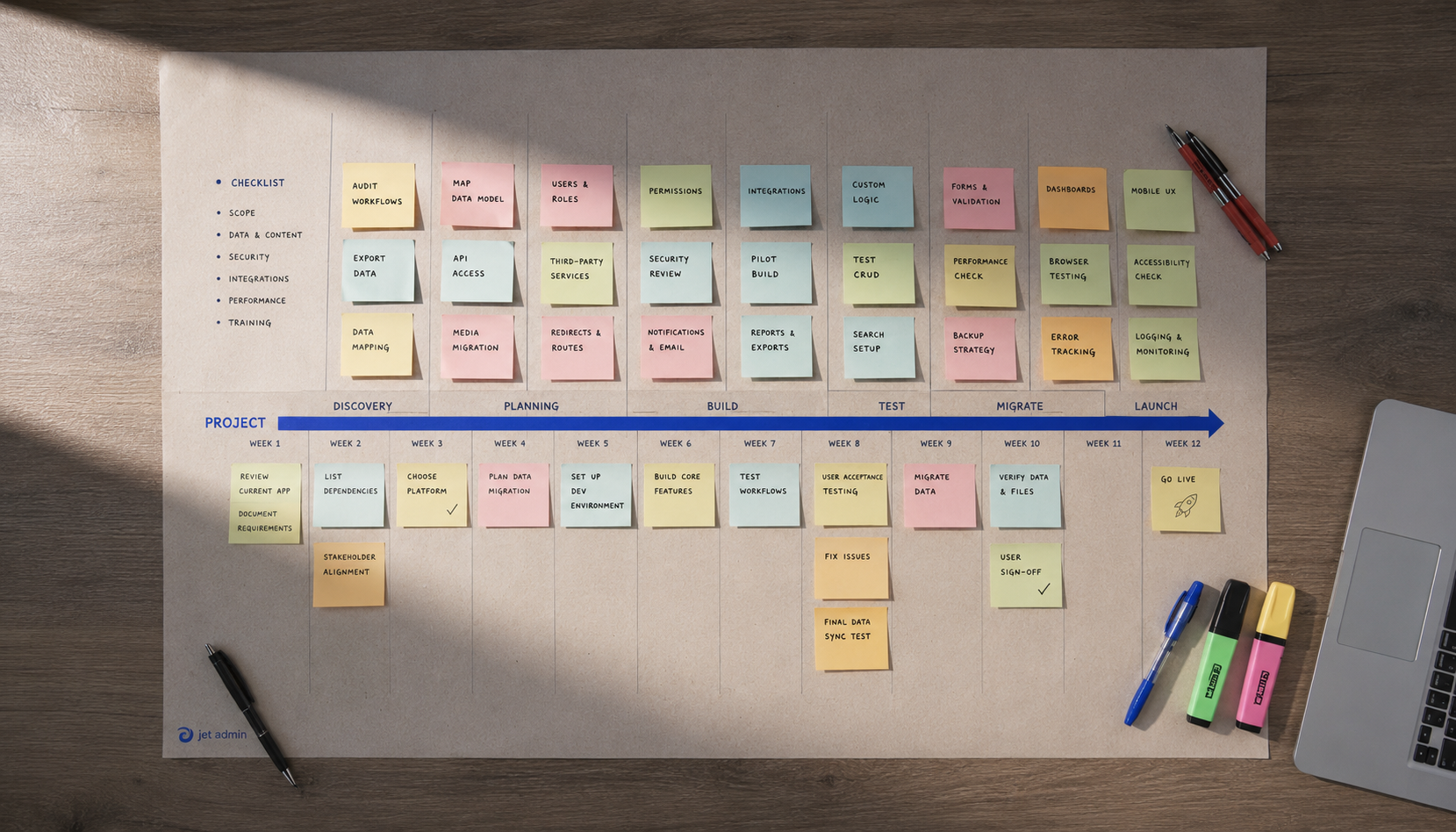
Migration and Selection Checklist
Moving off Bubble (or any no code platform) requires careful planning. Use this checklist before committing:
- Data export: Document your current database schema, record counts, and file storage. Bubble allows CSV exports but not structured schema exports. Map each data table to your target platform's data model.
- Feature mapping: List every workflow, API call, and conditional action in your current Bubble app. Identify which features translate directly and which need rebuilding or workarounds.
- Authentication and permissions: If you rely on Bubble's user auth, confirm your alternative supports equivalent user login, role-based access, and data visibility rules.
- Team training: Estimate onboarding time. Platforms like Adalo and Softr require days; Retool and FlutterFlow may need weeks for non technical teams.
- Timeline and budget: Plan for a 4–12 week transition depending on app complexity. Budget for parallel operation (running both platforms during cutover).
- Testing and validation: Run your new app against real data and real users in a staging environment before cutting over. Validate performance, edge cases, and integration reliability.
Don't underestimate migration effort. Even moving between no code tools can surface hidden dependencies, especially around third party services and custom logic.
Final Thoughts
There is no single best bubble alternative. The right choice depends on your application type, your team's technical skills, and your deployment requirements.
Retool and Jet Admin dominate for internal apps and database management. FlutterFlow leads for native mobile app development with code export. Adalo and Softr win on simplicity and speed for non technical users. Webflow remains unmatched for design-driven marketing sites. Glide is the fastest path from spreadsheet data to a working app.
Some teams benefit from using multiple no code tools for different projects: Softr for a client portal, FlutterFlow for a native mobile app, and Retool or Jet Admin for internal dashboards. Low code platforms and no code tools aren't mutually exclusive.
Before committing, test two or three platforms with a real project. Most offer a free plan or trial. Map your requirements against the checklist above, involve your end users in evaluation, and prioritize platforms that give you an exit strategy, whether through code export, data portability, or standard integrations.
If your team needs to build apps on existing databases and APIs without migrating data or writing code, Jet Admin is worth exploring. Start with a free plan and see how it handles your actual data and workflows.