If you're evaluating supabase pricing for a new project or scaling an existing one, you need concrete numbers, not vague feature lists. This guide breaks down every tier, overage rate, and hidden cost driver as of July 2026 so you can forecast your real monthly bill before committing.
Pricing summary
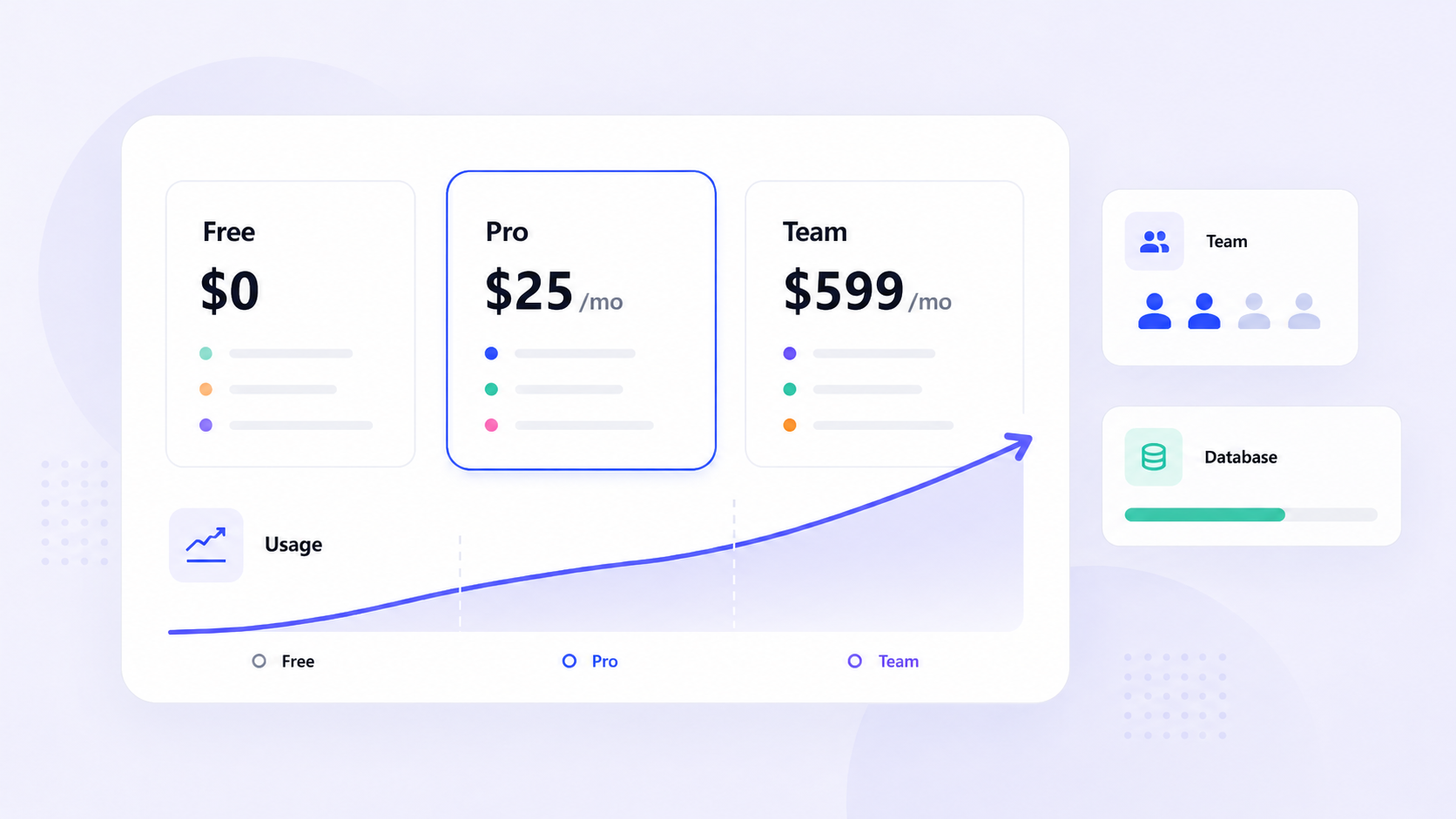
- Supabase offers four pricing plans - Free ($0), Pro ($25/month), Team ($599/month), and Enterprise (custom pricing) - billed per organization with usage-based overages for database size, file storage, egress, and monthly active users.
- The supabase free tier gives you two free projects with a 500 mb database, 1 gb file storage, 5 GB egress, and 50,000 monthly active users, but free projects pause after one week of inactivity.
- Pro and team plans include a $10 compute credit per project covering one micro instance; compute, egress, and MAU overages are the biggest total cost drivers at scale.
- Supabase's pricing model combines predictable pricing through fixed base fees and a spend cap enabled by default on Pro with transparent, published overage rates.
- Later sections cover cost calculators, add-ons like point in time recovery, and when Jet Admin may be a better fit for building secure business apps on top of Supabase or other data sources.
Supabase pricing overview (July 2026)
How much does supabase cost right now? Supabase's pricing model combines a fixed monthly subscription with usage-based charges that kick in when you exceed included quotas. Pricing verified against the supabase pricing page on July 16, 2026.
Supabase organizes its costs into distinct tiers based on project scale and compliance needs:
- Free - $0/month. Two active free projects, auto-pause after 7 days of inactivity, limited resources.
- Pro - $25/month per organization + usage overages. The default for production apps.
- Team - $599/month per organization + usage. Built for compliance and governance.
- Enterprise - Custom pricing negotiated with sales. For internet scale workloads and regulated industries.
Is supabase generous enough for prototyping? Absolutely. The generous free tier includes 50,000 MAUs, 500 MB of database storage, and 1 GB of file storage - enough for hobby projects, hackathons, and early MVPs. But free projects pause after a week of inactivity, making it impractical for always-on production applications.
Supabase bundles database authentication file storage, Realtime, and supabase edge functions under a single pricing model. The base fee is predictable; overages follow published rates. And with a spend cap enabled by default on the pro plan, there's a clear safety net against bill shock.
Supabase pricing at a glance
This table provides a high-level snapshot of all supabase pricing plans. All figures are drawn from the live supabase pricing page as of July 2026.
Feature | Free | Pro | Team | Enterprise |
|---|---|---|---|---|
Monthly cost | $0 | $25 | $599 | Custom |
Billing basis | Per org | Per org | Per org | Per org (annual) |
Database storage | 500 MB | 8 GB | 8 GB | Custom |
File storage | 1 GB | 100 GB | 100 GB | Custom |
Egress (uncached) | 5 GB | 250 GB | 250 GB | Custom |
Cached egress | 5 GB | 250 GB | 250 GB | Custom |
Auth MAUs | 50,000 | 100,000 | 100,000 | Custom |
Active projects | 2 | Unlimited | Unlimited | Unlimited |
Backups | None | Daily / 7-day | Daily / 14-day | Custom |
Log retention | - | 7 days | 28 days | Custom |
Support | Community support | Priority support | 24/7 dedicated | |
SOC 2 / ISO 27001 | ✗ | ✗ | ✓ | ✓ |
HIPAA available | ✗ | ✗ | Paid add on | ✓ |
SSO for dashboard | ✗ | ✗ | ✓ | ✓ |
Paid plans include a $10 compute credit per project, which covers one micro instance (2-core arm CPU, 1 gb ram). Compute instances beyond Micro are billed separately from the base subscription - they're always-on resources, not serverless.
Advanced governance features like SSO, SAML, and audit logs are exclusive to Team and Enterprise tiers. Making supabase hipaa compliant requires Enterprise-level agreements (or Team + paid add on) with a signed BAA.
If you're building hobby projects or learning, Free works. For early production apps, Pro is the starting point. Regulated teams and larger organizations should plan for Team or Enterprise.

What each Supabase plan includes
Free plan
The supabase free plan is designed for hackathons, prototypes, MVPs, and personal learning. It's a real Postgres environment with meaningful supabase free tier limits and auto-pausing behavior that rules it out for most production workloads.
Here's what the free tier includes as of July 2026:
- Two active free projects per account (paused projects don't count toward this limit)
- 500 MB database storage per project
- 1 GB file storage per project
- 5 GB uncached egress + 5 GB cached egress per billing period
- Up to 50,000 monthly active users included
- ~200 concurrent realtime connections
- 500,000 edge function invocations
- Community support only - no email or priority support
Free tier projects can have a maximum of 2 active projects. The free tier includes 500 MB database storage. Users are limited to 50,000 monthly active users on the free tier. The free tier allows for 1 GB of file storage.
The biggest operational constraint: free projects are paused after 7 days of inactivity and require manual reactivation. There are no automatic daily backups, no point in time recovery, and no payment method on file means no overages - once you hit a limit, the service stops.
Is supabase free enough for production? Technically possible, but practically limited. Most production applications need reliable uptime, backups, and support. To maximize the supabase free tier, keep projects lean, monitor usage limits approaching caps, avoid storing large binary data in the database, and treat it as a development sandbox rather than an always-on backend.
Pro plan
The pro plan is where most production apps start. At $25 per month per organization, it delivers meaningfully higher usage limits, daily backups, and email support - the baseline for serious workloads.
The Pro plan costs $25/month and supports 100,000 MAUs. It includes a $10/month compute credit per project, which covers one micro instance (1 gb ram, 2-core arm). Extra projects beyond the first are billed at roughly $10/month each for compute.
Pro plan includes 8 GB database storage per project. Here are the key plan limits:
- 8 GB database storage per project
- 100 GB file storage
- 250 gb uncached egress + 250 GB cached egress
- Pro plan supports up to 100,000 monthly active users
- 500 concurrent realtime connections
- 5M realtime messages
- 2M edge function invocations
- Daily backups are retained for 7 days on the Pro plan
For most early-stage apps, the real pro plan bill stays close to the base fee. Small storage costs or egress overages add a few dollars. Compute upgrades only become relevant when CPU or memory bottlenecks appear in query performance or function execution.
When should you upgrade from Free to Pro? When uptime becomes non-negotiable. When your database approaches 400 MB. When real users or paying customers arrive. When free projects pause behavior becomes risky for your use case.
The pro plan has a spend cap enabled by default, preventing runaway costs. Combined with the real-time usage dashboard in the supabase dashboard and threshold alerts, it makes predictable pricing achievable for early-stage startups.
Team and Enterprise plans
The Team and Enterprise plans target larger organizations, agencies, and regulated industries needing higher limits, governance, and support SLAs. Supabase provides dedicated support for compliance and security through its Team and Enterprise plans.
Team plan ($599/month):
- The Team plan costs $599/month and includes SOC2 compliance and ISO 27001
- The Team plan supports longer backup retention of 14 days, with 28-day log retention
- The Team plan offers single sign-on (SSO) for user access to the supabase dashboard
- Priority support with SLAs
- Supabase's Team plan is aimed at organizations requiring compliance and higher usage quotas
Enterprise plan (custom pricing):
- The Enterprise plan provides custom pricing based on organizational needs
- Enterprise plan includes 24/7 dedicated support and uptime SLAs
- Private slack channel for direct access to Supabase engineering
- Custom quotas for MAUs, egress, compute, and database storage
- Supabase offers custom pricing plans for large workloads through its Enterprise plan
- Ability to bring your own cloud infrastructure
HIPAA compliance is available as a paid add-on for Enterprise plans, requiring a signed Business Associate Agreement (BAA) and additional security controls. Community reports suggest HIPAA add-on pricing starts around $350/month, but this should be confirmed directly with Supabase. Self-hosted Supabase does not meet HIPAA requirements. Free and Pro tiers are not supabase hipaa compliant deployments for PHI workloads.
Choosing between tiers comes down to: number of engineers, compliance requirements (legal, DPO, security sign-offs), governance needs (audit trails, SSO, role-based admin), and whether you're selling into enterprises or handling regulated data. For most small dev teams, Pro is enough. Team plans become necessary when contracts demand SOC 2 or you need priority support.
How Supabase calculates your bill
Supabase's pricing model combines predictable base fees per organization with usage based pricing that scales with your workload. Understanding plan limits is essential to forecasting your real bill.
The base subscription covers access to managed Postgres, Auth, Storage, Realtime, edge functions, the supabase dashboard, and monitoring. But the base fee is not the entire supabase cost at scale - it's the floor.
Each supabase plan includes defined allowances for database storage, file storage, MAUs, egress, realtime messages, and edge function invocations. Supabase allows usage-based charges if you exceed included quotas, at published overage rates. Supabase's typical expenses increase due to database size, file storage, bandwidth, and active users.
Compute instances are billed as always-on dedicated resources with hourly and monthly compute costs by size. Supabase uses a predictable tiered pricing model based on dedicated compute resources, and paid plans include compute credits to offset the smallest instance.
Some limits are "hard" - the number of free projects (2), auto-pause after inactivity. Others are "soft" - you can exceed database storage or MAUs and pay an overage. Supabase allows for scaling with additional projects, each requiring their own separate compute instances. When the spend cap is on, overages are blocked rather than billed.
Think of your final bill as: base plan + extra storage + extra MAUs + egress overages + compute add-ons + optional features. Supabase includes features like authentication, storage, and real-time APIs under a single pricing model, keeping the structure straightforward.
Compute, storage, and performance costs
Beyond the base subscription, supabase cost is driven primarily by compute instances, database size, file storage, and egress. Understanding these levers is essential for accurate infrastructure costs planning.
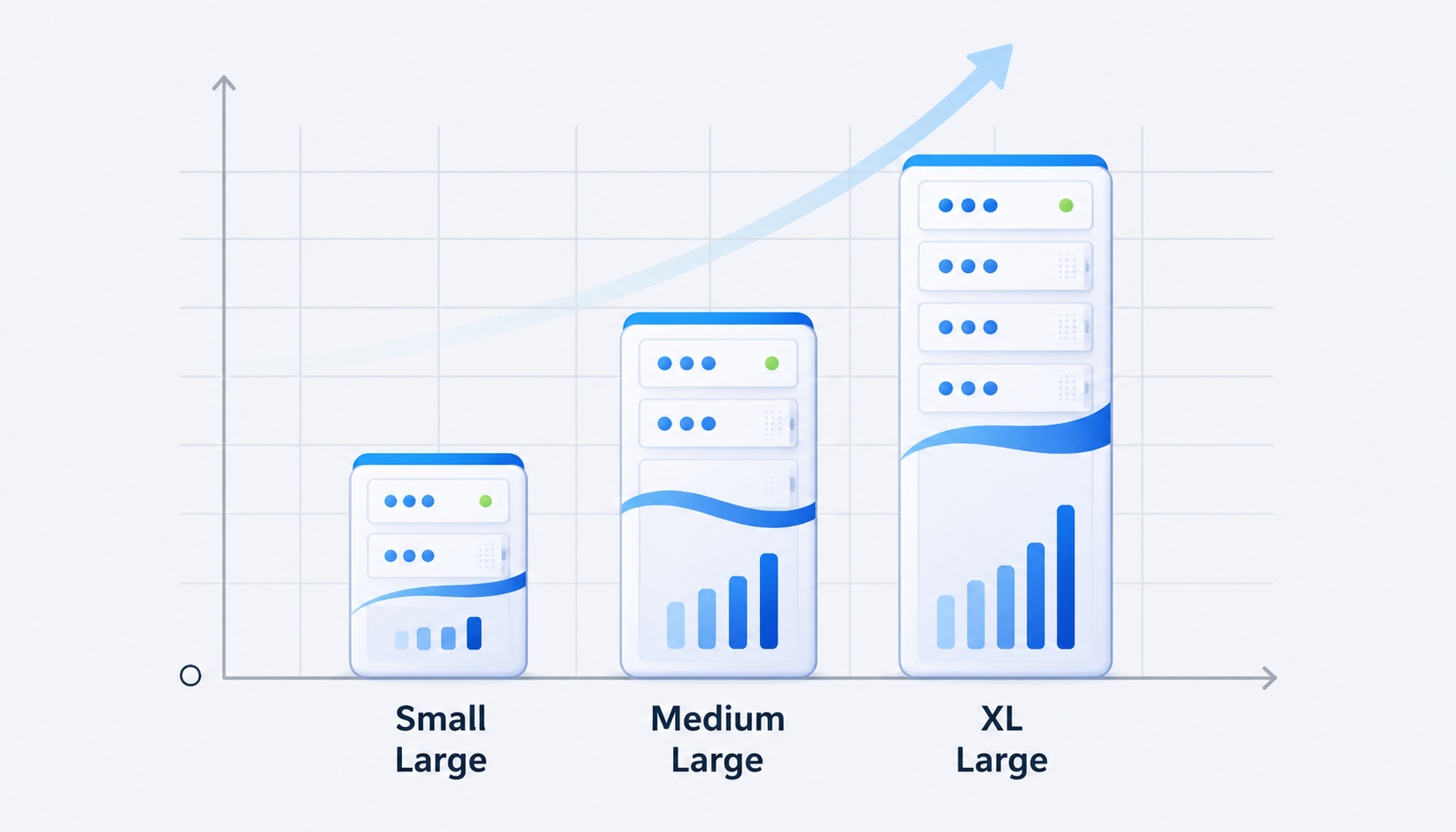
Compute instances: The micro instance (1 GB RAM, 2-core ARM) is covered by the $10 monthly compute costs credit on pro and team plans. Larger sizes scale: Small (~2 GB RAM) at ~$15/month, Medium (~4 GB) at ~$60, Large (~8 GB) at ~$110, and up through 16XL at several thousand per month. Throughput scales automatically with instance size.
Database storage: Paid plans include 8 GB per project. Database size overage costs $0.125 per GB per month after 8 GB. For most apps under 20 GB, this adds only a few dollars. High Performance disks with better IOPS cost more but serve heavier workloads. Storage costs for database are a per gb charge that scales linearly.
File storage and CDN: Storage costs $0.021 per GB per month beyond 100 GB included on paid plans. Egress and cached egress each have separate quotas and overage prices. In August 2025, Supabase introduced 3x cheaper egress for cache hits, significantly reducing cost for media-heavy apps.
These infrastructure upsells are decoupled from tier upgrades. You can stay on Pro and simply pay more for compute or storage where needed - a pay as you go approach attractive for cost-sensitive teams. In practice, compute and egress usually dominate the bill, not raw storage. Moving from Micro to Medium compute adds ~$50/month; 20 GB of database storage adds just $1.50.
Usage-based overages
Many "hidden" costs in usage based billing come from high-usage dimensions - especially MAUs, bandwidth, Realtime messages, and edge function invocations - once you surpass the included quotas.
MAU pricing: The free plan includes 50,000 MAUs; pro and team plans include 100,000. Supabase charges $0.00325 per additional monthly active user over 100,000. That sounds small until you scale: an app with 500,000 active users has 400,000 chargeable MAUs, adding roughly $1,300/month in Auth costs alone. SSO users carry a separate rate of ~$0.015 per SSO MAU beyond the included 50.
Bandwidth/egress: Free gets 5 GB; paid plans get 250 gb. Egress costs $0.09 per gb after 250 GB on Pro plan for uncached traffic. Cached egress via CDN runs ~$0.03 per gb - cheaper, but still billable. Media-heavy or API-heavy apps can push egress well past quotas.
Edge functions: Free includes 500,000 invocations; paid plans include 2M. Beyond that, the rate is approximately $2 per million invocations. Chatty or polling-heavy supabase edge functions accumulate quickly.
Realtime messages: Free includes 2M messages; paid plans include 5M. The marginal cost is about $2.50 per million additional messages. Every subscribed client counts toward usage for every message delivered, so a dashboard with 100 concurrent viewers multiplies each event by 100.
Review these usage dimensions when running cost estimates. Add monitoring for MAUs, egress, and realtime events - they often outgrow simple "database size" assumptions faster than you'd expect. Unlimited api requests don't exist; everything has a metered ceiling on Supabase.
How to estimate your Supabase bill
While Supabase provides its own pricing calculator and usage dashboards, you should still know how to mentally model expected costs before committing to a plan.
Step-by-step approach:
- Choose a likely plan (Free, Pro, or Team)
- Estimate database and file storage GB after 6–12 months
- Forecast MAUs based on current signup velocity
- Estimate monthly egress - especially if serving media or large API responses
- Approximate edge function and Realtime usage
Example scenario: A SaaS app on Pro with 20 GB database, 100 GB file storage, 75,000 MAUs, and 300 GB uncached egress:
Line Item | Calculation | Monthly Cost |
|---|---|---|
Pro base fee | - | $25 |
DB overage | (20 – 8) × $0.125 | $1.50 |
File storage | Within 100 GB quota | $0 |
MAUs | Within 100k quota | $0 |
Egress overage | (300 – 250) × $0.09 | $4.50 |
Compute (Micro) | Covered by $10 credit | $0 |
Total | ~$31 |
Factor in add-ons where relevant - PITR, custom domains, SSO - and plan for a 20–30% buffer for unexpected spikes. Monthly compute costs rise sharply if you need to scale beyond Micro.
Use monthly billing exports or Supabase's usage analytics to recalibrate forecasts. Revisit your plan choice once you cross MAU or egress thresholds. Is supabase cheaper than alternatives at your workload? This exercise tells you.
Optional Supabase add-ons
Supabase offers advanced features like point-in-time recovery as optional add-ons that can be attached to existing projects without changing tiers. They meaningfully impact total cost.
Point-in-time recovery (PITR): Point-in-time recovery starts at $100 per month for 7 days of retention per project. Enterprise plans may offer longer retention. PITR becomes essential for fintech, SaaS storing customer data, or any app where "restore to a specific second" matters.
Custom domains: Custom domains cost $10 per month per project - a flat fee. Most production applications eventually want branded API endpoints, so factor this into per-project budgeting.
Advanced MFA and SSO/SAML: Advanced multi-factor authentication costs $75 per month for the first project. SSO MAU pricing runs ~$0.015 per SSO user beyond included. Selling to enterprises almost always implies these extra Auth costs as a paid add on.
Database branching: Database branching costs $0.01344 per branch per hour, useful for CI/CD workflows and staging environments. Branching costs $0.01344 per branch per hour.
HIPAA projects: Available only on Team/Enterprise as a paid add on requiring a BAA and additional security controls. HIPAA workloads must not run on Free or Pro.
Add-On | Price | When Recommended |
|---|---|---|
PITR | From $100/mo | Any app with paid customers |
Custom domain | $10/mo per project | Production apps with branded APIs |
Advanced MFA | $75/mo (first project) | B2B with security requirements |
SSO/SAML | ~$0.015/SSO MAU | Enterprise client onboarding |
HIPAA | Custom (Team/Enterprise) | PHI / healthcare apps |
Branching | $0.01344/branch/hr | CI/CD and staging workflows |
Where Jet Admin fits alongside Supabase
Jet Admin is a platform for building secure business apps and internal tools on top of existing data - databases, APIs, spreadsheets, and SaaS tools. It operates at a different layer than a backend as a service like Supabase.
Jet Admin connects to Supabase databases and Supabase Storage, as confirmed on its integrations page. Teams can keep Supabase as their backend while using Jet Admin to rapidly build admin panels, dashboards, CRMs, and operational workflows without custom frontend code.
Jet Admin's Data Editor offers spreadsheet-like editing of connected data with writes back to the source. This means non-engineering teams can manage Supabase data without touching SQL or consuming engineering cycles on internal tool development.
Jet Admin's pricing is separate from Supabase's and is structured around app users and workspace needs rather than raw infrastructure usage. The two products complement rather than compete: supabase offers the transactional database, auth, and storage layer while Jet Admin generates the business-facing applications on top.
Concrete use cases for combining them:
- Supabase as the production database + Jet Admin to build an internal support console for customer ops
- Supabase Auth handling end-user authentication + Jet Admin powering an inventory management tool for warehouse teams
If your bottleneck is internal app development speed rather than database pricing, pairing Supabase with Jet Admin may save more engineering time than optimizing supabase cost alone.
Which Supabase plan should you choose?
Picking the right supabase plan is mostly about risk tolerance, expected scale, and collaboration needs - not just minimizing monthly cost.
Solo devs: Start with Free. Move to Pro when you have real users, revenue, or need backups. The $25/month is trivial once you're earning from your app.
Startups: Use Free for your MVP. Upgrade to Pro before public launch. Consider Team when enterprise deals require SOC 2 or you need SSO.
Larger organizations: Trial on Pro for proof-of-concept, but expect Team or Enterprise for governance policies, longer backup retention, and compliance.
Red flags that mean you should not stay on the supabase free plan: you're handling payments, storing valuable customer data, need 24/7 uptime, or depend on email support and backups.
Plan limits and usage limits interact with roadmap planning. Upcoming features like heavy file uploads, realtime dashboards, or AI features with high embedding counts should be modeled against Pro/Team quotas before you build them.
Supabase supports predictable pricing through spend caps, usage alerts, and transparent published overage tables. Periodically review billing metrics as part of your operational runbooks, and add a payment method before you need it.
The practical recommendation: budget for Pro from day one. Treat Free as a development and experimentation environment only. The expected cost structure of Supabase makes it more predictable compared to Firebase's model, which is a meaningful advantage for teams sensitive to bill surprise.
Check the fit for your workload
Supabase delivers Postgres, Auth, Storage, edge functions, and Realtime in one managed platform with transparent pricing and a free tier for experimentation. But is it the right fit?
Supabase is ideal for:
- Early-stage SaaS and startups that want Postgres with batteries-included auth and storage
- Product teams migrating off Firebase looking for more predictable, resource-based pricing - Supabase's main competitors include Firebase and Appwrite, and much does supabase compare favorably on cost transparency
- Dev-heavy organizations that prefer SQL, row level security, and self-serve infrastructure
Another approach might be better when:
- Extremely spiky workloads need serverless databases that scale to zero, minimizing idle compute
- Ultra-low-budget side projects can tolerate DIY hosting on a $5 VPS
- Existing corporate databases already cover your needs, and only the UI/internal tools layer is missing
When the backend is "good enough" but internal app development speed and governance are the bottlenecks, consider pairing Supabase with tools like Jet Admin rather than replacing the backend entirely.
Sketch rough usage forecasts, compare Supabase's predictable pricing to alternatives using the same workload, and plan your internal tooling strategy on top of whichever backend you choose. Start with the numbers, not the brand.
Frequently asked questions
These answers reflect supabase's pricing model as of July 2026. Always confirm details on the live supabase pricing page before making purchase decisions.
Is Supabase really free for production apps?
Supabase has a 100% free plan with defined free tier limits: 500 MB database, 1 GB file storage, 50,000 MAUs, and 5 GB egress. While you can technically run production workloads on it, free projects pause after 7 days of inactivity, and there are no automated backups or email support. Most serious production applications quickly outgrow these constraints and move to paid plans.
Does Supabase offer annual discounts or only monthly billing?
As of July 2026, Supabase primarily promotes monthly billing without widely advertised annual discounts on the public pricing page. Enterprise contracts may negotiate custom terms, including annual billing and volume discounts. Typical self-serve Free, Pro, and Team customers pay on a monthly billing cycle.
When is Supabase considered HIPAA compliant?
Supabase HIPAA compliant deployments require Enterprise-level agreements - and in some cases, Team + a specific HIPAA paid add on - including a signed BAA and additional security controls. Free and Pro do not meet HIPAA requirements on their own. Self-hosting Supabase also does not satisfy HIPAA standards without the managed platform's compliance infrastructure.
What usually costs more: storage or MAUs on Supabase?
For many real-world apps, MAUs and egress dominate bills once usage scales. Per gb storage overage is relatively cheap ($0.125/GB for database, $0.021/GB for files), while per-user Auth pricing ($0.00325/MAU) and bandwidth ($0.09 per gb uncached) grow quickly with traffic and user count.
Can I control my Supabase bill if usage spikes unexpectedly?
The pro plan enables a spend cap by default, preventing runaway costs by blocking overages rather than billing them. Real-time usage dashboards, alerts, and the ability to optimize heavy features - caching, batching, reducing edge function calls - are the primary levers for bill control during spikes. You can disable the spend cap when you're ready to accept usage based billing beyond included quotas.