Reviewed September 26, 2026. This is a research-based review of Airtable's official pricing and published customer feedback — not a hands-on benchmark. Jet Admin publishes this comparison and is a competing product; competitor strengths are stated as found.
Airtable is worth considering when you need to model a business process with real relationships between records and want non-developers to maintain it. Its strongest advantage is flexibility — reviewers build CRMs, inventory systems and content operations in it. The trade-off is a per-seat model that gets expensive precisely when adoption succeeds, and a learning curve that reviewers measure in months rather than days.
This review covers what Airtable is genuinely good at, the limits that decide plans, what its large review base reports, current pricing and when an application layer on top becomes the better answer.
Airtable review: the quick verdict
Airtable suits teams with a genuinely relational process and someone willing to learn the platform properly. It is a weaker fit when most of the people who need the data only need to read or update a little of it — that is where the seat model works against you.
| Strong reasons to consider Airtable | Trade-offs to evaluate |
|---|---|
| Exceptional flexibility — linked records, rollups, lookups, formulas | Per-seat pricing, billed for anyone with edit permission on any base |
| Strong integration and automation capabilities | Reviewers describe a months-long learning investment |
| Very large, consistently positive review base | Reported record ceilings force a $20 → $45 per-seat jump with no middle tier |
| Non-developers can own and evolve the structure | Advanced reporting is thin; performance slows on large datasets |
No numerical score is given, because we did not run a scored hands-on evaluation.
What is Airtable?
Airtable is a relational database with a spreadsheet-like interface. You create bases containing tables, link records between them, and build views, forms and automations on top.
The distinction that matters: it looks like a spreadsheet and behaves like a database. That is the source of both its appeal and its learning curve — the interface invites people in, and the relational concepts underneath are what they then have to learn.
Reviewers commonly describe building CRMs, inventory trackers, content calendars and project systems.
Airtable's key features
1. Relational data modelling that non-developers can maintain
Linked records, rollups and lookups let you model a real process — customers to orders to line items — without writing SQL. This is the core of the product and what reviewers praise most.
The practical benefit is that the person who understands the process can build it. The qualification is the one below: building this well is a skill, and a poorly structured base is harder to fix than to create.
2. Views as role-appropriate windows on the same data
Grid, calendar, kanban and gallery views let different people see the same records differently, with filters and sorts saved per view.
Views are Airtable's answer to "different people need different things." They are genuinely useful, but note that views control presentation more than they control permission — which becomes relevant when you need someone to see only certain records.
3. Automations and formulas
You can trigger actions on record changes and compute values with formulas. Reviewers rate this highly, using it for notifications, status updates and data hygiene.
Scope it against your real needs: automations handle "when this changes, do that" well, and multi-stage approvals with conditional routing less so.
4. Integrations and sync
G2 reviewers score integration capability at 4.4 out of 5, and integrations are a recurring positive theme. For teams whose data also lives in other SaaS tools, this is what keeps Airtable current rather than a second silo.
5. Forms for data collection
Built-in forms write directly into a table, which removes a separate form tool for internal intake. For simple collection this is sufficient; for payments, signatures or high volume a dedicated form product is stronger.
Airtable pros
The flexibility is real, and it is the reason people stay
Flexibility appears in nearly every positive review, with a 4.6 out of 5 customisation score on G2. If your process does not fit an off-the-shelf tool, Airtable will usually fit it — and that is a genuine advantage over prescriptive software.
Business users can own the system
Once someone learns it, they can change the structure without a development ticket. For operations teams whose processes change monthly, that autonomy is worth a great deal and is hard to replicate.
Integrations and automations are strong
Scoring 4.4 for integrations with automations rated highly, Airtable works as a hub rather than an island. Reviewers use it to keep several tools in step, which is a legitimate architectural role.
The review base is unusually large and positive
Ratings of 4.6 from 3,276 G2 reviews, and 4.5 across 2,322 verified reviews elsewhere, represent a mature product with broad satisfaction. That is meaningful evidence, not marketing.
Airtable cons and limitations
Per-seat pricing punishes successful adoption
Airtable charges per seat, and billing applies to users with edit permissions for at least one base in the workspace. Airtable pricing Reviewers additionally report that read-only access is limited, so serving a large number of view-only people pushes you to a higher tier.
Who it affects: any process where a handful of people maintain data and many people consume it. Scope: the per-seat rule is official; the read-only constraint is a customer report. What to do: count the people who need to see the data, not just those who build it, and price that before rollout. This is the single most common source of surprise cost.
The learning curve is measured in months
Reviewers describe building a genuinely well-structured base — linked records, rollups, lookups, formulas, automations — as a months-long learning investment, and G2 flags learning difficulty in 104 reviews. Ease of use scores 3.8 out of 5, notably below the customisation score.
Who it affects: teams without an existing Airtable practitioner. What to do: budget real learning time for one owner, or accept that the first structure will need rebuilding once you understand the model.
A reported record ceiling forces a large per-seat jump
Reviewers report that pain arrives when bases cross 50,000 records, requiring a move from $20 to $45 per seat per month with no intermediate tier.
Scope: this is a customer report; Airtable's pricing page did not publish per-plan record limits at the page we reviewed, directing readers to its billing documentation instead. What to do: confirm the current record limit for your plan directly before committing, and model the cost of the jump multiplied by your seat count — on twenty seats it is $500 a month, not $25.
Reporting and performance have ceilings
Reviewers note limited advanced reporting, with little room for custom reports and graphs, and slower performance on larger datasets or complex automations. Support responsiveness scores 3.9 out of 5 despite paid support being described as technically competent.
What to evaluate: load a realistic volume of your own records and build the report your management actually asks for. Both limits appear at that point or not at all.
What do Airtable users say?
| Source | Rating | Reviews behind it |
|---|---|---|
| G2 | 4.6 / 5 | 3,276 |
| Verified-review aggregate | 4.5 / 5 | 2,322 |
G2 subscores are more informative than the headline: customisation 4.6, integrations 4.4, ease of use 3.8, support responsiveness 3.9.
Positive themes: flexibility to build almost anything; integration breadth; automations and formulas; competent paid support.
Negative themes: steep learning curve; expensive as seats grow; performance degradation at scale; limited advanced reporting.
The shape of this feedback is consistent: people who invest in learning Airtable are glad they did, and the complaints cluster around cost and effort rather than capability. That is a reasonable profile for a flexible platform, and it tells you what to plan for.
Airtable pricing in 2026
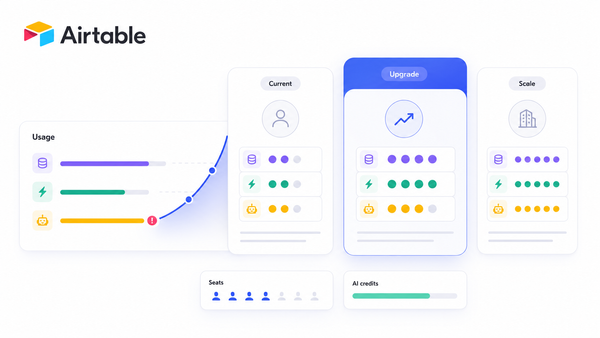
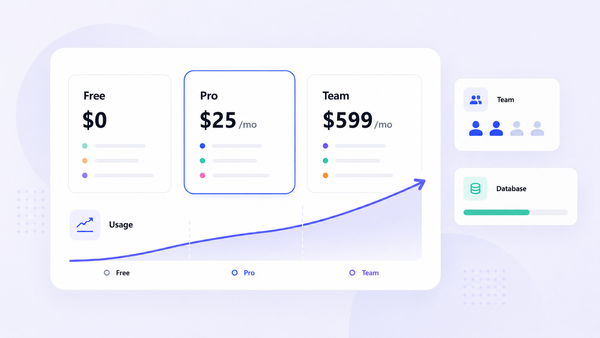
Read from Airtable's pricing page on September 26, 2026. USD. Airtable states that plans are charged per seat, and that charges apply to users with edit permissions for at least one base in the workspace. Our Airtable pricing guide works through the real per-seat totals and upgrade triggers in more detail.
| Plan | Price | Billing basis |
|---|---|---|
| Free | $0 | Per seat |
| Team | $20 per user/month, billed annually | Per seat |
| Business | $45 per user/month, billed annually | Per seat |
| Enterprise Scale | Custom, based on organisation needs and scale | Negotiated |
The page reviewed did not publish per-plan records, attachment space, automation runs or sync limits, pointing instead to Airtable's billing documentation. Treat any specific limit you have read elsewhere as needing confirmation for your own plan.
An illustrative sizing check. A twenty-person operations team on Team costs $400 a month billed annually. If a record ceiling or a permissions requirement moves that same team to Business, it becomes $900 — a $6,000 annual difference driven by one gate rather than by adding people. Seat count multiplies every plan decision, which is the core thing to internalise about Airtable's model.
Jet Admin vs. Airtable: which should you evaluate?
The overlapping job is running an operational process — records, statuses, assignments — with a non-technical team. The products differ in what they are: Airtable is the database and the interface together; Jet Admin is an interface and workflow layer over a database you already have.
That makes them complementary as often as competing. Many teams keep Airtable as the data store and want a better-governed interface on top for a wider audience.
| Priority | What to evaluate |
|---|---|
| Many people need to view or lightly update data | Jet Admin includes unlimited users on every plan. In Airtable, price the seats and confirm current read-only constraints |
| You need a flexible data model and do not have a database | Airtable is the stronger choice — it provides the database itself, which Jet Admin does not |
| Your data already lives in Postgres, MySQL or an API | Jet Admin connects to it directly; Airtable would mean moving or duplicating it |
| Granular record-level permissions | Airtable views control presentation more than access. Jet Admin lists granular permissions, SSO and audit logs on Business ($100/month, $80 annually) |
| Scale in records | Confirm Airtable's current per-plan record limits and the cost of the tier change across all your seats |
| Entry paid price | Airtable Team $20 per user/month annually; Jet Admin Pro $20/month total, or $16 annually. The difference is per-user versus per-workspace |
Sources: Airtable pricing, Jet Admin pricing, both checked September 26, 2026. Matching plan names do not imply matching capabilities.
When to keep Airtable
If Airtable is where your data genuinely belongs — a flexible schema your team evolves themselves, with no existing database behind it — keep it. Its modelling flexibility is a real strength, and replacing it to save seat cost usually means rebuilding something that already works. The more common sensible outcome is Airtable as the store with a wider-audience interface in front of it, costed together rather than one subtracted from the other.
Who should use Airtable — and who should compare alternatives?
Good fit: a genuinely relational process with no existing database; a team with someone willing to learn the platform; a small number of editors; workflows that change often and need business-user ownership.
Compare alternatives if: most of your audience is read-only; your data already lives in a database that should stay there; you need record-level permissions and audit trails; or your record volume is approaching a tier boundary that multiplies across many seats.
If the constraint is that too many people need access to data you already hold, put an interface on it with Jet Admin and compare the total cost against adding Airtable seats.
Airtable review FAQ
What is Airtable?
A relational database with a spreadsheet-like interface, supporting linked records, views, forms, formulas and automations — commonly used for CRMs, inventory and content operations.
Is Airtable free?
There is a free plan. Paid plans are $20 per user per month for Team and $45 per user per month for Business, both billed annually, with Enterprise Scale priced custom.
Who counts as a billable Airtable user?
Airtable states that charges apply to users with edit permissions for at least one base in the workspace. Reviewers report that read-only access is limited, so confirm how your view-only audience is handled before rollout.
Is Airtable hard to learn?
Reviewers describe building a well-structured base as a months-long investment, and G2 scores ease of use at 3.8 against 4.6 for customisation. Expect to invest in one capable owner.
What happens when my base gets large?
Reviewers report a record ceiling around 50,000 that forces a move from $20 to $45 per seat with no middle tier. Airtable's pricing page did not publish this limit, so confirm the current figure for your plan — and multiply the jump by your seat count.
How does Airtable compare with Jet Admin?
Airtable is the database and interface together, priced per seat. Jet Admin is an interface over a database you already have, with unlimited users on every plan. Choose Airtable when you need the database; consider Jet Admin when you have one and the audience is large.
Count the readers, not the builders
The most useful thing you can do before buying Airtable is list everyone who will need to see the data in twelve months, not just who will build it. Multiply that by the per-seat price, then check whether a record or permissions gate would move you to the higher tier.
If that number is uncomfortable and your data could stay where it is, build the interface on your own database with Jet Admin and compare the two totals directly.