Every operations team eventually hits the same wall: the spreadsheet breaks, the script nobody understands runs on one person's laptop, and the approval workflow lives in someone's inbox. An internal tool builder solves this by letting you design, connect, and deploy secure business apps on top of existing data-without starting from scratch.
Key Takeaways
An internal tool builder is a platform for creating custom internal tools like admin panels, dashboards, and approval workflows on your own data. Internal tool builders are often low-code or no-code software platforms that enable faster development than traditional coding, and they can reduce reliance on specialized developers. This article compares the leading options in 2026 so you can shortlist the right fit.
The best internal tool builder for your team depends on your tech stack, security and governance needs, and whether builders are mostly non-technical operators or developers. Choosing an internal tool builder depends on team expertise and existing software stack-there is no single "best" for everyone.
Modern platforms must cover the full path from prompt-based prototyping through robust data integration, extensible logic, role based access control, testing, deployment, and ongoing maintenance. Jet Admin focuses on secure business apps on top of existing databases, APIs, and SaaS tools, fitting teams that want a balance of speed and strong governance.
What is an internal tool builder (and why it matters more in 2026)?
An internal tool builder is a platform that lets teams create custom applications-admin panels, CRMs, approval workflows, vendor onboarding apps-on top of existing data sources without writing a greenfield codebase. Customization of internal tools is necessary to match specific organizational workflows, which is why generic off-the-shelf software rarely sticks.
These platforms evolved from simple UI-on-database tools into full app platforms with data modeling, business logic, authentication, and granular permissions. Internal tools centralize information into a single source of truth and improve cross-team collaboration by standardizing processes.
It helps to understand the category boundaries:
- Generic app builders target broad consumer apps (mobile apps, marketplaces).
- Vertical SaaS offers fixed feature sets for a specific domain (e.g., a ticketing system).
- Dedicated internal tool builders are optimized for CRUD operations, workflows, and internal operations teams that need to build custom internal tools fast.
Typical use cases include a customer refund approval flow for a DTC brand, a vendor onboarding tracker for a marketplace, a KYC review console for a fintech, and a support agent UI on top of PostgreSQL and Stripe.
How internal tool builders work: from prompt to production app
The lifecycle from idea to production ready app follows a consistent pattern across platforms.
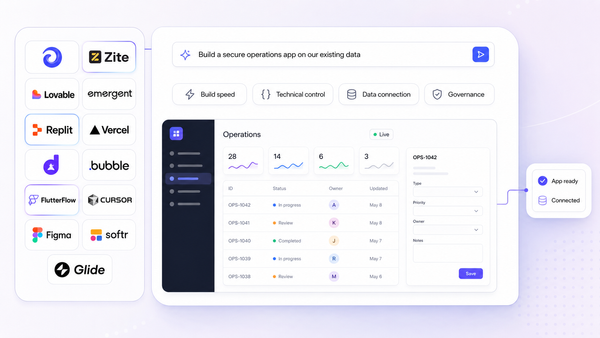
Prompt and prototype. Many platforms now support app generation using natural language prompts or a visual builder to scaffold UI and data flows. AI-assisted development helps non-technical users build functional tools without waiting on engineering teams.
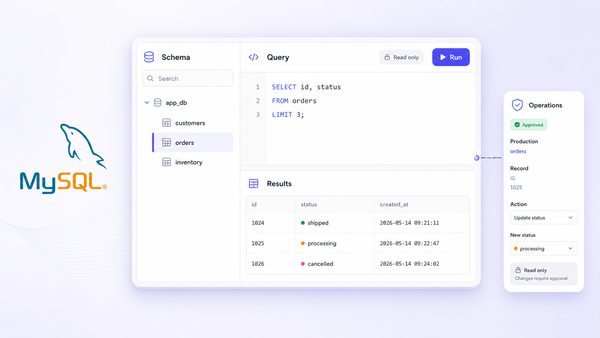
Data connection. You link the app to sql databases (PostgreSQL, MySQL, MongoDB), spreadsheets like Google Sheets, and SaaS APIs such as Stripe, HubSpot, or Salesforce. Internal tools can connect to databases and APIs for better performance versus manual exports.
Logic and automation. You define queries, workflows, and actions-"approve refund," "update order status," "send notification email." Internal tools help automate workflows and reduce manual tasks. Automating workflows can significantly improve operational efficiency.
Testing and iteration. Preview environments, test data sets, and peer review before shipping to users.
Deployment and rollout. Assign users, configure domains, set access levels, and publish apps to specific teams.
A modern internal tool builder may support several app creation modes: a drag and drop builder, low-code scripting in JavaScript or SQL, prompt-based generation for initial drafts, and connecting an existing backend or importing existing UI code. The key is closing the gap between fast prototyping and a maintainable production app-teams should avoid throwaway prototypes by using platforms that handle versioning and governance from day one.

Key criteria for choosing the best internal tool builder
This is the decision framework used for the comparison below, oriented to ops, product, IT, and engineering leaders. Use it as a checklist while reviewing each platform.
- Data and backend options. Native connectors for external databases, APIs, and spreadsheets. Can you bring your own backend and keep your own data in place?
- UI components and extensibility. Tables, forms, charts, layout controls, plus support for custom React or JavaScript components to code internal tool features.
- Integrations. Connectors to third party services like Salesforce, Stripe, Google Sheets, and internal REST/GraphQL endpoints for seamless integration.
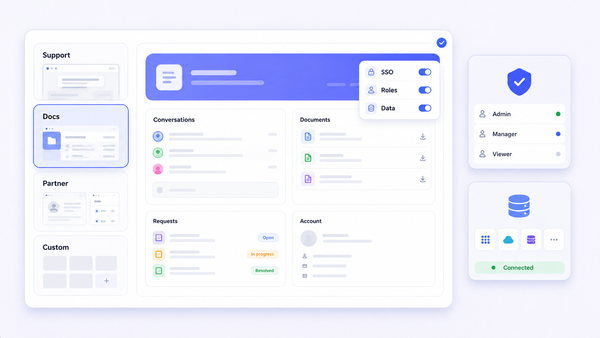
- Auth and role based access control. SSO, SAML, granular permissions at row, column, and action level. Role-based access control is crucial for security in internal tools.
- Governance and security. Audit logs, environments, approval flows, compliance posture. Self-hosting options enhance compliance for regulated workloads.
- Collaboration. Multi-editor support, comments, change review.
- Deployment flexibility. Cloud vs. self-hosted, custom domain, embedding into existing tools.
- Testing and maintainability. Version control, staging environments, test data.
- Pricing and vendor lock-in. Export options, data ownership, long-term total cost. Watch for per user pricing jumps on paid plans.
The 8 best internal tool builders in 2026 at a glance
Below is a quick-reference table to help you shortlist two or three platforms before reading the detailed sections. More detailed pros, cons, and ideal use cases follow.
Platform | Primary audience | Core strength | Starting price |
|---|---|---|---|
Jet Admin | Ops, IT, developers | Secure apps on existing data; broad connectors | Free plan; Pro $20/mo |
Retool | Developers, IT | Polished UI components; workflow builder | Free (5 users); team plan at $10/user/mo |
Microsoft Power Apps | Microsoft-centric orgs | Deep Azure AD / Dataverse governance | Free developer plan; paid plans vary |
Appsmith | Developers | Open-source; self-host flexibility | Free community edition |
ToolJet | Developers, mixed teams | Open-source; accessible pricing | Free; starter at $19/builder/mo |
Softr | Non-technical operators | Airtable/Google Sheets focus; no code | Free tier; paid plans start at $49/mo |
Glide | Field teams, small ops | Google Sheets to mobile apps fast | Free (25k rows); paid plans start at $19/mo |
Zoho Creator | Zoho ecosystem users | Form-driven apps; built-in compliance | Paid plans start at $8/user/mo |
Notable alternatives worth evaluating include Zite, which allows building apps in under a minute and offers a Pro plan at $15/month with unlimited users, and DronaHQ, whose paid plans start at $100/user/month for unlimited apps. Zite supports SOC 2 compliance and role-based access control, while DronaHQ emphasizes compliance and security for regulated industries.
Jet Admin: internal tool builder for secure apps on existing data
Jet Admin is a platform focused on building secure business apps and internal tools on top of existing databases, SaaS tools, and APIs. It targets teams who need both speed-via a visual UI builder and AI assistance-and strong governance over production data.
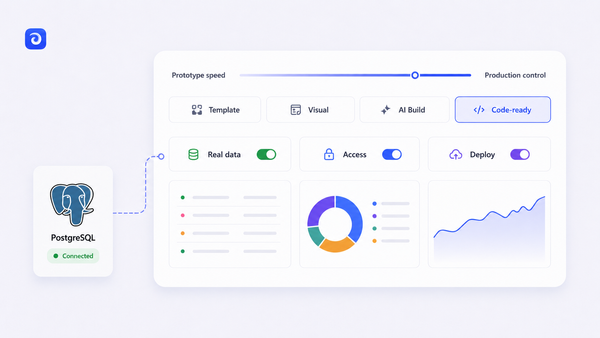
The core app builder experience includes a drag and drop interface with ui components like tables, forms, buttons, filters, and charts. You can connect to data sources listed on the Jet Admin integrations page, including PostgreSQL, MySQL, Google Sheets, Airtable, MongoDB, Stripe, HubSpot, Salesforce, and REST/GraphQL APIs. The platform also provides Jet Tables, a managed storage layer backed by PostgreSQL for quick prototyping.
Jet Admin supports building admin panels, approval workflows, dashboards, and operations tools. Your production data stays in your own databases; the platform acts as a frontend and logic layer on top. For teams needing to manage data across multiple systems, this approach avoids duplicating business data into yet another silo. Custom internal tools built this way can replace spreadsheets and manual processes.
The integrations catalog confirms authentication connectors including Google OAuth, Auth0, OpenID/OIDC, and Supabase Auth. Jet Bridge, an open-source proxy component, allows self-hosted deployment so that private data doesn't transit Jet's cloud servers. On Jet Admin, SSO/SAML and audit logs are on the Business plan and above, and SCIM provisioning and air-gapped deployment are on the Enterprise plan.
Best for: operations and support teams needing app creation on production databases, IT and developers wanting a governed internal tools builder, and companies consolidating scattered spreadsheet-and-script tools into maintainable internal apps.
Retool, Appsmith, and ToolJet: developer-first internal tools platforms
These three platforms are low-code and open-source internal tool builders aimed at engineering teams comfortable writing JavaScript and managing databases.
Retool is a low code platform with a drag and drop builder plus JavaScript logic. It excels at building admin panels, support tools, and dashboards on production data, with polished UI components and a mature workflow builder. Retool's free plan allows up to 5 users with unlimited apps, and the team plan costs $10/month per standard user. One consideration: Retool has restricted self-hosted plans to enterprise customers, which affects teams that need on-prem deployment at lower tiers.
Appsmith is an open-source internal tool builder with a visual UI and JavaScript-based custom logic. It offers both self-hosted and cloud deployment, making it attractive for teams that prefer open-source flexibility and cost control. Exact compliance certifications and deployment details change over time, so verify on Appsmith's site.
ToolJet is an open-source platform for building internal tools with drag and drop components and JavaScript extensions. ToolJet's starter plan costs $19/builder/month with 100 end users, and it offers SOC 2, GDPR, and ISO compliance. It's useful for building CRUD interfaces, dashboards, and admin panels on top of databases and APIs.
All three give developers full scripting power and, in some cases, Git-based workflows. The trade-off: steeper learning curves for non-technical users and more responsibility for managing governance controls and own infrastructure.

Microsoft Power Apps and Zoho Creator: ecosystem-centric builders
These platforms shine when organizations are already invested in their respective ecosystems.
Microsoft Power Apps is part of the Microsoft Power Platform, tightly integrated with Dataverse, SharePoint, and Office 365. It supports canvas apps and model-driven apps built visually. Power Apps can deliver column-level security and row-level filtering through Dataverse, making it a strong fit for enterprises with Azure AD-based identity. Microsoft Power Apps offers a free developer plan for unlimited apps, though production licensing and environment management introduce complexity. Non-technical operators may find the learning curve around data models steep.
Zoho Creator is a low-code platform integrated with Zoho CRM, Books, and the broader Zoho suite. It excels at form-driven apps-order management, internal CRMs, ticketing-where teams already rely on Zoho data. Zoho Creator's paid plans start at $8/user/month, billed annually, and it includes an AI assistant ("Zia") for prompt-based app and form generation. It uses its own scripting language (Deluge) for logic, which is a consideration for developer productivity and portability.
Both tools offer strong governance alignment when you're already inside their ecosystems. The trade-offs: potential vendor lock-in, less flexibility with non-native data sources, and the need for admins comfortable with each vendor's approach.
Softr, Glide, and spreadsheet-first internal tool builders
Many teams start with airtable or google sheets and want "real apps" without leaving their spreadsheet comfort zone. No-code platforms allow users to build apps without programming knowledge, and these two exemplify that approach.
Softr is a no code app builder that connects to over 17 data sources with two-way sync and can be used for internal tools, customer portals, and dashboards. Softr is compliant with SOC2 and GDPR regulations. It offers AI-assisted app creation and templates for CRMs, portals, and internal dashboards-best for non-technical operators who want to configure views, user permissions, and user groups visually.
Glide can turn a Google Sheet into an app in five minutes and converts spreadsheet data into mobile-first web apps and PWAs. Glide supports up to 25,000 rows of data in its free plan, and its paid plans start at $19/month for individuals. It's focused on fast creation of simple apps for teams in the field-inventory trackers, field service logs, basic CRMs.
When to choose spreadsheet-first: use cases where data volume and security needs are moderate, teams primarily made of non-technical operators, and situations where you accept spreadsheet performance and data structure as the underlying model. For complex, multi-system internal tools with granular access controls, a more robust platform is usually the better fit.
Data, integrations, and backend choices: what to verify before you commit
Data and backend constraints are the hardest part to change later. Validate them before choosing an internal tools builder.
Key integration considerations:
- Databases: PostgreSQL, MySQL, SQL Server, MongoDB, Snowflake, BigQuery, Redshift, ClickHouse
- Spreadsheets: Google Sheets, Excel, Airtable for fast prototyping
- SaaS integrations: CRM (Salesforce, HubSpot), payments (Stripe), support (Zendesk), analytics (Amplitude)
- Generic connectors: REST and GraphQL for internal services
Jet Admin's integrations catalog organizes connectors into Databases, APIs, AI, Storages, and Authentications-covering 200+ integrations from PostgreSQL to Shopify.
For backend architecture, you have three patterns: using the builder as a pure frontend on existing backends, storing some non-critical data in the platform's managed storage (like Jet Tables), or a hybrid approach where critical systems stay in first-party databases. Each approach affects how you edit data and who controls the source of truth.
To reduce lock-in risk at the data layer:
- Confirm how queries and schemas are defined (SQL vs. proprietary)
- Check export paths-can you move to another tool or roll your own app later?
- Document critical workflows outside the vendor so business rules remain portable
Security, auth, and granular permissions in internal tool builders
Internal apps commonly touch sensitive production data-financial transactions, PII, customer records. Auth and permissions design is non-negotiable.
Features to evaluate:
- Authentication: SSO via identity providers (Okta, Google, Azure AD) and OAuth/OpenID connectors
- Role based access: assigning roles like "support agent" or "ops manager" mapped to specific resources
- Granular permissions: row-level and column-level filtering, action-based controls (who can trigger "refund" or "delete")
- Audit logs: track who did what, when, and from where-essential for compliance and incident response
- Network security: IP allowlists, VPC peering, or self-hosted deployments
Different vendors implement these controls differently. Developer-first platforms give fine-grained configuration but require manual setup. Ecosystem tools inherit controls from the parent platform (Azure AD for Power Apps, for example). Pure no code tools and spreadsheet-first builders may be limited in row-level security sophistication. Real-time dashboards enhance visibility and decision-making capabilities, but only when paired with proper access controls.
Run a short security review checklist for any shortlisted platform-preferably with your IT or security team involved. Verify claims like SOC 2 or HIPAA on current vendor documentation rather than assuming certifications hold indefinitely.

From prototype to maintainable app: collaboration, testing, and deployment
Many internal tool projects fail not at prototype time but when multiple teams start using the app at scale and there's no solid process for changes, testing, or collaboration. Organizations can use internal tool builders to create approval workflows and dashboards, but those tools need a maintenance path.
Collaboration features to look for:
- Multi-builder support with clear roles (builder vs. end user)
- Comments, annotations, or change requests on app screens
- Shared libraries of components and data sources
Testing and release management:
- Staging vs. production environments
- Sample or test data sets and feature flags
- Version history and rollbacks via UI or Git-based workflows
Deployment and rollout patterns:
- Internal apps for specific teams (support, finance) with role-based access
- External-facing portals for partners or vendors, if supported
- Embedding apps into existing intranets or admin consoles
The best internal tool builder for an organization is often the one that makes operations, product, and IT comfortable collaborating over the long term-not just the fastest tool for a one-off prototype. Workflow automation reduces manual processes and centralizes information, but only if someone owns the ongoing upkeep.
Practical build checklist for your next internal app
Use this step-by-step checklist for any internal app project, regardless of platform:
- Define the problem and success metrics. Example: reduce average refund approval time from 48 hours to 4 hours by Q4 2026. Internal tool builders can streamline approval processes for requests like these.
- Inventory existing data sources (PostgreSQL, Google Sheets, CRM, support system) and decide where the source of truth lives.
- Choose an internal tools builder that supports your required connectors, auth model, and user permissions structure.
- Sketch UI flows: which roles need which screens (agent, manager, admin). Identify exact tools and screens per persona.
- Configure role based access control and granular permissions before inviting users-not after.
- Implement core flows first (CRUD on key entities, main approval actions), then add automations to automate repetitive tasks and analytics.
- Set up staging vs. production environments and test with a pilot group.
- Document the app: owners, data sources, failure modes, escalation paths.
For complex or regulated workflows, involve security and compliance stakeholders early. Effective internal tool builders allow rapid creation of custom applications, but a phased rollout with explicit maintenance owners prevents the platform from becoming ungoverned shadow IT.
Which internal tool builder should you choose?
Different personas will land in different places:
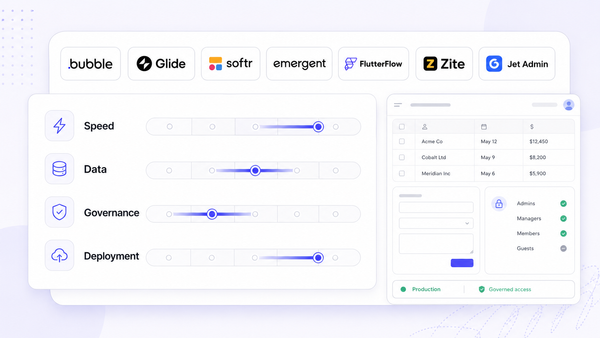
- Non-technical operators at small to mid-sized companies may favor no code platforms like Softr or Glide for speed. No-code platforms empower non-technical users to create custom applications without waiting on engineering teams.
- Engineering-heavy teams might favor Retool, Appsmith, or ToolJet for code-level control over web apps and custom logic.
- Microsoft- or Zoho-centric organizations will gravitate toward Power Apps or Zoho Creator for ecosystem fit and existing identity management.
- Teams prioritizing secure business apps on existing data with strong connectivity across databases and SaaS tools should consider Jet Admin.
A short decision framework:
- Start from data and security requirements-these are hardest to change.
- Factor in builder skills: are your builders mostly ops or developers?
- Consider governance needs and expected app portfolio size. Internal tools automate repetitive tasks and enhance productivity, but only with the right guardrails.
Zite is also worth a look for speed-focused teams: it generates functional app structures in about a minute and offers unlimited users on its Pro plan.
If you're looking for a platform that connects to your existing databases and SaaS tools with strong governance out of the box, try Jet Admin to build secure admin panels and internal tools on the data you already have.
FAQ: internal tool builders in 2026
These questions cover adjacent topics not fully addressed above, focused on practical evaluation and long-term strategy.
Can internal tool builders replace custom-coded admin panels entirely?
For many CRUD-centric apps-admin panels, approval flows, dashboards-an internal tool builder can fully replace bespoke admin UIs. Highly specialized, performance-sensitive, or customer-facing apps may still warrant custom development. A hybrid approach is common: critical core workflows stay in custom apps while long-tail operational tools move to a builder for speed and maintainability. Low-code and no-code builders enable faster development than traditional coding for these use cases.
How do internal tool builders handle vendor lock-in?
Lock-in risk comes from how tightly data, logic, and UI are coupled to a specific platform. Teams should check for export options, standard query languages (SQL), and clear APIs. Treat schemas and key business rules as assets documented outside the platform so they can be reimplemented if needed.
Are internal tool builders suitable for regulated industries?
Many platforms advertise support for regulated sectors, but requirements vary widely (HIPAA, PCI-DSS, GDPR). Companies must validate specific certifications, deployment options, and data residency guarantees directly from each vendor. Regulated organizations often prefer tools offering self-hosting or strict network controls plus audit logs and granular permissions.
Can I build mobile-friendly internal tools with these platforms?
Most modern internal tool builders generate responsive web apps and mobile apps usable on mobile browsers. Some-like Glide-offer more mobile-centric experiences or PWAs. Test key workflows on actual devices used in the field (tablets for warehouse teams, for example) before committing to a platform for mobile-heavy use cases.
How many apps should I plan to build on a single internal tools platform?
Many organizations gradually centralize dozens of small tools-dashboards, admin consoles, approval flows-on one internal tool builder to simplify governance and maintenance. Define ownership and lifecycle per app, and avoid turning the platform into an ungoverned shadow IT layer by putting basic portfolio management in place from the start.