Retool uses a tiered pricing model based on user roles, which means your monthly bill depends heavily on who is using the platform and what they need access to. This retool pricing guide breaks down every tier, explains user types, identifies hidden costs, and helps you decide whether the platform fits your budget.
Pricing summary
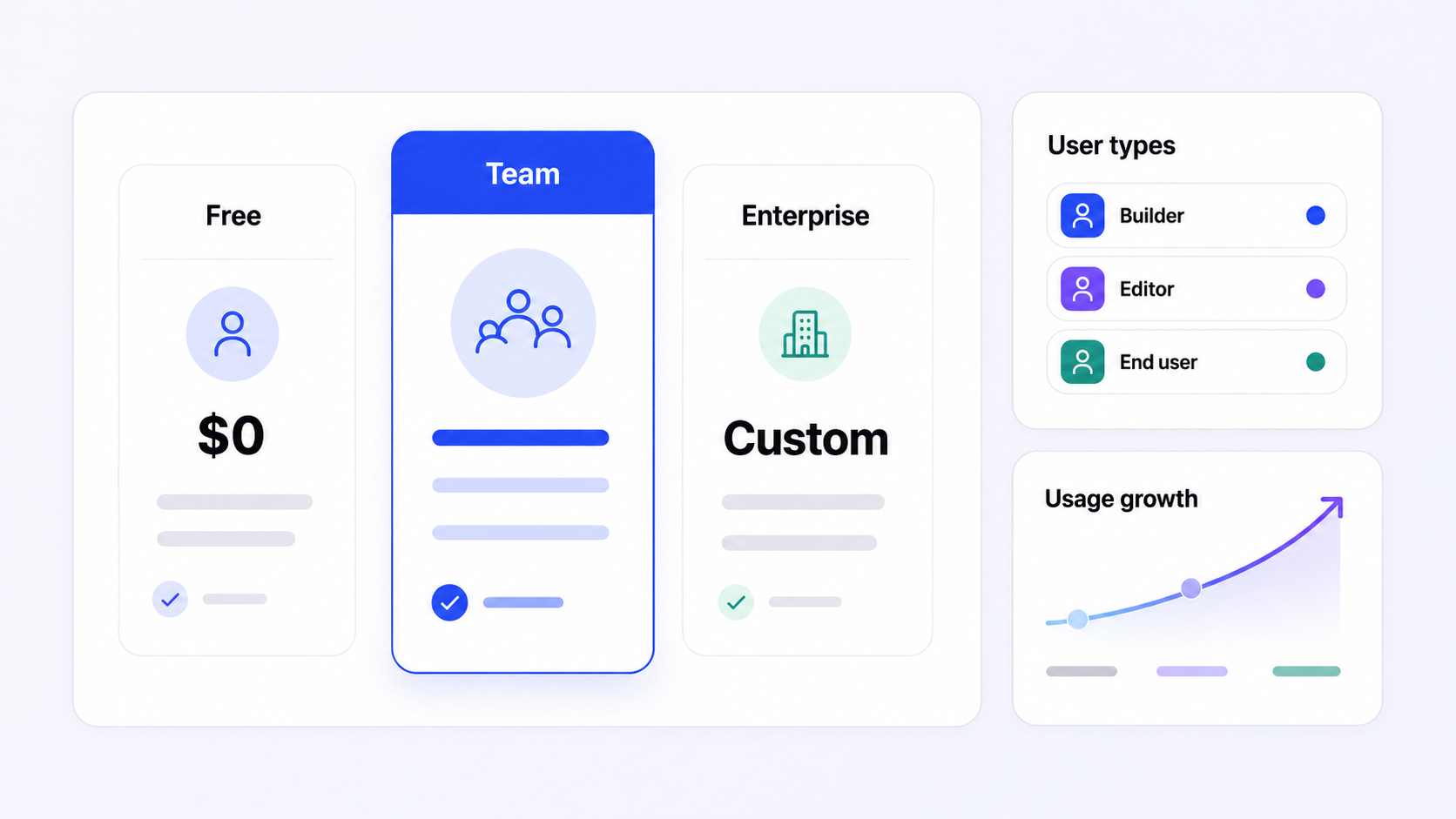
As of July 2026, Retool offers four pricing plans: Free ($0), Team (around $10–$12 per builder, $5 per internal user), Business (around $50–$65 per builder, $15 per internal user), and Enterprise (custom pricing). Retool's Team plan costs $12 per standard user per month, while the Business plan costs $65 per standard user per month at list price.
- Retool pricing is driven by three user types: builders (standard users), internal users (end users), and external users. User roles significantly affect pricing structure in Retool's model.
- Retool's free plan supports up to 5 users at no cost and is ideal for personal projects and testing the platform. Higher pricing tiers unlock more capabilities and features.
- External users are charged separately under the Business plan, and businesses often upgrade plans due to governance and security needs rather than app quantity.
- Retool supports external clients through Business and Enterprise plans, while the Enterprise plan offers custom pricing based on specific needs.
- If you want different pricing dynamics, Jet Admin is an alternative low-code platform worth comparing. Check Jet Admin's pricing page for details.
Retool pricing at a glance (July 2026)
All retool pricing details in this article were checked against Retool's public pricing page in July 2026. Always verify on their official site before purchasing.
Retool's pricing structure revolves around four tiers: Free, Team, Business, and Enterprise. Charges are primarily per-user, but the per-user rate varies depending on user types. Builders (also called standard users) pay the highest rate. Internal users pay less. External users are billed separately and only available on higher tiers.
Different sources quote slightly different list prices. Some reference $10 per builder on Team, others $12. Business builder prices range from $50 to $65 depending on the source and billing cycle. This article uses the typical published ranges and marks them as approximations. Annual billing generally reduces the effective monthly cost compared to monthly billing.
Key gating across retool pricing plans:
- External users are only available on business and enterprise plans
- Audit logging and detailed query metadata start at Business tier
- SSO/SAML and advanced source control are typically gated to Enterprise
- Self-hosting is now Enterprise-only
The next section presents a compact tier table for quick comparison.
Plan comparison
This table summarizes each retool plan side by side. Prices are approximate ranges based on multiple public sources as of July 2026.
Plan | Approx. Price (July 2026) | Billing Basis | Users Included | External Users | Key Features | Best For |
|---|---|---|---|---|---|---|
Free | $0/month | N/A | Up to 5 total (builders + internal) | Not available | Unlimited apps, 500 workflow runs/month, ~250 AI credits, basic permissions | Prototypes, small teams, testing |
Team | ~$10–$12/builder, ~$5–$7/internal user | Per user, annual plan preferred | No strict cap | Not available | Staging environments, app release versions, collaboration tools, 5,000 workflow runs/month | Small production internal tools |
Business | ~$50–$65/builder, ~$15–$18/internal user | Per user, annual or monthly | No strict cap | First 50 free, then tiered ($8/$6/$4 by volume) | Audit logs, granular access control, portals and embedded apps, custom branding | Teams with external users and compliance requirements |
Enterprise | Custom pricing | Custom contract | Negotiated | Custom | SSO/SAML, self-hosted options, dedicated infrastructure, dedicated support, advanced security features, source control | Regulated industries, large organizations |
Retool's Team plan starts at $12 per user per month for standard users. The enterprise plan requires custom pricing for advanced features. Always confirm current figures before committing.

What each Retool plan includes
Free and Team plans
The Free and Team plans are where most organizations first test Retool as a low code platform. They work well for early-stage internal tools, but their limits matter once usage grows.
Retool's free plan supports up to 5 users combined as builders and internal users. It includes unlimited apps (unlimited web apps and unlimited apps for building), capped at 500 workflow runs per month and roughly 250 AI credits. There are no advanced governance features, no SSO, and no external user support. The free plan is ideal for personal projects and testing the platform-it does not require a credit card.
The team plan removes the 5-user cap and adds staging environments, app release versions, and better collaboration tools. It runs around $10–$12 per builder and $5–$7 per internal user with annual billing. However, it still lacks critical features like SSO, full audit logs, and external user access. For small teams running business-critical internal tools, Team is usually the minimum viable paid plan.
When to move from Free to Team:
- You exceed 5 active users
- You need release management or staging environments
- You hit the 500-run workflow cap regularly
- You require role-based access control beyond basic permissions
If you find yourself needing audit logging or external user pricing, you will need to look at Business.
Business and Enterprise plans
The business plan and enterprise plan are Retool's "production at scale" tiers. Organizations typically land here once they serve internal and external users or require enhanced security and compliance controls.
The business plan runs approximately $50–$65 per builder and $15–$18 per internal user. It is the first tier that officially supports external users, plus audit logs, granular permissions, environments, and custom branding. Many teams are surprised to need Business earlier than expected because a compliance or external user requirement emerges. External user pricing require the Business tier at minimum: the first 50 external users are free, then pricing tiers at roughly $8 per user (51–250), $6 (251–500), and $4 (500+). This can make portals and embedded apps a significant cost center.
Retool's enterprise plan adds SSO/SAML, self-hosted/on-prem deployment, advanced source control, dedicated support with priority support SLAs, and advanced security including granular access control. Companies typically negotiate customized agreements for Enterprise plans. Advanced features like SSO are only available in Enterprise plans, which can frustrate mid-sized teams.
Self-hosting options provide more control but may incur additional costs. Self-hosted deployment follows similar per-user pricing but adds your own infrastructure costs (Kubernetes, databases, monitoring, DevOps time). As noted by the self-hosting community, self-hosting is now Enterprise-only, which raised the floor price for on-prem deployments.
Audit logs are essential for tracking user data access and are a common reason teams move to Business even before they hit technical limits. Model 2–3 year scenarios including user growth and governance needs before committing.
How Retool calculates your bill
Retool's pricing model is not a simple "per seat" system. Retool categorizes users into builders, internal users, and external users, and each type carries a different per standard user price.
Builders / standard users create or edit apps, workflows, and agents. They have full access to the editor and are the most expensive seats. The Team plan costs $10 per builder and $5 per internal user at the annual rate.
Internal users (end users) are people inside your organization who view and use apps but do not build them. Misclassifying users-giving someone builder access when they only need viewer access-inflates your bill unnecessarily. Many teams face unexpected costs when scaling user access this way.
External users are customers, partners, or vendors outside your organization. External users incur additional costs on business and enterprise plans and are not available on Free or Team. External user pricing starts with the first 50 free on Business, then tiered rates apply. External users incur additional charges that can grow quickly with portal adoption.
Cost scenarios to illustrate the difference:
- Scenario A: 3 builders + 40 internal users on Team. Cost: (3 × $10) + (40 × $5) = roughly $230/month. No external users.
- Scenario B: 5 builders + 20 internal users + 300 external users on Business. Cost: $250 (builders) + $300 (internal) + ~$2,300 (external) = roughly $2,850/month.
Forecasting users in retool by type is essential before budgeting, especially for customer portals with unpredictable adoption.
How to estimate your Retool bill
This retool pricing guide section helps you turn list prices into a realistic budget and manage spend over time.
Step-by-step estimation process:
- Inventory your use cases and planned apps
- Estimate builders, internal users, and external users now and in 12–24 months
- Choose your likely plan (Team vs Business vs Enterprise) based on feature needs
- Factor in self-hosted vs cloud deployment-self-hosted adds infrastructure and DevOps overhead
- Add a buffer for workflow overages and AI usage based on your anticipated complex workflows
Create at least two scenarios: a conservative one (low external user growth, mainly internal tools) and an aggressive one (rapid portal or mobile apps adoption). This shows decision-makers how costs might evolve and prevents surprise bills.
Cost-control tactics:
- Tightly limit builder seats to people who genuinely need to build apps
- Assign the lowest necessary role to each user for cost savings
- Regularly audit inactive external accounts
- Monitor workflow and AI credit usage monthly to avoid overages
For business and enterprise plans, negotiate. Clarify external user pricing up front, ask about volume discounts, multi-year agreements, and renewal protections. Contact retool's sales team early for enterprise pricing discussions.
If Retool's modeled TCO seems high, pilot an alternative like Jet Admin alongside it using the same user assumptions for a fair comparison.
Costs beyond Retool seats
Beyond list prices, several structural factors determine your long-term retool cost: user counts, usage meters, deployment model, and governance requirements.
User counts are the primary driver. Builders are the highest-cost seats. Internal users add up at scale. External users can dominate total end user costs once a customer portal gains adoption. Many teams face unexpected costs when scaling user access across all three types.
Usage-based elements matter more than you might expect. Plans include monthly allowances for automated workflows and AI usage. Free gets 500 retool workflows runs; team and business tiers get 5,000. Additional runs cost $75 per 5,000 block. AI credits vary by plan (250 to 10,000). Costs can increase significantly with consumption-based AI features. Users may face higher costs if they exceed their plan's limits for workflows or AI agent usage.
Deployment choices affect total cost of ownership. Self-hosting requires additional infrastructure costs (servers, data storage, backups, monitoring). Cloud is managed by Retool and generally cheaper for smaller teams, but user costs accumulate on the license side.
Governance and premium support act as indirect cost drivers. Needing audit logs, SSO, granular permissions, or dedicated support forces upgrades to Business or Enterprise before you hit technical limits.
Example: A mid-sized team on Team plan paying ~$350/month might see costs jump to ~$1,200/month when moving to Business for SSO and audit logs alone-before adding any external users. That is the hidden costs reality of feature gating.

Jet Admin vs Retool: pricing and alternatives
This section gives high-level context on how Retool's pricing model compares to other low code platforms for buyers evaluating retool alongside alternatives.
Many competitors differentiate on pricing philosophy. Some charge per workspace or per app rather than strict per-user models. Others bundle unlimited internal or external users into flat rates. A few focus purely on usage (API calls, workflow runs) rather than seat counts.
Jet Admin, like Retool, helps teams build secure business apps on existing data sources-databases, APIs, spreadsheets, and SaaS tools. It supports prompt-based app building and AI agents. If Retool's external user pricing or feature gating feels restrictive, Jet Admin is worth evaluating for different pricing dynamics.
Other platforms visible in SERP comparisons include UI Bakery, which offers unlimited apps in its free plan. Superblocks allows customization without vendor lock-in unlike Retool. Zite offers unlimited users without additional costs unlike Retool. Each differs in technical depth, deployment options, and governance features, so list price alone does not tell the full story.
When comparing, look beyond headline prices. Check how each tool handles external user pricing, whether SSO and audit logs require top tiers, availability of self-hosting on your own infrastructure, and how AI and automation usage is billed.
When Retool fits your use case
Whether retool is worth the investment depends on team composition, app complexity, compliance requirements, and how many app users (internal and external) will use the apps.
Retool tends to be cost-effective when:
- Engineering-led teams build apps across multiple complex workflows and data sources
- A small group of builder seats serves a moderate number of internal end users
- You need strong integrations, retool workflows, and a unified app builder for internal tools
Retool can become expensive when:
- You have lots of occasional internal users or large external user bases
- Your organization needs SSO or audit logs early (forcing Business or Enterprise)
- Non technical users are the primary audience, reducing the value of Retool's developer-oriented approach
- You mainly need simple dashboards or CRUD apps
Qualitative benefits include faster development versus in-house coding, maintained components and custom integrations, and reduced maintenance burden. Native mobile apps support with push notifications and offline mode are available on higher tiers.
Potential drawbacks include feature gating of critical features at higher tiers, complex external user pricing, and the need for technical skills to fully leverage the platform.
Before deciding, evaluate: number of builders, projected active users over 24 months, governance needs, internal vs external use, and whether you need unlimited users or unlimited apps with different pricing dynamics.
Which Retool plan should you choose?
This section synthesizes everything above into a concrete decision helper.
Retool is a strong fit if:
- You have an engineering-led team that needs to build apps quickly across multiple data sources
- You need deep integrations, complex workflows, and a mature app builder ecosystem
- Your internal user base is moderate and you can limit expensive builder seats
- You are ready to invest in Business or Enterprise for governance and advanced features
Consider alternatives if:
- You have a very large or rapidly growing external user base where end user costs will dominate
- Your primary users are non technical users who need simpler interfaces
- Your budget makes high-tier feature gating painful (especially needing SSO on Enterprise)
- You mainly need simple dashboards, CRUD apps, or embedded apps without heavy workflow logic
Where Jet Admin fits: Teams wanting to build secure business apps on existing data, explore AI-assisted building, or evaluate a different pricing structure for internal and external users should review Jet Admin as part of their evaluation.
Start by validating current Retool pricing on their official site. Run a simple TCO spreadsheet using the steps above. If you want to compare workflows and cost models side by side, try Jet Admin-there is no pressure, just a fair benchmark.
Frequently asked questions
These questions address specific retool pricing concerns not fully covered above. All answers reflect information available as of July 2026. Always double-check exact numbers on Retool's official site.
How much does Retool actually cost per month for a small team?
For a team of 3 builders and 7 internal users on the Team plan, the math works out to roughly: 3 × ~$12 + 7 × ~$5 = $36 + $35 = about $71/month at annual billing rates. Monthly billing would be higher. This is illustrative-taxes, discounts, and any add-ons for paid plans (extra workflow runs, AI credits) are not included. How much does retool cost exactly depends on your billing cycle and specific configuration, so confirm with Retool directly.
Does Retool charge separately for workflows and AI features?
Retool workflows (backend automations) and AI features are subject to usage limits. Each plan includes a monthly allowance-for example, 5,000 workflow runs on team and business tiers, and tiered AI credit pools. Overage costs apply: $75 per additional 5,000 workflow runs. While some plans include generous AI credits today, Retool may evolve toward more usage-based billing. Costs can increase significantly with consumption-based AI features. Read the current product-specific pricing pages carefully before committing.
How does Retool's external user pricing work for customer portals?
External user pricing is only available on Business and Enterprise. The first 50 external users are typically free on Business. Beyond that, Retool uses tiered per-user pricing: roughly $8/user for 51–250, $6 for 251–500, and $4 for 500+. If you are planning customer portals, model several scenarios (100, 500, 1,000 external users) and confirm current pricing with retool's sales team. External users can quickly dominate the total bill, so this is worth negotiating up front.
Is Retool's self-hosted deployment more expensive than cloud?
License pricing for self-hosted follows similar per-user structures as cloud. However, self-hosting requires additional infrastructure costs: servers or VMs, data storage, databases, monitoring, and engineering time for deployment and upgrades. For smaller teams, Retool Cloud is often cheaper overall, while larger or regulated organizations may accept higher total cost in exchange for control over data and networking. Self-hosting is only available on the enterprise plan.
Does Retool offer discounts, special pricing, or startup/education programs?
Public sources indicate Retool offers special pricing for students, educators, and nonprofits-including up to 25 free seats for qualifying nonprofits. Program details and eligibility change over time. If you fall into these categories, contact Retool directly. For enterprise buyers, always negotiate volume discounts and multi-year agreements. Annual plan commitments almost always yield cost savings compared to monthly billing.