Pricing checked September 25, 2026. USD; calculations exclude taxes and negotiated discounts.
Retool pricing starts with a free plan and scales through Team, Business, and Enterprise. On annual billing, Team costs $10 per builder and $5 per internal user per month; Business costs $50 and $15 respectively. Enterprise requires a quote. Retool pricing
The useful question is what your particular application will cost to run. A dashboard for a small operations team, a customer portal, and an AI agent can have very different budgets—even when the same people build them.
This guide separates subscription costs from usage charges, explains the plan choices, and works through examples you can adapt to your own team.
Retool pricing at a glance
| Plan | Builder/month, billed annually | Internal user/month, billed annually | Key inclusions |
|---|---|---|---|
| Free | $0 | $0 | Up to 5 users; unlimited apps; 500 workflow runs/month |
| Team | $10 | $5 | Staging, release versions; 5,000 workflow runs/month |
| Business | $50 | $15 | Detailed permissions, audit logs, portals, custom branding |
| Enterprise | Custom | Contract-specific | SAML/OIDC SSO, Git source control, self-hosting options |
Annual figures are monthly equivalents, not month-to-month subscription prices. Official plan comparison
Free: start with a focused prototype
Use the free tier to test one real process before estimating a rollout. Build the smallest useful version of an approval queue, inventory editor, or support dashboard. Invite the people who would actually use it and record what prevents them from completing their work.
That gives you a better buying decision than a demo built around sample data. Your next plan should solve a demonstrated requirement.
Team: evaluate the economics of internal adoption
Team is worth assessing when your project moves beyond a pilot. Budget for the people who will use the finished application, including colleagues who need occasional access.
Separate the rollout into phases. An initial deployment to one department can reveal whether the app saves enough time to justify extending it across the company.
Business: price the access requirements early
Business deserves consideration when different people need different levels of access or your application will serve customers and partners.
For an inventory tool, write down who can adjust stock, approve corrections, and export records. For a portal, map what each customer should see. Use those requirements to select a plan before committing to the build.
Enterprise: define the scope before requesting a quote
Enterprise comparisons work best with a written requirements list: authentication, hosting, deployment environments, support expectations, and anticipated growth.
Ask vendors to price the same scope. Otherwise, a lower quote may simply leave out infrastructure, support, or a capability included in another proposal.
How Retool charges for users
Builders are enabled users who create or edit apps or workflows during a billing cycle. Internal users are enabled users who do neither. External users belong outside your organization. Classification depends on activity; permission to edit alone does not make someone a builder. Billing documentation
For your forecast, assign an owner to each application and identify backup maintainers. Then count everyone who needs access to operate it. This separates development capacity from the audience your software serves.
What does Retool cost for a real team?
The examples below are illustrative calculations, not customer invoices. They exclude external users and usage add-ons unless specified.
Example 1: two builders and 18 internal users
Using the annual rates above:
| Calculation | Team | Business |
|---|---|---|
| Two builders | 2 × $10 = $20 | 2 × $50 = $100 |
| 18 internal users | 18 × $5 = $90 | 18 × $15 = $270 |
| Monthly equivalent | $110 | $370 |
| Annual subscription | $1,320 | $4,440 |
The difference is $3,120 per year. Treat that as the price of the additional capabilities your project needs, rather than assuming every production application requires the same tier.
Business month-to-month rates are $65 per builder and $18 per internal user. That makes this example $454 per month, or $5,448 over 12 unchanged months. Retool billing examples
The annual option saves $1,008 in this scenario. Whether that saving is useful depends on how confidently you can predict the rollout.
Example 2: adoption grows to 50 people
With three builders and 47 internal users, the annual-rate calculation becomes:
- Team: (3 × $10) + (47 × $5) = $265/month equivalent, or $3,180/year.
- Business: (3 × $50) + (47 × $15) = $855/month equivalent, or $10,260/year.
This is why a forecast should include the next department that might adopt the app. A successful pilot often changes the audience faster than it changes the number of developers.
Annual billing does not fix every future charge
Annual subscriptions prepay specified user quantities. Excess seats are billed monthly at monthly rates. Routine mid-cycle additions are not prorated; increasing an annual commitment through Support has separate prorated terms. Retool billing rules
For example, one extra Business builder and two extra internal users above the commitment add $101 for that month: $65 + (2 × $18). Include a growth allowance in your forecast.
Retool add-ons and costs beyond seats
External users and customer portals
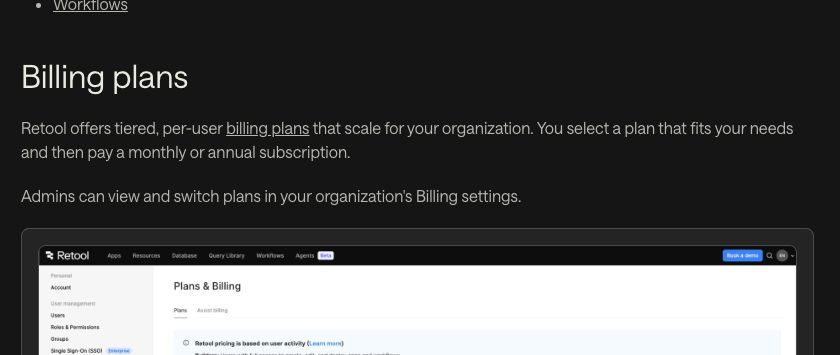
Retool Cloud Business uses graduated external-user tiers. Enterprise terms are custom. External-user billing
| External-user band | Annual Business: per user/month | Monthly Business: per user/month |
|---|---|---|
| First 50 | Free | Free |
| 51–250 | $8 | $10 |
| 251–500 | $6 | $7 |
| 501 onward | $4 | $5 |
For an illustrative portal with 150 billable external users on annual Business, 100 fall into the $8 band: $800/month equivalent. Add the two-builder, 18-internal-user example and the combined amount is $1,170/month equivalent, before other usage.
Crossing a band does not reprice every earlier user. Model your customer rollout by tier, and confirm how your contract counts billable external users.
AI credits: base allowance versus temporary bonuses
Retool pools AI credits across the organization. Included credits renew monthly without rollover. They cover AI app building and AI resource queries. AI billing documentation
| Plan | Base monthly credits | Promotional bonus |
|---|---|---|
| Free | 250 | None |
| Team | 750 | 250 |
| Business | 1,500 | 1,500 |
| Enterprise | Confirm with account executive | Confirm with account executive |
The documented bonus promotion runs through September 30, 2026. Avoid using promotional totals as permanent allowances in a yearly forecast.
Team and Business can purchase 1,000 additional credits for $100. Credit consumption varies by task, so 1,000 credits should not be interpreted as 1,000 prompts. Credit allowances and packs
During a pilot, measure the credits needed for a representative week of building and operating your app. Include a busy week as well as an average one.
Agents: a separate usage budget
Retool provides $50 of free agent usage per organization each month—up to 20 hours, depending on the model. Further usage depends on model and runtime; Team and Business overages are invoiced monthly, including on annual subscriptions. Failed agent runs can still consume billable runtime. Agents billing
For budgeting, estimate tasks per month, average runtime, and the model each task needs. Test a sample of real tasks before multiplying those assumptions across your expected workload.
Workflows: count executions, not just automations
Retool generally bills successful automatically triggered workflow runs. Failed runs, manual executions from the Workflow IDE, and Retool-event triggers are excluded under its documented rules. Workflow billing
An hourly scheduled workflow could execute 720 times in a 30-day month. Ten such workflows could reach 7,200 executions before customer-triggered activity. Confirm the applicable additional-run price in your account or quote; it was not verifiable from the official pages reviewed for this guide.
Implementation and hosting
Keep a separate budget for connecting data, implementing permissions, testing, and maintaining your applications. If your deployment uses your infrastructure, include hosting, backups, monitoring, upgrades, and the people responsible for them.
These are project costs rather than assumed Retool invoice items. Including them makes comparisons between platforms more useful.
Jet Admin vs Retool: pricing, access, and total cost
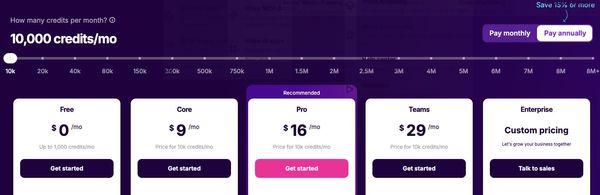
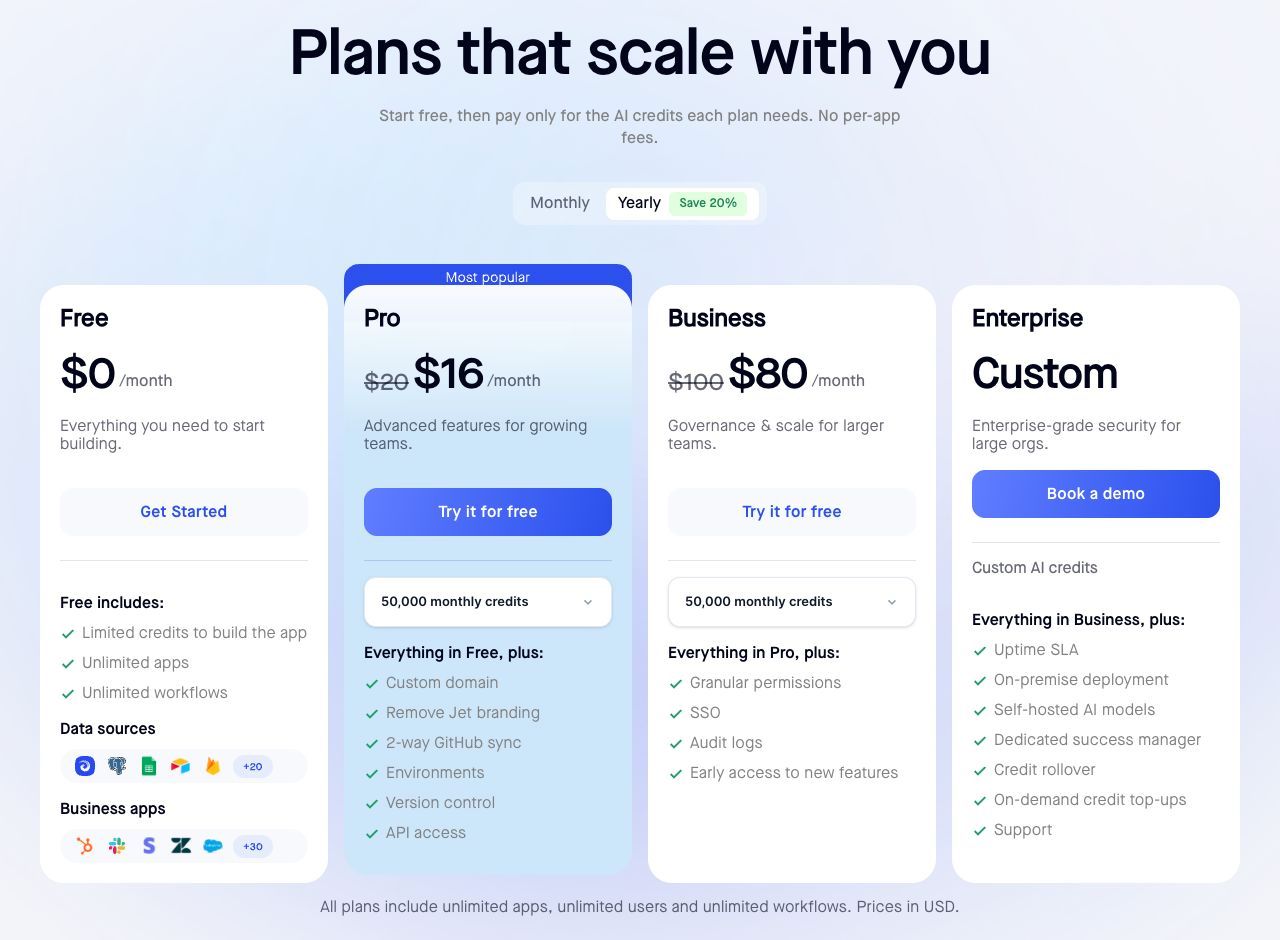
The main budgeting difference is how each platform treats a growing audience. Retool's self-service paid plans charge separately for builders and internal users. Jet Admin's current pricing cards include unlimited users, apps, and workflows. Retool pricing, Jet Admin pricing
How the plans compare
| Pricing consideration | Jet Admin | Retool |
|---|---|---|
| Entry paid plan, annual billing | Pro: $16/month | Team: $10/builder + $5/internal user/month |
| Business, annual billing | $80/month | $50/builder + $15/internal user/month |
| Business, monthly billing | $100/month | $65/builder + $18/internal user/month |
| Detailed permissions and audit logs | Listed on Business | Listed on Business |
| SSO | Listed on Business; confirm your identity provider | SAML/OIDC listed on Enterprise |
| Self-hosting | Enterprise on-premise offering | Enterprise offering |
Annual prices are monthly equivalents. Sources: Jet Admin plan cards, Retool plan comparison, and Retool monthly billing.
What the difference looks like for 20 users
Take the same two builders and 18 internal users from the earlier example:
- Retool Business: $370/month equivalent, or $4,440/year.
- Jet Admin Business: $80/month equivalent, or $960/year at its advertised annual base price.
- Base subscription difference: $290/month equivalent, or $3,480/year.
For three builders and 47 internal users, Retool Business reaches $855/month equivalent. Against Jet Admin's advertised $80 Business base price, the difference becomes $775/month equivalent.
These are subscription comparisons, not quotes for equivalent deployments. Matching plan names do not guarantee matching capabilities. Check AI allowances, automation capacity, data limits, support, and any additional charges for your workload. Unlimited workflows should not be read as a promise of unlimited execution resources.
When to evaluate Jet Admin
Include Jet Admin in your shortlist when many people need access to an internal tool or portal and per-user costs would constrain adoption. Examples include an inventory app shared across locations, a CRM used by several departments, or an operational dashboard available to the whole company.
Test the access model with real roles: a salesperson, a manager, and an administrator. Compare the cost of serving that audience today and after the next rollout.
When staying with Retool may make sense
If your team already maintains working Retool applications, include migration in the decision. Rebuilding queries, recreating permissions, testing integrations, and training users all take time.
For illustration, a $6,000 migration divided by the $290 monthly base-price difference above produces a simple payback period of about 21 months. That calculation assumes unchanged subscription prices and excludes differences in usage and maintenance costs. It shows why a cheaper subscription alone does not settle the decision.
Compare one complete workflow before choosing
Build or reproduce the same process in both platforms: connect real data, add an approval step, test each user's permissions, and measure usage. Evaluate the result against your requirements and the effort needed to maintain it.
For a broader product comparison, read Jet Admin vs Retool. To evaluate your own use case, start with Jet Admin.
Frequently asked questions
How should I estimate my Retool bill?
Start with builders and internal users, add the applicable external-user tiers, then budget separately for AI, agents, workflows, and implementation. Keep annual subscription equivalents separate from monthly invoices.
Is annual billing always the better choice?
Use the savings calculation alongside a realistic adoption forecast. Paying less per seat is less useful if you commit to more capacity than the project needs.
Does Business include enterprise SSO?
Retool currently lists SAML/OIDC SSO under Enterprise. Confirm your authentication requirements before choosing a plan. Retool plan comparison
How much does Retool Enterprise cost?
Retool publishes custom pricing. Request a quote covering your user mix, deployment, usage, and support requirements. Enterprise pricing
Can I compare platforms using the seat price alone?
Seat prices are a starting point. Compare the full application: data connections, permissions, automation, deployment, maintenance, and adoption. A trial built around your own process will reveal more than a feature checklist.
Ready to cost your next internal tool or portal? Start with Jet Admin and test one complete workflow before planning the rollout.