OpenAI Codex pricing is one of those topics that looks simple on the surface but quickly gets complicated once you factor in subscription tiers, token-based credits, rolling usage windows, and API billing. Whether you are a solo developer evaluating your first paid plan or a team lead budgeting for a 10-person engineering squad, you need to understand how all these pieces fit together before committing.
This guide breaks down codex pricing as of July 2026, including every publicly available plan, how credits and tokens actually work, realistic monthly costs, and when a different kind of tool might serve you better.
Key Takeaways
OpenAI Codex pricing in July 2026 is not a single number. Here is what matters most:
- Codex costs $0 to $200 per month for individuals, depending on plan choice (Free, Go, Plus, Pro 5x, Pro 20x) and how much credit overage you generate. There is no standalone "Codex-only" consumer subscription; Codex capabilities are bundled directly into standard ChatGPT plans.
- Most professional developers land between $100 and $200 per month once subscription fees and codex credits are combined. Light users on Plus can stay near $20/month; heavy users on Pro or Business regularly exceed $150.
- Codex credits are billed per million tokens and align with OpenAI API pricing. Total codex cost is driven by input tokens, cached input tokens, output tokens, model choice, and how long agentic coding sessions run. Heavy refactors and repo-wide tasks cost the most.
- Codex usage limits are enforced via a rolling 5-hour window per seat or workspace. Business and enterprise plans can bypass many of these constraints with pooled credits and flexible pricing. There is no consumer "unlimited Codex" plan.
- Codex excels at deep coding assistance. For building full internal tools and business apps with predictable pricing, platforms like Jet Admin focus on app UX, data connections, and governance instead of raw code generation.
Quick answer: how Codex pricing works in July 2026
How much does Codex cost? It depends on three things: which ChatGPT plan you subscribe to, how many codex credits you consume beyond included usage, and whether you also call Codex models through an API key. Codex services are integrated directly into OpenAI's ChatGPT subscription plans, meaning you do not buy "Codex" separately for interactive use.
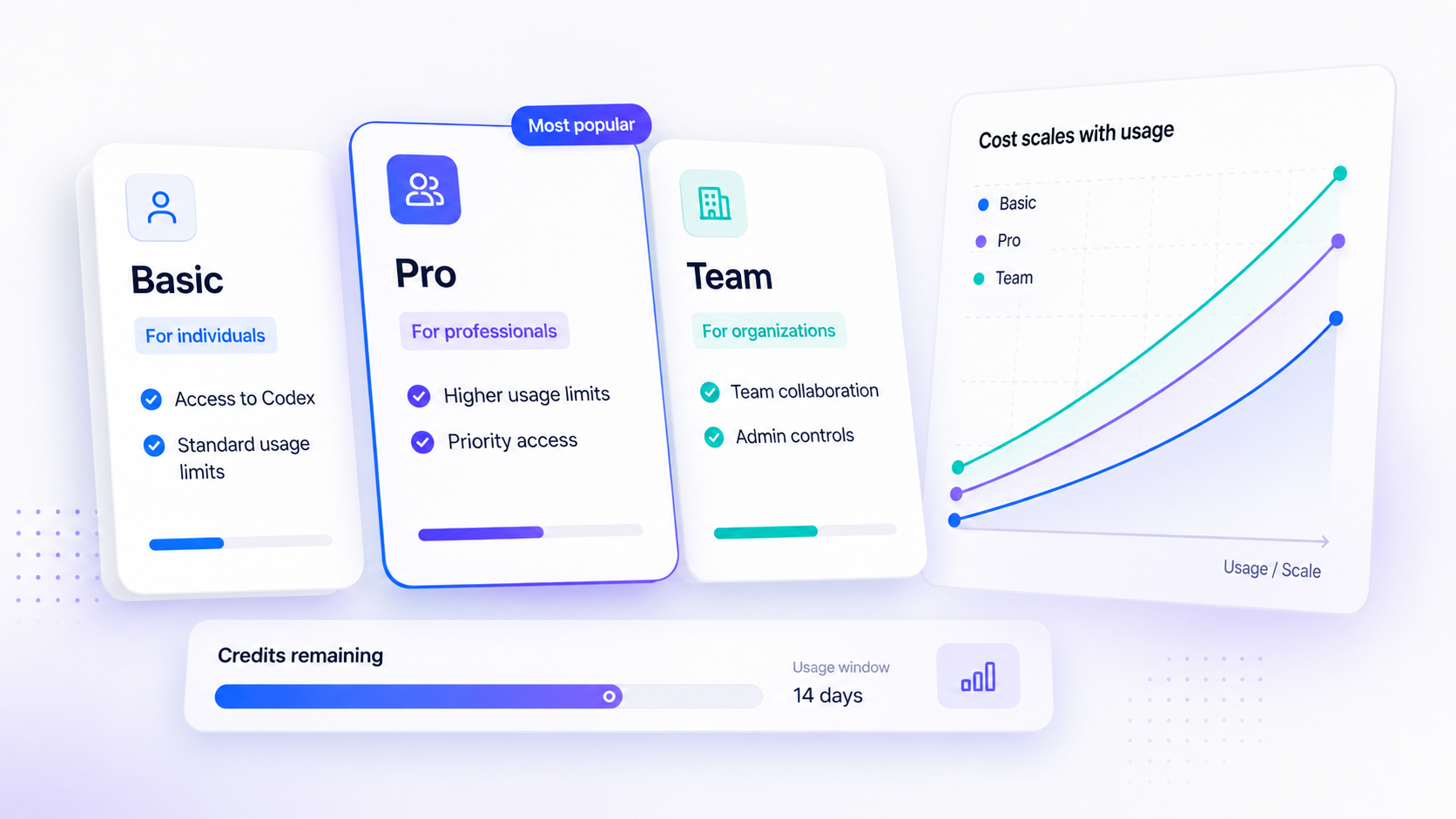
Here are the publicly visible individual tiers that include Codex access:
- Free - $0/month. Trial-level access, limited codex messages and features.
- Go - $8/month. Slightly more usage than Free, still limited.
- Plus - $20/month. Base paid tier for regular codex usage, expanded limits.
- Pro 5x - $100/month. Approximately five times the codex usage of Plus.
- Pro 20x - $200/month. Top individual plan, roughly twenty times Plus usage.
- Business - $25/user/month (monthly) or $20/user/month (annual, minimum 2 seats).
There is no standalone "Codex-only" consumer plan. For programmatic usage, Codex is available through the OpenAI API where usage is billed separately from ChatGPT subscriptions at standard per-token rates.
Most individual professional developers fall into two realistic cost bands: around $20/month on Plus with light usage, or $100–$200/month on Pro or a Business seat plus credits. This is before any additional OpenAI Platform API usage.
The rest of this article covers the full pricing table, how credits and limits actually work, API versus subscription economics, comparisons to claude code, Cursor, and GitHub Copilot, and when an app builder like Jet Admin might be a better fit than raw code generation.
Codex pricing overview and tier table
All facts below are verified as of July 2026. OpenAI updates prices periodically, so confirm against the official Codex pricing page before purchase.
Plan / Option | Price (USD/month) | Included Codex Usage | Important Limits | Best For |
|---|---|---|---|---|
Free | $0 | Very limited; trial access to flagship models | Tight rolling 5-hour window; minimal codex messages | Students, evaluators |
Go | $8 | More than Free; still capped | Rolling 5-hour window; limited model access | Hobbyists, light exploration |
Plus | $20 | Expanded; multiple surfaces (web, CLI, IDE extension) | Defined 5-hour window per model; buy credits when exceeded | Regular individual developers |
Pro 5x | $100 | ~5× Plus usage | Higher 5-hour ceilings; better for sustained sessions | Daily professional coding |
Pro 20x | $200 | ~20× Plus usage | Highest individual caps | Power users, tech leads |
Business (standard seat) | $25/user (monthly) or $20/user (annual) | Includes ChatGPT + Codex; workspace credits available | Per seat usage limits + workspace pool | Teams needing admin controls |
Enterprise / Edu | Custom | Pooled credits; negotiated limits | No fixed rate limits; governance, audit logs | Large orgs, universities, gov |
API key (OpenAI Platform) | Pay-as-you-go | N/A - pure token billing | API rate limits; no 5-hour window | Automation, CI/CD, backend services |
Clear upgrade paths run from Free → Go → Plus → Pro → Business → Enterprise. Pricing for codex credits themselves is aligned with the OpenAI API rate card per million tokens. All prices listed are in USD; regional availability, taxes, and local billing may cause slight differences.

Historical changes: Codex pricing timeline through April 2026
Codex pricing has evolved alongside the broader ChatGPT and OpenAI Platform pricing, and the April 2, 2026 shift was the most significant recent change.
Before that date, Codex used message-based metering. Each interactive message or cloud task consumed an approximate average number of credits, with no direct mapping to actual token counts. This made budgeting murky for complex, multi-step workflows because a small bug fix and a large refactor could consume wildly different resources despite both counting as "one message."
On April 2, 2026, OpenAI switched to token-based credits that explicitly match API pricing per million tokens for input, cached input, and output. This means codex pricing is now based on token usage, not fixed messages. The migration for legacy Enterprise customers completed by April 23, 2026.
The practical impact was mixed. Small or simple tasks often became cheaper because they consumed fewer tokens than the old per-message average assumed. Large agentic runs-full-repo refactors, long debugging with tool use-often became more expensive, making model choice and task scoping critical.
If you encounter older blog posts or screenshots that discuss Codex pricing in terms of "messages" or "runs" without mentioning tokens, treat them cautiously. They likely predate the April 2026 change and no longer reflect how credit consumption works.
Codex credits, tokens, and effective per-task cost
Codex credits are an internal accounting unit pegged to OpenAI's token prices. Once your included usage is consumed, or for pay-as-you-go workloads, every codex task burns credits proportional to the tokens it processes. One Codex credit is approximately worth $0.04. Codex usage is measured in tokens and credits, and credits are consumed based on input, cached, and output tokens.
Here is how tokens break down in codex usage:
- Input tokens - your prompts, code context, repository snapshots, and instructions sent to the model.
- Cached input tokens - reused context across calls (e.g., the same codebase snapshot or agents.MD file). Cached input tokens are ten times cheaper than fresh input tokens.
- Output tokens - the model's generated responses, code, explanations, and diffs.
For reference, input token cost is typically $1.75 per million tokens on GPT-5.3-Codex, while output token cost is typically $14.00 per million tokens. That 8× multiplier means output-heavy tasks dominate your bill.
How many tokens do typical tasks consume?
- A small bug fix or function explanation: low thousands of tokens - only a fraction of your daily budget.
- A single-file refactor or test-generation session: tens of thousands of tokens.
- A large multi-file refactor or repository-wide analysis: hundreds of thousands of tokens or more.
Output tokens on modern GPT-5.x models cost significantly more than input tokens, so keeping prompts focused with precise prompts and reusing context where possible directly reduces codex cost. Use OpenAI's usage dashboard and rate card together to estimate your own per-task cost curve. Credit consumption is heavily influenced by codebase size, prompt verbosity, and how often multi-step agentic workflows run.
Codex usage limits and the rolling 5-hour window
Most consumer and small business Codex plans enforce a rolling 5-hour usage window rather than strict daily or monthly caps. Codex credits refill on a rolling 5-hour window, meaning usage older than five hours continuously "ages out," smoothing consumption rather than resetting all at once at midnight.
Here is how it works in practice: if you spend heavily between 9 AM and 10 AM, those credits start freeing up by 2 PM. Bursty, long sessions can hit the ceiling quickly, while shorter, spaced-out focused coding sessions feel less restrictive because some credits have already rolled off.
Consider two developers with the same weekly total usage. Developer A works in four-hour marathon sessions twice a week and regularly sees remaining limits drop to zero. Developer B spreads the same work across five one-hour sessions and rarely bumps against the cap. Same total token usage, different experience.
Codex usage limits depend on task size and complexity, and individual plans (Free, Go, Plus, Pro) enforce the window per account. In Business and Enterprise workspaces, usage can be pooled at the workspace level and extended with workspace credits or flexible pricing, meaning the team shares a larger bucket rather than each seat having its own ceiling.
Enterprise and edu plans with flexible pricing may have substantially relaxed or negotiated rate limits, but they are still ultimately governed by token and credit cost, not truly unlimited usage.

Is Codex free, and what do you get on each individual plan?
Is OpenAI Codex free? Yes, there is a free plan that includes limited access to Codex capabilities within ChatGPT. The chatgpt free tier lets you run quick coding tasks and demos, but it is not suitable for regular development. Free and Go plans lack the headroom for sustained coding work and are best used for evaluation.
The free plan offers web-based access with minimal local messages, a tight 5-hour window, and limited supported models. The Go plan at $8/month extends this slightly with lightweight coding tasks and a bit more model variety, but still imposes strict caps. Neither plan allows you to purchase additional credits directly if you hit the ceiling-you are prompted to upgrade instead.
The Plus plan at $20/month is the realistic minimum for regular weekly coding work. It costs $20/month and includes expanded codex usage across multiple surfaces: web, CLI, IDE extension, and mobile. You get access to more messages, better priority, and the ability to buy credits when limits are reached. Start with Plus for occasional coding sessions if you are serious about using Codex beyond exploration.
Moving to Pro changes the equation significantly. The Pro plan costs $100/month for 5x usage (Pro 5x is for regular use without constant reliance on credit purchases) or $200/month for 20x (Pro 20x is ideal for daily, intensive coding sessions). Both tiers raise the 5-hour window ceilings substantially, supporting more sustained work each day.
Buyer guidance: stay on Free or Go if you are a student, evaluator, or hobbyist testing the waters. Upgrade to Plus once you are coding with Codex weekly. Consider Pro when you consistently hit Plus limits several times per week-that is the signal that the pro subscription pays for itself in saved waiting time.
Business, Enterprise, and Edu Codex plans: seats, workspaces, and governance
Codex pricing for organizations involves both per-seat licensing and shared, usage-based credits administered at the workspace level. The economics differ meaningfully from individual plans.
Business plan pricing works as follows: standard Business seats are billed per user per month at $25 (monthly billing) or $20 (annual billing, minimum two users). Each standard seat bundles ChatGPT and Codex with included limits. When teams exceed those limits, businesses can purchase additional usage credits at the workspace level. Business plans allow pooled usage for teams, so the credit pool is shared rather than siloed per developer. The Business/Team plan offers higher usage limits than Pro, intended for corporate teams needing admin controls and analytics.
Note: as of June 24, 2026, new Business workspaces can no longer add legacy "Codex-only" seats. Existing workspaces that already had them can continue using them.
The Enterprise plan offers custom pricing for large-scale organizational use. Enterprise and edu plans provide pooled workspace credits, negotiated rate limits, and advanced governance features including audit logs, data retention controls, and per-department analytics. Enterprise plans have custom pricing and no fixed rate limits, though usage scales with token consumption like any other tier.
In practice, heavy teams typically converge on a blended cost of around $100–$200 per active developer per month once seat fees and credits are combined. That aligns with OpenAI's own published guidance that Codex averages $100–$200 per developer per month.
Beyond price, organizations should evaluate security reviews, data-in-use policies, regional hosting questions, and whether enterprise grade functionality like auditability and compliance justify the additional cost.
Codex API vs subscription plans: which is cheaper for your workflow?
Codex can be accessed both through ChatGPT subscriptions (web app, IDE extensions, CLI) and via an API key through the OpenAI Platform. These paths follow different billing models even though the underlying per-token prices are aligned.
The subscription route involves a fixed monthly fee with included codex usage within 5-hour windows. You can run extra local tasks, cloud tasks, and automatic code review sessions up to your plan limits, then purchase additional credits. This is great for humans coding in editors or using Codex interactively. It is less ideal for massive automation or CI/CD workloads because the rolling window can throttle throughput.
The API-key route charges no seat fee. Pricing for API usage is based on token consumption rather than subscription fees. API-key usage is billed at standard OpenAI API rates-for example, $1.75 per million input tokens and $14 per million output tokens on GPT-5.3-Codex. This avoids 5-hour seat windows entirely but introduces strict token billing on every single call, so api pricing requires careful usage monitoring.
Simple guidance:
- If Codex is primarily a personal or team coding tool in IDEs, subscriptions (Plus or Pro) tend to be more cost-effective.
- If Codex is mostly called by automation-nightly test generation, code review bots, multi-tenant tools-the codex api with direct billing is usually more predictable and often cheaper per output unit.
Many teams combine both approaches: human developers on Plus or Pro for interactive work, plus backend services using an API key for heavy non-interactive codex usage, with api rate limits and costs tracked separately by finance or platform teams.
How Codex usage limits interact with image generation and other features
Codex usage is not limited to pure text and code. Some Codex-adjacent features, like image generation and tool-calling tasks, consume from the same usage buckets depending on plan and integration.
Image generation uses Codex limits 3–5x faster than text tasks. This is because image models are more compute-intensive, so a single image request can cost the equivalent of three to five standard codex messages in your rolling window. On lower tiers, this can exhaust your budget surprisingly quickly if you mix frequent image generation into everyday coding sessions.
On API keys, image generation is billed separately according to the OpenAI image pricing table. This means a team relying on inline image generation during interactive coding sessions could deplete subscription-based Codex budgets much faster than expected, while API users would see the cost isolated on a different line item.
Other advanced usage that amplifies codex cost includes long-running analysis agents, chain-of-thought style prompts, and extensive tool use such as repository indexers and database tools. These expand context length and therefore token counts, compounding credit consumption.
Practical budgeting tactics:
- Separate image-heavy experimentation into its own workspace or account to avoid draining coding credits.
- Monitor image vs code usage in the dashboard-most plans surface this breakdown.
- Avoid mixing frequent image generation into everyday coding sessions on lower tiers to preserve credits for actual coding tasks.
- Keep unnecessary context out of prompts to reduce token burn across all task types.
Realistic Codex monthly cost scenarios
List prices only tell part of the story. Total monthly spend depends on how often Codex is used, which models are chosen, whether fast mode consumes credits at an elevated rate, and whether the team also runs API-key workloads. Here are four directional personas based on published usage patterns and plan structures.
1. Hobbyist / side project developer. Uses the free plan or Go tier. Writes small scripts, fixes bugs in personal repos, explores Codex capabilities on weekends. Monthly spend: well under $20-often $0 to $8. Free usage covers quick coding tasks and nothing more.
2. Professional developer on Plus. Subscribes at $20/month, uses Codex a few hours per week for code generation, refactoring, and test writing. Occasionally hits included limits and buys a small credit top-up. Monthly spend: approximately $20 to $60, depending on how output-heavy sessions are.
3. Power user on Pro. Codes daily, runs multi-file refactors, uses high reasoning modes. The Pro 5x or 20x plan covers most included usage, but heavy weeks still require extra credits. Monthly spend: often $100 to $200, sometimes higher with aggressive agentic workflows. Codex averages $100–$200 per developer per month at this intensity.
4. Ten-person engineering team on Business/Enterprise. Seats cost $200–$250/month total (for seat fees alone), plus workspace credits that scale with activity. Blended cost per active developer: $100 to $200/month. Total team cost: low four figures monthly for moderate usage, higher with heavy API or agent-based workloads.
Unexpected behaviors can push costs up fast. Leaving automated agents running overnight, enabling fast mode by default, or running large monorepo analysis daily are common culprits.
Run a 2–4 week pilot with careful log and billing monitoring before standardizing on a tier. Start on Plus or a small Business workspace and upgrade only if consistent usage patterns justify it.

How to control and reduce Codex costs without losing value
Codex can deliver outsized productivity gains, but unmonitored usage can produce surprising invoices, especially with GPT-5.x models and long agentic runs. Here is how to keep costs under control.
Reduce token consumption at the prompt level:
- Keep prompts concise with precise prompts-avoid pasting entire files when only a function is relevant.
- Limit context to relevant files or repository sections. Unnecessary context inflates input token counts without improving output quality.
- Prefer a cheaper model like GPT-5.4-mini for routine tasks and lightweight coding tasks where full GPT-5.5 reasoning is overkill. Switching to a smaller model can extend your usage limits meaningfully.
- Enable caching to reuse shared context when available. Cached input costs a fraction of fresh input.
Change processes to save credits:
- Ask Codex to produce step-by-step plans before full implementations-this lets you catch misunderstandings before burning output tokens on wrong code.
- Use diff-based edits instead of full-file rewrites where possible.
- Avoid running multiple overlapping large reviews on the same codebase simultaneously.
Track and govern usage:
- Use OpenAI's dashboards and per-project tagging for usage monitoring by developer, team, repo, or integration. This enables internal chargebacks and reveals expensive workflows that could be refactored.
- Establish internal guardrails: disable fast mode by default (since fast mode consumes credits at a higher rate than standard mode), set soft usage alerts, and provide written Codex usage guidelines so savings are systematic rather than ad hoc.
- Restrict which eligible users have access to API keys or high-cost models-this acts as an organizational cost cap even when platform controls are limited.
Codex vs Claude Code, Cursor, GitHub Copilot, and other coding tools
By mid-2026, most professional developers compare Codex to competitors like claude code, Cursor, and GitHub Copilot. All price individual plans around the $20/month mark, with higher-tier options near $200/month. The differences lie in billing mechanics, feature depth, and ecosystem fit.
Pricing structure comparison:
- Codex uses token and credit-based metering with rolling 5-hour windows. Usage scales directly with model choice, context size, and output length.
- Claude Code offers its own session or token limits with a somewhat different metering approach; pricing details should be verified on Anthropic's site.
- GitHub Copilot charges a simpler per-seat fee with fewer explicit token concepts, trading granularity for predictability.
- Cursor combines a per-seat plan with usage-based components, landing somewhere between Codex's granularity and Copilot's simplicity.
Functional positioning: all four excel at code completion, refactoring, and explanation. Some emphasize deeper repository understanding, others prioritize IDE extension integration depth, collaboration, or alignment with specific ecosystems (e.g., GitHub-first for Copilot).
Cost predictability: Codex (and similar token-metered tools) reward teams who understand and optimize tokens. Simpler flat per-seat tools can be easier for finance teams to forecast but may be less flexible for spiky workloads.
Codex is a strong choice for organizations already invested in OpenAI's stack and wanting fine-grained control over cost versus capability. But tool choice should also factor in editor support, language coverage, security and compliance requirements, and whether your team prefers predictable invoicing over usage-optimized billing.
Where Codex stops: from code generation to full app-building requirements
Codex is optimized for code understanding and generation-writing functions, tests, refactors, scripts, and explanations. It does not by itself provide hosted user interfaces, end-user authentication, or full app lifecycle tooling.
Many teams encounter a gap after Codex generates backend logic or front-end components. They still need to stitch these pieces into a deployable application, connect to production data sources securely, implement permissions, and manage deployments across environments. That is a whole app delivery problem, not a coding tool problem.
Developer-centric tools like Codex, claude code, Cursor, and Copilot excel inside IDEs but still require strong engineering effort and platform work to turn generated code into stable internal tools, CRMs, portals, and dashboards for non-developer users. The code is only part of the solution.
This is where AI app builders and internal tool platforms serve as a complementary layer. They offer visual data binding, role-based access control, audit logs, deployment pipelines, and collaboration features that sit on top of raw code or replace large portions of it for many business workflows.
The decision is not "Codex vs app builder" for core coding tasks. It is "raw code generation vs higher-level app platform" when the goal is to deliver business-facing software quickly and predictably. Both can coexist in the same organization's stack.
When an app builder like Jet Admin may be more cost-effective than Codex alone
Jet Admin is an AI-assisted app builder focused on shipping secure internal tools and business applications on top of existing data. It is not a pure coding assistant like Codex. This section compares cost structure and fit, not raw model intelligence.
Jet Admin pricing is structured differently from Codex: typically per-workspace or per-seat plans that bundle storage, hosting, and usage instead of metering every token of generated code. Readers should consult the official Jet Admin pricing page for current tiers and amounts, as specifics may have changed.
The main value levers where Jet Admin can reduce total cost of ownership include:
- Prompt-based UI and workflow generation - build a whole app from a description rather than generating and assembling individual code files.
- Built-in connectors to databases, APIs, spreadsheets, and SaaS tools, reducing custom integration code.
- Reusable components and templates that eliminate boilerplate.
- Out-of-the-box authentication, permissions, and audit logs that would otherwise require custom code and separate hosting.
- Slack integration and collaboration features for team workflows.
With Codex-only approaches, teams keep paying for tokens every time they generate or refactor code, plus they pay separately for hosting, monitoring, and governance. With Jet Admin, much of the runtime and governance cost is bundled into the platform subscription, making invoices more predictable for operations teams. Custom plans are available for larger deployments.
Decision heuristics: if the main workload is building internal dashboards, CRUD admin panels, approval workflows, or role-based portals on existing data, an app builder like Jet Admin often delivers faster time-to-value and more predictable monthly costs than relying on Codex and bespoke engineering alone. For deeply custom product codebases, Codex remains central, and the two approaches are complementary rather than mutually exclusive.
Decision guide: choosing the right Codex plan (or alternative) for your team
The goal here is simple: map your usage patterns, team composition, and governance needs to the most sensible codex plan or combination of tools.
For individuals and small teams:
- Start with ChatGPT Plus ($20/month) for most developers. It covers quick coding tasks, moderate refactoring, and regular development without breaking the budget.
- Upgrade to Pro 5x ($100) if you repeatedly hit Plus limits. Move to Pro 20x ($200) if you are coding with Codex for most of your working day.
- Use an API key if you start building personal automation or CI pipelines that call Codex programmatically-subscription windows are not designed for automated workloads.
For larger organizations:
- Choose Business or Enterprise when multiple developers need shared credits, governance, admin controls, and analytics.
- Plan budgets around $100–$200 per active developer per month and validate with a pilot before committing annually.
- Use a mix of subscription seats for human developers and API keys for automations, tracking costs separately.
When Jet Admin becomes a strong parallel or alternative:
When the primary objective is to deliver internal tools, portals, and apps on top of existing data systems, Jet Admin's app-building and deployment features can replace large amounts of hand-coded infrastructure that Codex alone would have to help maintain. If your team spends more time wiring up dashboards and CRUD interfaces than writing novel algorithms, the bundled-platform approach often wins on both speed and cost.
The best stack for many organizations combines both: Codex for deep, custom coding productivity and an app builder for rapid delivery of business-facing tools.
Frequently Asked Questions about Codex pricing
This FAQ covers specific edge cases and clarifications that do not fit cleanly into the main sections above. All answers are current as of July 2026 but subject to change by OpenAI. Verify against official sources before making purchasing decisions.
Does Codex pricing differ by programming language or framework?
Codex pricing is model- and token-based, not language-based. Generating Python, TypeScript, Java, or Rust all burns tokens at the same rate for a given model. There is no special surcharge for popular frameworks like React, Django, or Spring. Cost depends entirely on tokens and features used (tools, images), not the stack itself.
That said, larger, boilerplate-heavy frameworks can indirectly increase cost because they lead to larger context windows and more verbose outputs. This is an indirect effect of how many tokens a given language or framework tends to require, not a separate price list.
How do Codex credits interact with team member roles in a shared workspace?
In Business and Enterprise/Edu workspaces, codex usage can be pooled at the workspace level. Credits purchased for the workspace are consumed by any eligible user who runs codex tasks-not just one owner. Different seat types (standard ChatGPT seats vs automation-heavy seats) may consume varying amounts of workspace credits depending on how they are used.
Admins should regularly review per-user analytics to avoid surprises. Assign least-privilege roles: heavy Codex participants (developers, data engineers) get full access, while managers or analysts may get lighter usage or read-only roles to keep workspace credit burn under control.
Can I cap Codex spending to avoid surprise bills?
OpenAI provides usage dashboards and some alerting tools, but hard spending caps and pre-paid credit bundles vary by plan and region. Check your account billing settings for available controls.
Practical measures include setting up regular usage reviews, configuring alert thresholds where available, and using separate projects or workspaces for experiments vs production to isolate codex cost. Finance or platform teams can also restrict which users have access to API keys or high-cost models, effectively acting as an organizational cost cap.
How does Codex pricing compare to building everything manually without AI?
While Codex introduces direct token and subscription costs, it can substantially reduce developer time spent on boilerplate, refactoring, and debugging-often offsetting spend with productivity gains, especially for experienced developers. Purely manual development avoids AI bills but increases opportunity cost: slower feature delivery, more repetitive routine tasks, and less time for high-value design work.
Evaluate Codex not only on invoice size but on value delivered per dollar-features shipped per month, bugs prevented, and internal tool coverage. Use a pilot period to collect real metrics before a long-term commitment.
How should we think about Codex vs Jet Admin in a long-term cost model?
Codex primarily affects development costs (how quickly engineers write and maintain code), while Jet Admin primarily affects platform and operations costs (how quickly the organization delivers and operates internal applications on top of existing data).
A long-term model should separate "coding productivity" budgets (where Codex, claude code, Copilot, etc. live) from "app delivery and runtime" budgets (where Jet Admin and other app platforms live). Using both is often complementary rather than mutually exclusive.
Compare 12–24 month scenarios: building and maintaining internal tools with Codex-boosted custom code plus custom hosting versus using an app builder like Jet Admin with less custom code, faster iteration, and bundled governance-even if the monthly subscription appears higher on paper. The total cost of ownership often favors the platform approach for standard internal tool workloads.