Choosing the right admin dashboard template can save your team weeks of front-end work, but picking the wrong one can cost you even more in maintenance, security gaps, and rework. This article compares leading admin template options across Bootstrap, Tailwind CSS, React, Vue, and SvelteKit, covers practical evaluation criteria for production readiness, and explains when a full admin platform like Jet Admin is the faster, more governed path.
Key Takeaways
This article compares leading admin dashboard template options across major front-end stacks and explains when to use a template versus a platform like Jet Admin for building production-ready internal tools.
- An admin dashboard template works best when you already have a backend and need a front-end starting point. A full admin platform can cover data connection, CRUD, authentication, roles, and deployment end to end.
- Standout templates include AdminLTE (Bootstrap 5), CoreUI (Angular, React, Vue, Bootstrap), TailAdmin (Tailwind CSS for React, Vue, Angular, Next.js), and SvelteKit-based options for compiled front-ends.
- Jet Admin connects directly to existing databases and APIs and can generate governed admin dashboards with role-based access, audit logs, and production-ready ui components.
- The article closes with a practical checklist for choosing an admin dashboard template and an FAQ covering pricing, security, and long-term maintenance.
What is an admin dashboard template (and when should you use one)?
An admin dashboard template is a pre-built UI package for back-office workflows. It typically ships with sidebar navigation, authentication-ready layouts, tables, forms, charts, modals, and reusable components that developers can wire to their own data and business logic.
Most modern templates are built on popular front-end stacks: Bootstrap 5.x, Tailwind CSS v3–v4, React 18/19, Vue 3, Angular, SvelteKit, or server-rendered frameworks like Laravel Blade and Django. They are updated to match current framework releases through 2024–2026.
Typical use cases include:
- Internal tools for SaaS products (user management, billing dashboards)
- E commerce back offices (product catalogs, order and inventory management)
- Analytics dashboards with KPI tracking and interactive charts
- CRM and sales admin panels
- Operations consoles for logistics, support portals, and marketing reporting
The architecture expectation is straightforward: the template sits on top of an existing backend or API (REST or GraphQL), and developers wire it to real data sources, validation logic, and authentication.
There are three approaches worth comparing early:
Approach | Control | Speed | You still build |
|---|---|---|---|
Build from scratch | Maximum | Slowest | Everything |
Use an admin dashboard template | High | Moderate | Data integration, auth, roles, deployment |
Use an admin platform (e.g., Jet Admin) | Configuration-driven | Fastest | Business rules, fine-tuning |
Regardless of approach, key capabilities to evaluate include: secure data connection, full CRUD support, rich ui components, validation and error handling, authentication and roles/permissions, auditability, and deployability to a production environment.

Admin dashboard template options by stack (Bootstrap, Tailwind, React, Vue, Svelte, and more)
Below is a curated collection of notable free and premium admin dashboard templates in 2026, grouped by tech stack so you can match your existing skills and architecture. Top choices often leverage Tailwind CSS or Bootstrap 5 for responsiveness, and many modern templates offer built-in dark modes as essential features.
AdminLTE (Bootstrap)
AdminLTE is the flagship open source Bootstrap admin template. Built on Bootstrap 5.3, it has accumulated over 8.5 million downloads since 2013, more than 45,000 GitHub stars, and is used by developers in over 180 countries. It includes 18+ built-in plugins for enhanced functionality (data tables, charts, calendars, date pickers), 6 pre-built color skins for easy theming, and ready-made pages for SaaS, CRM, e commerce, and analytics admin dashboards.
AdminLTE integrates with React, Next.js, Vue.js, and Laravel, so it works whether your backend is a Node API, a PHP app, or a Python service. It also carries a 4.8/5 user rating for customization ease. Its v4 release dropped jQuery entirely, improved RTL support, and added accessibility enhancements.
Bootstrap-based templates like AdminLTE are ideal when teams want pure html, SCSS, and TypeScript without a framework lock-in and need responsive layouts for traditional server-rendered apps.
TailAdmin and Tailwind CSS templates
TailAdmin is a Tailwind CSS-first dashboard template offering 500+ UI elements for various frameworks. TailAdmin offers templates for React, Vue, Angular, and Next.js, and provides 10 unique dashboard designs for various applications, from analytics to e commerce to logistics monitoring. TailAdmin supports easy customization with Tailwind CSS utility classes, making it fast to customize colors, spacing, and dark mode with a simple toggle.
Other Tailwind CSS admin templates include shadcn/ui-inspired layouts and Tailwind + Laravel or Tailwind + Next.js kits. Strengths across this category: utility-first design system principles, easy customization, smaller CSS payloads, and a modern aesthetic that looks beautiful out of the box.
React and Next.js dashboards
React and Next.js admin dashboards ship with componentized layouts, routing, pre-wired charting libraries (ApexCharts, Chart.js), data tables with filtering and pagination, and example pages for CRM, marketing, analytics, stocks tracking, and DevOps monitoring. They include react components for forms, modals, maps, and notifications. Modern frontend frameworks can boost performance and responsiveness in admin dashboards, especially when combined with server-side rendering in Next.js for fast initial loads.
Vue and Nuxt dashboards
Vue 3 with Composition API and Nuxt 3/4 brings file-based routing, server-side rendering, built-in i18n, and modular state management via Pinia. Vue and Nuxt admin templates are well suited for teams that prefer the vue ecosystem and need e-commerce-ready layouts with CRUD and filters. These templates often include pages for user management, settings, and content editing.
CoreUI (four frameworks)
CoreUI stands out as a design system and template provider that supports angular, React, Vue, and Bootstrap under a single product line. CoreUI supports seamless integrations with Angular, React, and Vue, and offers a unified API across Angular, React, and Vue frameworks, meaning component names, props, and styles behave consistently regardless of stack. With over 58 million downloads, it offers both free and PRO versions, frequent updates (including June 2026 releases with new component types), and a solid range of layout options.
SvelteKit and emerging stacks
SvelteKit admin templates (e.g., SvelteForge Admin) combine Tailwind CSS with SvelteKit for compiled front-ends that ship minimal JavaScript. Some include built-in authentication flows, role-based access control, and starter pages for chat, logs, and dashboards. If your team is betting on Svelte or exploring alpine.js for lightweight interactivity, this space is smaller but growing.
Selection considerations
When choosing among these options, evaluate ecosystem maturity, documentation quality, frequency of updates, license (MIT vs. commercial), and real-world production usage. A template with thousands of GitHub stars and an active repo signals a healthy community, but check the last commit date and whether issues get resolved without waiting months.

How to evaluate an admin dashboard template for real production use
Many dashboard templates look impressive in screenshots but vary widely in how well they handle real production needs. A site demo with sample data displayed in a beautiful layout does not guarantee the template will hold up under actual load, security requirements, or a two-year maintenance cycle. Effective admin dashboard templates balance a user-friendly interface with comprehensive functionality. Here is what to evaluate before committing.
Data connection and CRUD
Check whether the template includes sample code or example pages showing how to connect to REST or GraphQL backends, handle pagination, filters, and sorting, and implement full create, read, update, and delete flows. Templates should facilitate real-time data updates for improved monitoring. Look for patterns that are simple to adapt rather than fragile copy-paste code. Good templates provide clear visual hierarchy for better data comprehension, using accessible table layouts and detail views.
UI components and UX
A strong admin template should ship with accessible, responsive ui components: tables with sorting, forms with inline validation, wizards, charts, modals, date pickers, and notification toasts. It should also include practical admin pages for user management, billing, e commerce catalog or order management, and analytics. Interactive capabilities like drill-downs enhance data exploration in dashboards, while maps and collection views help teams explore geographic or grouped information.
Templates should support a modular, data-dense, and responsive design. Good dashboards provide clear visual hierarchy for better data comprehension. Responsive and mobile-friendly design is crucial for modern admin dashboards, especially for teams that need to check metrics on mobile devices.
Data visualization
Templates should include advanced data visualization features like KPIs and charting libraries. Look for integrated support for bar, line, area, pie, and scatter charts, plus dashboard summary pages where metrics and data are displayed together. Interactive charts with hover states and drill-down capability turn raw data into actionable information.
Validation and error handling
Evaluate client-side validation (schema-based libraries like Zod or Yup), server-side error surfacing, inline field errors, optimistic updates, and clear empty, loading, and error states across the dashboard template. A template that only shows a happy path in its demo pages is a red flag.
Authentication, roles, and permissions
Check whether the template offers patterns or starter code for login flows, password reset, integration with OAuth or SSO providers, and role-based layouts that hide or disable restricted elements. Role-based access control is important for enterprise-ready dashboard templates. The template should at minimum include a login page, a registration page, and a route guard pattern. Some templates go further with JWT refresh flows and multi-tenant layouts.
Your admin panels also need to protect against unauthorized access. A security service or reverse proxy in front of the application verifies incoming requests, blocks malicious bots, and ensures only legitimate users reach your dashboards. Some hosting providers include bot detection that checks each request against known threat databases, and when security verification passes and verification successful responses are returned, the request proceeds. If your infrastructure logs include a respond ray id from a CDN like Cloudflare, that is a useful diagnostic reference for debugging access issues.
Auditability, logging, and security
For admin panels in regulated or high-risk environments, expect activity logs, change history, IP and session tracking, secure defaults (CSRF protection, content security policies, secure headers), and clear guidance on what must still be custom-built. Most templates provide minimal logging out of the box, so plan to build or integrate audit trail functionality yourself.
Deployment and hosting
Templates are framework code. Teams must own deployment pipelines. Typical options include Vercel or Netlify for React, Next.js, or Nuxt projects, traditional VPS or containers for Laravel or Django, and CI/CD testing requirements. Evaluate build size, build time, and whether the template supports static export or requires server-side rendering.
Maintainability and upgrades
Check release cadence, framework version support (React 19 readiness, Tailwind CSS 4 compatibility), test coverage, TypeScript support, and the complexity of merging upstream updates without breaking customizations. Customization features improve productivity and user experience in dashboards, but only if those customizations survive the next major version bump. Performance features like lazy loading are essential to handle large datasets efficiently, so verify the template supports code splitting and lazy component loading natively.
A template that hasn't been updated in six months is a liability, not a shortcut. Always check the repo's commit history before choosing.

When to move beyond a template: using Jet Admin for governed admin dashboards
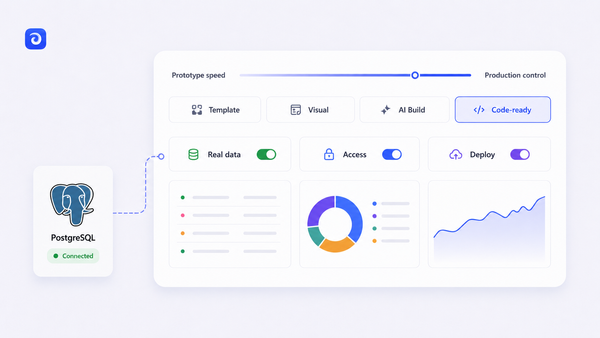
Admin dashboard templates give you front-end code to customize, but you still need to wire up every data source, build authentication, define permissions, and deploy the result yourself. Jet Admin takes a different approach: it is an app builder that connects directly to your existing data sources and can generate production-ready admin dashboards and internal tools without rewriting the backend.
Data sources and CRUD
Jet Admin connects to popular databases including PostgreSQL, MySQL, MongoDB, BigQuery, Snowflake, Microsoft SQL, and Oracle. It also supports spreadsheets like Google Sheets and services like Stripe, Salesforce, HubSpot, Shopify, Slack, and Zendesk through its integrations catalog. REST and GraphQL APIs are supported for custom backends. Once connected, Jet Admin auto-generates CRUD interfaces and workflows on top of these connections, so you are not waiting to hand-code every list, detail, and edit view.
UI components and logic
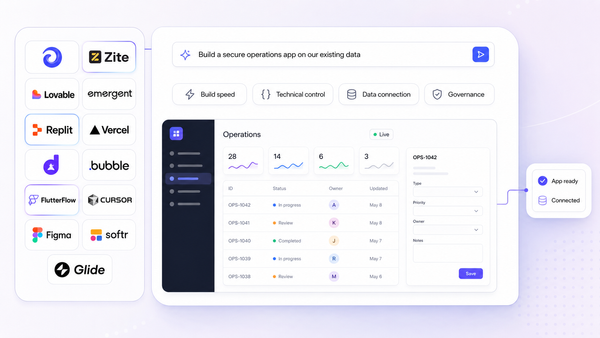
Jet Admin provides drag-and-drop layouts, tables, forms, charts, dashboards, and action buttons. Teams can assemble admin dashboards for SaaS metrics, e commerce orders, CRM views, support queues, and logistics tracking without hand-rolling React or Tailwind CSS code. The product also supports AI-assisted generation: describe what you need, and Jet Admin builds a starter interface in minutes.
Roles, permissions, and authentication
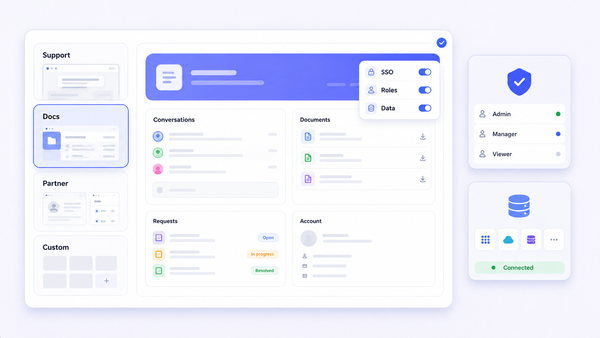
Jet Admin offers role-based access down to rows, columns, and actions. You can define roles for admins, managers, support staff, and other user groups, controlling who can view or edit specific resources. Authentication options include Google OAuth, OpenID/OIDC, Auth0, Supabase Auth, and token-based auth, as listed on the integrations page. This covers the governance layer that most templates leave entirely to you.
Governance, sharing, and deployment
Jet Admin turns these configurations into shareable, production-ready admin dashboards. Apps run in Jet's cloud with options to customize branding and domain. For deployment details including self-hosted and on-premise options, the Jet Admin documentation is the source of truth.
A realistic implementation path
A practical adoption path works like this:
- Connect your existing database (e.g., PostgreSQL) and a service (e.g., Stripe) into Jet Admin.
- Let Jet Admin generate starter admin dashboards for users, subscriptions, and payments.
- Iterate on UI, validation rules, and permissions within the builder.
- Roll out to internal teams with role-based access configured.
When to choose Jet Admin over a template
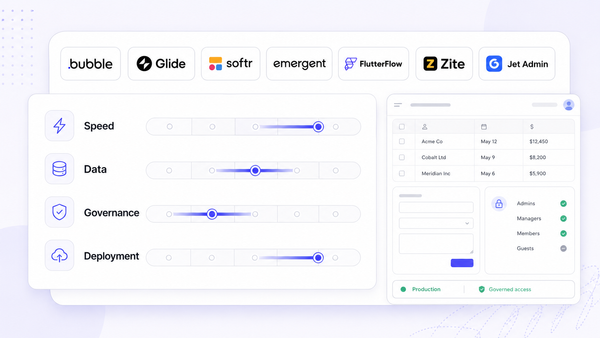
Jet Admin is preferred when you have multi-source data, need strict governance, iterate on workflows frequently, or have limited front-end capacity. If you prefer full code control, a beautiful custom design, or have a strong front-end team that works fast, a template may be the better fit. The decision is practical, not ideological. Explore the Jet Admin admin-panel page and the integrations catalog to see whether the offering covers your stack.
FAQ: choosing and running an admin dashboard template in production
This FAQ answers practical questions about licensing, security, migration, and team workflow that do not fit cleanly into the main comparison above.
Can I start with a free admin dashboard template and later migrate to Jet Admin?
Yes. You can prototype your UI with a free open source template, build your backend API around it, and validate workflows with your team. Once your data sources and workflows stabilize, you can migrate core workflows into Jet Admin while keeping the same database. The template served as your UI prototype; Jet Admin becomes the governed, maintained product. This phased approach reduces risk without locking you in early.
How do I secure an admin dashboard built from a template?
Use HTTPS everywhere. Place a reverse proxy or CDN in front of the application that handles SSL termination, rate limiting, and bot filtering. Enforce authentication on every route, not just the login page. Apply least-privilege roles so users only access what they need. Run regular dependency scanning (tools like npm audit, Snyk, or Dependabot) and patch vulnerabilities promptly. Set secure headers (Content-Security-Policy, Strict-Transport-Security) and enable CSRF protection in your backend.
Is Tailwind CSS better than Bootstrap for admin dashboards?
It depends on your team. Tailwind CSS offers utility-first flexibility, easy theming, smaller CSS output, and a modern design aesthetic. Bootstrap provides more pre-built component presets, a longer ecosystem history, and familiar patterns. If your developers already know and prefer one stack, that is usually the right choice. Both produce responsive, accessible dashboards when used well.
What performance issues should I watch out for in admin dashboards?
The most common problems are large data tables rendering thousands of rows without pagination, chatty API calls that fire on every filter change, and charts rendering thousands of data points simultaneously. Apply server-side pagination, debounce search inputs, use virtual scrolling for long lists, cache repeated queries, and lazy-load heavy components like maps and charts. Performance features like lazy loading are essential to handle large datasets efficiently in any production admin dashboard.
How many admin dashboards should an organization maintain?
Ideally, one core admin dashboard system with shared components, a consistent design system, and unified governance. Avoid one-off admin panels scattered across code bases. Each standalone panel adds maintenance burden, inconsistent UX, and duplicated security surface area. If different teams need different views, use role-based layouts and filtered dashboards within a single system rather than building separate projects.