
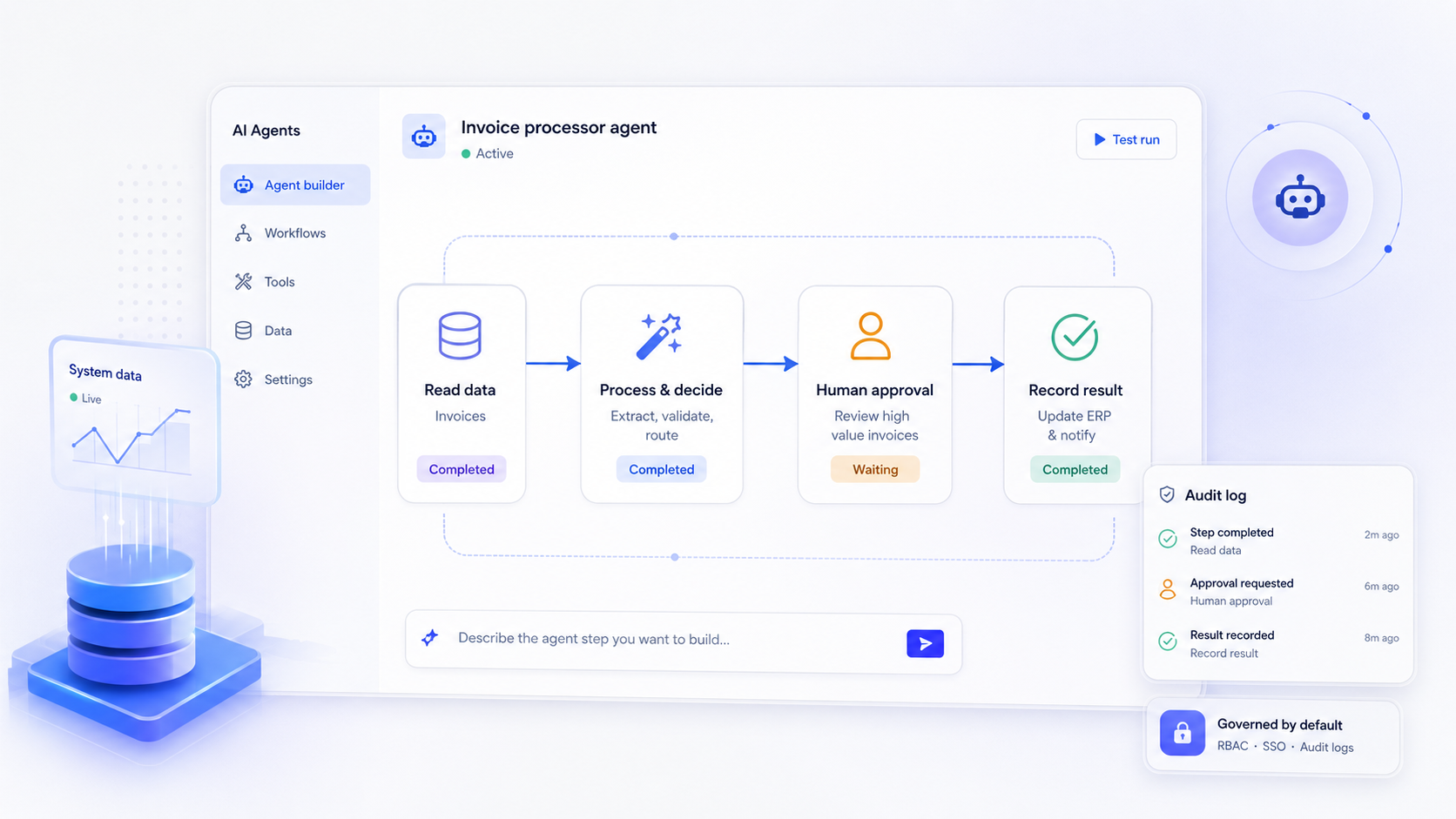
In 2026, the conversation around AI has shifted from "can we build a chatbot?" to "can we deploy autonomous agents that reliably handle real business processes?" An AI agent builder is the platform that makes that possible, giving operations leaders, product teams, IT, and developers a structured way to design, run, and govern AI agents that call tools, orchestrate workflows, and act on enterprise data under strict permissions.
This guide walks you through the full lifecycle of building AI agents: from early prompt-based prototypes, through architecture decisions around data, backend, auth, and models, all the way to testing, deployment, governance, and ongoing maintenance. Whether you are evaluating the best AI agent builders on the market or planning your first agent project, this article gives you the practical framework to make sound decisions.
Key Takeaways
- An AI agent builder is a software platform that enables the creation of autonomous AI agents that can reason about goals, call tools, and complete multi-step tasks, going well beyond simple chatbots or one-shot LLM calls.
- The path from prototype to production is a defined lifecycle: prompt experiments, architecture choices (data, models, auth), workflow design, testing, deployment, and ongoing maintenance. Skipping stages creates fragile agents.
- AI agent builders can reduce the development time required to launch AI applications, but only if paired with disciplined governance, granular permissions, and continuous evaluation.
- Jet Admin sits in this category as a platform to build secure business apps and custom AI agents on existing data, supporting prompt-based building, coding-agent workflows, and automation capabilities.
What is an AI agent builder?
An AI agent builder is a software platform that enables the creation of autonomous AI agents. These agents go beyond answering a single question. They maintain state, choose which actions to take, and coordinate across multiple systems to achieve a goal. AI agents use large language models to understand instructions and make decisions, but the builder wraps those models with tools, data access, memory, permissions, and orchestration.
Contrast this with a simple chatbot: a chatbot responds to a prompt and forgets the conversation. An agent reasons about goals and can complete multi-step tasks with some level of autonomy, like triaging a support ticket by querying a CRM, checking order history, drafting a reply, and escalating if the issue is unresolved.
The category spans code-first frameworks, low-code visual builders, and enterprise platforms that combine data connectors, UI generation, and governance. In practice, here is what agents built inside these platforms look like in 2026:
- A finance-close assistant that reconciles discrepancies across OLAP sources, prepares variance reports, and alerts when thresholds are exceeded.
- A customer support triage agent that classifies tickets by severity, pulls knowledge base articles, attempts resolution via internal APIs, and escalates when needed.
- A recruiting pipeline agent that reads applicant data from an ATS, schedules interviews, sends reminders, and summarizes candidates for hiring managers.
The question this article answers: how do you go from a prompt-based prototype to a maintainable, secure, production-grade agent using an AI agent builder?
AI agents vs. workflows vs. "AI in the app"
Many teams conflate three concepts that require very different architecture and tooling. Getting the distinction right early saves months of rework.
An AI workflow is a deterministic or semi-deterministic sequence of steps. When a lead form is submitted, validate the email, enrich via a third-party API, route to the right sales rep. There may be AI calls in the chain, but the control flow is fixed. Workflows follow a pre-planned, predictable path, and they provide consistent outputs every time.
An AI agent goes further. Given a goal or query, the agent decides which tools or workflows to invoke, adapts to feedback, and may plan multiple steps. It might choose between routing a ticket to a human or self-resolving from a knowledge base. AI agents use workflows to accomplish tasks, but the agent is the one making the call.
"AI in the app" refers to localized features: summarize this email, autocomplete this field, generate a reply. These don't require an agent builder but often share the same backend.
When a workflow is enough:
- Routine data pipelines (lead enrichment, nightly reports)
- Fixed notification chains (new signup → welcome email → CRM update)
- Scheduled report generation with no adaptive logic
When you need a full agent:
- User asks "which invoices are overdue?" and the agent sends reminders if needed
- Support cases where the agent auto-resolves trivial tickets and escalates complex ones
- Internal Q&A that requires pulling from multiple data sources and reasoning across them
Building reliable workflows is essential before AI agents. An agent builder like Jet Admin supports both: deterministic automations via triggers, conditions, and actions, and AI agents that invoke those automations as tools.
Core components of any AI agent builder
Regardless of vendor, effective agent builders share common building blocks. Think of this as an architectural checklist for evaluating whether a platform can take you from prototype to production.
Model layer. Access to foundation models, including LLMs and other AI models, with the ability to route between them based on task complexity, latency, and cost. AI agent builders typically provide tools for configuring goal definitions, rules, and tools at this layer.
Tools and actions. Concrete operations agents invoke: create a Zendesk ticket, run SQL against Postgres, call a CRM API, send a Slack message, invoke an internal microservice. These need clear interfaces, versioning, and permission scoping.
Memory and context. Short-term conversational context for the current session, plus long-term knowledge: past interactions, stored documents, embeddings, user preferences. AI agents require data, context, and training to function effectively, and the builder must let you configure what is stored and retrieved.
Orchestration logic. Decision logic, branching, loops, fallback strategies, error handling, and potentially multi-agent coordination. This is where complex agents diverge from simple chains.
Data connectors. Integration with external systems such as CRMs and APIs is crucial for agent functionality. Builders abstract these as "data sources" with configured credentials and mapped schemas.
Observability. Logs, step-by-step traces, replays, input/output inspection. Without these, debugging production agents is guesswork.
Permissions and control. Authentication, role-based access control, audit logging, guardrails, and human-in-the-loop mechanisms.
Many AI agent builders offer visual, drag-and-drop interfaces for easy construction of agent workflows, combining these building blocks into coherent systems. Jet Admin, for example, combines LLMs with SQL/API requests, UI components, conditionals, and automations into a single platform.

From prompt to production: the AI agent lifecycle
Most teams start with a clever prompt in ChatGPT or Claude. It works well in a demo. Then they try to operationalize it and hit a wall: no permissions model, no test data, no monitoring, no rollback. The lifecycle below turns that messy progression into a repeatable process.
Phases of agent development:
- Idea and prompt prototyping - brainstorm the use case, write prompts, experiment interactively.
- Workflow and agent design - define tools, data sources, decision logic, memory, branching.
- Data and backend wiring - connect real databases, APIs, CRMs; map schemas; configure credentials.
- Permissions and governance - define roles, access scopes, audit requirements, compliance needs.
- Testing and evaluation - build test sets, cover edge and failure paths, validate with humans. Testing and simulation features are important for refining and validating agents before deployment.
- Deployment and monitoring - set up environments, version agents, track metrics, alert on anomalies.
- Iteration and maintenance - update tools, prompts, connectors, and memory as models and APIs evolve.
Concrete example: An invoice exception handler starts as a prompt that flags discrepant invoices. In the design phase, you add tools to fetch invoice data, cross-check purchase orders, and send Slack messages. Backend wiring connects the SQL database and ERP API. Permissions restrict the agent to read-only access on financial tables. Testing uses historical invoices with known outcomes. Deployment targets an internal tool. Monitoring tracks false positive rates. Each iteration tunes thresholds.
The typical failure points are predictable: vague success metrics, undocumented prompts, over-privileged credentials, no test coverage, and no rollback plan. A disciplined agent builder mitigates every one of them.
Choosing your AI agent architecture: prompt-based, code-first, or hybrid
This is a fork-in-the-road decision. There are multiple ways to build agents, and the right mode depends on your team composition, risk tolerance, and iteration speed.
Prompt-based building. You simply describe what you want in natural language, and the AI agent builder generates workflows and agents. This is ideal for fast prototyping and non-technical teams, but harder to version, test, and audit if used alone.
Code-first or MCP/coding-agent workflows. Using SDKs, config files, or MCP servers, developers define tools, control flow, and tests in a repository. This gives technical teams full control and CI/CD integration. Vertex AI Agent Builder allows creating agents in just a few steps using this model, and Vertex AI is designed for scalable, production-grade AI agents. Similarly, n8n supports building AI agents with a visual interface while still allowing code-level customization.
Hybrid architecture. A visual builder plus prompt-based generation, with the option to drop into custom code where logic becomes complex. This is where most enterprise teams land.
When to favor each approach:
- Prompt-based: rapid exploration, non-technical stakeholders leading design, low-risk internal agents.
- Code-first: regulated workflows, high-rate automations, version-controlled deployments, integration with existing CI/CD.
- Hybrid: multi-team ownership, evolving complexity, need for both speed and engineering rigor.
Platforms like Jet Admin support prompt-based building, agent workflows, and code extensibility (formulas, JavaScript, custom logic, and JSON parsing), making it practical to evolve from quick experiments to engineered systems without switching platforms.
Data and backend foundations for building AI agents
Where your data lives, how agents access it, and how you guard it are the most strategic decisions in building AI agents. Get this wrong, and everything downstream is compromised.
Common data and backend patterns:
- Direct SQL access to databases like PostgreSQL, Snowflake, or BigQuery for fresh, powerful queries.
- REST and GraphQL APIs providing abstraction over internal services.
- SaaS integrations for CRM, ticketing, ERP, and other platforms.
- Document and file stores for knowledge bases and vector databases.
An AI agent builder typically abstracts these as data sources with configured credentials, mapping them into tools the agent calls under the hood.
Trade-offs matter. Live querying gives freshness but risks slowness, lock contention, and security exposure. Copying data into a separate store adds latency and staleness but can improve performance and isolation. The right answer depends on your latency requirements, data sensitivity, and access control needs.
Example: A support analytics agent joins ticketing data from a help desk, product telemetry from an event store, and CRM records. It correlates a spike in support tickets with a drop in product usage for specific accounts, then alerts the account manager. This requires connectors to three different data sources with appropriate credential scoping for each.
Agents must remember user preferences and context across conversations for effective interactions, which means your data layer also needs to support persistent memory stores alongside transactional data.
Jet Admin is oriented around building on existing data and backends: databases, APIs, and SaaS tools across 50+ data sources. This aligns with enterprises that cannot migrate or duplicate core systems just to build agents.

AI models, routing, and avoiding vendor lock-in
Modern AI agent builders sit on top of multiple AI models, and model strategy is a core design decision that affects cost, performance, and resilience.
Builders can route different steps to different models. A cheaper model handles classification and simple extraction. A stronger model tackles complex reasoning. A specialized model generates code or processes long-context retrieval. This routing can be configured manually or automated based on task characteristics.
Model-agnostic design matters because it protects you from pricing changes, policy shifts, or outages from any single provider. Check for model choice to avoid ecosystem lock-in. Vertex AI pricing, for example, is usage-based across compute and model usage, which can be economical for some workloads but expensive for others. Google's Vertex AI and Google Cloud offer model gardens with access to multiple frontier models, but tying your agent architecture to a single vendor's ecosystem limits flexibility.
Model selection checklist:
- Context window large enough for anticipated memory and retrieval needs
- Latency within your user-facing or SLA targets
- Cost per invocation within budget at projected scale
- Compliance constraints (data residency, encryption, regulatory)
- Eval benchmarks on tasks representative of your use case
- Ability to swap models without redesigning the agent
Research from the AgentArch benchmark shows that even top models achieve only about 35% success on complex enterprise tasks and roughly 70% on simpler ones. Implications: scope your agents carefully and plan for iteration.
Jet Admin emphasizes supporting multiple LLM models out of the box with no vendor lock-in, letting teams bring their own API keys and switch models as needs evolve.
Designing the agent: goals, tools, and guardrails
An effective AI agent starts with a precise job description: what outcome it owns, what tools it can use, and what it must never do.
Translate business needs into design elements:
- Goals: "Triage and resolve 60% of billing tickets without escalation."
- Inputs: ticket text, customer account data, order history.
- Outputs: resolution action, escalation flag, summary for review.
- Success metrics: resolution rate, time-to-close, customer satisfaction.
AI agents can make decisions based on context, which means tool design must be equally thoughtful. Group related actions into domains (CRM tools, billing tools, communication tools) with clear contracts and documented preconditions. Each tool should have defined side-effects and error semantics so the agent can call them reliably.
AI agents enable enhanced personalization in user interactions by analyzing behavior in real time. But personalization without guardrails is a liability. Guardrails include scoped access to tools, limits on what the agent can write or change, and hard business constraints like "never issue refunds above $500 automatically."
AI agents can automate repetitive tasks in workflows, but irreversible actions need human-in-the-loop patterns: approval steps, review queues, and confirmation dialogs before the agent proceeds.
Jet Admin's approach to actions, UI components (tables, forms, modals, charts), and automations lets you wrap agents with robust guardrails and human oversight. A modal confirmation before a refund, a review queue for escalated tickets, or a dashboard showing agent decisions in real time all serve as control surfaces.
Auth, permissions, and how to control access
The difference between a clever demo and a deployable AI agent builder is almost always authentication and authorization.
User identity flows. SSO via SAML or OIDC, mapping users to roles and groups, and passing user context to agents so they act "on behalf of" a specific employee or service account. Without this, every agent runs with ambient credentials, which is a security incident waiting to happen.
Granular permissions. Role-based access control should go down to rows, columns, and actions. An agent handling support tickets for the EMEA region should not be able to read APAC customer records. The builder must enforce what data an agent can read or write and which tools it can invoke per role.
Least-privilege for tools. Use separate credentials per integration, scoped API keys, and service accounts with narrow permissions. Evaluate observability and secure credential handling features before committing to any platform. Broad admin access on any single connector is a systemic risk.
Audit logs. Who ran which agent, which tools it called, what data it touched, what changes it made. These logs serve both security investigations and compliance evidence. They should be tamper-resistant and queryable.
Enterprise-grade builders focus heavily on SSO/SAML/SCIM, row/column/action-level access, and audit logging. Jet Admin's enterprise capabilities include these governance features. However, specific governance and deployment claims should always be verified against Jet Admin's official enterprise documentation rather than assumed.
Without granular access control and audit logging, deploying AI agents to production is like giving every employee the database admin password. It might work until it doesn't.
Extensibility: code, React, and integrating existing systems
Extensibility is the bridge between a generic agent platform and your actual business stack. If you cannot integrate with what you already have, the builder becomes a silo.
Common extensibility modes:
- Custom code actions: JavaScript, Python, or TypeScript functions for logic that visual builders cannot express, like a code snippet for custom validation or a custom JavaScript function for data transformation.
- Webhooks and HTTP nodes for connecting to any service with an API.
- Importing existing UI components (such as React views) so agent-powered experiences match your existing frontend.
- Connecting to internal microservices, legacy SOAP APIs, batch jobs, or on-prem services.
Teams with existing React frontends can often bring screens into an agent builder or embed agent-powered experiences back into their React apps, preserving brand and UX standards. For legacy systems, the builder defines normalized tools over older APIs so agents call a clean interface rather than brittle endpoints.
Jet Admin supports combining AI-generated logic with custom formulas, JavaScript, API/SQL requests, and embedding agents into internal tools, all confirmed in its build-custom-ai documentation.
Questions to ask your vendor:
- What languages and runtimes does custom code support?
- How is custom code sandboxed and secured?
- Can extensions be versioned and rolled back independently?
- How do updates to extensions propagate to live agents?
Automation tools, triggers, and orchestration
AI agents rarely operate in isolation. They depend on an orchestration layer of triggers, conditions, and actions to turn reasoning into real automation. AI agents can automate routine tasks like customer support and data entry, but the triggers and orchestration make that automation reliable.
Typical trigger types in an agent builder:
- Webhooks from external systems
- Scheduled jobs (every minute, hour, day, month)
- User interface events (button clicks, form submissions)
- External system events (new database row, new ticket)
Automation tools orchestrate multi-step workflows before, after, or around agent calls: pre-processing inputs, enriching data, routing outcomes, and post-processing results like formatting reports or notifying stakeholders. By automating tasks, organizations can significantly reduce operational costs.
Jet Admin Automations is a concrete example of this orchestration layer. It supports triggers (webhooks, scheduled jobs), conditions, and actions including lookups in other tables, math operations, QR code generation, and HTTP calls, all tied into AI agents that make the decisions.
Patterns for reliability and cost control:
- Filter events before invoking AI to avoid unnecessary compute
- Cache or reuse outputs where freshness allows
- Set timeouts and retries for external calls
- Isolate high-cost AI steps behind explicit triggers or approval gates
- Use a workflow automation tool for deterministic steps, reserving the agent for decisions that require reasoning

Building your first agent: a practical checklist
Here is a step-by-step build plan an operations or product team can follow in any modern AI agent builder.
- Define the use case and success metrics. What process are you automating? What does "good" look like quantitatively (resolution rate, time saved, error rate)?
- Map the data sources. Which databases, APIs, or SaaS tools does the agent need? Consider integration capabilities with existing tools and APIs.
- Select initial AI models. Match model capabilities to your tasks. Assess ease of use for rapid prototyping and development.
- Design tools and actions. List every operation the agent can perform. Document preconditions, outputs, and side-effects.
- Create a one-page spec. Capture the agent's goal, inputs, outputs, guarded actions, escalation rules, and monitoring requirements.
- Configure permissions. Set role-based access for the agent and its users. Apply least-privilege to every data connection.
- Build the agent. Wire tools, data, and prompts in the builder. Use AI prompts to generate initial logic, then refine.
- Set up evaluation tests. Create synthetic and real-world test cases covering happy paths, edge cases, and failure modes.
- Deploy to a pilot group. Start with a small cohort (5–10 users, one team). Target handling 100 tasks with less than 2% critical errors before broad rollout.
- Monitor and iterate. Analytics and monitoring capabilities help in continuously improving agent performance. Track per-agent metrics, review audit logs, and refine prompts and tools weekly.
Start narrow. A working agent on one well-scoped process teaches you more than a grand plan that never ships. Your first AI agent should prove the lifecycle, not solve every problem.
Jet Admin's prompt-based agent generation plus templates for support, analytics, and operations can accelerate steps 1–7 while still allowing later refinement via custom code and configuration.
Testing, evaluation, and debugging AI agents
Traditional unit tests are not enough for AI agents. You need a combination of deterministic tests, scenario-based evaluations, and ongoing monitoring.
Building test suites:
- Curated test prompts that cover the agent's core scenarios.
- Historical tickets, emails, or records with known correct outcomes.
- Edge cases: ambiguous inputs, missing data, conflicting instructions.
- Red-team scenarios: adversarial prompts, prompt injection attempts.
Evaluation metrics beyond accuracy:
Metric | What it measures | Example target |
|---|---|---|
Task completion rate | % of tasks fully resolved | > 60% for support triage |
Time-to-completion | Speed of resolution | < 5 minutes average |
Human handoff rate | % escalated to humans | < 40% |
Risk/incident count | Errors with business impact | 0 critical per week |
User satisfaction | Qualitative feedback | > 4.0 / 5.0 rating |
The builder's debugging tools are essential: step-by-step traces of tool calls, visibility into intermediate reasoning, and the ability to replay failed runs with modified configurations. Without these, diagnosing why an agent failed on a specific input becomes guesswork.
Set up a regular evaluation cadence, such as weekly regression runs, and gate changes to prompts or tools behind these tests. If your agent development involves code, align this with existing CI/CD practices.
Deployment, environments, and change management
Deployment is a multi-environment problem. Treating it otherwise leads to production incidents that erode trust fast.
Environment separation:
- Dev/sandbox: experiment freely with test data and relaxed permissions.
- Staging/UAT: mirror production data connections (read-only), full permission model, real integrations.
- Production: locked-down credentials, monitored, with rollback capability.
Deployment targets that agent builders commonly support include internal web apps, Slack and Teams bots, scheduled jobs, API endpoints for other services, and embedded widgets inside existing products. Multi-channel deployment is essential to ensure a unified customer experience across platforms, so your builder should support publishing to the channels your users actually work in.
Environment-specific configuration: different API keys, rate limits, and test vs. production databases. Never use production credentials in development agents. This is a common mistake with costly consequences.
Change management patterns:
- Versioned agents with promotion workflows (dev → staging → production)
- Approval gates for high-risk changes
- Rollback capabilities to previous agent versions
- Change logs that record who modified what and when
Cloud vs. self-host deployment models matter for regulated industries. Verify each vendor's supported options and data residency guarantees from official documentation.
Governance, risk, and collaboration at scale
Once you have dozens of agents across departments, governance and collaboration determine whether the program scales or stalls.
Governance pillars:
- Policies for acceptable use of AI agents (what they can and cannot do)
- Review processes for new agents before they reach production
- Owner assignment for every agent in the organization
- Incident response plans for agent failures or security events
- Lifecycle management: deprecating or consolidating agents
Look for robust multi-agent coordination and workflow flexibility in your platform. As complex workflows span teams, roles must be clearly defined: operations teams define processes, product owners shape UX and success criteria, developers implement and harden tools, IT and security enforce guardrails and monitor risks.
Platform capabilities that support governance at scale include workspaces, role-based access to agents and data, approval workflows, audit logs, and organization-wide configuration of models and integrations.
Encourage shared libraries: reusable tools, templates, and patterns. A standard "call internal API" action, a standard logging policy, and shared prompt templates keep agent implementations consistent across teams and reduce the learning curve for each new team member.
Cost and performance management for AI agents
Uncontrolled AI agent usage creates surprise bills and latency complaints. Understanding the cost drivers and tuning levers is essential.
Cost drivers:
- Number of invocations per agent per day
- Token usage per call (prompt + response)
- Choice of foundation model (larger models cost more per token)
- Amount of context retrieved (large knowledge bases increase token counts)
- External API call volume
Pricing context across the landscape: The market offers a range of options. Lindy AI's Pro plan costs around $49 per month. n8n has several pricing tiers starting from 24€ per month. Gumloop offers several pricing tiers for its services and is popular for enterprise-level AI agent building. StackAI has a free plan and custom enterprise pricing, with a focus on security for regulated industries like construction. ChatGPT Agent is included with paid ChatGPT plans and can perform tasks like booking appointments and analyzing data. Google's Vertex AI uses usage-based pricing across compute and model usage. Understanding these ranges helps you benchmark what you should expect to pay.
Performance tuning tactics:
- Cache results and precompute embeddings for frequently accessed data
- Trim context to essentials rather than sending entire conversation histories
- Batch operations where real-time response is not required
- Offload non-urgent tasks to scheduled automations instead of synchronous agents
- Use smaller models for simple tasks, reserving expensive models for complex tasks
Use builder analytics where available: per-agent and per-tool metrics, failure and timeout dashboards, and trending analysis to find hot spots. Set per-team budget limits and alerts.
How Jet Admin approaches AI agent building
Jet Admin sits within the broader AI agent builder landscape as a secure, app-centric platform tied to existing data. It is not a standalone LLM wrapper. It is a platform to build custom AI agents and the business applications around them.
Based on its build-custom-ai documentation, Jet Admin can build secure business apps and custom AI agents on top of existing databases, APIs, and SaaS tools. It supports prompt-based generation plus no-code and code-based configuration. You can create agents that orchestrate multi-step workflows across 50+ data sources including REST/GraphQL APIs and SQL databases, transform data using formulas, JavaScript, and JSON parsing, and interact via UI components like tables, forms, modals, and charts.
Jet Admin Automations provide triggers (webhooks, scheduled jobs), conditions, and rich actions to connect AI agents with non-AI logic. This makes it possible to build end-to-end operations workflows, from the AI decision layer to the user interface, without writing all glue code manually.
Jet Admin emphasizes enterprise concerns: permissions-aware access to data, auditability, and deployment flexibility including options to self host. The platform supports multiple LLM models without vendor lock-in, letting teams use their own API keys and switch providers as needs change.
If your team needs to build agents that read from existing databases, execute tasks across APIs, and present results through a governed UI, explore Jet Admin's custom AI agent templates and automations to see how the pieces fit for your use case.

Frequently asked questions about AI agent builders
These questions address practical concerns for teams evaluating AI agent platforms or preparing to build agents in 2026.
Do I need developers to use an AI agent builder?
Many AI agent builders offer no-code or visual builder interfaces for non-technical users, and some platforms let you create agents by describing what you want in natural language. However, complex agents that touch sensitive data, integrate with external systems, or require fine tune logic typically benefit from developer involvement for custom tools, testing pipelines, and security reviews. Mixed teams usually work best: operations and product define the workflows and AI prompts, while developers encode guardrails and custom code.
How long does it take to go from idea to a production AI agent?
Expect hours to days for a simple prototype and several weeks to harden a critical agent with data wiring, permissions, tests, and monitoring. Organization size, compliance requirements, and the number of data sources all affect timelines. Modern builders and templates, including Jet Admin's agent templates, can dramatically shorten early prototyping, but they do not replace the need for rigorous testing and a free trial or pilot phase before broad rollout.
Can AI agents safely access sensitive internal data?
Safe access is possible only if the agent builder supports strong auth, granular permissions, and audit logging, and if the implementation follows least-privilege and data minimization principles. Restrict which agents and tools can touch sensitive tables, fields, or systems. Involve your security and IT teams early in design, not after deployment.
How is an AI agent different from using Zapier or n8n alone?
Tools like Zapier or n8n excel at deterministic workflows with structured logic: trigger, condition, action. AI agents add reasoning and adaptable decision-making, choosing which tools or workflows to run based on user intent and complex context. Many modern platforms combine both: workflow engines orchestrate triggers and non-AI steps, and AI agents are invoked as intelligent decision-makers within those flows. n8n allows users to build AI agents with a visual interface, blending these approaches.
What should I do first if my organization has never built AI agents?
Start with a low-risk, high-volume process like internal Q&A, summarizing tickets, or drafting replies. Choose an AI agent builder that supports quick iteration, clear auditing, and community support or priority support options. Form a small cross-functional working group (operations, product, IT, security) to own standards, patterns, and platform selection from the outset. Small teams with a clear scope outperform large committees with vague mandates every time.