If you're evaluating Retool vs Appsmith for building internal tools, the decision comes down to a fundamental trade-off: enterprise polish and governance versus open-source flexibility and cost control. Both platforms let you build internal apps - dashboards, admin panels, custom CRMs - using drag and drop UI builders, data source integrations, and JavaScript-driven business logic. But they diverge sharply on licensing, pricing structure, deployment access, and how much control you retain over your stack.
That difference has real consequences for your development process, long-term operating costs, and ability to scale without surprises. This comparison breaks down exactly where each platform wins, where it falls short, and which one fits your situation - based on current pricing, features, and deployment options as of July 2026.
The short answer: Retool is the stronger choice for mid-to-large enterprises that need extensive native integrations, enterprise grade security baked in by default, and polished pre built components to ship internal tools fast - provided budget isn't the primary constraint. Appsmith is the better pick for teams that want an open source solution with full self hosting freedom, deeper customization through custom code, and a more cost effective solution at scale. Both platforms require JavaScript knowledge for basic tasks, so neither is truly no code.
What Is Retool?
Retool is a proprietary, enterprise-focused low code platform designed to help teams build internal tools quickly using a visual development environment. Its key features include an extensive component library with over 100 UI components, workflow automation capabilities, and over 70 native integrations spanning SQL and NoSQL databases, data warehouses, SaaS tools, and AI providers. Retool is recognized for its strong enterprise governance and compliance posture, including audit logs, granular permission controls, and role based access control out of the box. Retool is highly regarded for a smoother user experience in development, and its documentation makes onboarding easier for developers.
What Is Appsmith?
Appsmith is an open-source platform under the Apache 2.0 license, built for developers who want maximum control over their internal tool development. Its defining strengths are open-source transparency, extensive use of JavaScript for application logic, a built-in Custom Widget feature for HTML, CSS, and JavaScript, and cost-effectiveness - including a free plan that includes unlimited apps for unlimited users. Appsmith supports Git integrations for version management of applications, has a Theme Editor for customizing UI colors and typography, and is designed for flexibility in custom widget development. It's a popular choice for creating customer support systems, admin panels, and data collection tools.
Retool vs Appsmith: How They Compare at a Glance
Factor | Retool | Appsmith |
|---|---|---|
Best for | Enterprises needing fast internal tool delivery, strong governance, many integrations | Teams wanting open-source control, self hosting flexibility, cost efficiency |
Pricing model | Per-user: Free (5 users), Team ($10/builder + $5/internal user), Business ($50/builder + $15/internal user), Enterprise (custom) | Per-user/flat: Free (unlimited apps/users), Business ($15/user/mo), Enterprise (~$2,500/mo for 100 users) |
Deployment options | Cloud, managed self-hosted, self-hosted (Enterprise only); requires Kubernetes for production | Cloud, self-hosted via Docker/Kubernetes (all tiers), air-gapped edition, managed hosting |
Data sources | 70+ native integrations; built in database; managed file/vector storage | 25+ databases, REST/GraphQL APIs; premium integrations in paid tiers |
Security features | SSO, RBAC, audit logging, MFA, SOC 2, secrets management - many enforced by default | SSO/SAML/OIDC, RBAC, audit logs (Business+), SOC 2, SCIM - requires plan upgrades for full suite |
Customization | React-based custom components; 100+ pre-built UI elements; modules | Full JS/HTML/CSS; custom widgets; third party libraries; open source codebase |
Self-hosting user limit | 25-user limit for non-enterprise self hosting | No additional usage limits for self-hosted customers |
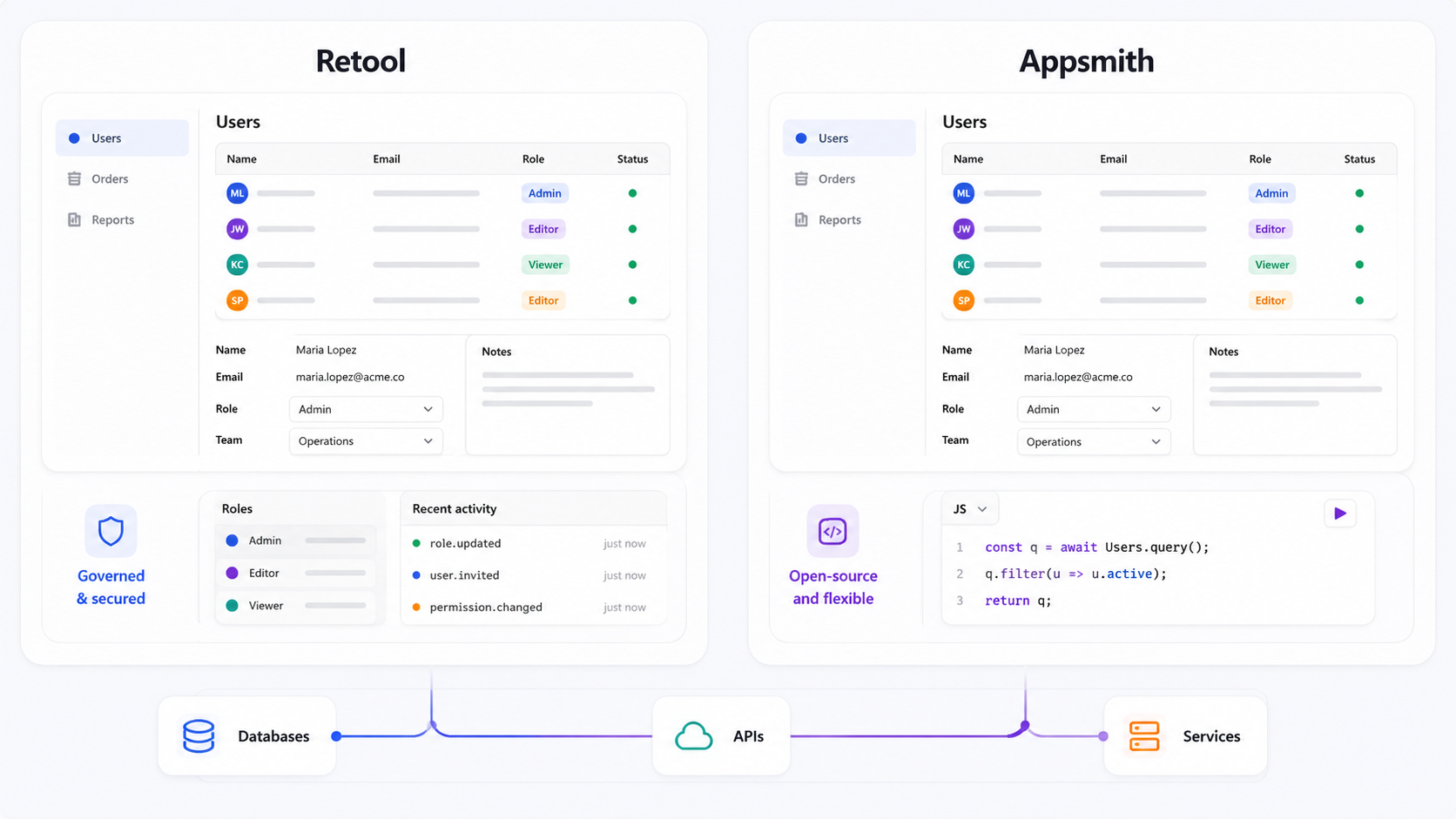
The headline takeaway: Retool offers more out-of-the-box enterprise readiness, while Appsmith gives you more freedom and lower entry costs - especially for self hosted solutions.
Data Layer and Integrations
For internal tools, the ability to connect to your existing data sources - databases, APIs, third party services - is non-negotiable. A platform with weak connectors forces you to write custom apis and middleware, slowing the entire development process.
Retool provides over 70 native integrations for databases and APIs, covering PostgreSQL, MySQL, SQL Server, MongoDB, DynamoDB, BigQuery, Snowflake, Redshift, Google Sheets, and more. It also ships with a built in database for lightweight data storage and managed file storage, which means you can prototype internal apps without provisioning external infrastructure. Retool offers connections to AI providers (OpenAI, Anthropic, Google Gemini) and includes schema browsing, query editors, and connection pooling.
Appsmith supports 25+ databases and any REST or GraphQL API. It handles the major SQL and NoSQL tools well, but its premium integrations - connectors for specific third party platforms - are gated behind Business and Enterprise plans. For teams that primarily work with standard databases and custom apis, Appsmith covers the essentials. But if you need deep, managed connectivity to data warehouses, SaaS platforms, or AI services without writing glue code, Retool's catalog is broader.
Both platforms can create custom CRMs and dashboards, and both let you write queries directly against connected data sources. Appsmith supports building admin panels and data collection tools with the same connector set.
Winner: Retool - Its integration count, built in database, and managed data layer features give it a clear edge for teams with diverse data source integrations. Appsmith is sufficient for standard database and API connectivity but requires more manual work for less common third party integrations.
Customization and Development Experience
How deeply you can customize your internal applications - and how pleasant the process is - directly affects long-term tool effectiveness and developer adoption.
Retool offers over 100 pre-built components for app development across its UI builder, including tables, charts, forms, modals, maps, and input controls. Retool allows importing custom React components for app customization, so teams already working in React can extend the platform naturally. Its visual development approach, combined with JavaScript for business logic, balances speed with flexibility. Retool is easier for developers due to its documentation, and it offers extensive third-party courses for learning. However, building outside what Retool supports may require workarounds - the core platform is proprietary, and deep deviations from its component model can be friction-heavy.
Appsmith provides a built-in Custom Widget feature for HTML, CSS, and JavaScript, giving technical users full control over every UI element. Appsmith allows extensive use of JavaScript for application logic, and you can import third party libraries freely. Its developer experience is more "code-first" - you're closer to the underlying HTML/CSS/JS, which gives you more power but demands more technical expertise. Appsmith has a Theme Editor for customizing UI colors and typography, and version control via Git with custom branches makes collaborative development workflows natural. Appsmith's learning curve is less steep than Retool's for developers comfortable with JavaScript, though Appsmith may require more configuration efforts for complex applications.
Both platforms support third-party libraries for enhanced functionality, and both require JavaScript knowledge for basic tasks. The trade-off is clear: Retool's component library is richer and more polished; Appsmith's approach gives you more raw control.
Winner: Appsmith for deep customization and developer control - its open-source codebase, custom widgets, and full JS/HTML/CSS access give developers more freedom. Retool wins on speed and polish - its pre built components and guided UI builder get you to a working app faster with less custom code. Choose based on whether your team values flexibility or velocity.
Security, Governance, and Auditability
Internal tools often handle sensitive operational data - customer records, financial information, infrastructure access. Enterprise grade security isn't optional; it's a requirement.
Retool features include audit logging and granular permission controls, with RBAC, SSO (SAML/OIDC), secrets management, multi-factor authentication, and workspace isolation available across Business and Enterprise plans. Retool is recommended for enterprise applications requiring robust security features, and its governance model enforces security policies by default - reducing the risk that someone builds retool apps without proper access controls. Both platforms are SOC 2 certified, but Retool's compliance posture (including GDPR) is more prominently documented and enforced at lower plan tiers. Retool is recognized for its strong enterprise governance and compliance.
Appsmith offers role based access control, SSO via OAuth and SAML, SCIM user provisioning, and audit logs - but these features are largely gated to Business and Enterprise tiers. Appsmith supports two factor authentication and claims SOC 2, HIPAA, and GDPR compliance in its commercial offerings. The air-gapped edition (Enterprise) addresses strict isolation requirements. However, governance in Appsmith is more configurable than automatic - you need to set up the right policies, especially in self-hosted deployments.
Both platforms support OAuth and SAML authentication. Both provide self-hosted deployment options for organizations that need data to stay within their virtual private cloud.
Winner: Retool - Its security features are more comprehensive at lower tiers, and governance is enforced by default rather than requiring manual configuration. Appsmith can achieve similar outcomes but needs more setup and higher-tier plans to match. For regulated industries, Retool's track record (used by enterprises like Brex and Adobe with reported zero security incidents across 100+ apps) provides additional confidence.
Deployment and Infrastructure
Deployment flexibility matters because organizations have vastly different requirements - from cloud-first startups to air-gapped government environments.
Both Retool and Appsmith offer self-hosted deployment options. Retool supports deployment on Docker, Kubernetes, AWS, and Azure, and also offers a cloud-hosted option and managed self-hosted infrastructure. However, a critical change as of 2025–2026: Retool now restricts self-hosting to its Enterprise plan for new customers. Retool imposes a 25-user limit for non-enterprise self hosting. Self-hosted Retool 4.0 requires Kubernetes with Helm charts, plus supporting services (agent sandbox, JS executor, MCP server), making the infrastructure overhead significant.
Appsmith can be self-hosted using Docker and Kubernetes across all tiers, including the free Community edition. Self-hosted Appsmith customers face no additional usage limits. Best practices for production recommend a t3.medium instance (sufficient for hundreds of users), separate node groups, and Kubernetes for high availability. Appsmith also offers an air-gapped edition and managed hosting on dedicated servers in its Enterprise plan.
For infrastructure costs, Appsmith shifts more responsibility to the user - you supply compute, storage, backups, and monitoring. Retool's Enterprise self-hosted option provides more packaged support but at a significantly higher price point.
Winner: Appsmith - Self hosting is available from the free tier up, with no user limits and lighter infrastructure requirements. Retool's restriction of self-hosting to Enterprise only is a significant constraint for teams that want on-premises deployment without enterprise-level spend.
Pricing Model and Total Cost of Ownership
Pricing structure can make or break platform economics as your team grows. The way each platform charges has material implications beyond the sticker price.
Retool's free plan allows up to 5 users, with 500 workflow runs/month and 5 GB each of database capacity and file storage. Paid plans start at $10/builder/month + $5/internal user on the Team plan, rising to $50/builder + $15/internal user on the Business plan. Retool charges $8 per external user per month. Enterprise pricing is custom. Retool is typically more expensive due to its per-user pricing model, and the builder-vs-user distinction can create unexpected cost escalation as adoption grows. Custom branding, portals, and embedding are Business plan and above features.
Appsmith's free plan includes unlimited apps for unlimited users (self-hosted) or up to 5 users on cloud. Appsmith's Business plan starts at $15 per user per month, adding unlimited workspaces, premium integrations, audit logs, and priority support. Appsmith's paid plans start at $40 per month for 100 hours of usage on certain workflow-based tiers. Enterprise runs approximately $2,500/month for 100 users, including SSO, SCIM, managed hosting, and the air-gapped edition. Appsmith is suited for startups looking for cost-effective solutions.
The total cost of ownership diverges further when you factor in self hosting infrastructure. Appsmith's free version lets you run production workloads on your own hardware with no license fee. Retool requires Enterprise-tier licensing for any self-hosted deployment, making the minimum self-hosted cost substantially higher.
Winner: Appsmith for cost-sensitive teams and smaller organizations - its free version is genuinely usable in production, and per-user costs scale more predictably. Retool may deliver better TCO for large enterprises that would otherwise spend engineering time building the integrations, governance, and workflow automation that Retool includes natively in its enterprise plan.
Production Readiness and Performance
A platform that works in demos but struggles under real workloads is a liability for business-critical internal tools.
Retool has invested heavily in production readiness, releasing Self-hosted Retool 4.0 with a rebuilt React-based app builder, real-time collaborative editing, agent sandboxing, and performance improvements. It's used in large enterprises to power 100+ internal applications, with query execution metadata, observability tooling, and staging-vs-production resource separation. Retool's workflow automation handles high-concurrency scenarios, and its integration with data warehouses (Snowflake, Redshift, BigQuery) supports heavy analytical workloads.
Appsmith is production-ready and used by many organizations - GSK reportedly built an app to patch 3,500 Linux servers in a single sprint, and HeyJobs claims to add new features 90% faster using the platform. Appsmith's self-hosting best practices provide operational guidance for HA setups, hardware sizing, and component separation. However, at very large scale or with complex UIs rendering large datasets, Appsmith may need more infrastructure tuning and custom optimization. The component library, while flexible, is less polished than Retool's for building web apps with complex multi screen apps.
Both platforms require JavaScript knowledge for basic tasks, and performance in both cases depends heavily on the underlying data sources and infrastructure.
Winner: Retool - Its enterprise track record, built-in observability, and recent 4.0 infrastructure improvements give it an edge for production workloads at scale. Appsmith is production-capable and performant for most use cases but places more infrastructure responsibility on your ops team.

Retool vs Appsmith: Which Should You Choose?
- Choose Retool if you're an enterprise or mid-large team with diverse data sources, need for strong governance and audit logs enforced by default, want the fastest path to building web apps with polished UI elements, and have the budget for per-user pricing. Retool is especially strong when you need extensive native integrations, workflow automation, and security features that satisfy compliance teams without extensive configuration.
- Choose Appsmith if your organization values open-source transparency, wants to self-host without enterprise-tier licensing, has developers comfortable with JavaScript and custom code, and prioritizes cost control over out-of-box polish. Appsmith is the clear choice for startups, budget-conscious teams, and organizations that want to avoid vendor lock-in. Appsmith emphasizes open-source benefits and avoiding vendor lock-in.
- Consider Jet Admin if neither platform fully fits. Jet Admin builds secure business apps on existing data - it connects to existing databases, APIs, spreadsheets, and SaaS tools, generates the interface and application/backend logic, then deploys the app to users. It's worth evaluating as a third option, particularly if you want a platform that combines visual development with production-grade deployment without the pricing complexity of Retool or the infrastructure overhead of self-hosted Appsmith.
There is no universal winner in the appsmith vs retool comparison. The right choice depends on your team's technical expertise, budget, compliance requirements, and how much control you want over the underlying stack.
Frequently Asked Questions
Can you migrate between Retool and Appsmith?
Migration between the two platforms is non-trivial. There is no automated tool that converts retool apps to Appsmith or vice versa. UI components, query logic, workflows, and custom components all require re-implementation. Your data layer (databases, APIs) can usually be reused since both platforms connect to the same data sources, but presentation logic, permissions, and governance configuration need manual mapping. Plan for a full rebuild of the front-end layer rather than a straightforward migration.
Which platform is better for large enterprises?
Retool is the stronger choice for large enterprises. Its additional features - enforced RBAC, audit logging with query metadata, SSO/SCIM, workspace isolation, and compliance certifications - are available and active at lower friction than Appsmith's equivalent features, which require Business or Enterprise tier upgrades and more manual configuration. Retool also has a deeper track record with enterprise customers in regulated industries. However, Appsmith's Enterprise plan can meet most enterprise requirements, particularly for organizations that prioritize open-source and self hosting.
How do self-hosting requirements compare?
Both platforms support self hosting via Docker and Kubernetes. Appsmith's self-hosted Community edition runs on a single t3.medium instance supporting hundreds of users, with no licensing cost and no usage limits. Retool's self-hosted option now requires an Enterprise plan, uses Kubernetes with Helm charts, and involves multiple services (agent sandbox, JS executor, etc.) - making infrastructure setup more complex and costly. If self hosting is a priority, Appsmith offers a significantly lower barrier to entry.
Which offers better long-term vendor lock-in protection?
Appsmith, as an open source solution under Apache 2.0, provides stronger protection against vendor lock-in. The source code is transparent, and community forks are possible. Retool is proprietary - once you're deeply embedded with its custom components, workflows, and core functionality, switching costs are high. That said, both platforms create some degree of lock-in through platform-specific UI logic and integrations; the key differences are in licensing and the ability to inspect or modify the platform itself.
Is either platform suitable for citizen developers or non-technical users?
Both platforms lean toward technical users rather than citizen developers. Both require JavaScript knowledge for basic tasks like writing queries, defining business logic, and configuring data transformations. Retool's more polished drag and drop UI builder and pre built components make it somewhat more accessible to semi-technical users, while Appsmith's code-first approach is better suited to developers comfortable with JavaScript and version control. Neither is a true no code platform.
Can these platforms handle external users and customer-facing apps?
Yes, with caveats. Retool supports external users through portals and embedded apps, charging $8 per external user per month on eligible plans. Appsmith offers private app embedding in its Enterprise tier. Both platforms were designed primarily for creating internal tools rather than building web apps for public-facing use, so while customer-facing use cases are possible, they may involve minor variations in branding, authentication, and performance optimization compared to purpose-built front-end frameworks.
Evaluating more options beyond Retool and Appsmith? Jet Admin lets you build secure internal applications on your existing data sources - try it free to see how it compares.