
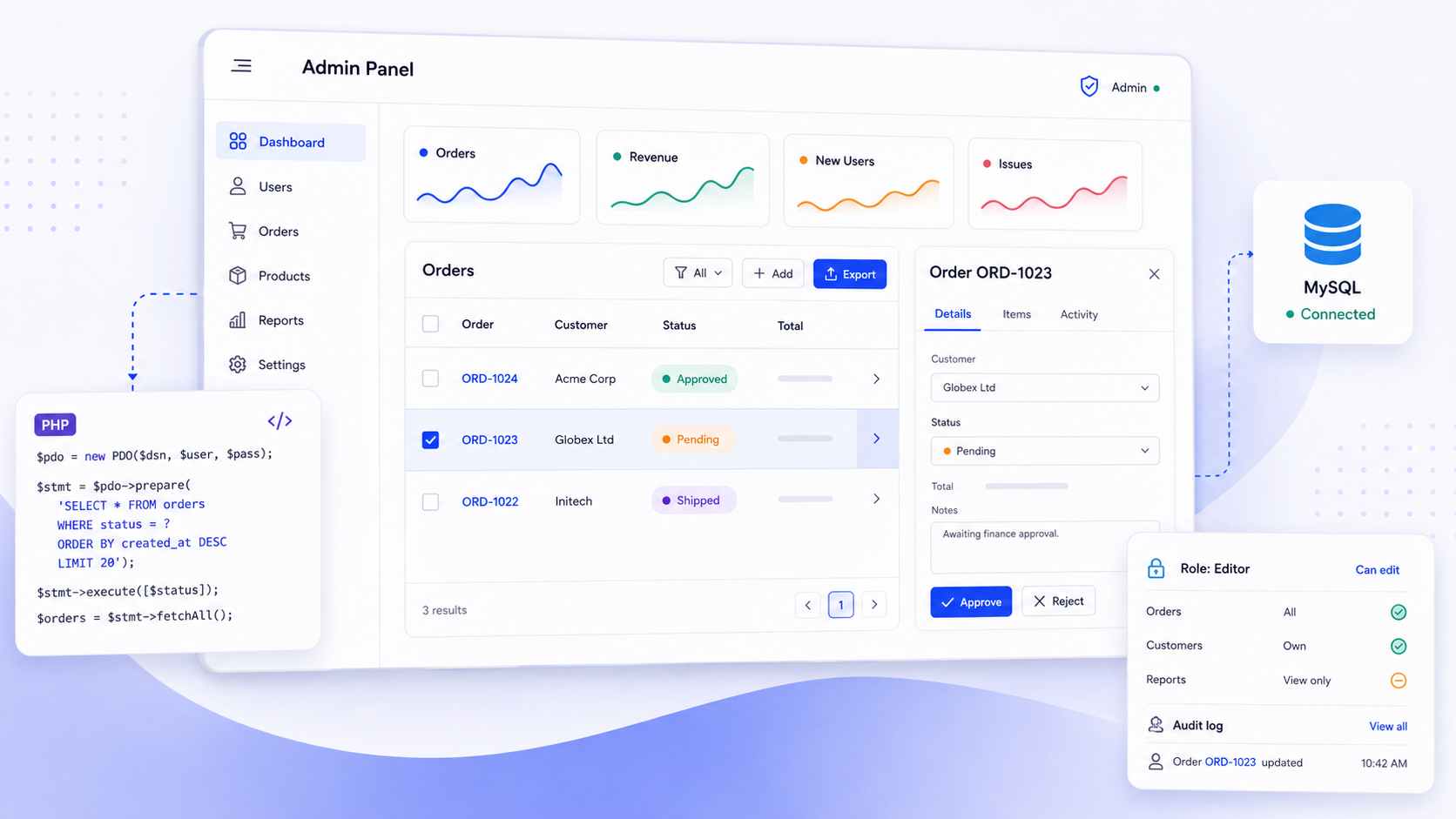
A production php admin panel is more than a database browser. It is a governed web application that lets non-engineers safely manage operational data, enforce business rules, and maintain audit trails. Whether you build one from scratch, start from a template, or connect a platform like Jet Admin to your existing PHP backend, the architecture decisions you make now determine how well it holds up in 2026 and beyond.
Key Takeaways
- A modern php admin panel is an internal web application for managing databases, users, orders, and content through a governed admin dashboard, not a raw SQL tool like phpMyAdmin.
- Three practical approaches exist: building custom code in Laravel or Symfony, starting from a pre-built template, or using a platform like Jet Admin that connects to your existing database and APIs.
- Core architecture must cover data connections, CRUD flows, validation, authentication, roles and permissions, audit logs, and deployment practices.
- Jet Admin can connect to MySQL, PostgreSQL, and dozens of other sources, then add role-based access down to rows and columns, audit trails, and drag-and-drop UI without rewriting your PHP backend.
- Start with the smallest viable set of entities and iterate rather than waiting for a perfect first release.
What a PHP Admin Panel Is (and How It Differs from phpMyAdmin)
A php admin panel is an internal web application, typically running on a LAMP or LEMP stack, that lets support teams, operations staff, finance, and content editors safely manage operational data like orders, users, payments, and content. Dashboard features in admin panels provide quick overviews and key metrics such as revenue, active users, or open tickets. PHP admin panels often include user management and content management features alongside search and filtering functionalities that are crucial for data handling.
Many people find phpMyAdmin when searching for this topic. phpMyAdmin is a free software tool written in PHP for low-level MySQL and MariaDB administration. It supports operations like managing databases and executing SQL commands, is translated into 96 languages for global accessibility, and remains a popular tool for web hosting services. But it is designed for DBAs and developers, not for business users who need domain-level abstractions, governed access, or audit trails.
The target architecture looks like this:
- Backend: PHP framework (Laravel, Symfony, CodeIgniter, or custom) running on PHP 8.x
- Database: MySQL, MariaDB, PostgreSQL, or similar
- Admin UI: server-rendered views, an SPA frontend, or an external tool like Jet Admin connected via SQL or API
- Users: support agents, ops teams, finance, on-call engineers who need safe, audited access instead of raw SQL or SSH
Planning the Architecture and Scope of Your PHP Admin Panel
Consider a concrete example: an online store running on PHP 8.2 with MySQL 8 needs an internal admin dashboard for orders, products, customers, and refunds by Q4 2026. A well-designed admin panel must be scalable and user-friendly from day one, and responsive design is important so it works across all devices.
Core modules most admin panels share:
- Authentication area and dashboard home page
- CRUD screens for key entities (products, orders, customers)
- Search, filtering, and bulk operations
- Data visualization tools that enhance analytics capabilities
- Activity log for accountability
Constraints that should influence your architecture include data sensitivity (PII, payment info), regional regulations like GDPR, team size, release cadence, and whether you already expose a public API. Common features of PHP admin panels include dashboards and data analytics that give people a good look at what matters.
You have two structural choices. A monolithic admin inside your main PHP app reuses existing services and models. A separate admin app, or a platform like Jet Admin, gives isolation and lets non-developers customize views without touching customer-facing code.
Connecting Your PHP Admin Panel to Data Sources
For custom PHP builds, the baseline is direct database access with PDO, Doctrine, or Eloquent talking to MySQL, MariaDB, or PostgreSQL. Make sure your database indexes are optimized for the complex queries your admin will run, including any stored procedures you rely on. Some admin panels also need to handle edge cases like displaying blob data or binary files stored alongside relational records. Using phpMyAdmin or a QBE (query-by-example) tool like Adminer is fine for development-time DB inspection, but neither should serve as the primary production admin panel for business users.
Hybrid architectures are common. Some data lives in SQL (orders, users, relations between entities) while other data comes from REST or GraphQL APIs, whether that is a payment gateway like Stripe, a ticketing system, or even a Google Maps geocoding service.
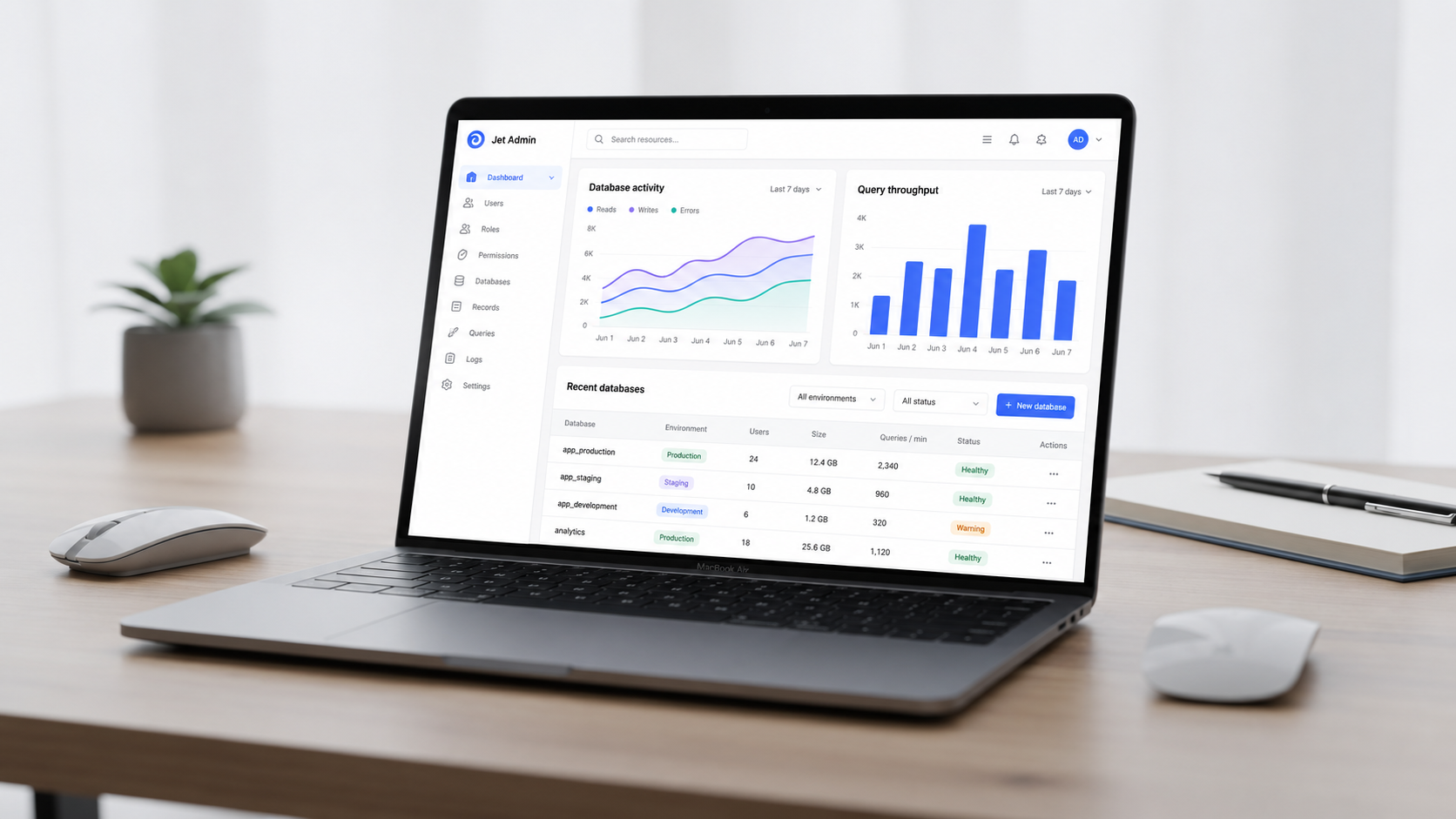
Jet Admin's integrations catalog connects directly to databases like MySQL, PostgreSQL, MariaDB, SQL Server, and warehouses such as BigQuery and Snowflake, plus REST, GraphQL, and OpenAPI endpoints. For teams that need self-hosted data connectivity, Jet Bridge is an open-source Python service you install next to your database. Data transfers directly from the Bridge to the browser, so Jet Admin never accesses your database directly.
Approach | Data access | Setup time | Control |
|---|---|---|---|
Custom PHP (PDO/Eloquent) | Direct DB | Weeks–months | Full |
Template + custom backend | Direct DB | Days–weeks | High |
Jet Admin (+ Jet Bridge) | Via connector/Bridge | Hours–days | Configured |
Implementing CRUD, Validation, and Business Logic
CRUD operations are central to most php admin panels: list views with pagination, read-only detail pages, create and update forms with validation, and soft or hard deletes with safeguards like confirmation modals and dependency checks. Search and filtering functionalities remain crucial for handling data at scale.
In Laravel, controllers or actions call services and repositories. Form requests handle server-side validation, and policies enforce access. Frameworks like Laravel are commonly used for building PHP admin panels precisely because these patterns are built in. The same applies to Symfony, where EasyAdminBundle allows CRUD setup in minutes with Symfony projects.
Align admin-side validation with public-facing flows. If your storefront enforces inventory limits or discount caps, your admin panel must respect the same invariants. Put side effects like sending emails or calling payment APIs into service classes or event queues rather than cramming them into controllers.
Jet Admin can generate CRUD interfaces automatically on connected tables. Its drag-and-drop components, including tables, forms, charts, buttons, and modals, let you assemble screens visually. The Data Editor supports spreadsheet-like editing with write-back to the source, and you can configure custom actions and widgets that call your PHP backend's API endpoints. For risky actions like refunds, add review steps, confirmation elements, and validation error messages that surface backend rules clearly.
Authentication, Roles, and Audit Logs for a Governed Admin Experience
Governance is non-negotiable. Least-privilege access, compliance requirements, and the need to investigate incidents with precise audit trails are things every production admin panel must address. According to a 2025 Laravel developer survey, about 67% of Laravel developers build custom admin panels, which means most teams are also rolling their own auth and RBAC, with all the risk that implies.
Typical authentication setups in PHP apps include session-based login where the system is performing security verification on each request, JWT for SPAs, and enterprise SSO via SAML or OIDC providers. Once security verification is complete and verification successful, a session or token is issued. Use PHP functions like password_hash for secure credential storage, enforce HTTPS, and set secure cookie flags. Common security practices include preventing SQL injection and XSS attacks through parameterized queries and output escaping. Secure coding practices are essential in PHP admin panel development.
Role-Based Access Control is a best practice for PHP admin panels. Design roles like Support, Ops, Finance, and Admin, each mapped to specific capabilities. A team member in support might edit customer records but never export PII. Model permissions as database records, not hardcoded conditionals.
Admin panels often implement audit logging to track administrative actions. Activity logging is important for accountability. Capture who performed what action, when, from which IP, and the before-and-after values for sensitive columns. Store logs in append-only tables or an external log system.
Jet Admin's governance layer provides role-based access control down to column, row, and action level, SSO/SAML/SCIM integration for user lifecycle management, audit logs of every user action, and multi-tenant options for complex organizations.
Choosing Between Custom Code, Templates, and Platforms Like Jet Admin
Three paths exist as of 2026:
Custom PHP build. Full control, no vendor dependency, and a unique fit to your domain. But you are building CRUD, auth, RBAC, audit logs, and every UI screen from scratch. Expect months of engineering time plus ongoing maintenance.
Pre-built templates. Tools like AdminLTE can speed up admin panel implementation. PHP Admin Panel is a lightweight, ready-to-extend starter that uses PHP, Bootstrap 5, and AdminLTE 3. Its sidebar menu is defined in a single PHP array, automatic breadcrumbs resolve the current page state, and it includes a SweetAlert2 logout confirmation. The project is open-source under the MIT License. Templates often use Sass for styling customization. They handle layout, buttons, and components but you still implement all backend logic yourself.
Frameworks with admin packages. Laravel Nova is a premium admin panel package designed for integration with Laravel. Filament is a popular open-source admin panel for Laravel built on the TALL stack. Backpack for Laravel simplifies CRUD admin panel creation. EasyAdmin is a popular choice for Symfony projects needing admin interfaces. These packages give you a head start but can constrain you when you step outside their conventions.
Platform (Jet Admin). Connect your MySQL or PostgreSQL database from the supported catalog, let Jet infer tables and relations, then use drag-and-drop to assemble an admin dashboard. Actions wire to SQL queries or API calls. Non-developers can share and customize dashboards. You can check and edit data without writing code.
Criterion | Custom | Template/Package | Jet Admin |
|---|---|---|---|
Time to first version | Months | Weeks | Days |
Customization depth | Unlimited | High | Configured |
Governance built-in | You build it | Partial | Yes |
Maintenance burden | High | Medium | Low |
Non-dev configurability | None | None | Yes |
Deploying, Testing, and Maintaining Your PHP Admin Panel
Use separate environments for dev, staging, and production. Restrict production admin access via IP allow-listing or VPN. Deploy containerized or on managed platforms, and protect the admin domain behind TLS everywhere.
CI/CD checklist for your admin panel:
- Automated tests covering login, CRUD, and RBAC for core admin flows
- Database migrations versioned and applied automatically
- Smoke tests confirming key admin pages load after each post-deploy
- Rate limiting on login endpoints to block malicious bots and any bot trying brute-force attempts
- A WAF or CDN as a security service in front of your admin domain, where error pages may include a respond ray id for debugging
- Regular dependency updates and error tracking with observability tools
With Jet Admin, the UI layer is hosted in the cloud (or self-hosted via Jet Bridge), and you manage your database. Non-developers can evolve layouts, filters, and workflows from the Jet interface while engineers focus on core business logic. This separation means you learn to trust the platform for UI stuff while your code handles the world of domain invariants.
I hope this gives you a blueprint you can adapt. The bit that matters most is starting small, shipping something useful, and iterating.
If you want to see how Jet Admin connects to your existing PHP database, explore the admin panel page and try it on a staging database first.

FAQ
Can I keep my existing PHP backend and only replace the admin UI?
Yes. In most cases you do not need to rewrite your Laravel, Symfony, or custom PHP app. You can connect Jet Admin directly to your production database or to REST and GraphQL endpoints your PHP app already exposes. Using Jet Bridge lets you keep data on your infrastructure while using Jet's SaaS UI. This is often the lowest-risk way to modernize a legacy admin without touching customer-facing code, and you can find the setup details in the Jet Bridge repo.
Is it safe to use phpMyAdmin as my main admin panel in production?
phpMyAdmin is a mature, widely used free software tool, but it is designed for database administration, not as a governed business admin panel. Non-technical staff could accidentally run destructive SQL, and it lacks domain-level permissions or audit logs. Restrict phpMyAdmin to tightly controlled networks or development environments. Build a separate admin dashboard with RBAC and activity logging for day-to-day operations.
How do roles and permissions work when mixing a PHP app and Jet Admin?
Two patterns work well. First, map existing app roles to Jet roles via SSO, SAML, or SCIM so a single identity provider governs both systems. Second, manage more granular roles directly inside Jet Admin for admin-only users. Either way, design a unified permission model conceptually, for example, "Support can read users but not export PII," even if it is technically enforced partly in PHP and partly in Jet's RBAC engine.
Can non-developers safely build or change admin panels?
In fully custom PHP builds, changing admin features requires code changes and deployments, so only engineers should do it. With Jet Admin's drag-and-drop UI, operations or data teams can easily add filters, tweak displayed tables, or build new views on governed data sources. Engineers define guarded data models, critical workflows, and API endpoints while business users configure the presentation layer.
What's a realistic timeline to ship a production-ready PHP admin panel?
Expect several weeks to months for a robust custom build covering CRUD, auth, RBAC, and audit logs. Using a framework package like Filament or Backpack shortens that a bit. With Jet Admin on top of an existing database, teams often stand up a first governed version in days. Start with the smallest viable set of entities and workflows, such as users and orders, and iterate from there rather than attempting a perfect admin panel in a single release cycle.