
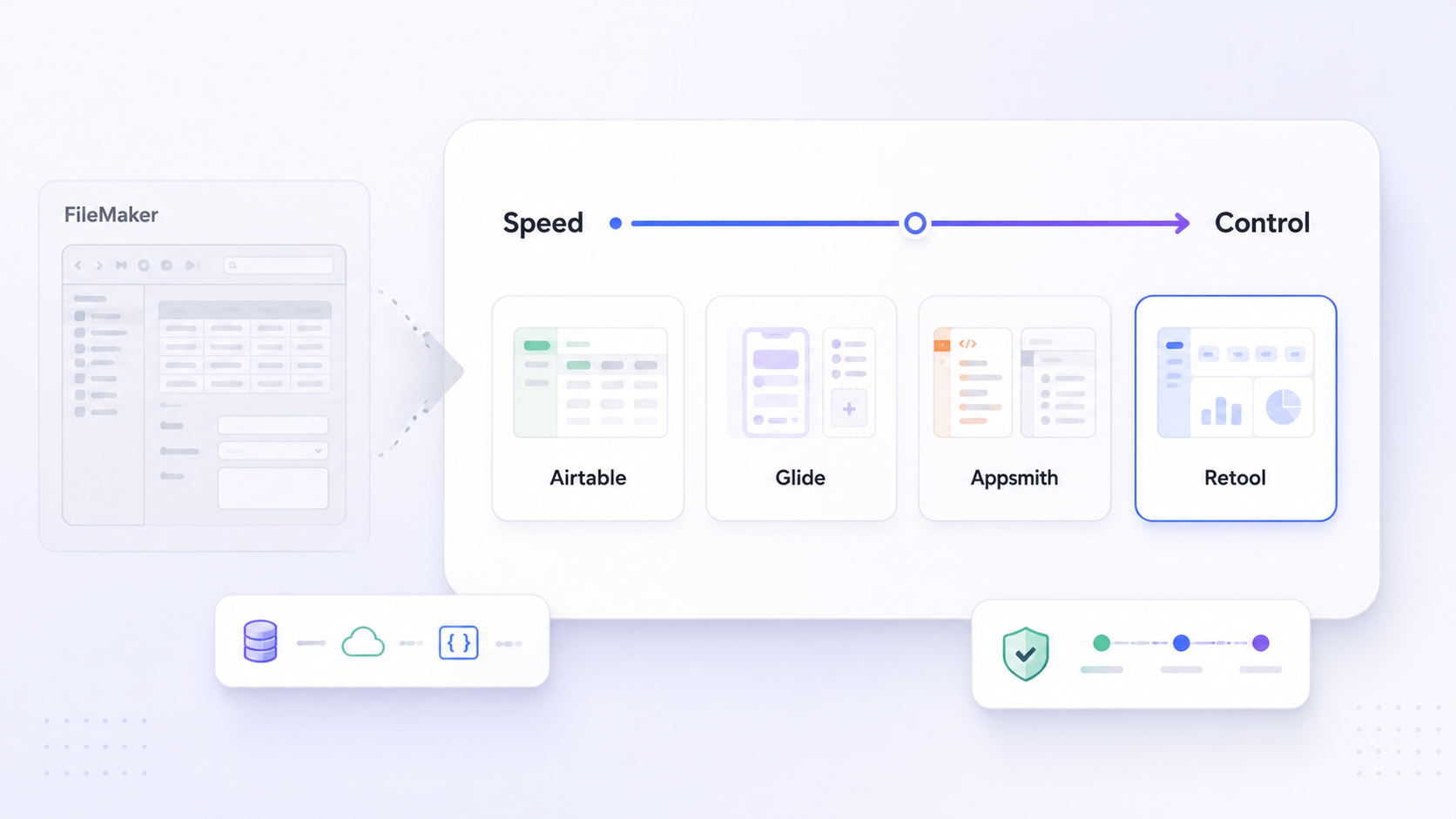
Teams that built their operations on FileMaker Pro years ago are now hitting ceilings in scalability, web and mobile access, and modern integrations. If you're evaluating filemaker alternatives in 2026, the good news is that the low-code and no-code market has matured significantly. This article breaks down how to structure your evaluation, compares the leading platforms side by side, and gives you a reusable checklist for migration decisions.
Key Takeaways
In 2026, teams outgrow Claris FileMaker because they need cloud-native scalability, modern web app and mobile experiences, richer integration capabilities with SaaS tools, and stronger governance. FileMaker's architecture is suitable for small to medium databases but struggles with thousands of concurrent users. Newer platforms now offer viable paths forward across every use case.
- Airtable - best for spreadsheet-first teams wanting simple relational cloud databases
- Zoho Creator - best for teams already invested in the Zoho ecosystem
- Caspio - best for customer-facing web apps with unlimited users
- Retool - best for developer-led internal tool building on existing databases
- Microsoft Power Apps - best for organizations in the Microsoft stack
- Google AppSheet - best for Google Workspace-centric mobile and field apps
- Ninox - best for cross-platform relational database apps with offline needs
- Jet Admin - best for data-centric business apps built on existing databases, APIs, and SaaS tools
- Budibase - best as an open source option for self-hosted internal tools
- Quickbase - best for enterprise workflows and compliance at scale
Evaluation should be structured around concrete criteria: build speed, data connectivity, extensibility, auth and permissions, deployment, governance, pricing model, and maintenance burden. Staying on FileMaker still makes sense for small, stable, desktop-centric workloads-but migration becomes urgent with older versions, security gaps, or growing mobile and web needs. The article ends with a practical migration and selection checklist you can reuse in internal discussions.
What Is FileMaker Pro in 2026, and Why Teams Look for Alternatives
FileMaker Pro, now branded as Claris FileMaker, is a low-code database management and app development platform with over 40 years of history. It supports custom applications across Windows, Mac, iOS (via FileMaker Go), and browser access through FileMaker WebDirect. Shared deployment runs on FileMaker Server or Claris FileMaker Cloud. Common use cases include internal business apps: CRM-like systems, inventory tracking, project management, invoicing, and custom line-of-business tools built around structured data management.
FileMaker is known for its user-friendly interface and remains a solid fit for small teams with stable business processes, primarily desktop users, moderate data volumes, and limited need for customer-facing web apps. Its relational modeling, scripting, and layout tools can still outperform lighter tools for complex logic.
But the pain points are real. FileMaker's licensing model gets expensive for larger teams. Its scripting language, while powerful, is aging-non-technical users often struggle with it, and it requires technical expertise for effective application development. The platform has limited native integrations with modern SaaS tools, lacks native Android support for mobile applications, and its cloud functionalities are limited compared to competitors. FileMaker's performance can degrade with complex data sets, and it struggles with thousands of concurrent users. Teams running older versions face security, performance, and compatibility risks with current operating systems and browsers.
How to Evaluate FileMaker Alternatives: Criteria That Matter in 2026
Before comparing vendors, lock in your evaluation criteria. Choosing a platform based on a single feature or slick marketing leads to expensive re-evaluations later. No-code and low-code platforms enable users to build applications without traditional coding, but the depth varies enormously.
Here are the criteria that matter most in 2026:
- Build speed - How fast can you go from idea to working app? Evaluate visual builders, pre built templates, AI-assist features, and the learning curve for both non technical users and developers. FileMaker's learning curve is steeper than many no-code platforms, so test this directly.
- Data connectivity - Does the platform support live connections to databases, APIs, spreadsheets like Google Sheets, and SaaS tools? Imports versus live links have very different implications for data management strategies.
- Extensibility - Can you drop down to custom code (JavaScript, Python) when drag and drop logic isn't enough? Can you call external APIs, run serverless functions, or embed apps in other systems?
- Auth/permissions and governance - Does it offer SSO, granular role-based access controls, audit logs, and environment management (dev/stage/prod)? These are baseline requirements for data security in regulated industries.
- Deployment options - Fully cloud based, self hosting/VPC, or hybrid? Regulated industries and data residency rules often dictate this.
- Governance and compliance - Beyond permissions: does the platform support change management, version history, disaster recovery?
- Pricing model - Per user, per creator, unlimited users, consumption-based, or freemium? Small differences in pricing structure create large differences in total cost at scale.
- Maintenance overhead - Who manages infrastructure, backups, upgrades? What's the dependency on specialized consultants versus in-house skills?
The rest of this article evaluates alternatives against these criteria, without relying on vague claims about unparalleled features.
At-a-Glance Comparison of Leading FileMaker Alternatives
This table summarizes core differences between major filemaker alternatives so you can shortlist quickly. Use it to identify three or four platforms aligned with your stack, then read the detailed sections below.
Platform | Best For | Data Connectivity | Extensibility | Auth/Permissions | Deployment | Pricing Model | Typical Team Size |
|---|---|---|---|---|---|---|---|
Airtable | Spreadsheet-first teams | REST API, native integrations | Scripts, automations, extensions | Workspace-level roles | Cloud only | Free tier + per user plans | Small–medium |
Zoho Creator | Zoho ecosystem users | Zoho apps, REST, databases | Deluge scripting, custom functions | Role-based, Zoho SSO | Cloud | Per user/month | Small–medium |
Caspio | Customer-facing web apps | SQL databases, REST, cloud storage | Triggered actions, SQL, JavaScript | Granular row-level, SSO | Cloud | Per app/plan, unlimited end users | Medium–large |
Knack | Simple database-driven apps | REST API, Zapier, integrations | Rules engine, limited code | Role-based, record-level | Cloud | Flat monthly plans | Small–medium |
Retool | Developer-built internal tools | Databases, REST, GraphQL, SaaS | JavaScript, custom components | SSO, RBAC, audit logs | Cloud or self-hosted | Per user/month tiers | Medium–large |
Microsoft Power Apps | Microsoft stack orgs | Dataverse, SQL, 400+ connectors | Power Fx, Azure Functions | Azure AD, Entra, DLP policies | Cloud (Azure) | Per user or per app | Medium–enterprise |
Google AppSheet | Google Workspace teams | Sheets, Cloud SQL, REST | Bot automations, expressions | Google Workspace security | Cloud | Per user/month | Small–medium |
Ninox | Cross-platform relational DB apps | REST API, built-in database | Ninox scripting, triggers | Role-based, team management | Cloud or on-premises | Per user/month | Small–medium |
Budibase | Self-hosted internal tools | PostgreSQL, MySQL, REST, MongoDB | JavaScript, custom queries | RBAC, SSO options | Self-hosted or cloud | Free (open source) + paid tiers | Small–medium |
Quickbase | Enterprise workflow apps | REST API, Pipelines, connectors | Quickbase Pipelines, code pages | SSO, RBAC, audit logs | Cloud | Per user/month, enterprise plans | Medium–enterprise |
TrackVia | Operational field workflows | REST API, integrations | Workflow engine, limited code | Role-based, SSO | Cloud | Custom pricing | Medium–large |
Jet Admin | Data-centric business apps on existing systems | PostgreSQL, MySQL, MongoDB, BigQuery, Snowflake, REST, GraphQL, Google Sheets, Airtable, SaaS tools | JavaScript, Python, workflows, actions | RBAC, OAuth/OIDC, SSO | Cloud | Tiered plans | Small–enterprise |
Identify the three or four platforms that match your existing data sources, team size, and deployment requirements, then dive into the detailed sections below.

When Staying on FileMaker Still Makes Sense
Not every organization needs to abandon FileMaker. In some cases, it remains the pragmatic choice.
FileMaker Pro works well when your team is small (under 50 users), business processes are stable, most work happens on desktop, and you have limited need for external users or customer-facing apps. FileMaker 2023 aims to improve scalability for larger teams, and the 2026 release adds disaster recovery, standby servers, and improved WebDirect accessibility. If your team already has in-house FileMaker expertise, its relational modeling and layout tools can still outperform lighter no-code tools for complex logic.
However, watch for these red flags where staying becomes risky:
- Frequent downtime or performance degradation as data volume grows
- Users demanding mobile or remote access beyond what FileMaker WebDirect delivers
- Auditors questioning your data security posture on older versions
- Dependence on a single consultant for all development and maintenance
- Inability to integrate with newer platforms and SaaS tools your business relies on
Cloud-Based and SaaS-First FileMaker Alternatives
If your team wants browser-based apps, remote access, and minimal infrastructure management, fully cloud based solutions are the natural starting point.
Airtable is best for spreadsheet-first teams. Airtable is known for its spreadsheet-like interface with strong relational database capabilities. It combines spreadsheet simplicity with relational database power, offering a simpler interface for non-technical users than FileMaker. Airtable offers a free version with 1,000 records per base, while paid plans range from $20 to $45 per user per month, billed annually. Real-time collaboration and a rich template gallery make it fast to prototype, but deep custom logic and fine-grained access controls are limited compared to FileMaker's scripting model. It works best for small to medium sized businesses with moderate data complexity.
Caspio is best for data-heavy customer-facing web apps. Caspio allows app creation with intuitive point-and-click tools, and critically, Caspio supports unlimited users without license fees-a major advantage for apps serving external users or partner portals. Caspio allows unlimited users without additional license fees, making it cost-effective at scale. Caspio pricing starts at $100 per month for the Lite plan. Limitations include less control over low-level UI and limited offline or desktop client support.
Knack is a cloud-based platform designed specifically for database-driven applications. It's lightweight, easy to learn, and well-suited for forms, public views, and simple workflows. Knack offers a 14-day free trial for its services, and paid plans start at $59 per month for unlimited users. The trade-off: Knack can feel limiting when logic gets complex or you're dealing with large datasets.
Quickbase targets enterprise workflows with strong automation capabilities, compliance features, and governance. It handles many users well and supports complex business processes, but costs scale with user count and enterprise plans carry premium pricing.
TrackVia serves operational and field workflows, with custom pricing and solid mobile support, though it offers fewer visual design freedoms than some competitors.
Most of these tools expose REST or native connectors, which is critical for integrating into modern SaaS ecosystems-something FileMaker has limited native integrations for.
Low-Code App Development Platforms for Internal Tools
Many teams moving away from FileMaker aren't replacing a database-they're building internal tools that sit on top of existing databases and APIs. These low code platforms focus squarely on that use case.
Retool is aimed at developers building internal tools on existing databases. Retool prioritizes a visual-first approach for internal tool development, letting developers connect to PostgreSQL, MySQL, MongoDB, REST APIs, and more, then assemble UIs with drag and drop components. Retool's paid plans range from $5 to $50 per user per month depending on feature tier. It's powerful but assumes coding required for anything beyond basic workflows-non technical users will need support.
Microsoft Power Apps is the natural fit for organizations already running Microsoft 365. Deep integration with Azure AD handles authentication and permissions at the enterprise level. Power Apps can connect to Dataverse, SQL Server, and hundreds of connectors. The learning curve for complex data models is real, but for Microsoft-heavy shops, governance and security come largely pre-configured. It supports web and mobile deployment across multiple users without additional infrastructure.
Google AppSheet serves a similar role for Google Workspace teams. It reads from Google Sheets, Cloud SQL, and external APIs to produce mobile and web apps. AppSheet works well for field-use apps and quick internal tools, though it's less flexible for software with complex relational logic.
Superblocks allows app generation using AI prompts, which can speed up initial builds, though the platform is newer and less battle-tested for complex production workloads.
App development on these platforms usually involves some learning curve when working with custom data models or integrating multiple services, but can significantly outpace building equivalent experiences in FileMaker for web and mobile use.

Database-First Low-Code Alternatives Similar to FileMaker
Some platforms, like FileMaker Pro, start from a database-centric model and layer UI and app logic on top. This makes them intuitive for teams used to thinking in tables, relationships, and layouts. Relational databases support structured data organization and relationships, and these tools preserve that model.
Ninox is recognized for flexible relational structures and custom layout configuration. It supports large tables, browser and desktop clients, scripting, and some offline capabilities. Its learning curve compares favorably to FileMaker for non technical users, though its automation capabilities and ecosystem are smaller. Ninox is a strong choice for teams needing on-premises deployment or strict data residency.
Zoho Creator is a no-code platform suitable for building business applications, with pricing that starts at $8 per user per month. Zoho Creator integrates seamlessly with other Zoho applications (CRM, Books, Desk), making it a natural extension for teams already in the Zoho ecosystem. Zoho Creator pricing starts at $8 per user per month, which undercuts FileMaker for many team sizes. The trade-off is potential vendor lock-in if your stack becomes deeply tied to Zoho.
Custom layouts and user permissions are important features for database transitions. When evaluating these platforms, compare their approaches to schema management, relational modeling, and automation tools (triggers, workflows, scripts) against what you currently use in FileMaker. Microsoft Access remains a powerful desktop-oriented relational database system, but it lacks meaningful web or cloud capabilities and is not a viable path forward for teams needing remote access or scalability.
Open-Source and Self-Hosted FileMaker Alternatives
Some teams prefer open-source or self-hosted tools for control over data, on-premises deployment, avoiding per user pricing, or meeting specific governance and compliance rules.
Budibase is an open-source platform that supports on-premise hosting. It connects to PostgreSQL, MySQL, MongoDB, REST APIs, and more. The self hosting model gives you full control over infrastructure and data residency, which appeals to organizations replacing older FileMaker Server instances. The trade-off is real: you need DevOps skills, responsibility for backups and security patches, and the hidden total cost of ownership can approach or exceed paid SaaS solutions if your team lacks infrastructure experience.
NocoDB provides a spreadsheet-like interface over SQL databases with no vendor lock-in. Baserow offers an open-source interface for managing relational data with self-hosting options. Both are lighter-weight than Budibase but trade functionality for simplicity.
Open-source databases like PostgreSQL provide industry-standard SQL and scalability, and these front-end tools can sit on top of them. Open-source tools can also pair well with commercial offerings-for example, building APIs with open-source frameworks and connecting them to a low-code front-end-offering a hybrid path away from FileMaker.
Jet Admin as a FileMaker Alternative for Data-Centric Business Apps
Jet Admin is a low-code platform for building secure business apps on top of existing data sources. It's one credible filemaker alternative among others, positioned for teams that already have their data in databases, APIs, or SaaS tools and want to build web apps without migrating everything to a new computer or system.
Jet Admin connects to existing databases including PostgreSQL, MySQL, MongoDB, BigQuery, Snowflake, Microsoft SQL, Oracle, and SQLite. It also supports spreadsheets like Google Sheets and Airtable, and a wide range of SaaS tools and APIs-Salesforce, Stripe, HubSpot, Slack, Twilio, and dozens more (see all supported Jet Admin integrations). This means you can create unified views across multiple data sources without full data migrations.
The app development model uses a visual UI builder with drag and drop components (tables, forms, charts, modals), plus 30+ automation blocks, triggers via webhooks, and scheduled jobs. This impacts build speed favorably for mixed teams of technical and non technical users-developers can drop into JavaScript or Python when needed, while business users can modify layouts and workflows visually.
For governance and security, Jet Admin provides role-based access controls, authentication integrations via OAuth, OIDC, and popular SSO providers, and the ability to manage which users can see and act on specific data. This covers the access controls and data security requirements that many teams find lacking in older FileMaker setups.
Compared to FileMaker, Jet Admin is a better fit when you want cloud based web apps over existing databases and APIs, cleaner integration with modern SaaS tools, and less friction connecting to multiple systems. However, organizations deeply invested in complex FileMaker scripts and custom database applications may need a structured migration plan rather than a lift-and-shift.
Cost, Licensing, and Long-Term Maintenance: FileMaker vs Alternatives
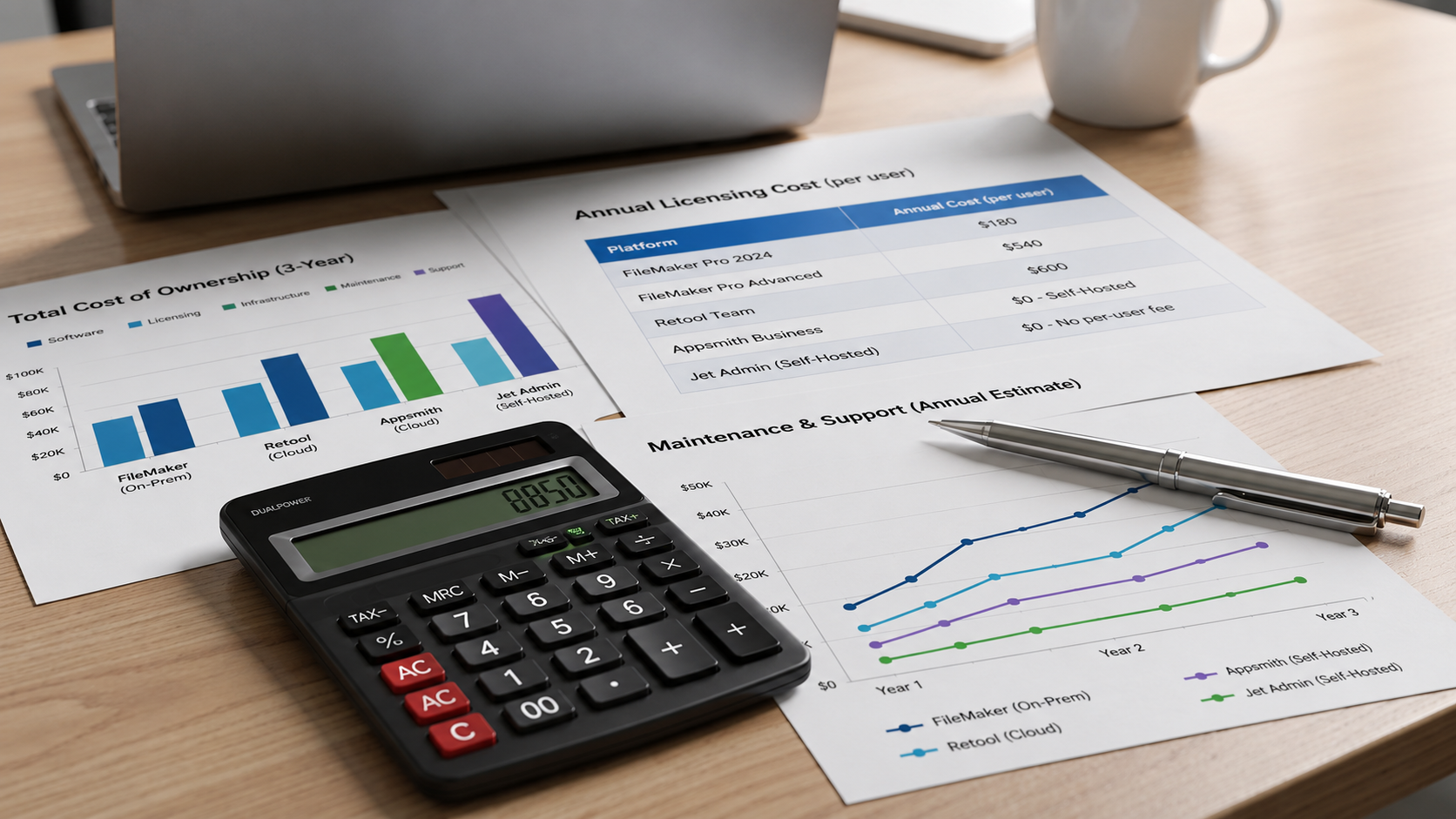
Pricing model differences between FileMaker and its alternatives can significantly affect your total cost of ownership over three to five years.
FileMaker Cloud Essentials costs $22 per user per month with minimum user counts of five. FileMaker's pricing can be expensive for small teams, and costs scale linearly with user count. On-premises licensing adds infrastructure and maintenance overhead. For teams with many light or external users, this per user model becomes prohibitive quickly.
Many cloud based solutions use different models. Caspio supports unlimited users without license fees, charging by app or plan instead. Airtable and Zoho Creator use per user models but at lower price points. Some platforms offer per-creator pricing where only builders pay, while viewers or end users access apps for free or at reduced rates-ideal for partner portals or customer-facing apps.
Total cost of ownership extends beyond license fees:
- Infrastructure and hosting (especially for self hosting or FileMaker Server on-premises)
- Admin time for upgrades, backups, and disaster recovery
- Training for non technical users adapting to a new computer environment or platform
- Dependency on specialized FileMaker consultants versus more widely available web developers
- Ongoing maintenance of custom logic, scripts, and database structures
To evaluate costs properly: map your known users and usage patterns, forecast growth, estimate support and maintenance resources, and run a three-to-five-year TCO comparison for your shortlisted platforms.
Migration Strategy: Moving from FileMaker to a Modern Platform
Moving away from FileMaker-especially from older versions where security patches have lapsed and support is limited-requires a structured approach.
A phased migration works best. Start with discovery: audit existing FileMaker apps, document data models, scripts, relationships, and integrations. Identify which apps are critical versus which can be retired. Then prioritize: rank apps by business impact, complexity, and risk of staying on the current system.
Next, select your target platform and run a proof of concept on a contained but representative workflow. This validates build speed, data connectivity, permissions, and the learning curve before committing resources. Then move to a staged rollout: migrate one app at a time, run new and old systems in parallel during transition, and collect user feedback continuously.
Common migration patterns include rebuilding the UI in a low-code platform while keeping data in the same or a new database, exposing FileMaker data via APIs during transition, and gradually redirecting users to the new web app. For data management, plan carefully: export from FileMaker, transform schemas to match the new platform, preserve referential integrity, and test data quality before go-live.
Don't underestimate change management. Moving non technical users from a desktop layout model to a browser-based experience takes training and patience, especially for teams accustomed to FileMaker's tailored solutions. Use the checklist in the next section to structure internal discussions with IT, security, and business stakeholders.
Selection and Migration Checklist for FileMaker Alternatives
Use this checklist in internal discussions, vendor evaluations, or RFP documents.
Define requirements:
- Clarify the use cases each app must serve (internal tools, customer portals, field apps)
- Document all data sources: databases, spreadsheets, SaaS tools, legacy systems
- Define security and compliance needs (HIPAA, GDPR, SOC 2, data residency)
- List must-have integrations with existing software and services
- Specify performance requirements: expected concurrent users, data volumes, response times
- Set budget constraints including infrastructure, licensing, and training costs
Evaluate platforms:
- Schedule demos with three to four shortlisted vendors
- Run a small pilot project that mimics a real FileMaker solution in complexity
- Validate build speed and learning curve for both technical and non technical users
- Test data connectivity with your actual databases and APIs, not just demo data
Verify governance:
- Confirm audit logs, role-based permissions, and SSO options
- Check environment management (dev, staging, production) and backup procedures
- Validate scalability for your projected growth over three to five years
Prepare for migration:
- Confirm data export paths from FileMaker (XML, CSV, ODBC)
- Assign an internal owner for the migration project
- Define clear success metrics: reduced manual work, faster release cycles, better web and mobile access for multiple users
Conclusion: Choosing the Right FileMaker Alternative for Your Team
There is no single best FileMaker alternative. The right choice depends on your data landscape, team skills, governance requirements, need for web and mobile access, and tolerance for vendor lock-in versus self hosting.
Match tools to scenarios: Airtable or Knack for simple cloud databases, Power Apps or AppSheet for Microsoft or Google ecosystems, Caspio or Quickbase for heavy workflows with external users, Ninox or Zoho Creator for database-first builds, Budibase for open-source control, and Jet Admin for data-centric business apps on existing systems.
Shortlist two or three platforms, run side-by-side pilots against a representative FileMaker app, and include IT and security stakeholders early to avoid rework. The evaluation criteria and checklist in this article give you a repeatable framework for that process.
If your priority is building secure web apps directly on top of your current databases and SaaS tools-without a full data migration-explore Jet Admin's integrations to see if your stack is supported, and test the platform against one of your existing FileMaker workflows.
FAQ About FileMaker Alternatives
These questions address common concerns from technical evaluators and business stakeholders that weren't fully covered above.
Is it worth upgrading to the latest FileMaker version instead of switching platforms?
Upgrading to FileMaker 2026 brings security patches, better OS compatibility, and incremental improvements like standby servers and AI readiness. For organizations with a small number of stable apps and an active community of FileMaker developers, upgrading can buy several more productive years. However, the long-term limitations remain: web and mobile UX, modern integrations, and per user licensing costs don't fundamentally change. Run a time-boxed assessment: upgrade if necessary for safety, but pilot one app on a modern low code platform in parallel to gauge the difference.
How can we avoid vendor lock-in with a new FileMaker alternative?
Prioritize platforms that store data in standard databases (PostgreSQL, MySQL) or allow easy export via APIs and CSV, rather than fully proprietary data stores. Keep core business logic and data models in your own database or API layer, using low code tools primarily for UI and orchestration. Document data schemas, integrations, and automations from day one so that migrating again in the future is less painful than a legacy FileMaker exit.
What's the safest way to run a pilot project when replacing a critical FileMaker app?
Target a contained yet representative workflow-enough complexity to test data connectivity, permissions, and automation capabilities, but not mission-critical billing or compliance processes. Run the new low code app in parallel with the existing FileMaker solution for a defined period, comparing outputs and performance, and collecting feedback from a small user group. Ensure you have rollback plans, clear success metrics, and sign-off from IT and security before scaling or retiring the old app.
How do FileMaker alternatives handle complex business processes and custom logic?
Modern low code platforms provide visual workflows, rules engines, or script-like environments that can match or exceed FileMaker's scripting for many use cases but require a different mental model. Check whether a candidate platform supports conditional logic, loops, scheduled jobs, and calling external APIs, and whether it allows dropping down to code (JavaScript or Python) for edge cases. Build one non-trivial process from your existing FileMaker app during evaluation-such as multi-step approvals with notifications-to validate that the new platform handles real-world complexity.
Can non-technical users really build apps on these FileMaker alternatives?
Many platforms market themselves as no code, but real-world success for non technical users depends on UI clarity, templates, guardrails, and training-not just drag and drop builders. Organizations get the best results by pairing subject-matter experts with a technically inclined partner (citizen developer or engineer) during early projects, then gradually empowering business users as they become familiar with data models and workflows. Test this during trials by asking a non-technical team member to build or modify a simple app and measure how much support they actually need. If a new computer user on your team can complete a basic task in under an hour, the platform's learning curve is manageable.