
Budibase has become a go-to low code platform for building internal tools, but its pricing model has shifted significantly over the past two years. If you're evaluating budibase pricing for your team, understanding how actions, creator seats, and deployment choices affect your total bill is essential before you commit. This guide breaks down every tier, explains the cost drivers that catch people off guard, and helps you decide whether Budibase or an alternative like Jet Admin is the better fit.
Key Takeaways
Here's the short version of everything covered in this article, verified as of July 2026:
- Budibase offers a free open-source self-hosted plan with no license fees and paid cloud plans (Pro at $19/month, Premium at $49/month, Business at $299/month) where pricing is based on monthly "actions" plus add-ons for creators at $50/creator/month and end users at $5/user/month on annual billing.
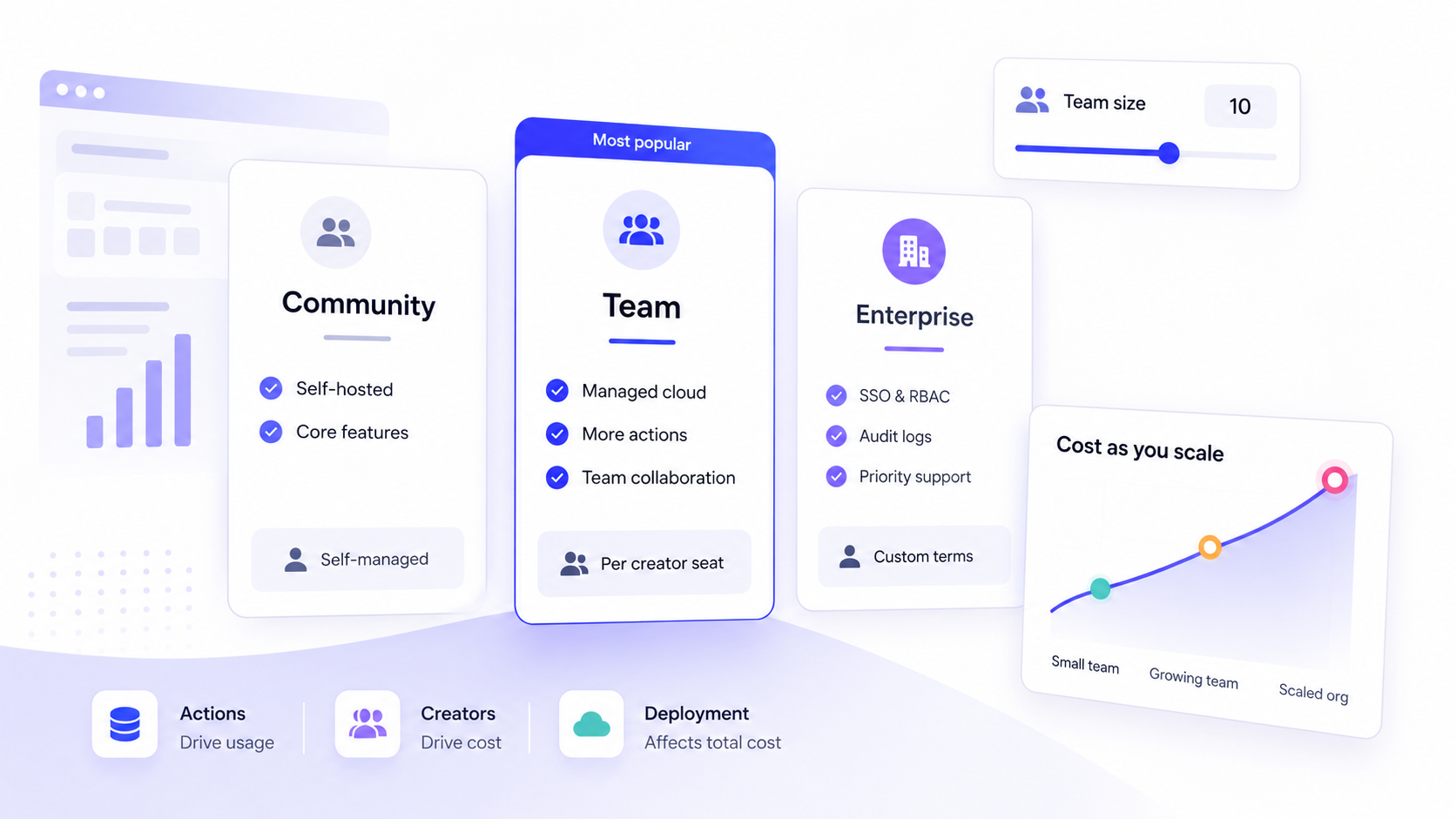
- Total cost is driven by four variables: action volume (automations, database writes, agent steps), number of app creators who build and edit apps, the count of app user accounts consuming those apps, and whether you run on budibase cloud or self host on your own infrastructure.
- Budibase uses hard limits for actions instead of overage charges, which keeps costs predictable but means your automations and agents stop working once the quota is reached each month.
- Enterprise plan pricing is custom and quote-based, aimed at organizations needing air-gapped deployments, audit logs, SCIM, and formal SLAs.
- If you want to build secure business apps directly on existing data sources without managing hosting infrastructure, Jet Admin is worth evaluating alongside Budibase for its managed SaaS approach and broad integration catalog.
How Budibase pricing works today (fast summary)
Budibase's pricing structure includes a free tier and various paid plans, split across two deployment models. On one side, you have the open source platform: a self-hosted edition you can run on Docker or Kubernetes at zero license cost. On the other, budibase cloud hosting provides a managed SaaS experience with tiered pricing plans.
The budibase platform publicly shifted away from purely per user pricing toward an actions-based model for its cloud offering. Here's how it works today:
- Budibase Cloud charges by plan tier: Pro, Premium, Business, or Enterprise. Each tier includes a hard monthly cap on "actions," which are counted when an automation node runs, an AI agent executes a tool, or you create, update, or delete a row in the built in database or a connected SQL database.
- Additional creators and end users are paid add-ons on most paid plans. Creators are individuals who build and edit apps in Budibase; users are individuals who simply use the applications built on the platform.
- The cloud free plan has been restricted for many new accounts. A free tier remains available for self-hosted open-source deployments, but new cloud signups are generally steered toward paid plans or self-hosting. Budibase's November 2023 pricing change was the major inflection point.
- Enterprise plan pricing is customized based on user needs, required actions, governance features, and deployment model.
Exact dollar amounts can change. Always double-check Budibase's official pricing page before purchasing.
Budibase pricing tiers table (Budibase Cloud & self-hosted)
Below is a practical, non-marketing breakdown of Budibase's main tiers. Budibase emphasizes a tiered pricing structure for its different deployment models, so the table separates what is paid SaaS from what is free to run on your own infrastructure.

Plan | Price/mo (annual) | Billing Basis | Included Actions | Creators / End Users | Key Features | Best For |
|---|---|---|---|---|---|---|
Free (Self-Hosted) | $0 | Per instance | Unlimited | Unlimited users (historically up to 20 on community plan) | Unlimited apps, automations, agents; community support; SSO; no SLA | Solo devs, hobbyists, technical teams wanting full control |
Free (Cloud) | $0 | Per workspace | Limited (~200 automation runs) | Up to 5 users | Unlimited apps for up to 5 users; limited features | Prototyping, evaluation |
Pro | $19/mo | Per workspace + add-ons | Modest (not always published) | 1 creator included | 2,000 AI credits; 1-day log retention; 1 workspace; budibase cloud hosting | Individual citizen developers or small projects |
Premium | $49/mo | Per workspace + add-ons | Higher than Pro (~10,000 automation runs on cloud) | 1 creator included | 7-day automation logs; 10 workspaces; custom branding; SSO; backup & restore | Small–mid teams needing more environments |
Business | $299/mo | Per workspace + add-ons | 250,000 actions/mo | 3 creators included | 30-day logs; environment variables; user groups; enforced SSO; unlimited workspaces | Larger orgs needing security and scale |
Enterprise | Custom pricing – contact sales | Negotiated | Custom | Custom | Active Directory/SCIM; 365-day audit logs; air-gapped deployment; priority support; account manager | Regulated industries, large deployments |
Typical add-on prices as of July 2026: end users from $5/user/month (annual billing), creators from $50/creator/month (annual billing), with roughly a 20% uplift if billed monthly. Budibase Cloud plans bundle hosting, scaling, and managed updates into the subscription price.
Budibase Free plan and self-hosted open source
Budibase's free plan exists in two forms today. First, there's the fully open-source self-hosted edition, which is free forever from a licensing perspective under GPLv3. Second, there's a now-limited budibase cloud free tier that supports unlimited apps for up to 5 users, including roughly 200 monthly automation runs.
What the self-hosted free tier includes:
- Run unlimited apps, agents, and automations on your own infrastructure with no license fees. Connect to external data sources including SQL databases, rest apis, google sheets, and third party services.
- Budibase allows self-hosting for more control over infrastructure. You deploy via Docker, Kubernetes, or similar, giving you full control over data security, updates, and scaling.
- The trade-off is real: you must manage backups, monitoring, upgrades, and capacity planning yourself. Even though licensing is free, operational cost on your own infrastructure can be substantial for non technical teams without DevOps capacity.
The earlier cloud free tier has been retired for many new accounts as Budibase invests in its cloud product. Existing free cloud tenants may be grandfathered, but new signups are generally steered toward paid cloud or self-hosted options. Budibase provides community support for the free tier, which means no guaranteed response times.
This path is best for individual engineers, hobbyists, and highly technical teams who want full control and are willing to trade DevOps overhead for zero license fees.
Budibase Pro, Premium, and Business plans (Budibase Cloud)
Pro, Premium, and Business are the core budibase cloud plans for most organizations, sitting between the free self-hosted option and custom enterprise deals. These paid plans start at $19/month and scale based on actions, creators, and end users.

- Pro is the entry-level paid cloud tier at $19/month. It includes one creator seat, 2,000 Budibase AI credits, one workspace, and a modest monthly action allowance. Log retention is limited to one day. Pro is designed for individual citizen developers or professional developers running small internal apps with low automation volume.
- Premium targets small-to-mid teams at $49/month. The premium plan costs $50/month per additional creator and $5/month per additional app user. It adds 7-day automation logs, up to 10 workspaces, custom branding, custom css support, backup and restore, and SSO. The premium plan allows up to 10,000 automation runs on cloud hosting, making it a meaningful step up for teams running backend workflows and scheduled automations.
- Business at $299/month is for larger organizations. It includes 3 creator seats, 250,000 monthly actions, unlimited workspaces, 30-day log retention, environment variables, user groups, and enforced single sign on. This tier adds the governance controls that business users in regulated industries typically require.
Across all three, budibase cloud hosting is included, meaning the sticker price covers infrastructure, updates, and scaling. Budibase emphasizes a visual, low-code experience for internal tools, and annual billing for Budibase can reduce monthly costs compared to being billed monthly. This is an important comparison point versus self-hosting, where you absorb infrastructure costs separately.
Enterprise plan, governance, and discounts
Budibase's enterprise plan is quote-based, aimed at organizations with strict compliance, governance, and deployment requirements. There is no public flat price as of July 2026, and enterprise pricing is generally negotiated through a sales conversation.
- The typical enterprise feature set includes advanced SSO (SAML/OIDC), audit logs for compliance, SCIM and Active Directory sync, granular role based access control, dedicated environments, uptime SLAs, and optional air-gapped deployment. Compliance features such as audit logs are reserved for higher-tier plans in Budibase.
- Enterprise pricing is based on a negotiated combination of developer-creators, approximate end users, required monthly actions, deployment model (budibase cloud versus customer VPC versus on-prem), and support level. Priority support and a dedicated account manager are typically included.
- Budibase offers a stated 20% discount for eligible non-profits across paid plans, including Enterprise. Proof of non-profit status and a sales conversation are required to finalize this.
- Upgrading to Enterprise usually starts by contacting Budibase sales. Existing budibase users on Premium or Business can migrate with changes to SLAs, security review processes, and support commitments. Version control, advanced features, and reusable code snippets for app building are more accessible at this tier.
From per-user to actions: how Budibase's pricing model evolved
Before late 2023, Budibase utilized a user-based pricing model focusing on creators and app users. Plans were structured around per-creator plus per-user pricing, roughly $50 per creator and $5 per user monthly, with less emphasis on what those apps actually did. After months of customer feedback, Budibase shifted toward an actions-based model.
- Budibase's rationale: per user pricing was misaligned with where value was created. Apps doing work-running automations, updating databases, executing AI agents-drive platform load, not just seat count. The shift reflected this.
- What counts as an action: each agent step, automation node execution, and create/update/delete on the built in database or a connected sql server. Custom SQL queries and external API calls are generally excluded. Budibase's pricing incorporates costs based on actions performed by apps, automations, and AI agents.
- Budibase uses hard limits: once your monthly action quota is reached, automations and agents stop executing until the next billing cycle. Budibase's plans may require upgrades if projected automation usage exceeds plan limits. This avoids surprise overage bills but demands monitoring.
- Budibase's pricing includes limits on the number of automated actions per month. If you're moving from a pure per user tool, you'll need to instrument your workloads. Automation action volume impacts the choice of Budibase pricing tier, and teams running heavy backend workflows or scheduled agents can hit limits faster than expected.
Total cost of ownership with Budibase: what really drives your bill
List price is only part of the picture. Budibase's total cost of ownership depends on usage patterns, team structure, governance needs, and hosting choices.
- Action volume: monthly actions consumed by apps, automations, and agents are the primary cost driver on budibase cloud. Heavy automation workloads push you toward Business or Enterprise.
- Creator seats: only 1–3 creators are included in most plans. Each additional app creator costs $50/month (annual). If your team has multiple professional developers or citizen developers building budibase apps, add-on costs stack quickly.
- End users: at $5/user/month (annual), end user licenses add up as you deploy internal apps to more business users. Pricing models for Budibase can be economical for teams with many users and fewer creators, but large user bases still drive meaningful cost.
- Environments and deployment: costs rise as you add dev, staging, and production environments. Air-gapped or enterprise deployments carry higher base pricing.
- Governance and security features: enabling SSO, audit logs, advanced access control, and version control typically pushes you into higher tiers or Enterprise contracts with increased minimum commitments.
- Operational costs: for self-hosted free and on-prem enterprise, factor in servers (AWS, GCP, DigitalOcean, bare metal), backups, monitoring, and DevOps time. "Free" licensing does not mean zero cost, especially at scale. Budibase pricing should accommodate growth expectations for users and applications.
These cost drivers are confirmed in Budibase's documentation. Analytical guidance-such as how quickly actions can grow in automation-heavy use cases-is interpretive, not a Budibase guarantee.
How Budibase pricing compares to other internal app builders
When evaluating budibase pricing, it helps to see how the model stacks up against other tools for building internal tools.

- Actions vs per-user models: Retool charges per standard user and per end user with no hard action limits, making costs more predictable per seat but potentially expensive at scale. Microsoft Power Apps uses per-user or per-app monthly licenses. Budibase's actions model means you pay for work done, not just headcount.
- Open-source competitors: Appsmith and ToolJet both offer free self-hosted editions plus commercial cloud, similar to Budibase. However, Budibase's actions-based cloud model is somewhat distinctive; most open-source competitors use simpler seat-based cloud pricing.
- Where Budibase is cheaper: teams with many occasional end users but modest automation workloads. If your budibase apps are mostly crud apps or data viewers with few backend workflows, action consumption stays low and per-user add-ons are the main cost.
- Where Budibase is more expensive: automation-heavy teams triggering large numbers of actions, or scenarios needing many creators, multiple environments, and advanced governance. This nudges you into Business or Enterprise pricing faster than comparable seat-based tools.
Budibase cannot publish apps directly to app stores and is not suitable for creating public-facing or external facing apps. It lacks advanced customization for complex workflows compared to some alternatives. Budibase supports multiple data sources including SQL and rest apis, but it's primarily a drag and drop builder for internal tools and web apps, not native apps or mobile apps destined for app stores. Cost is only one dimension; evaluation should also weigh the app builder UX, data connectivity, security features, and whether your team consists of citizen developers or professional developers.
Budibase features that affect pricing value (and when they matter)
Instead of listing every feature, here are the ones that most influence whether a given plan is worth it for your team.
- Custom components and custom logic: Budibase allows custom components, custom css, and javascript code within apps, but these require developer skills. Custom components don't change the price directly, but they affect who needs paid creator seats. More devs involved means more add-on cost. The drag and drop interface and visual builder handle most use cases for non technical teams, but advanced features like custom logic, unlimited plugins, and reusable code snippets demand a low code experience with some coding.
- Automation and agents: Budibase includes automation blocks (CRON, webhooks, Slack, email, etc.) and unlimited agents. Heavy automation increases action consumption, tying directly to plan choice. Premium and Business typically offer more actions and better automation logs.
- Cloud vs self-host value: budibase cloud plans bundle hosting, managed scaling, backup options, and sometimes Budibase AI features. This justifies subscription fees versus free self host when internal ops capacity is limited.
- Governance: audit logs, SSO, and role based access control are locked behind higher tiers or Enterprise. These matter most for regulated industries and teams needing detailed audit trails.
- Progressive web apps: Budibase supports progressive web apps for internal use, giving a user friendly interface on mobile devices without requiring native apps or distribution through app stores.
Budibase distinguishes between app creators and end-users for cost evaluation. Citizen developers care about drag and drop ease; business users care about the app experience; central IT cares about data security, access control, and governance.
Budibase pricing for different teams: examples and scenarios
These scenarios are illustrative estimates based on public information, not official quotes from Budibase.
- Solo developer or startup: A single engineer self-hosting Budibase for free, building a few internal tools connected to external data like PostgreSQL or google sheets. With one creator, a handful of end users, and low monthly actions, this remains inexpensive. If you outgrow community support or need better automation logs, moving to Pro at $19/month is the natural next step.
- 20–50 person operations team: Two or three creators (IT/engineering) building budibase apps for dozens of business users. On Premium, the base is $49/month plus $50/month for each additional app creator and $5/month per app user. With 30 end users, that's roughly $49 + $50 + $150 = $249/month before taxes. If automation volume pushes past Premium's limits, Business at $299/month with 250,000 actions and 3 included creators may be more cost-effective. Budibase users at this scale should monitor action consumption monthly.
- Enterprise or regulated department: Several creators, hundreds of business users, strict SSO and audit logs, on-prem or air-gapped deployment. This almost always leads to Business or Enterprise pricing with a custom contract. Negotiated discounts, dedicated account manager, and formal SLAs are typical.
All numeric examples are estimates. Your actual cost depends on your specific usage patterns, number of creators, and required additional features.
Budibase vs Jet Admin: pricing, deployment, and governance
This section compares Budibase's pricing and deployment trade-offs with Jet Admin's approach, based only on verified information.
- Jet Admin's core value proposition is building secure business apps directly on existing data. It connects to databases, APIs, SaaS tools, and spreadsheets-including PostgreSQL, MySQL, Airtable, Salesforce, Firebase, MongoDB, Supabase, and many more via its integrations catalog. Jet Admin can auto-generate the interface and application logic, then deploy the app to users, eliminating the need to duplicate data.
- Jet Admin provides managed SaaS hosting, removing the operational burden of self-hosting. Budibase offers both budibase cloud and self-hosted options via Docker, Kubernetes, and air-gapped deployments. If your team lacks DevOps capacity, Jet Admin's SaaS model can reduce operational cost relative to self-hosted Budibase.
- On governance, both platforms offer SSO, role based access control, and enterprise-grade security features at higher tiers. Budibase reserves audit logs and SCIM for Enterprise; Jet Admin's enterprise capabilities should be verified on its enterprise page.
- Jet Admin tends to be a stronger fit when teams want to rapidly build internal tools directly on top of existing Postgres, MySQL, Airtable, Salesforce, or other data sources and prefer paying for managed SaaS rather than investing in self-hosted infrastructure. Its drag and drop app building workflow and broad connector support make it practical for teams focused on speed and data connectivity.
How to choose the right Budibase plan (or an alternative)
Here's how to synthesize everything into a decision.
- Choose Budibase Free / self-hosted if you're a small technical team, cost-sensitive startup, or organization with strong DevOps and a preference for open source. Red flags: strict uptime/SLA needs, limited infrastructure capacity, or need for managed backups and scaling.
- Choose Budibase Cloud Pro/Premium/Business by filtering on expected monthly actions, number of creators and end users, and required features. If you need custom branding and SSO, start at Premium. If you need environment variables, user groups, or 250K+ actions, Business is the entry point.
- Escalate to Budibase Enterprise when you need air-gapped deployment, formal SLAs, SCIM integration, or detailed audit logs across the app builder and app usage. Enterprise contracts also unlock priority support and onboarding.
- Consider alternatives like Jet Admin if you need to build secure apps over many existing data sources without moving data, want a simpler pricing model, or prioritize managed SaaS convenience over open-source self-hosting. Jet Admin's broad integrations and auto-generated UI can reduce time-to-value for teams building internal apps.
- Run a proof-of-concept with your top two options using realistic data, security constraints, and actual user counts. A short POC validates both cost and time-to-value before you commit to annual contracts or infrastructure investments.
FAQs about Budibase pricing
These questions address common pricing and licensing concerns not fully covered above.
Does Budibase still have a free cloud plan in 2026?
The free cloud workspace still exists for some accounts, supporting unlimited apps for up to 5 users with limited automation runs. However, Budibase has restricted new free cloud signups in recent months, steering most new users toward paid plans or the free self-hosted open-source edition. If you created a free cloud workspace before the change, it may be grandfathered.
How do Budibase "actions" compare to API call or automation limits in other tools?
Actions in Budibase count specific operations: automation node executions, agent tool calls, and row-level CRUD on internal or SQL databases. External API calls and custom SQL queries are generally excluded. This differs from tools like Retool, which typically limit by user count rather than operation count. To estimate your action needs, audit how many automation steps and database writes your internal tools perform monthly.
What happens if my Budibase workspace exceeds its monthly action limit?
Budibase enforces a hard limit. When you hit your monthly action quota, automations, agents, and certain app operations stop executing until the next billing cycle. You can resolve this by upgrading your plan, optimizing workflows to reduce unnecessary actions, or waiting for the quota to reset. There are no surprise overage charges.
Can I mix Budibase Cloud and self-hosted deployments to optimize cost?
Yes, some teams run sensitive or high-action workloads on self-hosted Budibase (avoiding cloud action limits) while using budibase cloud for lighter, less sensitive apps. This hybrid approach requires managing two environments and governance policies separately, which adds complexity but can reduce total cost if your DevOps team can handle it.
How does Budibase pricing work for non-profits and education?
Budibase offers a stated 20% discount on all paid plans for eligible non-profits, including the enterprise plan. You need to contact Budibase sales with proof of non-profit status. Student or academic-specific pricing is not prominently documented, so educational institutions should inquire directly with the sales team about available accommodations.