
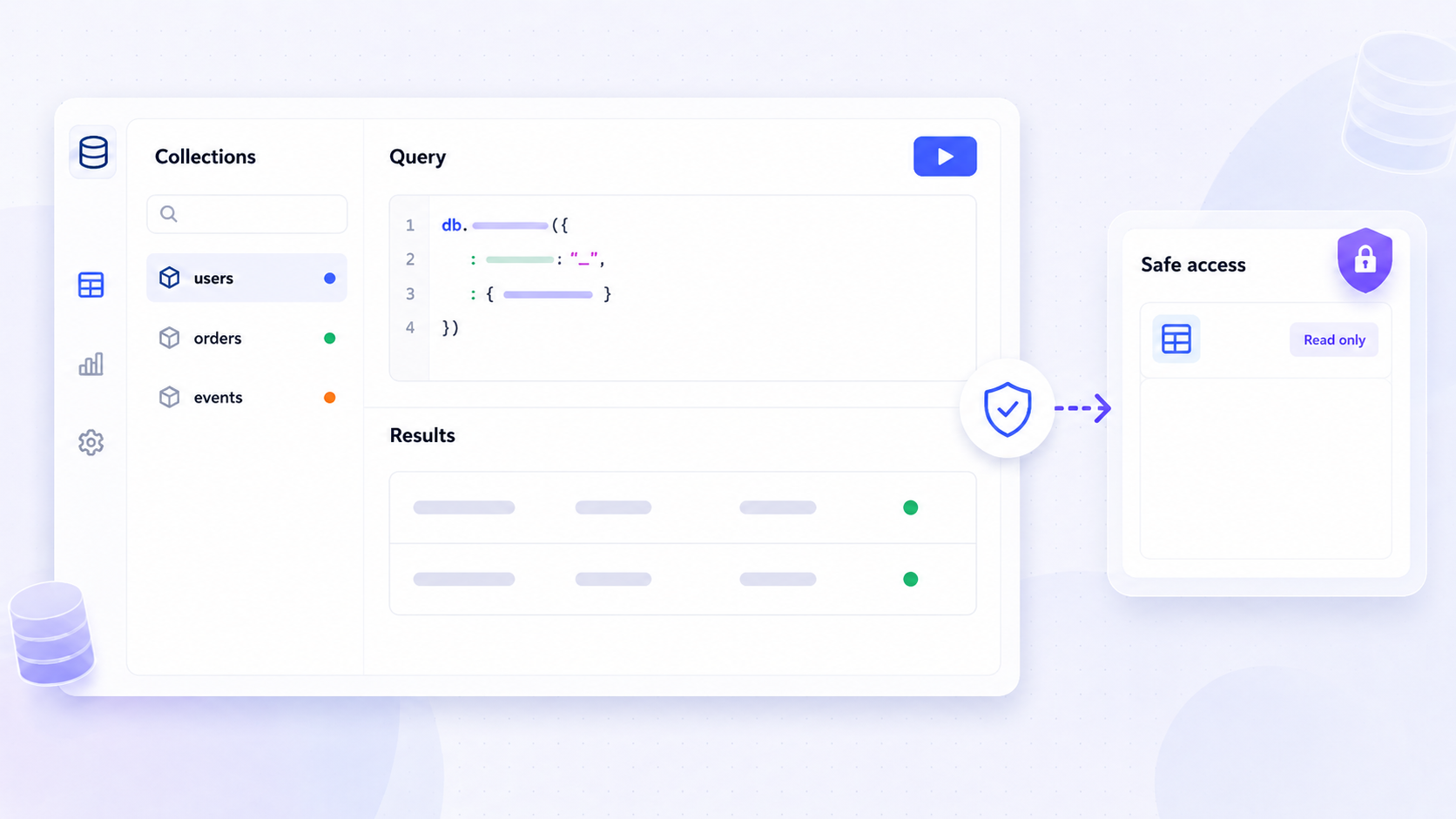
Choosing the best mongodb gui for your team depends on what you actually need it to do. Some developers want a fast way to run queries and inspect mongodb collections; DBAs need explain plans and performance tuning; operations teams need governed admin panels that safely expose mongodb data to non-engineers. This guide compares leading mongodb gui tools across the criteria that matter - database support, advanced querying, safety, collaboration, and deployment - so you can build the right stack for your organization.
Key Takeaways
- The best mongodb gui depends on the job: day-to-day database management, complex queries and optimization, or building secure internal tools on top of mongodb data.
- MongoDB Compass is the official free mongodb gui for schema exploration, query performance insights, and basic crud operations on local clusters and mongodb atlas.
- Specialist desktop mongodb gui clients like Studio 3T, NoSQLBooster, DataGrip, and Navicat are ideal for power users who need advanced features such as sql queries, aggregation pipeline builders, and data migration tools.
- Jet Admin serves as an application-layer mongodb gui: teams use its Data Editor and UI builder to create governed dashboards, admin panels, and operations tools that write back to mongodb and other connected systems.
- Most organizations will standardize on a free GUI plus one advanced client for specialists, plus a platform like Jet Admin for governed, cross-team access to mongodb data.
What Is a MongoDB GUI (and When You Need One Instead of Just the Command Line)
A mongodb gui is a graphical client for browsing, querying, and managing a mongodb database, providing a visual alternative to using the mongosh command line interface. While the mongo shell and mongodb atlas web UI cover scripting and cloud management, a GUI transforms the experience from typing complex shell commands to interacting with data visually.
Several user-friendly graphical user interfaces are available for managing mongodb databases today. Key features of a mongodb gui include visual data exploration and crud operations, and GUIs enhance productivity by offering intuitive navigation and real-time data visualization. Visual query builders allow users to construct complex mongodb queries using drag-and-drop elements, while visual crud operations let users create, read, update, and delete documents via intuitive editors.
The typical jobs for a mongodb gui include exploring unfamiliar databases quickly, debugging production data issues by inspecting json documents, query building and testing aggregation pipeline stages, running import export operations, and routine database management. A reduced learning curve makes mongodb accessible to those not fluent in the mongodb shell, and data integrity protection reduces syntax errors that could lead to accidental data loss. Performance monitoring allows inspection of query execution statistics to identify bottlenecks, while enhanced access control features in GUIs help prevent unauthorized modifications in production environments. Most teams end up using both: command line for automation and scripting, and at least one mongodb gui client for discovery, collaboration, and safer editing.
How to Choose a MongoDB GUI: Evaluation Criteria That Actually Matter
Before diving into specific tools, here is a practical checklist for comparing mongodb gui tools:
- Database support: Does the GUI handle only mongodb or also sql databases and data warehouses? Does it support BSON-specific types, mongodb atlas, replica sets, and sharded clusters?
- Querying and editing: Can you run mongodb queries ad-hoc, use a visual query builder for aggregation pipelines, view a visual explain plan, or generate queries using natural language? Are there safe document editing modes with diff/preview or read-only options?
- Schema navigation: How does the tool handle schema visualization and schema exploration - can it infer field types, show distributions, and act as a schema analyzer across mongodb collections?
- Safety and governance: Look for role-based access, read-only connections, audit logs, and controls that protect production mongodb data from accidental writes or delete documents operations.
- Collaboration: Does it support saved queries, query history, shared workspaces, dashboards, or application-layer interfaces shareable with non-engineers?
- Deployment: Desktop (windows macos Linux) vs browser-based? SaaS vs self-hosted / on-premise? Consider air-gapped or regulated environments.
- Price and licensing: Common models include free community editions, per-user subscriptions, and enterprise licenses. Always verify current pricing - numbers change frequently.
Overview of Leading MongoDB GUI Tools in 2026
The mongodb tools landscape breaks into three categories:
- MongoDB Compass: the official free mongodb gui from MongoDB Inc., focused on schema exploration, query building, and performance metrics for mongodb atlas and self-managed clusters.
- Desktop IDE-style clients: Studio 3T (full IDE with sql-to-mongo and data migration), NoSQLBooster (embedded shell with script debugging), DataGrip and Navicat for MongoDB (multi-engine IDEs for teams managing various databases including sql server, relational databases, and nosql databases), DbSchema (visual diagramming), Beekeeper Studio, TablePlus, NoSQL Manager, and Robo 3T (lightweight access).
- Application-layer GUI platforms: tools like Jet Admin that sit above mongodb, connecting to multiple data sources to let teams build secure internal tools, mongodb admin panels, and workflows that write back to the mongodb database.
This article compares representative options for developers, DBAs, data analysts, and operations teams - not every mongodb gui on the market.
Feature Comparison: MongoDB GUI Tools Side by Side
The following feature comparison table summarizes capabilities as of July 2026. Pricing and licensing details may change; verify with vendors directly.
Tool | Deployment | Primary Use | Atlas Support | Other DBs | Advanced Querying | Editing & Safety | Collaboration | Pricing |
|---|---|---|---|---|---|---|---|---|
MongoDB Compass | Desktop (Win/Mac/Linux) | Schema explorer, diagnostics | Yes | No | Aggregation builder, explain plan, AI-assisted | Read-only mode available | Limited | Free |
Studio 3T | Desktop | Developer/DBA IDE | Yes | SQL import/export | SQL-to-Mongo, aggregation editor, AI Helper | Read-only investigative tools | Shared queries, jobs | ~$699/yr (Ultimate) |
NoSQLBooster | Desktop | Shell-centric IDE | Yes | No | Embedded shell, auto completion, syntax highlighting | Inline editing | Query history, snippets | Free to ~$239/license |
DataGrip | Desktop | Multi-engine IDE | Yes | PostgreSQL, MySQL, etc. | Query console, explain plan | Standard IDE controls | JetBrains team features | Subscription |
Navicat for MongoDB | Desktop | Multi-DB management | Yes | MySQL, PostgreSQL, etc. | Query builder, data modeling | Diff/sync | Navicat Cloud sharing | ~$449/license |
Beekeeper Studio | Desktop | Lightweight multi-DB | Yes | SQL databases | SQL syntax support | Basic editing | Minimal | Free/paid tiers |
Jet Admin | Browser, self-hosted | Internal tools, governed data editing | Yes (via mongodb connector) | 30+ databases, APIs, SaaS | Filter, sort, computed columns | Role-based permissions, write-back controls | Dashboards, apps, team roles | Free tier / paid plans |
Standout differences: Compass is the baseline free GUI every team should have. Studio 3T and NoSQLBooster are power-user IDEs for advanced querying and mongodb operations. Navicat, DataGrip, and Beekeeper Studio suit multi-database teams. Jet Admin is the only option focused on application-layer governed data editing and building internal tools on mongodb data blended with other sources.

MongoDB Compass: Official Free MongoDB GUI for Everyday Diagnostics
MongoDB Compass is the official gui for mongodb and the natural starting point for most developers. It is free to use and connects to any mongodb cluster or Atlas deployment, providing a visual way to explore data and monitor performance.
Core capabilities include a visual collection browser, document viewer, filter bar for mongodb queries, an aggregation pipeline builder, and a schema tab that introspects schemas and displays document structures. Schema visualization helps analyze document structures to understand data distribution and detect patterns. MongoDB Compass offers schema visualization and real-time server statistics, and highlights slow queries for performance tuning - the database profiler integration surfaces slow queries and displays server status metrics so you can optimize performance.
Compass runs on windows macos and Linux, with secure connections to mongodb atlas clusters, replica sets, sharded clusters, and local mongodb server instances via SSH tunneling or direct connection strings. Read-only modes help teams safely give more people a mongodb gui without risking accidental writes.
Where Compass falls short: fewer team collaboration features, limited multi-database support (no sql databases), no built-in framework for building operational dashboards, and no way to import data from or blend with non-mongodb sources.
Desktop MongoDB GUI Clients and IDEs for Power Users
For teams that need more than Compass, specialist desktop clients offer deeper mongodb operations and cross-database workflows.
Studio 3T positions itself as a full mongodb IDE. It supports sql queries for mongodb databases, offers a visual query builder, an aggregation editor, schema explorer, data compare and sync, and AI-powered query generation. Studio 3T supports sql queries and data migration tools - making it a strong choice for teams migrating between relational databases and mongodb. Studio 3T offers schema exploration features for mongodb and has a steep learning curve that matches its depth.
NoSQLBooster takes a shell-centric approach. Version 11.0 embeds mongosh 2.8, supports mongodb server versions 3.6 through 8.0, and rebuilds its data viewer with AG-Grid for speed. NoSQLBooster includes a built-in script debugger for advanced querying, along with IntelliSense for mongodb queries, js modules support, shell extensions, and auto completion - making it appealing for developers comfortable with both mongo shell and GUI. NoSQLBooster offers IntelliSense for mongodb queries and includes a built in script debugger and IntelliSense for mongodb syntax assistance.
DataGrip and Navicat for MongoDB are multi-engine database IDEs. DataGrip supports mongodb alongside PostgreSQL, MySQL, and others, with query consoles, explain-plan support, and AI agent skills. Navicat covers similar ground with data modeling and sync features. Both suit teams preferring one unified client across various databases rather than separate mongodb tools.
DbSchema takes a visual-first approach: it visualizes mongodb structures with intuitive diagrams, allows building and editing queries without complex code, handles large databases with over 10,000 collections, and generates interactive HTML5 documentation for database structures. DbSchema allows visualization of mongodb structures with intuitive diagrams that aid schema exploration for teams storing data across complex document hierarchies.
Beekeeper Studio is a modern, lightweight GUI that supports sql syntax for mongodb queries and covers multiple protocols. Robo 3T is a lightweight, open-source mongodb gui tool that embeds the mongo shell within its interface for dual interaction - useful for developers who want a thin GUI layer over the command line. NoSQL Manager provides deep mongodb management features for index usage analysis and run queries workflows.
These tools excel at advanced querying, profiling, and filter documents operations, but are overkill for casual users and do not solve the need for governed internal applications on top of mongodb data.
Application-Layer MongoDB GUIs: Jet Admin and Other Internal Tools Platforms
Classic mongodb gui clients are optimized for developers and DBAs. Application-layer platforms focus on giving business and operations teams safe, usable interfaces built on top of mongodb data blended with multiple data sources.
The pattern: connect to a mongodb instance and other data sources, visually build pages and components (tables, forms, charts), plug in queries or APIs, and deploy them as internal apps or admin dashboards. Instead of every user logging into a mongodb gui client, teams publish purpose-built interfaces that expose only the mongodb data and actions a given role should see.
Competitive options exist (Retool, DronaHQ, UI Bakery), but this article uses Jet Admin as the reference example. Jet Admin connects to mongodb (including mongodb atlas) along with sql databases, APIs, and SaaS tools via its integrations catalog, and is often adopted when teams outgrow simple mongodb gui clients for operations work.

Jet Admin as a MongoDB GUI for Internal Tools, Data Editing, and Governance
Jet Admin is not a drop-in replacement for every developer's mongodb gui client. It is a platform for building secure operational apps and data interfaces on top of mongodb, complementing tools like Compass and Studio 3T rather than replacing them.
Data connectivity: Jet Admin connects to mongodb alongside PostgreSQL, MySQL, BigQuery, REST/GraphQL APIs, and SaaS apps such as Stripe, HubSpot, and Zendesk, enabling teams to blend mongodb data with other operational data in a single intuitive interface.
Data Editor: Jet's Data Editor provides spreadsheet-like editing of connected mongodb data - filtering, sorting, computed columns, and the ability to write back directly to underlying mongodb collections or other connected data sources. This supports database interactions that go beyond read-only browsing, covering import data workflows and query results inspection.
App building: Teams can build full internal apps: drag-and-drop pages, forms, charts, and workflows for customer support, operations dashboards, content moderation, or inventory management - all using mongodb data plus APIs and other databases.
Governance and safety: Role-based permissions (admin/editor/user), environment controls, and the ability to define which mongodb queries or actions each role can run. This reduces risk compared with giving non-engineers full access to a generic mongodb gui client for query execution on production data.
Deployment: SaaS or self-hosted / on-premise installation inside your VPC or behind VPN - important for teams with strict data residency requirements who still want rich mongodb GUIs for internal users on any operating system.
Boundaries: Jet Admin does not replace specialist tools for complex query tuning, index usage optimization, or low-level database administration. It becomes the main interface for day-to-day operational work on mongodb data across the broader team.
Recommendations by Persona: Which MongoDB GUI Fits Your Team
- Backend / full-stack developers: Start with MongoDB Compass plus one advanced desktop mongodb gui (Studio 3T or NoSQLBooster for script debugging and advanced features), while relying on the command line interface for automation and versioned scripts.
- DBAs and DevOps engineers: Use tools with strong monitoring, schema management, and performance tuning (Studio 3T, NoSQL Manager, or DataGrip). Combine with mongodb atlas metrics. Use Jet Admin selectively to expose safe operations dashboards to non-DBAs.
- Data analysts and product teams: Use read-only mongodb gui access via Compass, then shift recurring workflows into Jet Admin apps so analysts interact with mongodb data through curated UIs instead of raw collections and generate queries through governed interfaces.
- Support, operations, and finance teams: Jet Admin as the primary mongodb gui experience - engineers predefine views, filters, and actions that operate on mongodb data and related systems, avoiding the need to train non-technical users on mongodb commands or secure connections configuration.
Most organizations standardize on three layers: (1) MongoDB Compass as the free baseline, (2) one advanced mongodb gui client for specialists, and (3) Jet Admin for governed, cross-team access.
Implementation and Security Considerations for MongoDB GUI Tools
Choosing a mongodb gui is not just about features. Teams must plan secure deployment and access control, especially when mongodb stores sensitive data.
- Connectivity: Whether mongodb runs self-hosted, on Kubernetes, or via mongodb atlas, GUI tools connect via connection strings, ssh tunneling, or VPN. Browser-based tools and Jet Admin on-premise often need to live inside the same VPC or private network.
- Authentication: Use database users with least privilege. Configure IP allow-lists, SSO or OAuth where supported. Most gui tools support SCRAM, X.509, and OIDC for secure connections to any mongodb instance.
- Auditing: Log access to mongodb data through GUIs using mongodb audit logs plus application logs. Jet Admin tracks user actions in apps, helping teams know who changed what and when.
- Environment separation: Maintain separate mongodb gui configurations for development, staging, and production. Use different Jet Admin projects or workspaces to avoid accidental production writes.
- Maintenance: Keep desktop mongodb gui clients updated to support new mongodb server versions. NoSQLBooster 11.0 explicitly supports MongoDB through 8.0. Regularly revisit permissions as more stakeholders gain access.
Conclusion: Building a Sustainable MongoDB GUI Stack
No single "best mongodb gui" exists. Teams should assemble a stack covering diagnostics, advanced development, and governed operational access to mongodb data.
A pragmatic combination: MongoDB Compass for baseline needs, one or two power-user mongodb gui clients (Studio 3T, NoSQLBooster) for deep work, and Jet Admin to expose mongodb data safely to the broader organization through purpose-built apps.
Pilot two or three mongodb gui tools with real workflows - production-like mongodb queries, admin tasks, internal support flows - rather than just synthetic benchmarks. If you need governed data editing and internal tools on top of mongodb, try Jet Admin with your mongodb or mongodb atlas instance. For teams needing a self-hosted mongodb gui and internal tools platform, the on-premise deployment option keeps everything inside your infrastructure.
FAQ: MongoDB GUI Tools, MongoDB Atlas, and Internal Apps
Is MongoDB Compass enough, or do I need another MongoDB GUI?
Compass is usually sufficient for basic browsing, debugging, and small-team work. Teams often adopt a second mongodb gui for IDE-like features (Studio 3T for sql queries and data migration, NoSQLBooster for script debugging) and an internal tools platform such as Jet Admin when non-engineers need governed access to mongodb data without direct database interactions.
How does a MongoDB GUI work with MongoDB Atlas?
Most modern mongodb gui tools connect to mongodb atlas via its standard connection string, the same way the command line does. Ensure IP allow-listing, TLS, and role-based mongodb users are configured before granting GUI access to Atlas clusters. Compass, Studio 3T, NoSQLBooster, DataGrip, and Jet Admin all support Atlas connectivity.
Can I safely give non-technical users a MongoDB GUI?
Avoid giving raw mongodb gui clients directly to non-technical users. Instead, use read-only roles when GUI access is unavoidable and favor platforms like Jet Admin to create constrained interfaces that show only the mongodb data and actions those users actually need - reducing the risk of accidental modifications or data loss.
What's the difference between a MongoDB GUI client and an internal tools platform?
A mongodb gui client is a developer-oriented tool for exploring and managing databases - running complex queries, inspecting indexes, viewing explain plans. An internal tools platform like Jet Admin sits above mongodb, connecting to many systems and letting teams build business workflows, dashboards, and apps that happen to use mongodb as one of several data sources.
Can Jet Admin replace my existing MongoDB GUI for developers?
No. Jet Admin is not designed to replace deep developer-centric mongodb gui clients for complex query tuning, aggregation pipeline debugging, or low-level database administration. It complements them by providing secure, reusable apps and data editors on top of mongodb for the wider organization - handling the operational layer while specialists keep their preferred mongodb tools.