
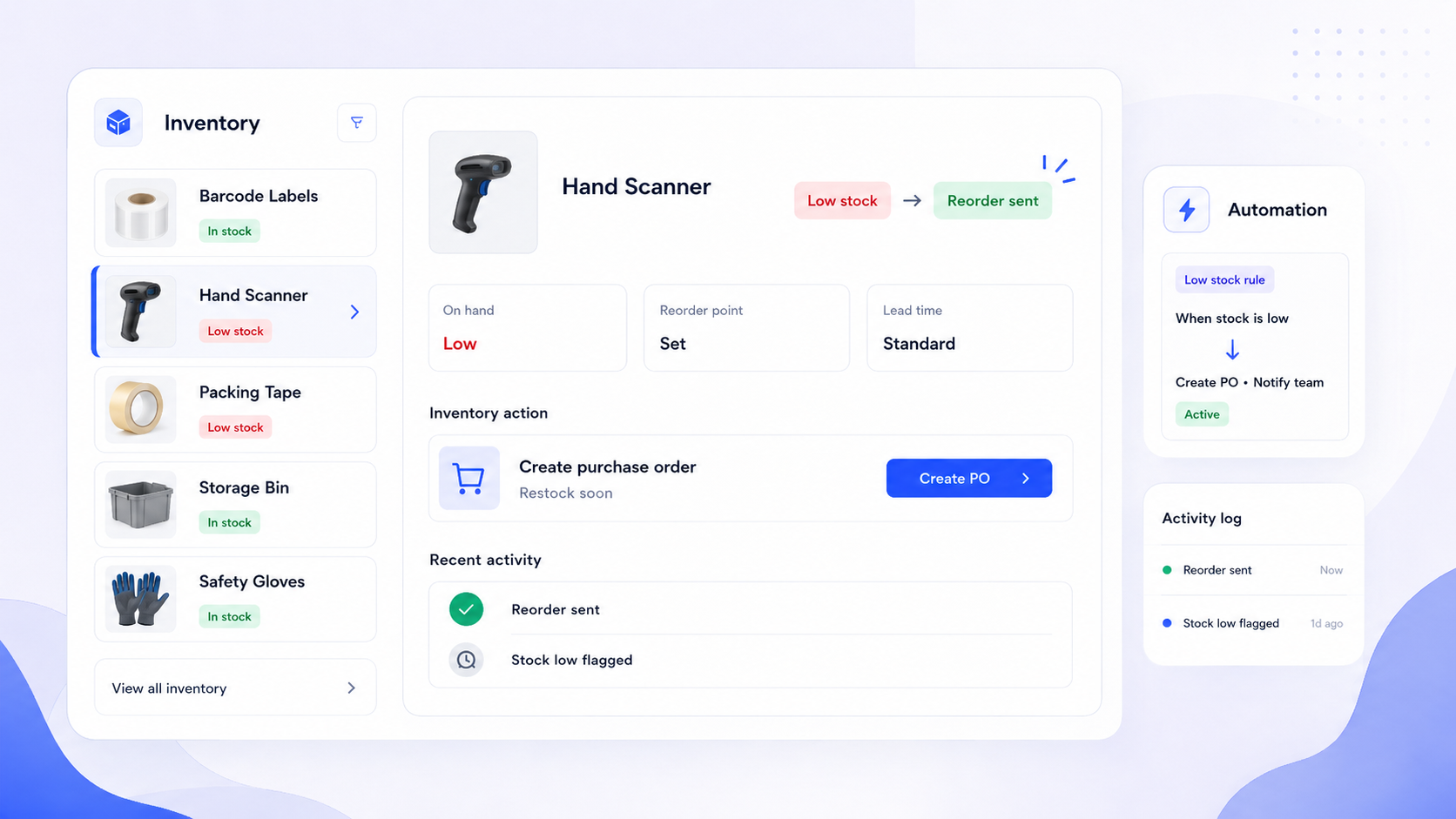
If your operations team still relies on spreadsheets or disconnected tools to manage stock, you're probably losing money in ways that are hard to see-until a stockout kills a product launch or excess inventory eats into your margins. This guide breaks down what inventory management software actually needs to do in 2026, how to evaluate your options, and how platforms like Jet Admin let you build secure, custom inventory apps on your existing data without a painful migration.
Key Takeaways
Inventory management software is a digital system that tracks stock quantities, locations, costs, and movements across your entire supply chain. In 2026, with omnichannel fulfillment and B2B complexity accelerating, the global market for these tools is projected to reach roughly USD 3.9 billion. Businesses using inventory management software can improve cash flow by minimizing excess inventory, and Jet Admin offers a way to build tailored inventory apps directly on top of the databases and APIs you already use.
- Fewer stockouts: companies adopting modern inventory tools routinely cut stockouts by 20–50% within one quarter. A well-implemented inventory management system can increase productivity for employees across warehouse, purchasing, and finance teams.
- Lower working capital: better forecasting and reorder logic reduces overstock by 20–30%, freeing cash that was sitting on shelves.
- Faster order cycle times: automation of receiving, picking, and shipping workflows compresses order-to-delivery timelines and improves fulfillment accuracy.
Modern inventory tools must connect to ecommerce platforms, ERP systems, and warehouse systems rather than replace them. Jet Admin can sit on top of current databases and APIs, reading and writing directly without forcing you into a vendor's schema.
For very small operations, free inventory management software or even a free inventory management system might cover the basics. But as businesses grow across multiple warehouses and sales channels, those tools break down-a point we'll examine in the build-vs-buy discussion below.
What Is Inventory Management Software? (And Why It's No Longer Optional)
At its core, inventory management software is a digital system that tracks stock quantities, locations, cost, and movements across your supply chain-including warehouses, retail stores, and 3PL partners. Inventory management software tracks stock levels, orders, sales, and deliveries in real time, which is what separates it from a static stock list.
This goes beyond basic inventory control. A proper inventory management system models the relationships between orders, suppliers, customers, and returns. Think of each SKU as a "digital twin" with attributes: lot or serial numbers, lead time, reorder points, landed cost, and links to suppliers or bills of materials. That applies whether you're tracking finished goods, raw materials, or spare parts.
Typical users span operations leaders, supply chain managers, purchasing teams, warehouse staff, finance, and the product or IT teams responsible for integrations and security. Modern inventory management systems are typically cloud-based, allowing access from multiple devices-so a warehouse worker scanning bins and a CFO reviewing valuation can work from the same source of truth.
The business stakes are concrete. Stockouts, overstocking, and write-offs show up in KPIs like service level percentage, inventory turns, cash tied in stock, order cycle time, and fulfillment accuracy. Three maturity levels are worth noting: spreadsheets work until you hit ~100 SKUs or two locations; free inventory software extends the runway; and integrated apps on top of an ERP system handle real complexity. Each breaks down at a predictable threshold.

Core Problems Inventory Management Software Should Solve
Before evaluating features or vendors, list the operational problems you need to fix and quantify current performance. Without baseline KPIs, you can't measure whether new software actually improved anything. Effective inventory management prevents over- and under-stocking, and inventory management software can reduce stockouts and excess inventory through better forecasting.
Common pain points worth auditing:
- Chronic stockouts on fast movers: target reducing stockout rate below 5% (Woodland achieved exactly that, dropping from 13% to 5% in 120 days).
- Weeks of manual stocktake every quarter: aim to cut cycle count effort from 5 days to 1 using system-guided counting.
- No single source of truth across ecommerce platforms and retail store locations: duplicated SKUs, mismatched availability, and reconciliation errors between sales channels.
- Returns and warranty claims hard to trace by batch or serial: traceability gaps create compliance risks and slow resolution times.
- Cash tied up in slow movers: target reducing annual write-offs by 15% through aging analysis and smarter inventory planning.
Cross-team friction makes these problems worse. Purchasing and sales teams work from different forecasts. Operations and finance disagree on inventory valuation methods. IT and business teams patch over gaps with manual tasks and disconnected spreadsheets.
Modern tools can also address non-product inventory-marketing materials, loaner equipment, or field tools-broadening the use case beyond pure retail or wholesale.
Key Capabilities of Modern Inventory Management Software
Any serious inventory management system should cover a specific set of inventory management capabilities. Here's the feature map that matters, whether you're evaluating packaged software or building custom apps with a platform like Jet Admin.
Essential capabilities:
- Multi-location tracking: multi-location management consolidates inventory data from multiple warehouses or stores into a unified view. Zoho Inventory allows control of multiple warehouses from one system. Unleashed simplifies tracking inventory across multiple stock locations. Descartes Finale monitors inventory levels at all warehouses. Ordoro offers unlimited warehouse tracking for multiple locations. Sortly excels at managing inventory for businesses with multiple locations.
- Real-time tracking provides visibility into stock levels, movement, and location across warehouses.
- Reorder policies and demand planning to maintain optimal stock levels.
- Batch and serial traceability for compliance-sensitive industries.
- Returns and RMA handling tied back to original orders.
- Support for bill of materials and kitting for manufacturers.
Online and offline operations support: sales orders from ecommerce platforms, B2B portals, and POS, plus purchase orders and transfers between warehouses.
Automation primitives: automated reordering tools streamline supplier management processes and monitor stock levels continuously. Barcode scanning reduces manual errors during receiving, picking, and cycle counting. Sortly turns smartphones into barcode scanners for inventory tracking, making mobile inventory tracking accessible without dedicated hardware.
Analytics: standard inventory reports (ABC analysis, turns, aging, inventory valuation), dashboards for forecasting and margin analysis. Effective supplier management improves purchasing efficiency and reduces costs, and supplier management tools help track vendor performance and compliance.
Jet Admin lets teams design these capabilities on top of their existing database or SaaS tools rather than adopting yet another siloed app.
The Data Model: How Inventory Software Represents Your Business
The data model is the backbone of any inventory management solution. It determines what questions you can answer-"Where is batch X now?" "What's the landed cost of SKU Y in March 2026?" "Which items expire this month?"
Core entities:
Entity | Examples |
|---|---|
Products / SKUs | Finished goods, raw materials, spare parts, custom fields for attributes |
Locations | Warehouses, bins, stores, 3PLs |
Stock Movements | Receipts, picks, transfers, adjustments |
Suppliers | Lead times, payment terms, performance history |
Customers | Channels, pricing tiers |
Purchase Orders | Inbound from suppliers |
Sales Orders | Outbound to customers |
BOMs / Work Orders | For manufacturers and kitting operations |
Traceability attributes: lot and serial numbers, expiration dates, quality status (quarantine vs. released), and regulatory fields for industries like food, pharma, or medical devices.
An inflow inventory event-receiving a PO from a supplier-and an outflow event-an ecommerce shipment-update the same stock ledger. This perpetual inventory approach means the system always reflects current reality, not last month's count.
Jet Admin connects directly to existing tables in systems like PostgreSQL, MySQL, or cloud data warehouses, or to APIs and tools like Shopify or QuickBooks via supported integrations. Teams reuse their current data schema instead of being forced into a vendor's model.
Suggested diagram: an ER-style diagram showing SKU–Location–Movement relationships with arrows connecting Products, Locations, Stock Movements, Purchase Orders, Sales Orders, and Suppliers.
Screens, Roles, and Daily Workflows
Good inventory management software reflects daily work. Each role sees tailored screens for the tasks they perform most, not a generic dashboard overload. Effective inventory management supports better business decisions through real-time dashboards and analytics.
Typical role-based screens:
- Warehouse receiving: barcode scanners for inbound scanning, bin assignment suggestions, and put-away confirmation.
- Picking and packing: wave or batch picking lists, pack verification, and shipping labels generation.
- Purchasing dashboard: open purchase orders, supplier lead times, and automatic reordering triggers.
- Sales/B2B order view: real-time availability, promised ship dates, and order fulfillment status across sales channels.
Manager dashboard KPIs: fill rate, inventory turns, days on hand, and exceptions like the top 10 items below safety stock. Centralized dashboards enhance visibility into supplier transactions and overall supply chain health. Filters by location, channel, or product category let managers drill into specifics.
Permissions: warehouse staff see only operational screens. Buyers can create and approve POs. Finance users view valuation and cost layers. Admins control configuration and automations. Jet Admin lets teams compose these role-specific apps from the same underlying data, configuring per-role navigation, field-level permissions, and approval steps without custom coding.

Suggested screenshots: "Receiving screen with barcode input and bin suggestions" (alt: warehouse receiving interface with barcode entry field and location dropdown) and "Manager dashboard with aging and low-stock alerts" (alt: inventory dashboard showing KPI cards and a bar chart of aging items).
Automations, Alerts, and Reporting (From Reactive to Proactive)
The real value of inventory management software comes when the system takes action before humans notice a problem. Inventory management software improves order accuracy and boosts operational efficiency through automation, shifting teams from firefighting to strategic work.
Automation examples using Jet Admin's workflow model: the Jet Admin automations page describes scheduled jobs (nightly reorder checks running every day), webhook-based triggers (firing on a new Shopify order), data lookups, math calculations, and API calls to external services-all configurable without writing code.
Typical inventory automation patterns in the broader market:
- Automatically generating purchase orders when stock hits a reorder point. Unleashed automates purchase orders and supplier management. Unleashed automates purchase reorders and supplier management. Descartes Finale generates bulk purchase orders automatically. Descartes Finale automates reordering based on stock levels. Descartes Finale automates reordering based on stock levels and sales.
- Sending low stock alerts to Slack or email. Sortly sends alerts when stock needs reordering.
- Updating delivery status when a 3PL API signals shipment.
- Flagging items with negative margin for review.
Conditions can be expressed via lookups and computations-only reorder if forecasted demand for the next 30 days exceeds available plus on-order quantities.
Forecasting and reporting: demand forecasting uses historical data to estimate future inventory needs. Reporting and analytics provide insights about inventory turnover, sales trends, and profitability. Zoho Inventory automates crucial reports in real-time. Unleashed provides intuitive inventory forecasting and reporting features. Odoo offers forecasting and reordering tools for replenishment. GEP Quantum Intelligence uses AI for predictive inventory analytics, achieving up to 94% forecast accuracy in enterprise deployments.
Standard reports: stock on hand by location, stock valuation, movement history, slow/fast movers, and ABC analyses. Jet Admin can read from data sources like PostgreSQL, BigQuery, Shopify, or Google Analytics to combine operational and demand data into a single reporting layer without replicating everything into a separate BI tool.
Integrating Inventory Software With Ecommerce Platforms and ERP Systems
Standalone stock tools create problems: duplicated SKUs, mismatched availability, and reconciliation headaches between sales channels and accounting software. Integration capabilities connect inventory software with existing platforms like accounting systems and POS to eliminate these gaps.
Key integrations inventory management software typically needs:
- Ecommerce platforms and marketplaces (Shopify, Amazon)
- Accounting tools and ERP systems (QuickBooks, Sage, full ERP system deployments)
- Shipping carriers and 3PLs
- Internal databases or data warehouses
A central inventory management system should handle multi-channel orders: capturing orders from each e commerce platform, immediately reserving stock, updating availability back to channels, and passing financial data to accounting. Ordoro integrates with over 60 apps for seamless operations across these touchpoints.
With Jet Admin, teams can connect to supported integrations like PostgreSQL, MySQL, Shopify, Stripe, HubSpot, and Google Sheets to orchestrate inventory flows without moving data into a new monolithic ERP. The "no forced migration" principle means Jet Admin reads and writes directly to existing ERP or WMS tables and APIs, allowing phased adoption instead of a big-bang replacement.
Suggested architecture diagram: ecommerce platforms and 3PLs on one side, ERP and accounting on the other, Jet Admin inventory app in the center reading/writing via connectors and APIs.
End-to-End Example: From Purchase Order to Customer Delivery
Here's a concrete day-in-the-life walkthrough showing how a modern inventory system behaves when fully integrated.
Scenario: a growing DTC + B2B e commerce brand is restocking a popular SKU ahead of a seasonal campaign. They sell via Shopify and a wholesale portal, operate one main warehouse, and use a 3PL for international orders.
The flow:
- Demand review: the system pulls historical sales data plus a spike flagged from the marketing calendar. Demand forecasting highlights that projected need exceeds current stock plus on-order quantities.
- PO creation: an automated reorder triggers a draft purchase order to the supplier. The purchasing manager reviews and approves it in a role-specific screen.
- Receiving and put-away: goods arrive. Warehouse staff use barcode scanning to log each carton against the PO, assign bins, and confirm quantities. Discrepancies trigger an exception alert.
- Backorder allocation: the system automatically allocates received stock to open backorders by priority, updating promised ship dates.
- Stock sync: inventory levels push to Shopify and the B2B portal in near real-time, reflecting accurate availability.
- Order capture and fulfillment: new sales orders arrive from both channels. The system generates picking waves, the team packs and prints shipping labels, and carrier integration books pickups.
- Shipment confirmation: tracking numbers flow back to customers, and financial data syncs to accounting software.
Where Jet Admin fits: it orchestrates data from Shopify, a PostgreSQL inventory database, and a shipping API. Automations update order statuses and send alerts to Slack when stock levels breach thresholds.
The operational outcome: less firefighting, predictable lead times, and clear performance data for post-campaign review. Good supplier management creates a win-win situation for all parties involved-reliable supply for you, predictable volume for your vendors.

Free Inventory Management Software vs Scalable Systems
Free inventory management software has genuine appeal: low risk, quick to start, and useful for very small catalogs or single-location operations. For small businesses still living in spreadsheets, free inventory software is a meaningful upgrade.
Strengths of free tools:
- Basic stock in/out tracking and simple reports
- Often include a mobile app for on-the-go updates
- Suitable for small teams with limited SKU counts
- Odoo offers a free inventory app for unlimited users, which is notable for early-stage companies
Typical limits as businesses grow:
- Caps on users or SKUs that force costly upgrades
- Lack of multi location tracking or multi-channel support
- Limited integrations with accounting tools or e commerce platforms
- Rigid workflows that can't match nuanced business needs
Growing businesses often end up with a patchwork of free inventory software, ecommerce back-office modules, and manual processes. This creates inconsistent data, security risks, and the kind of pain points that slow order fulfillment to a crawl.
Jet Admin offers an alternative path for medium sized businesses: instead of outgrowing another standalone app, teams build a tailored inventory management system over their existing data, keeping ownership of the data model and extending it as complexity increases.
For some micro-businesses with a single sales channel and basic needs, a free inventory management system may remain adequate for years. That's a legitimate choice, and good inventory management software is ultimately defined by whether it matches your actual operations, not by its price tag.
Build vs Buy: Choosing Your Inventory Management Approach
Teams evaluating inventory management software in 2026 generally face three options: buy an off-the-shelf SaaS product, build something in-house, or assemble a hybrid using a platform like Jet Admin on top of existing systems.
Buying a packaged inventory management system:
- Fast time to value with mature, offering features like barcode scanning, demand planning, and advanced reporting out of the box
- Potential misfit with unique workflows, integration gaps, monthly fees that scale with users or SKUs, and the risk of forced data migration into the vendor's model
Building from scratch:
- Maximum flexibility for companies with truly unique supply chain requirements
- High engineering cost, long lead times, and ongoing maintenance burden on internal developers
Jet Admin as a middle path:
- Generates secure business apps on top of current databases, SaaS tools, and APIs
- Custom workflows and interfaces without rebuilding the backend from zero
- Deploy quickly and iterate with operations stakeholders to save time and streamline operations
Security and governance matter here. Role-based permissions, authentication integrations, and the need to keep inventory logic close to source systems rather than spreading it across scripts and spreadsheets are all critical for growing businesses.
How to decide:
- How complex is your supply chain? Multiple locations, channels, BOMs?
- What internal engineering capacity do you have?
- Do regulatory requirements (traceability, serial numbers) demand custom logic?
- Can you afford to lock into a rigid vendor schema, or do you need to manage inventory on your own terms?
- What's the total cost of ownership over three years, including migration, training, and maintenance?
Implementing Inventory Management Software on Existing Data
A "big-bang migration"-lifting and shifting all inventory data into a new system at once-is risky and often unnecessary. Most companies that fail at implementation fail because they tried to change everything at the same time.
A phased implementation plan:
- Connect to current systems: databases, spreadsheets, SaaS tools. Jet Admin's integrations catalog supports PostgreSQL, MySQL, Google Sheets, Shopify, QuickBooks, and dozens more.
- Design read-only dashboards: give stakeholders visibility into inventory levels, aging, and reorder points without changing any transactional workflow.
- Gradually move transactional workflows: receiving, picking, and reordering move into the new app one at a time. Test each before proceeding.
Data quality steps before automating:
- Standardize SKU naming and resolve duplicates
- Add missing attributes like lead time, safety stock levels, and reorder points
- Validate counts with targeted cycle counts-don't trust legacy numbers blindly
Change management:
- Train warehouse and purchasing teams on new screens with their actual data
- Run parallel operations briefly so teams can compare old and new
- Monitor KPIs (error rates, throughput, order cycle time) as you cut over to new inventory management workflows
Explore how to configure inventory workflows with Jet Admin automations and connect your existing data sources with Jet Admin integrations to see how this phased approach works in practice.
Conclusion: Designing Inventory Software Around Your Operations
The best inventory management software is defined not by a feature checklist, but by how closely it matches your operational reality and data architecture. The key decision factors remain consistent: business outcomes (service levels, working capital, speed), integration with ecommerce platforms and ERP systems, and the ability to evolve as your products, channels, and regulations change.
Jet Admin lets you build secure, role-specific inventory apps on top of existing systems-avoiding rip-and-replace projects while still achieving the automation, reporting, and actionable insights your team needs.
Ready to see what this looks like with your data? Start a proof-of-concept by connecting your current database and configuring a simple receiving workflow with low stock alerts. No forced migration, no months-long implementation-just a working app on the data you already have.
FAQ: Inventory Management Software
These questions cover practical implementation details and edge cases beyond what's addressed in the main sections.
What's the minimum viable inventory management system for a small team?
You need three things: consistent SKU identifiers, a central list of locations, and a simple inflow/outflow log. Even if your data store is still a shared database or Google Sheet, that structure works. Jet Admin can turn an existing spreadsheet or database table into a basic inventory app with forms, filters, and permissions-no data migration required. Inflow inventory setups like this are often enough to track inventory reliably for a single-location operation.
How often should we run physical counts if we use perpetual inventory software?
Perpetual inventory software reduces but doesn't eliminate the need for physical checks. A practical approach: cycle count high-value or fast-moving SKUs weekly, and count everything else monthly or quarterly. Automated variance reports in an inventory system help you target which SKUs to audit more frequently based on discrepancy patterns.
Can inventory management software handle non-stock items like services or made-to-order products?
Yes. Many systems model non-stock or virtual items via BOMs, kitting, or separate item types. Service labor, made-to-order bundles, and configurable products can each be represented with dedicated tables or entity types. With Jet Admin, these can be modeled explicitly in the underlying data and surfaced in custom interfaces alongside physical inventory.
How do permissions and security work in a custom inventory app?
Best practices include role-based access control, field-level restrictions for sensitive data (like cost and margin), secure authentication with SSO or OAuth, and audit logs for key actions such as adjustments and approvals. Jet Admin supports authentication connectors and permissions can be configured at both the page and data level, so only authorized users can perform risky operations like stock adjustments or PO approvals.