
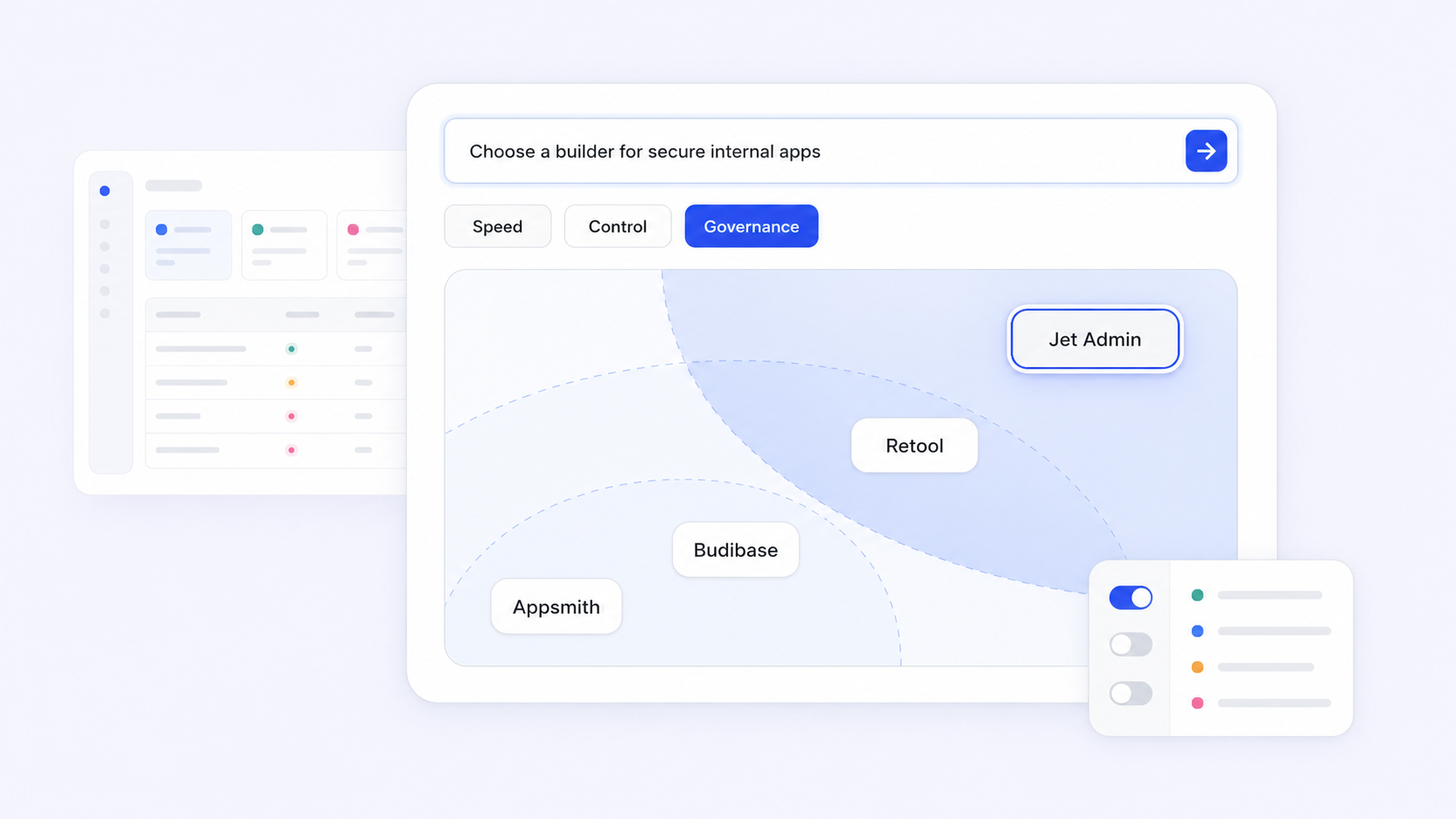
With 84% of businesses now considering low code tools essential for development, choosing the right platform for building internal tools is a high-stakes decision. Appsmith has earned its place as a go-to open-source option, but many teams eventually outgrow it and start evaluating appsmith alternatives that better fit their governance, extensibility, or cost requirements.
This guide breaks down every credible option, compares them on the criteria that actually matter, and gives you a practical checklist for making the switch.
Key Takeaways
- Appsmith is a strong open-source low code platform for internal tools, but teams frequently outgrow it when they need advanced governance, polished mobile apps, or complex workflows. That's when evaluating appsmith alternatives becomes necessary.
- The best appsmith alternatives vary by use case: developer-focused app engines, self-hosting-first open-source tools, commercial platforms for mixed teams, and heavyweight enterprise suites each serve distinct needs.
- Evaluation should be structured around build speed, data connectivity, extensibility, auth and permissions, deployment model, governance, pricing model, and long-term maintenance burden rather than feature checklists alone.
- Jet Admin is a credible alternative for teams wanting secure, production-grade internal apps built directly on existing data sources, though it is compared objectively alongside other tools throughout this article.
- Readers will find a scannable comparison table, detailed platform breakdowns, a migration and selection checklist, and FAQs to help engineering teams and business stakeholders choose the right fit.
What Appsmith Does Well - and Where Alternatives Come In
Appsmith is an open-source platform that supports self-hosting and lets engineering teams build admin panels, dashboards, and CRUD internal apps on top of APIs and databases using a drag and drop interface with JavaScript-based customization. Self-hosting provides complete control over data and infrastructure, which is a meaningful advantage for security-conscious organizations.
Its core strengths include a strong developer community, transparent licensing, and the flexibility to connect to REST APIs, GraphQL endpoints, and sql database systems. Most low-code platforms provide drag-and-drop interfaces for application building, but Appsmith particularly appeals to teams that want a developer focused, open-source stack.
Where teams hit friction: customizing internal tools heavily relies on the underlying platform's flexibility and feature set. Appsmith's component library is narrower than some commercial competitors, its mobile-ready interfaces lag behind, and advanced governance features like granular audit logs or multi-environment separation can require expensive tiers. When internal tools need complex workflows, orchestration, or polished end user experiences, teams start exploring alternatives.
The rest of this article compares the leading appsmith alternatives across internal tools, internal apps, and custom apps needs for 2026.
How to Evaluate Appsmith Alternatives (Criteria That Matter)
Defining evaluation criteria before comparing platforms prevents you from getting distracted by feature marketing. Effective low-code platforms should balance between developer flexibility and ease of use - and the right balance depends on your team.
Here are the dimensions that matter most:
- Build speed. Look for template libraries, AI-assisted app generation (AI-powered tools can generate full-stack web applications from simple prompts), visual UI builders, and reusable custom components. Low-code platforms accelerate the creation of dashboard applications, but speed varies widely.
- Data connectivity. Expect first-class support for databases like PostgreSQL and MySQL, rest api and GraphQL endpoints, SaaS integrations, and the ability to combine multiple data sources into a single tool. Many low-code platforms integrate with databases like PostgreSQL and MySQL, but connector depth differs.
- Extensibility and language support. Some platforms limit you to js code. Others add python support, let you build your own custom widgets, import external libraries, or embed full custom code modules for deeper customization. Can you create custom components or use drag and drop widgets alongside raw code?
- Auth and permissions. SSO via SAML or OIDC, granular role based access controls, environment-based secure access, and distinct permission models for builders versus end users are non-negotiable for serious internal apps.
- Deployment and governance. Cloud version, self hosting, or hybrid? Version control, designated environment branches (dev, stage, prod), audit logs, and enterprise compliance certifications narrow your options fast. Low-code platforms can have significant cost implications as teams scale up their usage, so governance should include cost controls.
- Pricing model and maintenance. Compare per-developer versus per end user pricing. Estimate 3–5 year total cost of ownership including infra costs for self hosting options, security patching, and internal engineering time. Paid plans that look affordable at small scale can become expensive when database queries and users multiply.
The comparison table below distills these criteria so you can scan quickly before diving into each platform.
Best Appsmith Alternatives at a Glance (Comparison Table)
Here's a scannable summary of leading appsmith alternatives for 2026, focused on internal tools and custom internal apps. Use this to shortlist 3–4 platforms before evaluating in depth.
Platform | Best For | Core Strengths | Key Limitations | Deployment | Pricing Model |
|---|---|---|---|---|---|
Jet Admin | Mixed teams; secure apps on existing data | Strong integrations, AI-assisted building, governance | Not open-source; advanced features in higher tiers | Cloud, hybrid | Tiered by users and capabilities |
Retool | Enterprise teams needing polish and native integrations | 100+ UI components, rich connectors, enterprise features | Per-end-user cost scales; self-host enterprise-only | Cloud, self-host (enterprise) | Per editor + per end user |
ToolJet | Teams wanting open-source + AI capabilities | 80+ connectors, JS/Python, AI agents, responsive ui | Some advanced features behind premium | Cloud, self-host | Lower than Retool at scale |
Budibase | Small teams; simple CRUD and workflow automation | Free self-host, auto CRUD generation, unlimited apps on OSS | Limited UI polish for complex apps | Cloud, self-host | Per creator + per end user |
Superblocks | Developer focused enterprise apps | API orchestration, JS + Python, hybrid deploy | Higher cost; steeper learning curve | Cloud, hybrid, on-prem agent | Per end user |
DronaHQ | Mobile + web internal apps | Mobile-ready, SSO, RBAC, audit logs in business plan | Less known community | Cloud, self-host | Per user tiers |
Microsoft Power Apps | Microsoft-centric orgs | Deep M365 integration, citizen developer friendly | Formula language limits; licensing complexity | Cloud (Azure) | Per user or per app |
OutSystems | Large enterprise standardization | Full lifecycle, DevOps tooling, compliance | High cost; specialized skills needed | Cloud, self-host | Starts ~$36K/yr enterprise |
Appian | Process-heavy regulated industries | BPM, case management, complex workflows | Heavy implementation; expensive | Cloud, self-host | Enterprise pricing |
ServiceNow App Engine | Orgs with existing ServiceNow footprint | Unified ITSM + custom apps, governance | Only valuable within ServiceNow ecosystem | Cloud | Platform-bundled |
Softr | Client portals, simple internal tools | Quick setup, portal-focused | Limited for complex apps | Cloud | Tiered |
WeWeb | Front-end focused; code export options needed | 4.9/5 on G2, code export and self-hosting options | Less suited for heavy backend logic | Cloud, self-host | Tiered |
Key patterns: ToolJet, Budibase, and Appsmith skew developer-first and open-source. Retool and Superblocks target enterprise teams with more polish but higher cost. OutSystems, Appian, and ServiceNow App Engine are heavyweight platforms for large-scale process automation. Jet Admin and DronaHQ sit in a middle ground, serving mixed teams that need governance without enterprise-suite complexity. Softr is excellent for building client portals and internal tools quickly. WeWeb allows code export and hosting anywhere, which appeals to teams prioritizing low vendor risk.

Jet Admin: Secure Business Apps on Top of Your Existing Data
Jet Admin positions itself as a strong appsmith alternative for teams that want to build secure, production-ready internal tools and custom business apps directly on their existing databases, APIs, SaaS tools, and spreadsheets.
The platform connects to your source data - including PostgreSQL, MySQL, Firebase, MongoDB, Airtable, BigQuery, Snowflake, and dozens of other databases - plus REST API, GraphQL, and SaaS connectors like Stripe, HubSpot, Salesforce, Slack, and Zendesk. It can generate both UI and application business logic automatically, then lets teams refine and deploy internal apps to end users.
Key features relevant when comparing to Appsmith include a visual app builder, the ability to add custom logic through workflows that combine multiple systems, and ai integration with providers like OpenAI, Anthropic, and Google Gemini. For governance, Jet Admin provides enterprise grade security through SSO support (OIDC, Auth0, Google OAuth), roles and permissions, and environment controls for secure access to internal data and sensitive data.
Best for: Mixed technical and non-technical teams building secure internal apps on existing cloud services and third party services. Strengths: Broad data connectivity, AI-assisted building, governance features, and fast time-to-deploy for admin panels and dashboards. Limitations: Commercial product (not open-source), so teams that require full source code control or self hosting may prefer open-source alternatives. Proprietary low-code tools often offer better enterprise security and integration capabilities than open-source tools, and Jet Admin fits that pattern.
Retool: Enterprise-Grade Internal Tools with Rich Integrations
Retool is considered a leading competitor in internal tool development and serves over 500,000 users as of 2023. It offers over 100 pre-built UI components, extensive data connectors, and support for custom JavaScript queries, making it a polished choice for engineering teams that need many SaaS integrations and enterprise features like environments, version control, and enterprise RBAC.
Compared with Appsmith, Retool delivers a more refined UX and richer native integrations out of the box. However, it's commercial and closed-source: self-hosting is available only on enterprise plans, which has frustrated some teams.
Best for: Mid-size and enterprise organizations that want polished internal tools with minimal custom development. Strengths: Component richness, enterprise governance, external portal support. Limitations: Retool charges $12 per editor and $7 per end user monthly, and that per-end-user model can significantly increase total cost of ownership as internal tools become widely used across an organization. Teams wanting open-source freedom or full infra control will find Retool restrictive.
ToolJet, Budibase, and Other Open-Source Appsmith Alternatives
Some teams specifically want an open-source appsmith alternative for self hosting options, full control of infrastructure, and the ability to modify source code or avoid vendor lock in. Community support and active development are important factors in choosing open-source tools in this category.
ToolJet has emerged as a strong contender with 80+ data source integrations, 82+ pre-built UI components, and ai capabilities for autonomous workflows. ToolJet generates complete applications from natural language descriptions, offers dual JavaScript and Python support for data workflows and data science use cases, and can be fully self-hosted for data control. ToolJet's pricing is significantly lower than Retool's at scale, which matters for teams with many end users. It also delivers a responsive ui and ai agents for ai powered workflows.
Budibase focuses on rapid app generation: it automatically creates CRUD interfaces from data sources and can generate CRUD interfaces from data sources in seconds. Budibase is free to self-host with robust features, offering unlimited apps, automations, and users on its open-source tier. Budibase has a 4.5 out of 5 star rating on G2. On paid plans, Budibase charges $50 per month for creators and $5 per end user, with ai agents and workflow automation features included.
Other open-source options worth noting: Refine generates standard React/TypeScript code for internal tools, giving engineering teams full code ownership. WeWeb allows code export and self-hosting options (with a 4.9/5 star rating on G2), appealing to teams that want code export options and low vendor risk. Open-source internal tools allow self-hosting for better security, but the trade-off is DIY DevOps, slower enterprise support, and sometimes limited advanced governance or audit logging compared to commercial platforms.
Superblocks, DronaHQ, and Developer-Focused App Engines
This cluster of tools represents developer focused appsmith alternatives that feel closer to programmable app engines, appealing to engineering teams comfortable with APIs, code, and complex workflows.
Superblocks is designed for enterprise internal developer applications. It supports both JavaScript and Python for custom logic, offers 50+ integrations and 100+ UI components, and provides hybrid deployment with an open-source on-prem agent that keeps sensitive data inside your network. Superblocks raised $23 million in Series A funding in 2025, signaling strong market confidence. Superblocks starts at $15 per end user per month, positioning it for teams that need to transform data across many microservices and backend systems.
DronaHQ is a mature low code platform that supports building internal tools, mobile apps, android apps, and progressive web apps with features like SSO, RBAC, and audit logs available in its business plan. It's a viable option when teams need mobile-ready functional apps alongside desktop internal tools.
These platforms often outperform Appsmith for organizations needing richer workflow builders, built-in mobile options, stronger audit logging, or enterprise-ready SLAs. Best for: Engineering teams wanting a programmable, extensible app engine with strong DevOps tooling. Strengths: Scalability, language support, and developer experience. Limitations: Steeper learning curve for non technical users and higher subscription costs compared to pure open-source.
Heavyweight Enterprise Suites: OutSystems, Appian, and ServiceNow App Engine
Some appsmith alternatives aren't internal tool builders at all - they're full enterprise application platforms oriented around line-of-business systems, business process management, and process automation.
OutSystems delivers enterprise-grade low code for large-scale web and mobile custom applications, with lifecycle management and DevOps tooling. OutSystems has been recognized as a Leader in Gartner's Magic Quadrant for 8 consecutive years. OutSystems pricing starts around $36,000 per year for enterprise use, reflecting its positioning for organizations standardizing on a single platform.
Appian has roots in BPM and case management, with particular strength in complex workflows, approvals, and workflow automation for regulated, process-heavy industries where enterprise compliance matters more than pixel-perfect UI.
ServiceNow App Engine is an appsmith alternative only for organizations already heavily invested in ServiceNow, where extending ITSM and HR workflows with custom internal apps under central governance makes sense. If you have an existing servicenow footprint, it can consolidate tooling - but it's not a general-purpose app builder.
Best for: Large enterprises with strict governance and existing ecosystem investments. Strengths: Enterprise compliance, centralized control, and deep process automation. Limitations: Significantly higher cost, longer implementation times, and the need for specialized platform teams. For simple internal tools, these platforms are overkill.
Microsoft Power Apps and Ecosystem-Centric Options
Some organizations evaluate appsmith alternatives primarily within the context of their existing productivity stack. Power apps and similar ecosystem-bundled options make sense when your data already lives in a specific vendor's cloud services.
Microsoft Power Apps is a form-based app builder integrated with Microsoft 365, Power Platform, and Dataverse. It's well-suited for simple internal tools, data collection apps, and workflows where data lives in SharePoint, Excel, or Dynamics. Business users and citizen developers can build basic custom apps quickly without engineering help.
Compared with Appsmith, Power Apps offers better integration for Microsoft-centric IT environments but comes with constraints: a formula language that limits deeper customization, licensing complexity, and less flexible UI for complex internal apps. Similar ecosystem-bundled options exist for Salesforce and other stacks.
Best for: Business units wanting basic internal apps quickly within their existing productivity suite. Strengths: Ecosystem integration, low barrier for non technical users. Limitations: Limited language support, formula-driven logic, and less flexibility for engineering teams seeking maximum control. It is the only platform in this comparison deeply tied to the Microsoft ecosystem.
Choosing the Right Appsmith Alternative by Team Type and Requirements
The best appsmith alternatives depend heavily on who will build the internal tools and how apps will be deployed.
- Fully technical engineering teams should prioritize developer focused app engines like Superblocks or DronaHQ, or open-source frameworks like ToolJet and Budibase, for control, language flexibility, and integration depth. These teams can handle self hosting and want to write custom logic in JS or Python.
- Mixed teams of developers and non-technical builders (ops, support, finance) benefit from platforms like Jet Admin that combine no-code interfaces with low-code extensibility and robust data connections. These teams need business users to handle day-to-day edits without engineering bottlenecks.
- Strictly regulated or large enterprise teams may lean toward OutSystems, Appian, or servicenow app engine due to centralized governance, business process management, and deployment controls - even if they are heavier than Appsmith.
For deployment preferences: choose self-host or open-source when data residency and strict security are non-negotiable. Accept cloud version SaaS when speed and low maintenance matter more. Hybrid patterns suit teams that want cloud convenience but need sensitive data to stay on-premises.
Quick profiles:
- Lean startup with 3 engineers: ToolJet or Budibase (free plan, self-host, fast).
- Mid-size SaaS with 50 internal tool users: Jet Admin or Retool (governance, integrations, manageable cost).
- Enterprise with strict governance: Superblocks, OutSystems, or Appian (enterprise features, compliance, audit logs).

Migration and Selection Checklist: Moving from Appsmith Safely
Many readers already have internal tools running on Appsmith and need a pragmatic migration plan. Here's a structured approach:
1. Inventory and classify:
- List all existing Appsmith apps by complexity, criticality, and number of end users.
- Document every data source, auth pattern, and third party services connection each app uses.
- Identify stakeholders and business users who depend on each tool daily.
2. Evaluate shortlisted alternatives:
- Run proof-of-concept projects in 1–2 shortlisted platforms. Build a small but realistic internal app - not a toy demo.
- Test governance features: RBAC, audit logging, SSO, and designated environment branches.
- Verify integration coverage for all key systems, including database queries against your actual sql database instances.
3. Execute migration incrementally:
- Start with a low-risk internal app. Validate UX, performance, and that you can automatically deploy merged changes without manual intervention.
- Run parallel instances of Appsmith and the new platform. Set clear decommission dates per app with sign-off from app owners.
- Ensure rollback plans are documented so business teams aren't left without tools.
4. Governance and compliance:
- Confirm how audit logs, access controls, and environments will be configured before cutting over.
- Involve security and compliance stakeholders early - not after migration.
5. Cost modeling:
- Estimate ongoing maintenance and total cost of ownership over 3–5 years for each shortlisted alternative, including platform fees, infra costs for self hosting, and internal engineering time.
Conclusion: Which Appsmith Alternative Should You Choose?
There's no single best appsmith alternative for everyone. The right choice depends on your team's technical depth, governance expectations, deployment preferences, and how critical internal tools are to daily operations.
The landscape breaks into clear categories: open-source and self-hosted tools like ToolJet and Budibase for cost control and transparency; developer-first platforms like Superblocks and DronaHQ for complex, extensible internal apps; ecosystem suites like Microsoft power apps for stack-specific needs; heavyweight enterprise platforms like OutSystems, Appian, and servicenow app engine for regulated, process-heavy organizations; and Jet Admin as a secure, data-centric internal app builder for mixed technical and non-technical teams.
Start by narrowing to 2–3 platforms that match your deployment, governance, and pricing model preferences. Then build a small but realistic internal app prototype on each to compare real-world developer experience and end user satisfaction.
If you want to explore how Jet Admin compares in your specific environment, review the Jet Admin app builder for detailed capabilities or start a trial to experiment with building internal tools on your existing data.
FAQs About Appsmith Alternatives
These FAQs address practical concerns not fully covered above, focused on common questions when switching from Appsmith.
What is the most budget-friendly Appsmith alternative for small teams?
Budget depends on whether you prefer open-source self hosting (where infra and maintenance costs dominate) or SaaS pricing (where subscription dominates). Open-source platforms like ToolJet or Budibase with a free plan can be cost-effective for small engineering teams willing to manage servers, updates, and security patching. Commercial tools may reduce maintenance overhead at the expense of subscription fees. Always factor in hidden costs like developer time, backup and monitoring, and security patching when comparing "free" versus paid alternatives.
How do I minimize vendor lock-in when choosing an Appsmith alternative?
Look for features like data remaining in your own databases, open or exportable schemas, and the ability to write custom code reusable elsewhere. WeWeb allows code export and hosting anywhere, and Refine outputs standard React code - both reduce lock-in. Open-source tools and platforms offering code export options or standard APIs generally reduce lock-in compared with proprietary black-box systems. Maintain clear documentation of all internal app logic and integrations so you can reimplement critical workflows if needed.
Can non-technical users build internal apps on these platforms?
Many appsmith alternatives provide no-code builders designed for operations, support, and finance teams, but ease of use varies significantly. Platforms like Jet Admin, Microsoft Power Apps, and some GUI-focused builders tend to be more approachable for non-developers, especially when templates and AI-assisted app building are available. During your proof-of-concept phase, test whether non-technical stakeholders can comfortably handle day-to-day edits without engineering help.
How important are audit logs and RBAC for internal tools?
Audit logs and granular role based access controls become essential once internal tools touch sensitive data (finance, HR, customer records) or support critical workflows. In regulated industries, treat these as non-negotiable. Verify exactly what each platform logs - user actions, data changes, admin changes - and how long logs are retained. Involve security and compliance teams when evaluating enterprise features like RBAC, SSO, and audit logging before committing.
Should we run Appsmith and an alternative in parallel during migration?
Yes - keep Appsmith running in parallel for a defined period while early internal apps are rebuilt and validated on the new platform. Parallel runs allow side-by-side testing of performance, correctness, and end user experience, and make rollback straightforward if issues surface. Set a clear decommission date per app with sign-off from app owners and end users once the new tool is stable and fully adopted.