
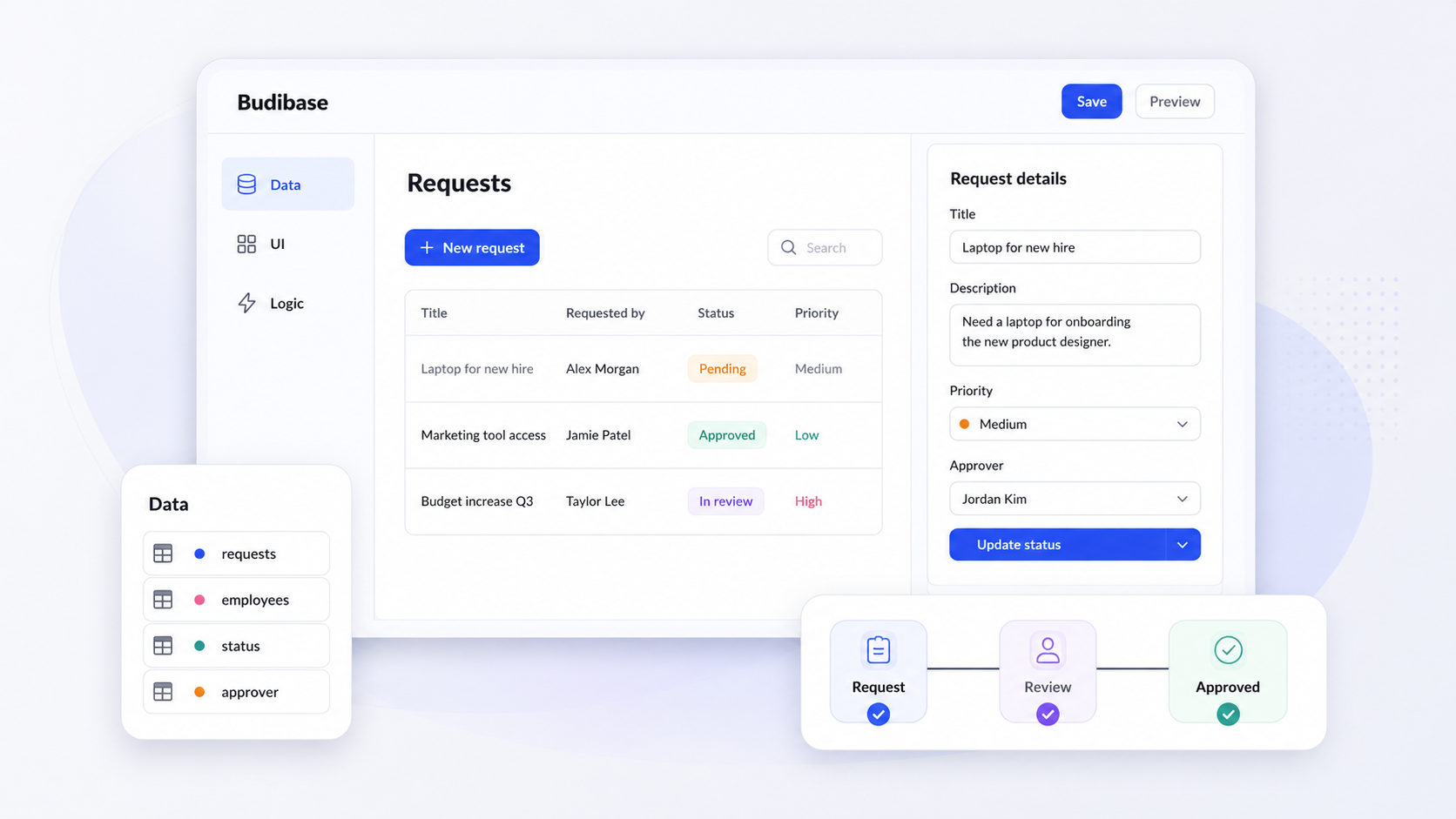
Budibase is an open-source low code platform built for teams that need internal apps, admin panels, and approval flows without hand-coding every layer of the stack. If you're evaluating tools in this space, this guide breaks down how Budibase works, where it fits, its honest tradeoffs, and how alternatives like Jet Admin, Retool, Appsmith, and others compare for different use cases.
Key Takeaways
- Budibase is an open source platform and no-code web app builder that lets teams visually build apps on top of databases, REST APIs, and tools like Google Sheets, saving 100s of hours building internal business tools and workflows compared to custom development.
- It is best for technical teams that want self-hosting, open-source flexibility, and rapid CRUD app development rather than pixel-perfect, public-facing products. Non technical users can handle simpler builds, while software engineers extend apps with custom components and JavaScript.
- Main tradeoffs: Budibase excels at low code internal apps and automations, but it is less suited to native mobile apps, complex CI/CD-heavy engineering orgs, and high-polish external customer portals.
- This article compares Budibase with alternatives including Jet Admin, Retool, Appsmith, UI Bakery, Bubble, OutSystems, and Adalo, helping you choose the right platform by use case, security needs, and long-term cost.
What Is Budibase? (Plain-English Definition and Context)
Budibase is an open source low code platform for building internal apps, admin panels, and business apps that run entirely in the browser. In plain English: it lets your team design UIs, connect to data sources like SQL databases, external APIs, and Google Sheets, and automate workflows-all through a visual builder with optional JavaScript for power users.
The platform targets internal apps: approval flows, internal forms, inventory tools, HR portals, IT admin panels, and similar operational systems. It is not designed for consumer-facing products.
Budibase can be deployed via self host options on Docker, Kubernetes, or Digital Ocean, or used through Budibase Cloud for a managed cloud platform experience. With over 28,000 GitHub stars and a claim of 200,000+ teams, Budibase competes in the broader low code app development landscape alongside tools like Jet Admin, Retool, Appsmith, OutSystems, and Bubble.
How Budibase Works: Core Architecture and Workflow
The typical workflow follows a "data to app" pattern: connect a data source, auto-generate CRUD screens, customize the UI with drag and drop components, and layer on automation and approval logic. Budibase accelerates development by automatically generating standard application screens from your data schema.
Under the hood, Budibase uses a JavaScript-based tech stack. The backend runs on Node.js and Koa, the builder UI and client runtime are built with Svelte, and CouchDB serves as the default internal database. A newer Structured Query Server (SQS) addition enables relational-style searches on the built-in DB.
Budibase supports connections to over 40 databases and APIs, including MySQL, PostgreSQL, MongoDB, SQL Server, DynamoDB, Airtable, Google Sheets, REST APIs, CSV uploads, and S3. You can also use Budibase's built in database for greenfield projects where speed matters more than legacy integration.
Apps are defined through a JSON schema-screen definitions, UI components, data flows, and logic-then rendered into responsive web apps with authentication and role-based access control. Automations plug in as configurable blocks: CRON jobs, webhooks, email notifications, and Slack alerts that trigger when records change or approvals are submitted.
Key Features and Capabilities of Budibase
Budibase is a toolkit for internal apps, data-driven UIs, workflow automation, and self-hosted deployments. Here is what it offers across its core capabilities.
App building and UI design. Budibase features a drag-and-drop interface for designing user interfaces, with roughly 40+ pre built components including tables, forms, buttons, charts, and filters. Layout options handle responsive behavior, and Budibase apps are responsive across desktops, tablets, and smartphones.
Data and CRUD features. You can build list/detail views, search and filter records, enable inline editing, and construct multi-page flows on top of existing SQL/NoSQL databases, external APIs, and spreadsheets. Budibase supports multiple data sources including MySQL and PostgreSQL, and it connects to an external database just as easily as its internal one.
Automation. Budibase includes over 20 automation blocks for process automation. It automates workflow processes like notifications and approvals, and can integrate with third-party tools for additional automation via webhooks. Integrations with Slack, Zapier, and other services extend what automations can do.
Templates and accelerators. Budibase offers nearly 50 templates for app creation-covering fleet management, travel approvals, IT knowledge bases, ticketing systems, and inventory management. The templates Budibase offers let teams customize rather than build from scratch.
Extensibility. Budibase allows for custom JavaScript and custom CSS for advanced customizations. A plugin system supports custom components, and a public API allows using Budibase as a backend for external frontends.
Common Budibase Use Cases and Best-Fit Users
Budibase excels when teams need internal apps-not polished consumer products-and value rapid development plus control over hosting. Here are the most common scenarios:
- HR tools: leave management, onboarding checklists, PTO approval apps
- Admin panels: password resets, refund processing, user management
- IT operations dashboards: server status, incident tracking
- Inventory and asset tracking: warehouse tools, equipment databases
- Internal portals and ticketing systems: support request queues, knowledge bases
- Approval flows: purchase orders, travel requests, expense claims
Non technical users can build simple dashboards and forms with the visual builder. Software engineers extend Budibase applications with custom logic and integrations for more complex applications. The development process is fast enough that startups and SMEs use it to build apps like CRM-lite dashboards or partner portals on a budget, often starting from Google Sheets and graduating to SQL.
For enterprise scenarios, self-hosted Budibase on your own infrastructure gives departments on-prem control with customizable RBAC for different business units.
Budibase is less ideal for native mobile apps, public-facing ecommerce, or consumer marketplaces where you need app store distribution, pixel-perfect design, and heavy traffic optimizations.
Data, Automation, and Deployment: How Budibase Fits into Your Stack
Think of Budibase as a layer on top of your existing data and services. It plugs into databases, APIs, and third-party SaaS tools to streamline operations without replacing what you already run.
Data connectivity. Budibase connects to production databases (PostgreSQL, MySQL, SQL Server, MongoDB), data tools like Airtable and Google Sheets, and any service exposing a REST API. You can pull from multiple sources into a single app. Common patterns include using Budibase as a UI and workflow layer on an existing operational database, or spinning up the internal CouchDB-based DB for greenfield projects.
Automation and workflow orchestration. Running approval flows, updating records across systems, sending notifications, and integrating with external automation tools via webhooks and external APIs are all supported. Budibase can automate processes with over 20 automation blocks, making it straightforward to manage processes end-to-end.
Deployment choices. Self-hosting with Docker or Kubernetes on your own infrastructure gives full control. Budibase Cloud offers managed hosting for teams that want to skip DevOps. Considerations include network access to internal databases, VPN requirements, and data residency.
Scalability. For self-hosted instances, scaling depends on your Kubernetes or Docker setup-CouchDB clustering, Redis, and load balancing all play a role. On Budibase Cloud, horizontal scaling is handled by the platform team.

Security, Governance, and Compliance in Budibase
Budibase aims to support enterprise-grade security for internal apps, but each organization should validate controls against its own policies. Here is what the platform provides.
Security posture. Budibase Cloud hosting uses ISO 27001 and SOC 1/2 certified datacenters, TLS 1.3 for in-transit encryption, and AES256 encryption at rest. Regular third-party penetration testing and AWS security audits are part of the program.
Access control. Budibase provides role-based access control for managing user permissions, along with user groups, environment-level permissions, and the ability to restrict access to specific apps, views, or records.
SSO and identity. Support for SAML and OIDC allows integration with enterprise identity providers for centralized user management and just-in-time access provisioning.
Governance features. Audit logs track user actions and system events. Backups, environment variables, workspace separation, and configuration management for production versus staging deployments are available across paid plans.
Self-hosting governance. Running the Budibase server on your existing infrastructure gives more control over data residency, network isolation, and alignment with internal security requirements-useful for regulated industries or air-gapped environments.
Budibase Pricing Overview and Cost Considerations
Pricing changes frequently. Always confirm details on the official Budibase pricing page as of your decision date.
Free plan. Budibase allows unlimited app creation in its free plan, and the free version supports unlimited apps and data sources. Budibase offers a free plan for up to 5 users on Budibase Cloud, with higher limits for self-hosted deployments. Budibase is open source, so the self-hosted free version has generous capacity.
Mid-tier (Premium). The Premium plan costs $60 per creator per month, billed monthly. It includes custom branding, reusable code snippets, stricter access control, synchronous automations, and email support. The Premium plan includes unlimited plugins and data backups.
Enterprise. The Enterprise plan pricing is customized for each organization, with advanced features like SCIM/Active Directory, 365-day audit logs, priority support, and air-gapped deployment options.
Total cost of ownership. Factor in infrastructure costs for self-hosting (servers, storage, scaling), engineering time for custom components, and the creator vs. end-user pricing model. As adoption grows across many users, the need for higher action quotas and longer log retention pushes you into higher tiers. Strict budgets or very large user counts may favor other platforms with different pricing models.
Pros and Cons of Budibase for Internal App Development
No low code tool is perfect for every scenario. Understanding these tradeoffs will help your team commit with confidence.
Advantages:
- Open source flexibility: inspect, modify, and extend the code
- Strong self host support on Docker, Kubernetes, or Digital Ocean
- Wide range of data connectors-easily integrated with SQL, NoSQL, REST API, and spreadsheets
- Visual low code builder with custom components and a drag and drop interface
- Fast CRUD apps, workflow automation, and approval apps
- Mobile responsive web apps across devices
Budibase users report saving 100s of hours building admin panels, operations dashboards, forms, and other internal tools compared with coding from scratch in React or Vue. The templates Budibase provides are a significant improvement over starting from zero.
Limitations:
- Web apps only-no native mobile apps for iOS or Android app store distribution
- Less control over pixel-perfect UI compared to front-end frameworks
- Learning curve for non technical users when building complex logic or custom components
- Performance can degrade with large datasets and heavy automations depending on hosting
- Documentation for advanced features like plugin development is still evolving
- Feature boundaries between open-source and paid plans shift with each new version
Budibase is usually a strong fit where speed, open-source options, and data connectivity matter more than marketing-grade UX. It is less ideal for heavy engineering orgs needing deep CI/CD integration.
Budibase vs Alternatives: When to Consider Other Low Code Platforms
Buyers often compare Budibase with other low code and no code options. Different platforms prioritize UI control, extensibility, governance, or cost differently.
Retool is known for building complex internal tools quickly, with a polished component library and strong embedding support. It tends to be higher cost and closed-source, but offers deeper scripting and a larger connector ecosystem than some web platforms.
Appsmith is an open-source platform for building internal tools with a developer-oriented model. It emphasizes SQL/NoSQL connectivity and custom JavaScript but lacks a built-in database, which Budibase includes.
UI Bakery emphasizes user interface design with drag-and-drop features and stronger styling flexibility. It can be a better fit for polished dashboards or customer portals where design matters more.
Bubble is favored for its extensive customization options and is more oriented toward external-facing apps and consumer products, unlike Budibase's internal focus.
OutSystems is designed for enterprise-grade rapid app development with full SDLC support, mobile app generation, and deep governance-at significantly higher cost and complexity.
Adalo offers native mobile app capabilities from a single codebase, making it a better choice when app store distribution is a hard requirement and Budibase's browser-only approach falls short.
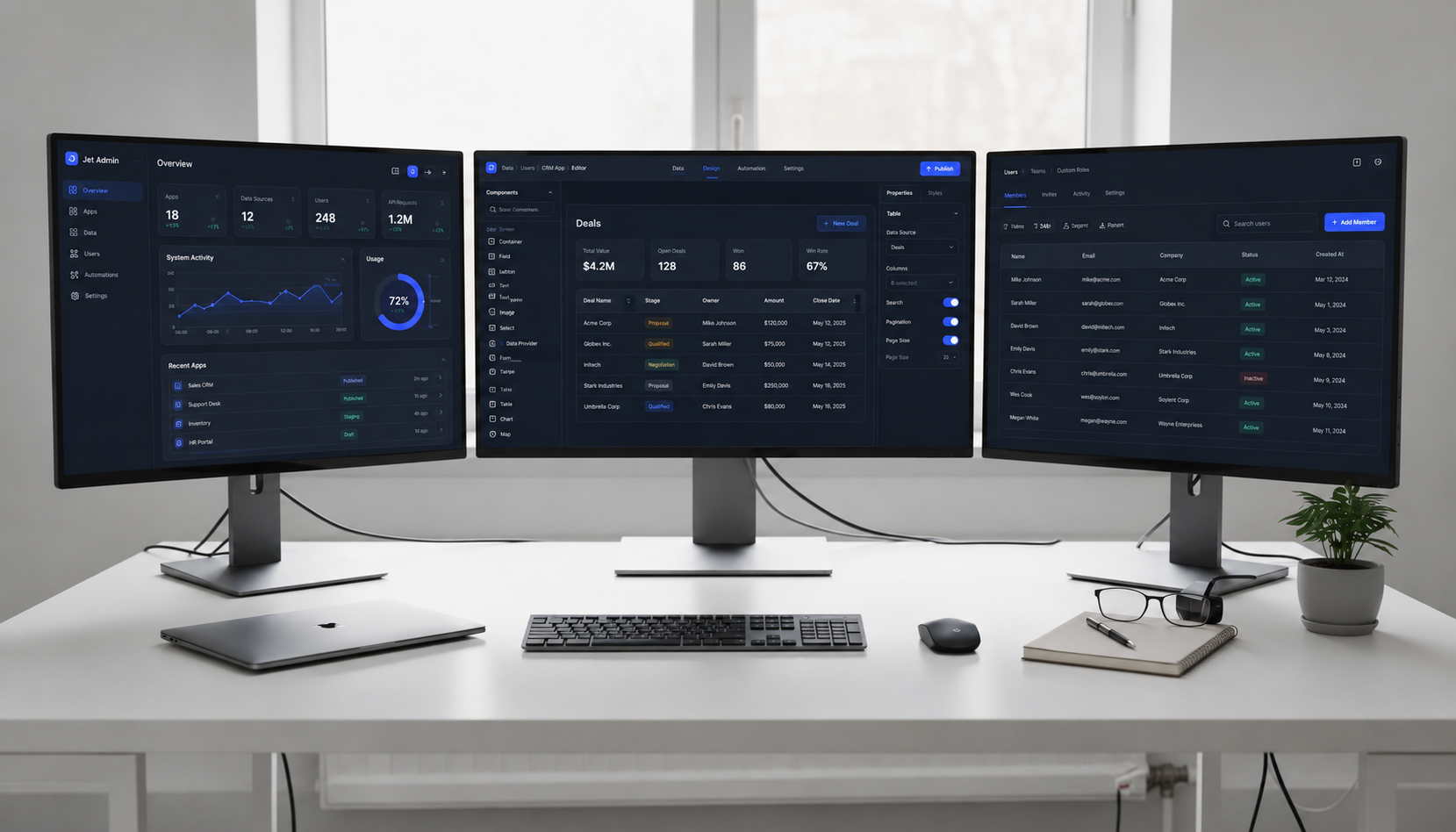
Jet Admin builds secure business apps on existing data, connecting to databases, APIs, spreadsheets, and SaaS tools to generate interfaces and application logic. It focuses on production-ready, governed internal applications.
Structure your comparison around concrete needs: self-hosting vs. SaaS, security certifications, workflow complexity, developer vs. citizen developer focus, and long-term maintenance.

How Jet Admin Differs from Budibase for Secure Business Apps
Jet Admin is a related but distinct option-a platform designed to build secure business apps and other internal tools directly on top of existing data sources, with strong governance and enterprise capabilities.
Jet Admin connects to existing databases, APIs, spreadsheets, and SaaS tools. The supported integrations include PostgreSQL, MySQL, MongoDB, Firebase, Supabase, Google Sheets, Airtable, Snowflake, BigQuery, Stripe, Salesforce, Slack, and many more. It generates UI and backend logic automatically where possible, reducing the entire app development process to configuration rather than construction.
Where Budibase mixes an internal database with external connectors, Jet Admin is typically used as a thin, governed layer on top of production systems. This makes it well-suited for teams that need to build apps without duplicating data or managing app metadata in a separate store.
Jet Admin focuses on production readiness: granular access control, auditability, deployment control, and security capabilities designed for regulated industries. For pricing, refer to the official Jet Admin pricing page for up-to-date details-compare per-user vs. per-creator models and included enterprise features rather than just headline numbers.
Choosing between the two: Budibase may be better for open-source, self-hosted low code internal apps where teams want to modify the stack. Jet Admin may be more appropriate when the priority is secure, governed business tools directly on live data with minimal infrastructure management. Both are capable, but they serve different priorities.
How to Choose: Decision Checklist for Budibase and Its Alternatives
Use this checklist to evaluate whether Budibase-or another low code platform-is the right fit.
1. Deployment requirements
- Is self-hosting on Docker or Kubernetes mandatory?
- Would a managed cloud like Budibase Cloud or Jet Admin work?
- How do data residency or VPN access constraints affect tool choice?
2. Data and workflow needs
- How many and what type of data sources are involved (SQL, NoSQL, APIs, Google Sheets)?
- How complex are your approval flows and cross-system workflows?
- Do you need to build admin panels, internal portals, or CRUD apps?
3. Security and compliance
- What industry regulations apply?
- Is ISO 27001 or similar certification required?
- Do you need SSO/SAML, audit logs, and granular RBAC across user groups?
4. UX and user base
- Are users primarily internal employees or external customers?
- Is pixel-perfect design critical, or are functional internal UIs sufficient?
- Are native mobile apps a must-have, or are browsers enough?
5. Budget beyond sticker price
- Estimate the cost of creators vs. end users across different platforms
- Factor in infrastructure and DevOps for self-hosting on your own infrastructure
- Consider training time and the opportunity cost of spending extra months hand-coding apps instead of using low code tools
6. Trial before committing Start with small projects. Trial 1–2 shortlisted platforms on a real internal use case-an approval flow, an admin panel, a ticketing system-and compare build time, governance fit, and maintenance overhead. If secure business apps on existing data are a priority, explore Jet Admin's integrations to see if your stack is supported.
FAQ About Budibase and Low Code Internal Apps
These questions cover practical considerations not fully addressed in the main sections.
Can Budibase be used for public-facing apps?
While it is technically possible to expose Budibase apps publicly, the platform is primarily optimized for internal apps and business workflows. Public-facing use cases like ecommerce or consumer marketplaces are better served by other platforms designed for that purpose.
Does Budibase support native mobile apps?
No. Budibase focuses on web apps and does not generate native iOS or Android binaries. If app store deployment is a key requirement, consider platforms like Adalo that offer native mobile app capabilities, or an enterprise low code tool like OutSystems.
How do you migrate away from Budibase?
Teams can export data via CSV or access the underlying CouchDB or external database directly. Rebuilding UI flows and automations in an alternative low code or traditional codebase requires manual effort, but your data remains portable.
How does Budibase handle performance at scale?
Performance depends on hosting setup, database design, and automation volume. For self-hosted deployments, scaling CouchDB, Redis, and your application containers is your responsibility. Load test any mission-critical internal app before a wide rollout to an unlimited number of users.
How do admins manage governance in multi-team environments?
Budibase supports workspace separation, user groups, and distinct creator vs. end-user roles. Admins can apply consistent security policies across Budibase applications, control who can deploy apps, and restrict access at the view or record level-keeping governance tight as internal apps proliferate.