
Budibase has earned a solid reputation as an open-source low code platform for building internal tools. But as teams grow and internal apps become more complex, many organizations find themselves hitting walls around scalability, governance, and pricing. This guide compares the most credible Budibase alternatives in 2026, with honest assessments of strengths, limitations, and fit by team type.
Key Takeaways
No-code and low-code platforms are increasingly popular for app development, and the market for internal tool builders has matured significantly since 2024. If you're evaluating Budibase alternatives, here's what matters most before you dive into the full comparison.
- Budibase remains strong for simple internal tools and CRUD apps, but it struggles with scaling data-heavy workflows, enterprise governance, and native mobile apps, which is driving teams to explore alternatives.
- This article covers Retool, Superblocks, Jet Admin, Appsmith, ToolJet, Baserow, NocoDB, Glide, Bubble, Softr, and adjacent tools like Make and Gumloop, with clear "best for / strengths / limitations" assessments for each.
- Every platform is evaluated against a consistent framework: build speed, data connectivity, extensibility, auth and permissions, deployment options, governance, pricing model, and ongoing maintenance effort.
- The best alternatives to Budibase depend on team skills and budget. A migration checklist and concrete recommendations by team type (non-technical ops, product and data teams, engineering-led orgs, highly regulated industries) appear near the end to help you act quickly.
Why Teams Search for a Budibase Alternative
Budibase's appeal is straightforward. It's an open-source internal tool builder with a built-in database, a drag and drop interface, and the ability to self host on your own infrastructure. For small teams building simple dashboards and admin panels, it gets the job done fast. But internal apps rarely stay simple.
As organizations scale, they run into friction. Budibase offers limited deep customization for complex apps, and its architecture can slow down when handling large relational data models or many concurrent editors. Custom code support is more constrained than what developer-centric tools provide, and advanced user interfaces often require workarounds that slow the development process.
Common triggers for re-evaluation in 2024–2026 include rising costs once collaborator counts grow (Budibase charges $50 per collaborator per month after free limits), the need for stricter RBAC and SSO enforcement, and requirements for advanced audit logs, SOC-2-aligned governance, or hybrid deployment. Real-time updates in Budibase are not always seamless, which matters for operational tools where multiple users interact with live data.
Budibase also focuses primarily on internal tools and portals. Teams needing customer-facing apps or native mobile apps often pivot to broader app development platforms that support those use cases natively.
Budibase in 2026: Strengths and Limitations
In the 2026 low code tools landscape, Budibase occupies a clear niche: an open-source app builder for internal apps, available as both a self-hosted version and a managed cloud service. It targets teams that want to build internal software without writing full-stack applications from scratch.
Strengths:
- Beginner-friendly learning curve for simple CRUD internal tools and admin panels
- Drag and drop editor with pre built components for dashboards and forms
- Built-in data store plus REST API connectivity for common data sources
- Open-source core that gives code transparency and control over deployment
- Usage based pricing for actions and automations, not just user seats
Limitations:
- Budibase struggles with scaling data-heavy workflows and complex relational schemas; performance degrades when many users edit data in parallel
- Constrained JavaScript support and partial custom components limit what more advanced users can build without workarounds
- Less granular pixel-perfect UI control compared to full-code or pro-developer app builders
- Self-hosting requires manual maintenance (patches, upgrades, security hardening) that adds to total cost of ownership
- Mobile apps are web-first rather than true native, making field-use scenarios harder to support
- Enterprise features like long-retention audit logs, environment separation, and SCIM provisioning require the Enterprise tier, which uses custom pricing
Evaluation Criteria for Budibase Alternatives
Before comparing specific platforms, it's worth defining the criteria that matter most. These align with how technical teams and operations leaders evaluate low code platforms for production internal tools.
Build speed and learning curve. How quickly can non technical users and developers go from raw data to a working internal app? Platforms with templates, AI app builders, and reusable drag and drop components accelerate development speed significantly. This is especially relevant for business teams that need to ship operational tools without waiting on engineering backlogs.
Data connectivity. The ability to connect to production databases, REST and GraphQL APIs, SaaS tools, spreadsheets, and file storage is non-negotiable. Many low code platforms differ in the depth and reliability of their integration capabilities, particularly around write-back support and joining data across external data sources.
Extensibility and custom code. Can your team write JavaScript, Python, or SQL when the visual builder falls short? Support for custom components, npm packages, and the ability to export source code matters for long-term maintainability and extended functionality.
Auth, permissions, and security. SSO, granular access controls, row-level user permissions, and audit logs are must-haves for mature internal tools environments. Almost all top alternatives to Budibase offer self-hosting options, but the depth of security tooling varies significantly.
Deployment and governance. Cloud, self-hosted, on-premises, and hybrid deployment models serve different compliance needs. Governance features like environment separation (dev/staging/prod), approval workflows, and change management are critical for multiple teams building on the same platform.
Pricing model and maintenance. Evaluate per-editor versus per-user pricing, infrastructure costs for self-hosting, and the internal maintenance burden of open-source stacks versus managed services. The cheapest license may still carry the highest TCO if it demands heavy DevOps investment.
At-a-Glance Comparison of Top Budibase Alternatives
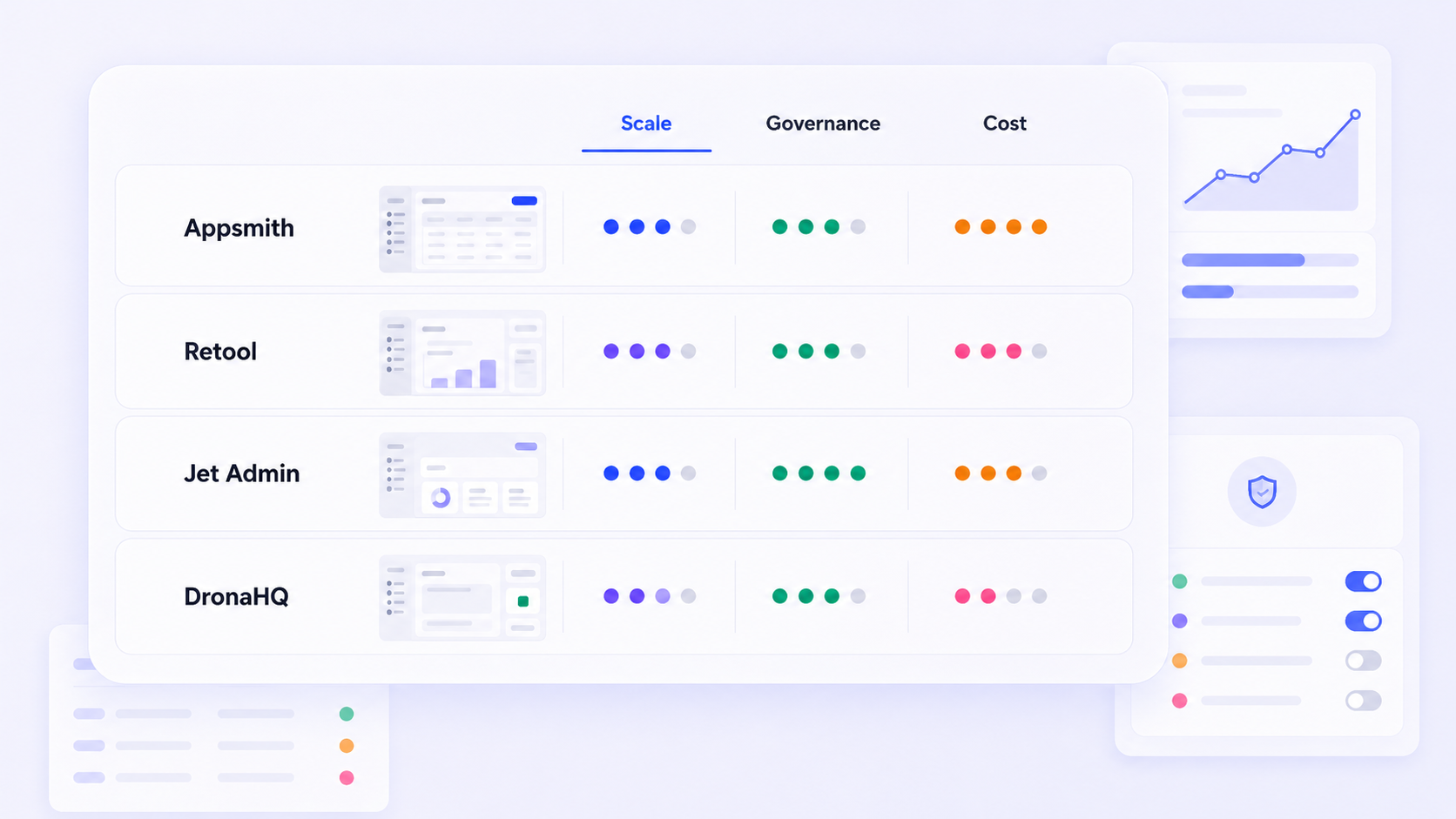
The table below summarizes how the most credible Budibase alternatives stack up across key evaluation criteria. Use it to shortlist two or three options before diving into the detailed sections below.
Platform | Best For | Hosting Options | Code Extensibility | Governance Maturity | Mobile Apps Support |
|---|---|---|---|---|---|
Budibase | Simple internal tools, small teams | Cloud, self-hosted | Limited JS, partial custom components | Basic (Enterprise for advanced) | Web-first only |
Jet Admin | Secure business apps on existing data | Cloud, VPC, on-prem | JS, custom components, backend logic | Strong (SSO, RBAC, audit) | Web apps, responsive |
Retool | Developer-centric internal apps at scale | Cloud, self-hosted | Full JS/SQL, custom code blocks | Mature enterprise governance | React Native (beta) |
Superblocks | AI-native tools with enterprise governance | Cloud, VPC, hybrid | JS, Python, full-code workflows | Very strong (audit, environments) | Web apps |
Appsmith | Open-source CRUD apps for dev teams | Cloud, self-hosted | Full JS, Git sync | Moderate (RBAC, versioning) | Web apps |
ToolJet | Extensible open-source internal tools | Cloud, self-hosted | JS, Python, plugins | Moderate | Web apps |
Baserow | Spreadsheet-style relational backends | Cloud, self-hosted | API-first, limited UI scripting | Basic | Web apps |
NocoDB | SQL database front-ends | Cloud, self-hosted | API-first | Basic | Web apps |
Glide | No-code apps from spreadsheets | Cloud only | Minimal | Basic | Mobile-ready web apps |
Bubble | Complex customer-facing web apps | Cloud, dedicated | Visual logic, plugins | Moderate | Responsive web apps |
Microsoft Power Apps | Microsoft 365-heavy organizations | Cloud, hybrid | Power Fx, connectors | Enterprise-grade | Native mobile |
Note: Microsoft Power Apps is best for organizations already using Microsoft 365 and is included here for completeness, though it targets a broader enterprise audience than most tools on this list.
Budibase is included as a baseline. The rest of this article focuses on alternatives and when to choose them.

Jet Admin as a Budibase Alternative
Jet Admin is a modern internal tool and business app builder that sits between pure no code platform simplicity and full custom development. It focuses on production-ready internal apps built on top of existing data sources, with an emphasis on security and governance from the ground up.
Best for: Teams who want to build secure internal tools and business apps on top of production databases, SaaS tools, and APIs without writing full stacks from scratch. It is well-suited for product and data teams, operations groups, and organizations that need complete control over who accesses what data.
Key features: Jet Admin provides AI-assisted app generation, a drag and drop interface for building user interfaces, and the ability to define both application and backend logic. It supports visual app building alongside custom logic, letting technical teams move fast while maintaining control over complex business processes.
Data connectivity: Jet Admin connects to existing databases, APIs, spreadsheets, and SaaS tools. The integrations catalog includes PostgreSQL, MySQL, MongoDB, Google Sheets, Airtable, Supabase, Firebase, BigQuery, Snowflake, HubSpot, Stripe, Salesforce, Slack, and many more. AI connectors (OpenAI, Anthropic, Google Gemini) and storage options (S3, Google Cloud Storage, Azure Blob) round out the platform's data connectivity.
Security, auth, and governance: Jet Admin supports SSO via Google OAuth, OpenID/OIDC, Auth0, and token-based authentication. Role-based and group access controls, audit and activity logs, environment variables, and support for deploying on private or cloud infrastructure (AWS, Google Cloud, Azure) make it a viable option for teams with serious compliance requirements and enterprise support needs.
Strengths vs Budibase: Jet Admin offers more production-grade governance, a more mature enterprise deployment story, and stronger support for building secure business apps directly on operational data. Its custom components and workflow automation capabilities give more advanced users the flexibility that Budibase's architecture constrains. Database management across multiple external sources is more robust.
Limitations and fit: Jet Admin still requires some technical oversight for complex interfaces, custom logic, or deep integrations. It is not positioned as a generic public SaaS builder like Bubble. Teams evaluating Jet Admin should compare it primarily to Retool and Superblocks rather than website builders or pure no-code platforms.
Retool: Mature Internal App Builder for Engineering Teams
Retool has become one of the top low code platforms for building internal tools, with a mature ecosystem, extensive integrations, and a developer-first ethos. Its AI-native app building experience, launched in mid-2026, adds prompt-to-app scaffolding and React-based code generation to an already deep platform.
Best for: Technical teams who want development speed without sacrificing custom scripting capabilities. Retool excels at dashboards, CRUD internal apps, admin panels, and complex applications that require joining data from many sources. Retool provides a mature ecosystem with extensive integrations and components, supporting 70+ connectors out of the box.
Key features: Retool's drag and drop components, custom code blocks (JavaScript and SQL everywhere), AI-assisted app generation, extensive library of templates, and support for building native mobile apps via React Native (private beta) make it a comprehensive internal tool builder. Retool emphasizes flexibility for developers with custom scripting capabilities and strong scalability features for enterprise applications.
Strengths vs Budibase: Broader connector catalog, more advanced developer tooling, a richer component set, and proven enterprise governance. Retool offers more control over the development process and handles complex apps that would strain Budibase's architecture.
Limitations: Retool's pricing can escalate quickly with more builders and users, particularly on enterprise and self-hosted plans. The platform is closed-source, so full source export is not available, which increases vendor lock-in. The learning curve assumes comfort with JavaScript and APIs, making it less accessible for non technical teams.
Retool vs Jet Admin: Retool's developer-centric UX and ecosystem depth appeal to engineering-led organizations, while Jet Admin focuses on secure business apps with AI-assisted app and logic generation and broader governance out of the box. The choice often comes down to whether your team prioritizes deep code control (Retool) or production-ready business apps with less custom development overhead (Jet Admin).
Superblocks: AI-Native Internal Tools with Strong Governance
Superblocks is an AI-forward internal app development platform aimed at enterprises that need centralized governance, hybrid deployment, and the ability to mix visual and full-code development. Superblocks emphasizes governance and deployment flexibility for enterprise needs, and its "Clark" AI copilot can scaffold entire internal applications from natural language prompts.
Best for: Large organizations that need governance over internal tools built by multiple teams, integration with existing SDLC practices (Git-based version control, staging environments, release management), and ai powered functionality without full vendor lock-in. Superblocks emphasizes governance and deployment at scale.
Key features: Visual app builder, AI app generation, support for JavaScript and Python in workflows, API orchestration, custom UI design systems, custom components, audit logs, secrets management, and one-click deploy with environment separation. SSO/SCIM, granular permissions, and on-prem or VPC agent deployment round out the enterprise features.
Strengths vs Budibase: Multi-environment governance, auditability, scalability for mission-critical internal apps, and a more sophisticated development experience for engineering teams. Where Budibase tops out at simple internal tools, Superblocks handles operational workflows across internal systems at enterprise scale.
Limitations: Superblocks has a steeper learning curve for non technical users and may be overkill for very small teams. Detailed pricing usually requires a sales conversation (publicly listed at approximately $49/user/month on some plans), which complicates quick budgeting compared to simpler tools with transparent tiers.
Positioning relative to Jet Admin and Retool: Buyers might favor Superblocks for governance-first workflows and AI-native scaffolding, Jet Admin for faster deployment of secure business apps on existing data, and Retool for maximum code-level flexibility. The trade-off is between governance depth, development speed, and code ownership.
Open-Source Budibase Alternatives: Appsmith, ToolJet, Baserow, NocoDB
Teams explicitly seeking open-source internal tools typically prioritize control over code, the ability to self host, cost structure transparency, and deep extensibility for unique internal apps. Here's how four leading options compare.
Appsmith is an open-source low-code platform tailored for building internal tools and CRUD applications. It uses an Apache-2.0 license, supports a drag and drop editor with 45+ widgets, and integrates with multiple data sources including databases, REST APIs, and GraphQL endpoints. Appsmith provides extensive customization for developers via full JavaScript support and Git-based version control. Appsmith offers more control over development compared to Budibase, with extensive UI customization that appeals to technical teams comfortable running their own infrastructure. Appsmith allows extensive UI customization and integrates with multiple data sources seamlessly.
ToolJet is an open-source low-code framework with strong AI integrations, including built-in AI agents and LangChain support. It ships with 60+ responsive UI components, 80+ data-source connectors, and supports both JavaScript and Python for custom logic. AI integration is becoming common in low-code platforms like ToolJet and NocoBase, making them increasingly competitive for teams building intelligent internal apps. NocoBase features a plugin architecture for high extensibility and customization, serving teams that need modular, deeply configurable backends.
Baserow provides a flexible, spreadsheet-style interface for data management and acts as an open-source relational backend engine. Baserow's self-hosted version is free with no user limits, making it attractive for budget-conscious teams. Baserow offers a minimal learning curve for business users who think in rows and columns. Baserow supports real-time workflows for collaborative use, which is a meaningful advantage over Budibase for teams where multiple users update records simultaneously.
NocoDB turns SQL databases into collaborative tables and is an open-source option for teams that want a lightweight front-end on existing relational databases. It works well as a flexible backend for internal apps but requires pairing with a separate UI layer for anything beyond basic data views.
Comparing these to Budibase:
- Appsmith and ToolJet offer richer custom code support (JS, Python) and more advanced features for complex interfaces than Budibase
- Baserow and NocoDB focus on data structures and database management rather than full app building, making them better complements to a UI layer than standalone replacements
- All four require self-hosting infrastructure and ongoing maintenance, which adds to TCO compared to managed services

No-Code and Business-User-Friendly Options: Glide, Softr, Bubble
Some teams searching for Budibase alternatives actually need less technical, more business-friendly tools for internal apps and lightweight external portals. These platforms trade off deep custom code for speed and accessibility.
Glide enables users to create applications using existing business data, primarily from Google Sheets and other spreadsheet-style data sources. Glide is designed for business users to build apps easily, with a focus on mobile-ready web apps for operations, customer success, and project management teams. It excels where data models are relatively flat and the priority is development speed over complex business processes.
Softr is best for non-technical users building client portals or business tools. It connects primarily to Airtable and Google Sheets, offering pre built components for internal tools, client portals, and lightweight public-facing sites. Softr offers unlimited collaborators on every pricing plan, which simplifies budgeting for teams with many viewers. The trade-off: limited custom logic and weaker support for complex relational data structures.
Bubble is recommended for building complex, customer-facing web applications. It offers powerful database modeling, user authentication, and workflow features that go well beyond what Glide or Softr provide. However, Bubble has a steeper learning curve and is less optimized for internal tools and secure internal applications compared to platforms like Jet Admin or Retool.
Adjacent automation tools also appear in "Budibase alternative" searches. Gumloop focuses on automating processes rather than application development and emphasizes ease of use for non technical teams. Make allows users to automate workflows with a visual drag-and-drop interface and allows non-technical users to automate processes quickly, though Make's pricing increases with workflow complexity and usage. These tools complement rather than replace internal app builders.
When to choose these: When internal tools overlap heavily with customer portals, when a team has minimal engineering capacity and wants a purely no-code ecosystem, or when operational tools need to be shipped in hours rather than days. For secure internal applications on production data, Jet Admin or a developer-oriented platform will typically be the better fit.
How to Pick the Best Budibase Alternative for Your Team
There is no universal best Budibase alternative. The right choice depends on team composition, regulatory constraints, data architecture, and your long-term roadmap for internal software. Here's how to narrow the field.
By technical skill: Engineering-heavy organizations may prefer Retool, Superblocks, Appsmith, or Jet Admin, all of which support custom code and give more control over the development process. Business-led teams with minimal code comfort may favor Glide, Softr, or Bubble. Mixed teams benefit from platforms with friendly visual app building and strong extensibility for when business users hit limits.
By deployment and governance: Organizations needing strict on-premises or VPC deployments and advanced RBAC, audit logs, and environment separation should focus on Jet Admin's enterprise offering, Retool, Superblocks, or open-source stacks they can self host and harden. Governance maturity varies widely, so test granular access controls and api integration with your identity provider before committing.
By app type: Differentiate between purely internal tools, external portals, and full customer-facing products. Jet Admin, Retool, Superblocks, and open-source internal app builders excel at operational internal tools. Bubble, Softr, and Glide are stronger for mixed or external-heavy use cases, especially when integration with other business software is simpler.
By budget and TCO: Consider not only license fees but also the cost of infrastructure, DevOps, and long-term maintenance of internal apps. A free plan or low per-seat price may carry hidden costs in self-hosting, patching, and the opportunity cost of slower delivery if the chosen tool has a steep learning curve.
Shortlist two or three tools, prototype a single representative internal app in each, and evaluate performance, developer experience, and governance before committing.
Migration Plan: Moving from Budibase to Another Platform
Switching platforms is a project, not a toggle. Here's a structured approach to derisking a migration from Budibase to a new internal tools platform.
Inventory phase. Document all existing Budibase internal apps, their data sources, critical automated workflows, user roles, and dependencies on external APIs or automations. Note which apps serve multiple teams and which are single-team utilities.
Prioritization. Categorize apps into tiers: mission-critical, important, and experimental. Migrate only a small, representative set first to validate platform fit, identify integration gaps, and refine your migration approach before scaling.
Data and integrations. Map Budibase data models and connectors to the new platform's data sources, paying attention to relational structure, access patterns, and performance constraints. If you're moving from Budibase's built-in database, plan the export-import path carefully.
Re-implementing UI and logic. Internal apps are almost always rebuilt rather than "ported." This is an opportunity to simplify workflow automation, improve user interfaces, and clean up data structures that accumulated technical debt in the original build. Use the new platform's drag and drop components and pre built components to accelerate the rebuild.
Security, testing, and rollout. Configure auth, user permissions, and RBAC in the new platform before exposing it to users. Run parallel tests with a subset of users, and plan a staged cutover with rollback options. Don't skip testing granular access controls with real data.
Where Jet Admin fits: Jet Admin can quickly regenerate internal app interfaces and backend logic on top of existing production data, reducing downtime and manual effort compared to a ground-up rebuild. Its connectors to databases, APIs, and SaaS tools mean you can often point at the same data sources your Budibase apps used, without replatforming your data layer.

Practical Checklist for Evaluating Budibase Alternatives
Use this checklist when comparing platforms. It works as a starting point for RFPs or internal evaluation documents.
Build experience:
- Can non technical teams or business users build basic internal tools without engineering support?
- Does the platform support AI-assisted app generation or templates for common internal apps?
- How quickly can a new builder go from zero to a deployed internal app?
Data and integrations:
- Does it connect securely to your main databases, external apis, and SaaS tools?
- Are required integrations officially supported and maintained?
- Can you model complex relational schemas and join data across multiple sources?
Security and governance:
- Is SSO supported with your identity provider?
- Can you define granular permissions and audit access to sensitive internal data?
- Are staging/production environments and change approvals supported?
- How long are audit logs retained?
Deployment and compliance:
- Is self-hosting or VPC deployment available if you need it?
- Does the vendor offer documentation or certifications relevant to your compliance obligations (SOC-2, HIPAA, GDPR)?
- Can you deploy to your own infrastructure if regulations require it?
Cost and maintenance:
- What's the license model: per-editor, per-user, or usage based pricing?
- What are the expected infrastructure costs for self-hosting?
- What in-house skills are required to maintain internal apps long-term?
- Is the vendor's product roadmap transparent for the next 12–24 months?
Use this checklist to compare Budibase, Jet Admin, Retool, Superblocks, and one or two open-source options side by side before making a final decision. Top low code platforms for building internal tools include Appsmith and Retool, but the source low code platform you choose should align with your team's actual technical capacity, not just its feature list.
Conclusion: Choosing a Future-Proof Budibase Alternative
The main trade-offs come down to open-source versus managed, no-code versus developer-centric, and internal-only versus mixed internal and external apps. Each axis influences which Budibase alternative fits your organization best.
Budibase is still solid for small teams building simple internal tools. Retool and Superblocks shine for engineering-driven enterprises that need advanced features and governance. Jet Admin focuses on secure, production-ready internal apps on existing data with strong enterprise deployment options. Open-source stacks like Appsmith, ToolJet, Baserow, and NocoDB favor control, extensibility, and minimal code lock-in at the cost of higher maintenance.
Next steps:
- Shortlist two or three platforms using the comparison table and checklist above.
- Run a time-boxed pilot: build one representative internal app in each tool and benchmark development speed, performance, and governance.
- Gather feedback from end users and admins on usability and fit.
If you're evaluating Jet Admin as a Budibase alternative, start by exploring the integrations catalog and building a small internal tool on your real data. It's the fastest way to validate whether the platform fits your team's workflow before you commit.
FAQs About Budibase Alternatives
Which Budibase alternative is easiest for non-developers?
Glide and Softr are the most accessible for business users who have minimal code experience. Both connect to spreadsheet-style backends and offer visual, block-based builders that require no custom development. Bubble provides more power but demands a steeper investment in learning its visual logic system. For purely internal apps, Budibase itself remains relatively friendly for simple use cases, but teams needing more advanced operational tools without engineering support should evaluate Glide or Softr first, keeping in mind that these tools may not match the governance and database management depth of developer-oriented platforms.
Can I run a Budibase alternative fully on-premises?
Several alternatives support self-hosting or on-prem-style deployments: Budibase (open-source core), Jet Admin (enterprise VPC or private cloud), Retool (self-hosted enterprise), Superblocks (hybrid agent model), Appsmith, ToolJet, Baserow, and NocoDB. The depth of on-prem support varies. Confirm current deployment and licensing terms directly with vendors, and factor in your internal DevOps capacity and security hardening requirements when choosing a self-hosted internal tools stack. A free self-hosted version does not always mean zero cost once you account for infrastructure and maintenance.
How do Budibase alternatives handle vendor lock-in?
Lock-in patterns differ significantly. Proprietary hosted builders like Retool bind app logic into their runtime; migrating away typically means rebuilding. Open-source tools like Appsmith and ToolJet give you complete control over code and infrastructure, but you assume the maintenance burden. Platforms like Jet Admin and Superblocks mitigate lock-in through standard data connectors and APIs, meaning your data and integrations remain portable even if you switch UI layers. If code ownership is a hard requirement, prioritize platforms that export standard code artifacts or run on open-source licenses.
Are Budibase alternatives suitable for customer-facing apps?
Most internal tool platforms (Budibase, Jet Admin, Retool, Superblocks, Appsmith, ToolJet) are optimized for internal users and admin panels, not large-scale public web apps or mobile apps. If you need true customer-facing products, Bubble is recommended for building complex, customer-facing web applications, and Softr works well for client portals. Using an internal app builder for external users introduces complexity in authentication, scalability, and UX that these tools were not primarily designed to handle.
Should I combine multiple tools instead of choosing one Budibase alternative?
Hybrid strategies can work well. For example, you could use Baserow or NocoDB as a backend data layer and Jet Admin or Appsmith as the internal UI and workflow layer. Make allows non-technical users to automate processes quickly and can connect low code space tools with other business software for automated workflows. However, combining multiple low code tools increases operational overhead and governance complexity. Start with a primary platform and add targeted adjuncts only where the primary tool is clearly lacking in a specific capability.