
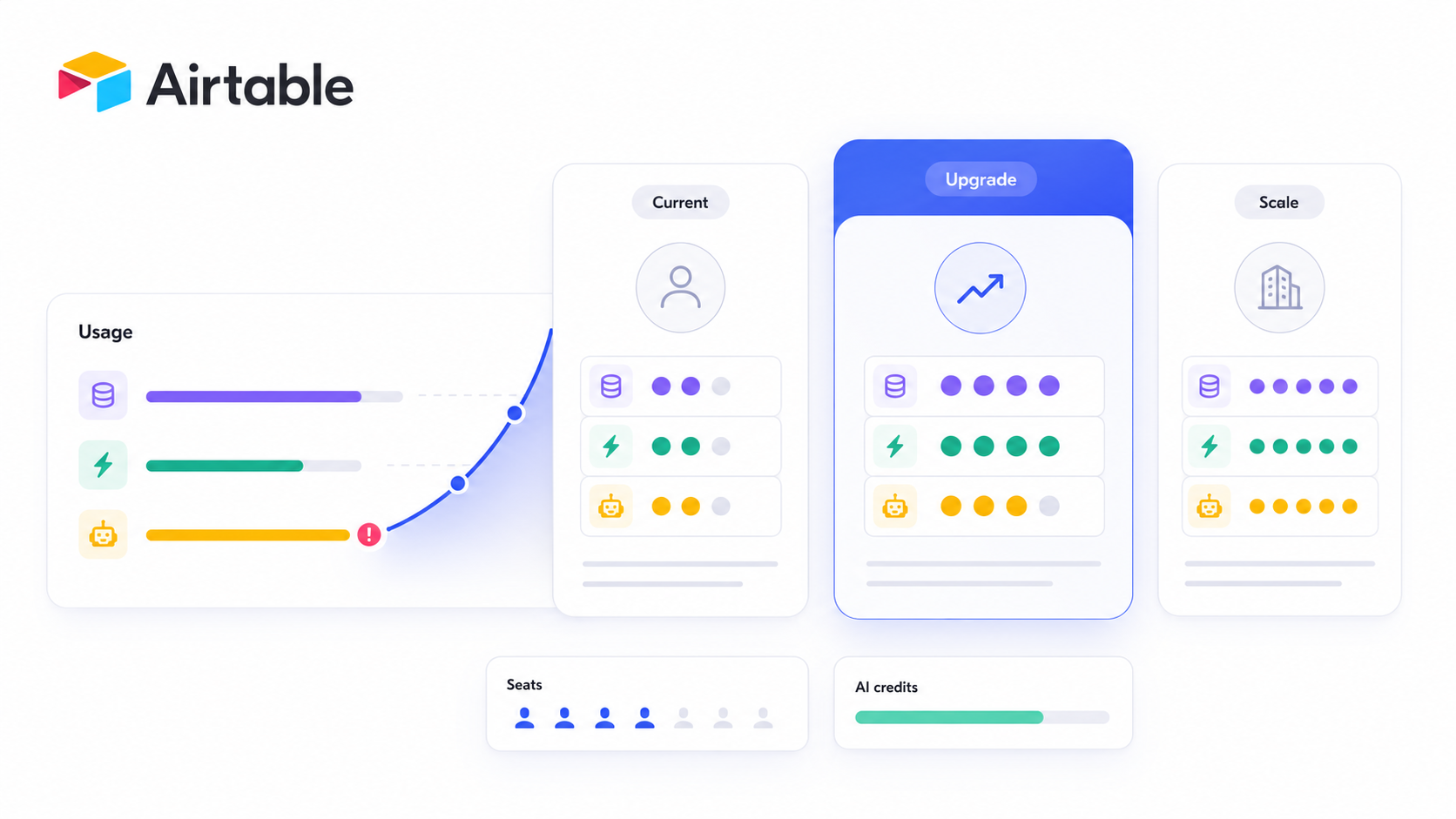
Airtable pricing follows a per-seat model that can seem simple at first glance-until you factor in record limits, automation caps, AI credits, and add-ons like portals. This guide breaks down every airtable plan as of July 2026, explains how much does airtable cost in real-world scenarios, and helps you decide when it makes sense to stay, upgrade, or look at a different tool entirely.
Key Takeaways
- Airtable's pricing structure bills per editor (anyone who can modify data), while read only users and view only users access bases for free across all tiers.
- As of July 2026, airtable pricing plans include a permanent free plan at $0, a team plan at $20 per user per month billed annually, a business plan at $45 per user per month billed annually, and an enterprise scale plan with custom pricing starting around $60 per seat.
- Each plan includes specific limits on records and automations. The free plan caps at 1,000 records per base and 100 automation runs per month, while Enterprise Scale supports up to 500,000 records per base and 500,000+ automation runs.
- Total airtable cost is driven by more than list prices-billable editors, record limits forcing upgrades, airtable portals add-ons, and AI credit overages can add 10–30% to your annual bill.
- This article covers every tier in detail, walks through hidden costs, models realistic scenarios, and briefly introduces when alternatives like full app builders make more sense.
How Does Airtable Pricing Work in July 2026?
All pricing and limits below are checked against Airtable's public pricing page as of July 2026. These numbers may change; always verify before purchasing.
Airtable offers a per-seat subscription model for most paid plans. The "seat" is any user with editor or commenter permissions-anyone who can modify data in your workspace. Read-only collaborators do not incur seat charges on paid plans. Form submitters and shared-link viewers are also free across every tier.
Billing is based on individual workspaces rather than the entire airtable account. Each workspace sits on its own pricing plan, so a single organization can run some workspaces on the team plan and others on the business plan. Annual billing offers a discount over monthly billing, and self-serve plans (Free, Team, Business) can be purchased with a credit card. The sales-led enterprise plan requires negotiation with Airtable's sales team.
Airtable's plans range from Free to custom enterprise scale. The platform features a robust free tier but requires paid plans for larger data sets and advanced features. Critically, usage limits per base-records, attachment storage, automation runs, AI credits-determine when you're forced to upgrade, not just headcount.
Current Airtable Plans and Prices at a Glance
Here's a quick reference for how much does airtable cost across its four tiers. Airtable offers three paid plans alongside a generous free plan.
Feature | Free | Team | Business | Enterprise Scale |
|---|---|---|---|---|
Monthly price (billed annually) | $0 | $20/editor | $45/editor | ~$60+/seat (negotiated) |
Monthly price (month-to-month) | $0 | $24/editor | $54/editor | Custom |
Records per base | 1,000 | 50,000 | 125,000 | 500,000+ |
Attachment storage per base | 1 GB | ~20 GB | ~100 GB | ~1 TB |
Automation runs/month | ~100 | 25,000 | 100,000 | 500,000+ |
AI credits/editor/month | 500 | 15,000 | 20,000 | 25,000 |
Snapshot history | 2 weeks | 6 months | 1 year | 3 years |
SSO / Admin panel | ✗ | ✗ | ✓ | ✓ |
Ideal for | Individuals, testing | Small teams | Growing teams, governance | Large orgs, compliance |
Note: AI credit allocations and exact automation caps are subject to change. Check the pricing page for current figures.
Who should start where:
- Free: Individuals, freelancers, and small teams testing Airtable for lightweight project management or personal data tracking.
- Team: Small teams building internal tools and structured workflows with up to 50,000 records per base.
- Business: Growing teams and medium sized businesses needing governance, SSO, and 125,000 records per base.
- Enterprise Scale: Organizations across multiple departments with strict compliance, dedicated support, and enterprise scale data capacity.

Airtable Free Plan: When "Airtable Free" Is Enough
Airtable's free plan is targeted at individuals and small projects. It's a permanent, no-cost tier-not a trial-making it a solid way to test whether Airtable fits your workflow before committing money.
Core limits on the free plan:
- Up to 5 editors per workspace (plus up to 50 commenters and unlimited read only collaborators)
- Only 1,000 records per base
- Users are limited to 1 GB of attachment space
- Only 100 automation runs are allowed per month on the free plan
- 500 AI credits per editor per month
- 2-week revision and snapshot history
- Basic access to airtable interfaces and the interface designer
The free plan works well for lightweight CRMs, content calendars, personal task boards, and prototypes for internal tools. If you're a solo user or very small teams testing ideas, you can manage data effectively without spending a dime.
Upgrade signals - you've outgrown airtable free when:
- You hit the 1,000-record cap on any base
- You need more than 5 editors collaborating
- Automation runs are exhausted mid-billing cycle
- Stakeholders need more polished airtable interfaces or advanced views
- You're moving from testing to live business workflows
Most teams outgrow the free plan within 3–6 months once they start relying on Airtable for real operations.
Team Plan: Best Airtable Plan for Small Teams and Internal Tools
Airtable's team plan is the most common paid tier for small teams and growing teams building internal tools. It removes the tight caps of the free plan and opens up advanced features that make Airtable genuinely useful for day-to-day operations.
Pricing and billing:
- The team plan costs $20 per user per month billed annually, or $24 month to month
- It allows unlimited editors without a cap (unlike the free plan's 5-editor limit)
- Every editor or commenter-level collaborator counts as a paid airtable seat
Key features and upgrades over Free:
- It supports 50,000 records per base-a 50× increase over the free plan
- ~20 GB attachment storage per base
- Users get 25,000 automation runs per month
- The plan includes Gantt and Timeline views, plus advanced view types like locked and personal views
- 15,000 AI credits per editor per month
- 6-month snapshot history
Airtable's team plan is a strong fit for operations teams, project management workflows, agencies with mostly internal collaboration, and product or marketing teams building structured data workflows. If your team doesn't need SSO or admin-level controls, Team covers most use cases well.
Watch for these cost drivers: the number of editors scales your bill linearly, and if you add workspaces on paid plans, each one bills independently. As projects expand, add-ons like portals or extra AI credits add up.
Business Plan: For Growing Teams That Need Scale and Governance
The business plan is where Airtable starts serving medium sized businesses and growing teams that have outgrown Team's record limits or need real governance tooling.
Pricing:
- The plan costs $45 per user per month when billed annually ($54 monthly)
- You'll typically need a private email domain to purchase Business or Enterprise Scale in self-serve
Major upgrades over Team:
- The business plan supports 125,000 records per base
- It includes 100 GB of attachment storage per base
- Users can run 100,000 automation actions per month on this plan
- Unlimited api calls within the workspace
- 20,000 AI credits per paid user per month
- 1-year snapshot history
- The business plan includes advanced admin-level features: SAML SSO, admin panel, two-way sync, and full extensions
When teams typically upgrade from Team to Business:
- Multiple bases are hitting the 50,000-record ceiling and need more records
- IT or security requires SSO and centralized admin controls
- Cross-department workflows demand verified data and governance for internal teams
- Airtable business becomes the system of record, not just a side tool
Cost example: A 25-person team on the business plan pays $45 × 25 = $1,125/month billed annually, or $13,500/year at list price. Adding just 5 more editors pushes annual spend to $16,200-a $2,700 jump. Seat discipline matters here.

Enterprise Scale: When You Truly Need Enterprise Scale
The enterprise scale plan is a sales-led tier with custom pricing, built for large organizations that need governance, compliance, and support across multiple departments.
Typical capabilities:
- Enterprise Scale plan supports up to 500,000 records per base
- It includes 1 TB of attachment storage
- 500,000+ automation runs per month
- It includes audit logs and data loss prevention features
- Centralized tools like Enterprise Hub, enterprise key management, and federated administrative units
- 25,000 AI credits per paid user per month
- 3-year snapshot history
Pricing for the enterprise scale plan starts around $60 per seat per month, negotiated through Airtable's sales team with annual contracts and minimum commitments. The plan offers advanced administrative controls and priority support.
Who it suits: Regulated industries (finance, healthcare, education), enterprises with strict IT controls, and global teams needing enterprise-wide SSO, detailed access controls, and dedicated support.
Trade-offs: Enterprise Scale delivers serious governance and data capacity, but the longer sales cycles, higher minimums, and tighter change control make it overkill for smaller, fast-moving teams. If you're under 50 editors and don't need DLP or encryption key management, Business likely covers you.
Usage Limits by Airtable Plan: Records, Storage, Automations, AI, and More
Usage limits often matter more than raw price because they determine when you're forced to upgrade or re-architect your bases.
Main categories of limits:
- Records per base (data capacity)
- Attachment storage per base
- Monthly automation runs
- API call quotas
- AI credits per paid user per billing cycle
- Collaborator types (editors vs. free viewers)
How limits scale:
Limit | Free | Team | Business | Enterprise Scale |
|---|---|---|---|---|
Records/base | 1,000 | 50,000 | 125,000 | 500,000+ |
Automation runs/mo | ~100 | 25,000 | 100,000 | 500,000+ |
Attachment storage | 1 GB | ~20 GB | ~100 GB | ~1 TB |
Max automations/base | 50 | 50 | 50 | 50 |
Automations on Airtable have hard limits that shut off instead of allowing overages. Once any base in a workspace hits its record limit, you can't add records without deleting data or upgrading the entire workspace to a higher tier. There's no overage fee-it's a hard block.
Even before hitting documented record limits, very large bases with many computed fields, linked records, and automation actions can slow down views and interfaces significantly. Users report performance issues well before the 500,000-record cap depending on schema complexity. This effectively pushes teams to higher tiers or to alternative architectures for heavy data management workloads.
Hidden and Indirect Costs in Airtable Pricing
Headline airtable pricing often understates total cost. Here are the hidden costs that catch teams off guard.
Major indirect cost drivers:
- Airtable Portals add-on: Airtable's Portals add-on starts at $120/month for 15 guests on the Team plan ($150/month on Business). Costs climb with more external users.
- AI credit overages: AI credits cost about $40/month for 20,000 additional credits beyond your plan's included allocation.
- Third-party frontends: Teams that need polished client-facing apps or client portal functionality often add external tools, creating a second SaaS bill.
- Inactive editors: Airtable's per-editor model can lead to unexpected costs. Contractors, part-time collaborators, and "just-in-case" editors become recurring charges unless someone actively audits user roles and downgrades people to commenters or read only users.
Teams often pay 10–20% more annually due to unmonitored editor seats. A single fast-growing base can also force an entire 20–25 editor workspace from Team to Business, adding $6,000+ in annual spend overnight.
Since October 2025, there are no prorated refunds for mid-cycle seat removals. If you remove an editor halfway through a billing cycle, you've already paid for that month. This hits teams with seasonal headcount or frequent restructuring especially hard.
Airtable Portals and External Users: The Real Cost of Client-Facing Access
Airtable is optimized for internal collaboration. Providing structured external access to clients, partners, or vendors usually requires either airtable portals or third-party tools.
Portals is an add-on available on Team, Business, and Enterprise Scale plans. It charges based on the number of external guests with editor or commenter permissions. Guest seats come in packs (15, 25, 50, 100, 200+) with volume discounts. Read-only portal users are not billable, but anyone who can edit data counts.
How per-guest pricing scales poorly for agencies:
An agency serving 30 external clients who each need edit access could face portal costs of several hundred dollars per month on top of the base airtable plan cost. For businesses with many external clients, this add-on can rival or exceed the cost of the underlying plan itself.
Limitations of Portals and airtable interfaces for external use:
- Airtable branding is present on portal sign-in pages
- Limited advanced permissions for per-record or per-field visibility
- Fewer design and custom domain options compared to purpose-built portals
- Complex scenarios arise when external users need granular, row-level access controls
A common pattern: teams keep Airtable as the backend for structured data but layer a dedicated portal or app builder on top for their external audience. This approach gives you full control over UX, permissions, and cost-especially when you need to visualize data for user groups outside your organization.

What Does Airtable Actually Cost? Example Scenarios
Budgets should consider list pricing plus portals, AI credits, and third-party tools. Here are three realistic scenarios.
Scenario 1: 10-Person Internal Team on Team Plan
- 10 editors × $20/month billed annually = $200/month ($2,400/year)
- No external users, no portals
- Moderate automations (<25,000 runs/month), storage within 20 GB
- Estimated Year 1 cost: ~$2,400
Scenario 2: 25-Person Agency on Business Plan with Portals
- 25 editors × $45/month = $1,125/month ($13,500/year)
- Airtable Portals for 15 external client seats: ~$150/month ($1,800/year)
- Extra AI credits for content workflows: ~$40/month ($480/year)
- Estimated Year 1 cost: ~$15,780
Scenario 3: 25-Person Agency Using Airtable + Separate App Builder
- 25 editors × $20/month (Team plan, since external access handled elsewhere) = $500/month ($6,000/year)
- Separate portal/app builder for external clients: varies ($1,200–$3,600/year depending on tool)
- No Portals add-on needed
- Estimated Year 1 cost: ~$7,200–$9,600
The same number of billable users can lead to very different total costs depending on record growth, portal needs, and AI-heavy workflows.
Map your own situation:
- Count your actual editors (not just "people who might need access")
- Estimate how many external users need edit vs. read-only access
- Check whether your largest base will exceed your plan's record limits within 12 months
Key Cost Drivers to Watch: Seats, Limits, Governance, and Architecture
Use this as a checklist when comparing Airtable against other tools or planning a multi-year budget.
Primary cost drivers:
- Number of paid editors vs. only users with view-only access-every editor is a recurring charge
- Base-level record limits and automation caps that trigger forced upgrades
- Volume of external users needing edit access via portals or other means
- Governance and compliance requirements (SSO, audit logs, admin panels) clustered in higher-priced tiers
- Performance considerations: if you expect hundreds of thousands of records, you may need Enterprise Scale regardless of headcount
Governance features like SSO, audit logs, and enterprise-scale admin controls are only available on the business plan and above. For many internal teams at medium sized businesses, compliance needs alone push them from Team to Business-adding $25/editor/month to the bill.
Architectural choices matter. Using Airtable as the central system of record is different from using it as one of several data sources. Introducing a separate app, interface, or portal layer can save money by limiting billable airtable seats to only users who truly need to edit data. Alternatively, it can add cost if you're now managing multiple SaaS subscriptions.
Build a simple 2–3 year forecast including expected editor growth, record growth, and portal needs. This lets you compare Airtable's long-term cost to other platforms on a like-for-like basis, whether those are flexible apps platforms, open-source databases, or dedicated internal tools builders.
How to Choose the Right Airtable Plan for Your Team
The "best" airtable plan depends on data volume, collaboration patterns, compliance needs, and external sharing-not just current headcount.
Simple decision framework:
- Start with Free if you're a solo user or very small teams testing a workflow with under 1,000 records per base
- Pick Team if you expect under 50,000 records per base, mainly internal workflows, and don't need SSO-it's a cost effective solution for small teams
- Move to Business when you need SSO, admin controls, or your bases are approaching 125,000 records per base
- Consider Enterprise Scale only when you have strict IT requirements, multiple departments, and need advanced security like DLP and audit logs
Weigh hard limits (records, storage, automations) alongside soft factors: performance degradation on large bases, change management overhead, IT oversight expectations, and how often you expect to restructure or expand collaboration.
Pilot approach: Run a small but real workflow on Free or Team first. Track record growth and automation usage for 60–90 days, then use those metrics to decide between staying put or upgrading. This is far more reliable than guessing at data capacity needs upfront.
Remember to include add-ons and external tooling in your plan choice. If portals or a client portal layer will be needed, factor that into total cost. Sometimes the math favors switching to a different architecture-using Airtable as a backend and a separate app builder like Jet Admin for the frontend-rather than upgrading your airtable plan solely for external access features.
FAQs About Airtable Pricing in 2026
How much does Airtable actually cost per month for a small team?
For a small team of 10 editors on the team plan, expect around $200/month billed annually ($20/editor/month). If you stay within the 50,000 records per base limit and don't need portals or extra AI credits, that's your total cost. Add portals or bump to Business, and you could be looking at $450–$1,125/month for the same headcount.
Does Airtable still have a free plan in 2026?
Yes. Airtable's free plan remains available as a permanent tier (not a trial). It supports up to 5 editors and 1,000 records per base with 1 GB of attachment storage. It's enough for small teams testing Airtable or individuals managing personal projects, but most teams outgrow it within a few months.
Does Airtable offer discounts for non-profits or education?
Non-profits and educational institutions can receive a 50% discount on paid plans. You'll need to apply through Airtable's website, and discounts may be limited to certain tiers. Check Airtable's pricing page directly or contact their sales team for current eligibility.
Is Airtable cheaper than other database or project management tools?
Airtable's base per-editor pricing is competitive, but total cost can be higher once you factor in portals, AI credits, and third-party frontends. For comparison: Baserow supports 250,000 rows for $20 per user per month. SmartSuite starts at $12 per user per month, cheaper than Airtable. ClickUp includes database features starting at $10 per user per month. Notion combines note-taking and databases at a lower cost than Airtable. Coda offers interactive tables and automation as an Airtable alternative. Whether Airtable is the most affordable alternative depends entirely on your specific mix of records, editors, and external access needs.
How can I avoid surprise bills on Airtable?
Audit your editor list monthly-remove or downgrade anyone who doesn't actively need edit access. Monitor your largest bases for record growth approaching plan limits. Track automation run counts and AI credit usage mid-billing cycle. And remember: since October 2025, there are no prorated refunds for mid-cycle seat removals, so plan changes carefully rather than reactively.
Conclusion: When Airtable's Pricing Makes Sense-and When to Look Elsewhere
Airtable pricing is fair for internal, small-to-mid-sized teams using it as a flexible database for data management and project management. But costs can escalate quickly as records, editors, and external users grow beyond your current tier's limits.
Airtable is a strong fit when:
- Small teams are building internal tools on the team plan with manageable record counts
- Growing teams need governance features (SSO, admin panel, audit logs) on the business plan
- Large enterprises can fully leverage Enterprise Scale's compliance tooling and dedicated support
Consider alternatives when:
- You expect millions of records or need a true relational database
- Heavy external access for external clients makes portal costs unsustainable
- You need self-hosting, strict data residency, or fine-grained deployment control
- You have very large pools of occasional users that don't fit per-editor billing
Suggested next steps: Review Airtable's current pricing page, model your 2–3 year cost including add-ons and portals, and compare that with dedicated app builders or open-source alternatives before committing.
Airtable Pricing in 2026: Plans, Real Costs, and When to Upgrade
Airtable pricing follows a per-seat model that can seem simple at first glance-until you factor in record limits, automation caps, AI credits, and add-ons like portals. This guide breaks down every airtable plan as of July 2026, explains how much does airtable cost in real-world scenarios, and helps you decide when it makes sense to stay, upgrade, or look at a different tool entirely.
Key Takeaways
- Airtable's pricing structure bills per editor (anyone who can modify data), while read only users and view only users access bases for free across all tiers.
- As of July 2026, airtable pricing plans include a permanent free plan at $0, a team plan at $20 per user per month billed annually, a business plan at $45 per user per month billed annually, and an enterprise scale plan with custom pricing starting around $60 per seat.
- Each plan includes specific limits on records and automations. The free plan caps at 1,000 records per base and 100 automation runs per month, while Enterprise Scale supports up to 500,000 records per base and 500,000+ automation runs.
- Total airtable cost is driven by more than list prices-billable editors, record limits forcing upgrades, airtable portals add-ons, and AI credit overages can add 10–30% to your annual bill.
- This article covers every tier in detail, walks through hidden costs, models realistic scenarios, and briefly introduces when alternatives like full app builders make more sense.
How Does Airtable Pricing Work in July 2026?
All pricing and limits below are checked against Airtable's public pricing page as of July 2026. These numbers may change; always verify before purchasing.
Airtable offers a per-seat subscription model for most paid plans. The "seat" is any user with editor or commenter permissions-anyone who can modify data in your workspace. Read-only collaborators do not incur seat charges on paid plans. Form submitters and shared-link viewers are also free across every tier.
Billing is based on individual workspaces rather than the entire airtable account. Each workspace sits on its own pricing plan, so a single organization can run some workspaces on the team plan and others on the business plan. Annual billing offers a discount over monthly billing, and self-serve plans (Free, Team, Business) can be purchased with a credit card. The sales-led enterprise plan requires negotiation with Airtable's sales team.
Airtable's plans range from Free to custom enterprise scale. The platform features a robust free tier but requires paid plans for larger data sets and advanced features. Critically, usage limits per base-records, attachment storage, automation runs, AI credits-determine when you're forced to upgrade, not just headcount.
Current Airtable Plans and Prices at a Glance
Here's a quick reference for how much does airtable cost across its four tiers. Airtable offers three paid plans alongside a generous free plan.
Feature | Free | Team | Business | Enterprise Scale |
|---|---|---|---|---|
Monthly price (billed annually) | $0 | $20/editor | $45/editor | ~$60+/seat (negotiated) |
Monthly price (month-to-month) | $0 | $24/editor | $54/editor | Custom |
Records per base | 1,000 | 50,000 | 125,000 | 500,000+ |
Attachment storage per base | 1 GB | ~20 GB | ~100 GB | ~1 TB |
Automation runs/month | ~100 | 25,000 | 100,000 | 500,000+ |
AI credits/editor/month | 500 | 15,000 | 20,000 | 25,000 |
Snapshot history | 2 weeks | 6 months | 1 year | 3 years |
SSO / Admin panel | ✗ | ✗ | ✓ | ✓ |
Ideal for | Individuals, testing | Small teams | Growing teams, governance | Large orgs, compliance |
Note: AI credit allocations and exact automation caps are subject to change. Check the pricing page for current figures.
Who should start where:
- Free: Individuals, freelancers, and small teams testing Airtable for lightweight project management or personal data tracking.
- Team: Small teams building internal tools and structured workflows with up to 50,000 records per base.
- Business: Growing teams and medium sized businesses needing governance, SSO, and 125,000 records per base.
- Enterprise Scale: Organizations across multiple departments with strict compliance, dedicated support, and enterprise scale data capacity.
Airtable Free Plan: When "Airtable Free" Is Enough
Airtable's free plan is targeted at individuals and small projects. It's a permanent, no-cost tier-not a trial-making it a solid way to test whether Airtable fits your workflow before committing money.
Core limits on the free plan:
- Up to 5 editors per workspace (plus up to 50 commenters and unlimited read only collaborators)
- Only 1,000 records per base
- Users are limited to 1 GB of attachment space
- Only 100 automation runs are allowed per month on the free plan
- 500 AI credits per editor per month
- 2-week revision and snapshot history
- Basic access to airtable interfaces and the interface designer
The free plan works well for lightweight CRMs, content calendars, personal task boards, and prototypes for internal tools. If you're a solo user or very small teams testing ideas, you can manage data effectively without spending a dime.
Upgrade signals - you've outgrown airtable free when:
- You hit the 1,000-record cap on any base
- You need more than 5 editors collaborating
- Automation runs are exhausted mid-billing cycle
- Stakeholders need more polished airtable interfaces or advanced views
- You're moving from testing to live business workflows
Most teams outgrow the free plan within 3–6 months once they start relying on Airtable for real operations.
Team Plan: Best Airtable Plan for Small Teams and Internal Tools
Airtable's team plan is the most common paid tier for small teams and growing teams building internal tools. It removes the tight caps of the free plan and opens up advanced features that make Airtable genuinely useful for day-to-day operations.
Pricing and billing:
- The team plan costs $20 per user per month billed annually, or $24 month to month
- It allows unlimited editors without a cap (unlike the free plan's 5-editor limit)
- Every editor or commenter-level collaborator counts as a paid airtable seat
Key features and upgrades over Free:
- It supports 50,000 records per base-a 50× increase over the free plan
- ~20 GB attachment storage per base
- Users get 25,000 automation runs per month
- The plan includes Gantt and Timeline views, plus advanced view types like locked and personal views
- 15,000 AI credits per editor per month
- 6-month snapshot history
Airtable's team plan is a strong fit for operations teams, project management workflows, agencies with mostly internal collaboration, and product or marketing teams building structured data workflows. If your team doesn't need SSO or admin-level controls, Team covers most use cases well.
Watch for these cost drivers: the number of editors scales your bill linearly, and if you add workspaces on paid plans, each one bills independently. As projects expand, add-ons like portals or extra AI credits add up.
Business Plan: For Growing Teams That Need Scale and Governance
The business plan is where Airtable starts serving medium sized businesses and growing teams that have outgrown Team's record limits or need real governance tooling.
Pricing:
- The plan costs $45 per user per month when billed annually ($54 monthly)
- You'll typically need a private email domain to purchase Business or Enterprise Scale in self-serve
Major upgrades over Team:
- The business plan supports 125,000 records per base
- It includes 100 GB of attachment storage per base
- Users can run 100,000 automation actions per month on this plan
- Unlimited api calls within the workspace
- 20,000 AI credits per paid user per month
- 1-year snapshot history
- The business plan includes advanced admin-level features: SAML SSO, admin panel, two-way sync, and full extensions
When teams typically upgrade from Team to Business:
- Multiple bases are hitting the 50,000-record ceiling and need more records
- IT or security requires SSO and centralized admin controls
- Cross-department workflows demand verified data and governance for internal teams
- Airtable business becomes the system of record, not just a side tool
Cost example: A 25-person team on the business plan pays $45 × 25 = $1,125/month billed annually, or $13,500/year at list price. Adding just 5 more editors pushes annual spend to $16,200-a $2,700 jump. Seat discipline matters here.
Enterprise Scale: When You Truly Need Enterprise Scale
The enterprise scale plan is a sales-led tier with custom pricing, built for large organizations that need governance, compliance, and support across multiple departments.
Typical capabilities:
- Enterprise Scale plan supports up to 500,000 records per base
- It includes 1 TB of attachment storage
- 500,000+ automation runs per month
- It includes audit logs and data loss prevention features
- Centralized tools like Enterprise Hub, enterprise key management, and federated administrative units
- 25,000 AI credits per paid user per month
- 3-year snapshot history
Pricing for the enterprise scale plan starts around $60 per seat per month, negotiated through Airtable's sales team with annual contracts and minimum commitments. The plan offers advanced administrative controls and priority support.
Who it suits: Regulated industries (finance, healthcare, education), enterprises with strict IT controls, and global teams needing enterprise-wide SSO, detailed access controls, and dedicated support.
Trade-offs: Enterprise Scale delivers serious governance and data capacity, but the longer sales cycles, higher minimums, and tighter change control make it overkill for smaller, fast-moving teams. If you're under 50 editors and don't need DLP or encryption key management, Business likely covers you.
Usage Limits by Airtable Plan: Records, Storage, Automations, AI, and More
Usage limits often matter more than raw price because they determine when you're forced to upgrade or re-architect your bases.
Main categories of limits:
- Records per base (data capacity)
- Attachment storage per base
- Monthly automation runs
- API call quotas
- AI credits per paid user per billing cycle
- Collaborator types (editors vs. free viewers)
How limits scale:
Limit | Free | Team | Business | Enterprise Scale |
|---|---|---|---|---|
Records/base | 1,000 | 50,000 | 125,000 | 500,000+ |
Automation runs/mo | ~100 | 25,000 | 100,000 | 500,000+ |
Attachment storage | 1 GB | ~20 GB | ~100 GB | ~1 TB |
Max automations/base | 50 | 50 | 50 | 50 |
Automations on Airtable have hard limits that shut off instead of allowing overages. Once any base in a workspace hits its record limit, you can't add records without deleting data or upgrading the entire workspace to a higher tier. There's no overage fee-it's a hard block.
Even before hitting documented record limits, very large bases with many computed fields, linked records, and automation actions can slow down views and interfaces significantly. Users report performance issues well before the 500,000-record cap depending on schema complexity. This effectively pushes teams to higher tiers or to alternative architectures for heavy data management workloads.
Hidden and Indirect Costs in Airtable Pricing
Headline airtable pricing often understates total cost. Here are the hidden costs that catch teams off guard.
Major indirect cost drivers:
- Airtable Portals add-on: Airtable's Portals add-on starts at $120/month for 15 guests on the Team plan ($150/month on Business). Costs climb with more external users.
- AI credit overages: AI credits cost about $40/month for 20,000 additional credits beyond your plan's included allocation.
- Third-party frontends: Teams that need polished client-facing apps or client portal functionality often add external tools, creating a second SaaS bill.
- Inactive editors: Airtable's per-editor model can lead to unexpected costs. Contractors, part-time collaborators, and "just-in-case" editors become recurring charges unless someone actively audits user roles and downgrades people to commenters or read only users.
Teams often pay 10–20% more annually due to unmonitored editor seats. A single fast-growing base can also force an entire 20–25 editor workspace from Team to Business, adding $6,000+ in annual spend overnight.
Since October 2025, there are no prorated refunds for mid-cycle seat removals. If you remove an editor halfway through a billing cycle, you've already paid for that month. This hits teams with seasonal headcount or frequent restructuring especially hard.
Airtable Portals and External Users: The Real Cost of Client-Facing Access
Airtable is optimized for internal collaboration. Providing structured external access to clients, partners, or vendors usually requires either airtable portals or third-party tools.
Portals is an add-on available on Team, Business, and Enterprise Scale plans. It charges based on the number of external guests with editor or commenter permissions. Guest seats come in packs (15, 25, 50, 100, 200+) with volume discounts. Read-only portal users are not billable, but anyone who can edit data counts.
How per-guest pricing scales poorly for agencies:
An agency serving 30 external clients who each need edit access could face portal costs of several hundred dollars per month on top of the base airtable plan cost. For businesses with many external clients, this add-on can rival or exceed the cost of the underlying plan itself.
Limitations of Portals and airtable interfaces for external use:
- Airtable branding is present on portal sign-in pages
- Limited advanced permissions for per-record or per-field visibility
- Fewer design and custom domain options compared to purpose-built portals
- Complex scenarios arise when external users need granular, row-level access controls
A common pattern: teams keep Airtable as the backend for structured data but layer a dedicated portal or app builder on top for their external audience. This approach gives you full control over UX, permissions, and cost-especially when you need to visualize data for user groups outside your organization.
What Does Airtable Actually Cost? Example Scenarios
Budgets should consider list pricing plus portals, AI credits, and third-party tools. Here are three realistic scenarios.
Scenario 1: 10-Person Internal Team on Team Plan
- 10 editors × $20/month billed annually = $200/month ($2,400/year)
- No external users, no portals
- Moderate automations (<25,000 runs/month), storage within 20 GB
- Estimated Year 1 cost: ~$2,400
Scenario 2: 25-Person Agency on Business Plan with Portals
- 25 editors × $45/month = $1,125/month ($13,500/year)
- Airtable Portals for 15 external client seats: ~$150/month ($1,800/year)
- Extra AI credits for content workflows: ~$40/month ($480/year)
- Estimated Year 1 cost: ~$15,780
Scenario 3: 25-Person Agency Using Airtable + Separate App Builder
- 25 editors × $20/month (Team plan, since external access handled elsewhere) = $500/month ($6,000/year)
- Separate portal/app builder for external clients: varies ($1,200–$3,600/year depending on tool)
- No Portals add-on needed
- Estimated Year 1 cost: ~$7,200–$9,600
The same number of billable users can lead to very different total costs depending on record growth, portal needs, and AI-heavy workflows.
Map your own situation:
- Count your actual editors (not just "people who might need access")
- Estimate how many external users need edit vs. read-only access
- Check whether your largest base will exceed your plan's record limits within 12 months
Key Cost Drivers to Watch: Seats, Limits, Governance, and Architecture
Use this as a checklist when comparing Airtable against other tools or planning a multi-year budget.
Primary cost drivers:
- Number of paid editors vs. only users with view-only access-every editor is a recurring charge
- Base-level record limits and automation caps that trigger forced upgrades
- Volume of external users needing edit access via portals or other means
- Governance and compliance requirements (SSO, audit logs, admin panels) clustered in higher-priced tiers
- Performance considerations: if you expect hundreds of thousands of records, you may need Enterprise Scale regardless of headcount
Governance features like SSO, audit logs, and enterprise-scale admin controls are only available on the business plan and above. For many internal teams at medium sized businesses, compliance needs alone push them from Team to Business-adding $25/editor/month to the bill.
Architectural choices matter. Using Airtable as the central system of record is different from using it as one of several data sources. Introducing a separate app, interface, or portal layer can save money by limiting billable airtable seats to only users who truly need to edit data. Alternatively, it can add cost if you're now managing multiple SaaS subscriptions.
Build a simple 2–3 year forecast including expected editor growth, record growth, and portal needs. This lets you compare Airtable's long-term cost to other platforms on a like-for-like basis, whether those are flexible apps platforms, open-source databases, or dedicated internal tools builders.
How to Choose the Right Airtable Plan for Your Team
The "best" airtable plan depends on data volume, collaboration patterns, compliance needs, and external sharing-not just current headcount.
Simple decision framework:
- Start with Free if you're a solo user or very small teams testing a workflow with under 1,000 records per base
- Pick Team if you expect under 50,000 records per base, mainly internal workflows, and don't need SSO-it's a cost effective solution for small teams
- Move to Business when you need SSO, admin controls, or your bases are approaching 125,000 records per base
- Consider Enterprise Scale only when you have strict IT requirements, multiple departments, and need advanced security like DLP and audit logs
Weigh hard limits (records, storage, automations) alongside soft factors: performance degradation on large bases, change management overhead, IT oversight expectations, and how often you expect to restructure or expand collaboration.
Pilot approach: Run a small but real workflow on Free or Team first. Track record growth and automation usage for 60–90 days, then use those metrics to decide between staying put or upgrading. This is far more reliable than guessing at data capacity needs upfront.
Remember to include add-ons and external tooling in your plan choice. If portals or a client portal layer will be needed, factor that into total cost. Sometimes the math favors switching to a different architecture-using Airtable as a backend and a separate app builder like Jet Admin for the frontend-rather than upgrading your airtable plan solely for external access features.
FAQs About Airtable Pricing in 2026
How much does Airtable actually cost per month for a small team?
For a small team of 10 editors on the team plan, expect around $200/month billed annually ($20/editor/month). If you stay within the 50,000 records per base limit and don't need portals or extra AI credits, that's your total cost. Add portals or bump to Business, and you could be looking at $450–$1,125/month for the same headcount.
Does Airtable still have a free plan in 2026?
Yes. Airtable's free plan remains available as a permanent tier (not a trial). It supports up to 5 editors and 1,000 records per base with 1 GB of attachment storage. It's enough for small teams testing Airtable or individuals managing personal projects, but most teams outgrow it within a few months.
Does Airtable offer discounts for non-profits or education?
Non-profits and educational institutions can receive a 50% discount on paid plans. You'll need to apply through Airtable's website, and discounts may be limited to certain tiers. Check Airtable's pricing page directly or contact their sales team for current eligibility.
Is Airtable cheaper than other database or project management tools?
Airtable's base per-editor pricing is competitive, but total cost can be higher once you factor in portals, AI credits, and third-party frontends. For comparison: Baserow supports 250,000 rows for $20 per user per month. SmartSuite starts at $12 per user per month, cheaper than Airtable. ClickUp includes database features starting at $10 per user per month. Notion combines note-taking and databases at a lower cost than Airtable. Coda offers interactive tables and automation as an Airtable alternative. Whether Airtable is the most affordable alternative depends entirely on your specific mix of records, editors, and external access needs.
How can I avoid surprise bills on Airtable?
Audit your editor list monthly-remove or downgrade anyone who doesn't actively need edit access. Monitor your largest bases for record growth approaching plan limits. Track automation run counts and AI credit usage mid-billing cycle. And remember: since October 2025, there are no prorated refunds for mid-cycle seat removals, so plan changes carefully rather than reactively.
Conclusion: When Airtable's Pricing Makes Sense-and When to Look Elsewhere
Airtable pricing is fair for internal, small-to-mid-sized teams using it as a flexible database for data management and project management. But costs can escalate quickly as records, editors, and external users grow beyond your current tier's limits.
Airtable is a strong fit when:
- Small teams are building internal tools on the team plan with manageable record counts
- Growing teams need governance features (SSO, admin panel, audit logs) on the business plan
- Large enterprises can fully leverage Enterprise Scale's compliance tooling and dedicated support
Consider alternatives when:
- You expect millions of records or need a true relational database
- Heavy external access for external clients makes portal costs unsustainable
- You need self-hosting, strict data residency, or fine-grained deployment control
- You have very large pools of occasional users that don't fit per-editor billing
Suggested next steps: Review Airtable's current pricing page, model your 2–3 year cost including add-ons and portals, and compare that with dedicated app builders or open-source alternatives before committing.
If you find yourself needing Airtable's database flexibility but want more control over the frontend, permissions, and external access layer, consider exploring Jet Admin as a complementary tool. It connects to existing databases and APIs-including Airtable-and lets you build secure business apps without paying per external viewer. It's worth testing whether a combined architecture gives you better long-term value than upgrading Airtable alone.