
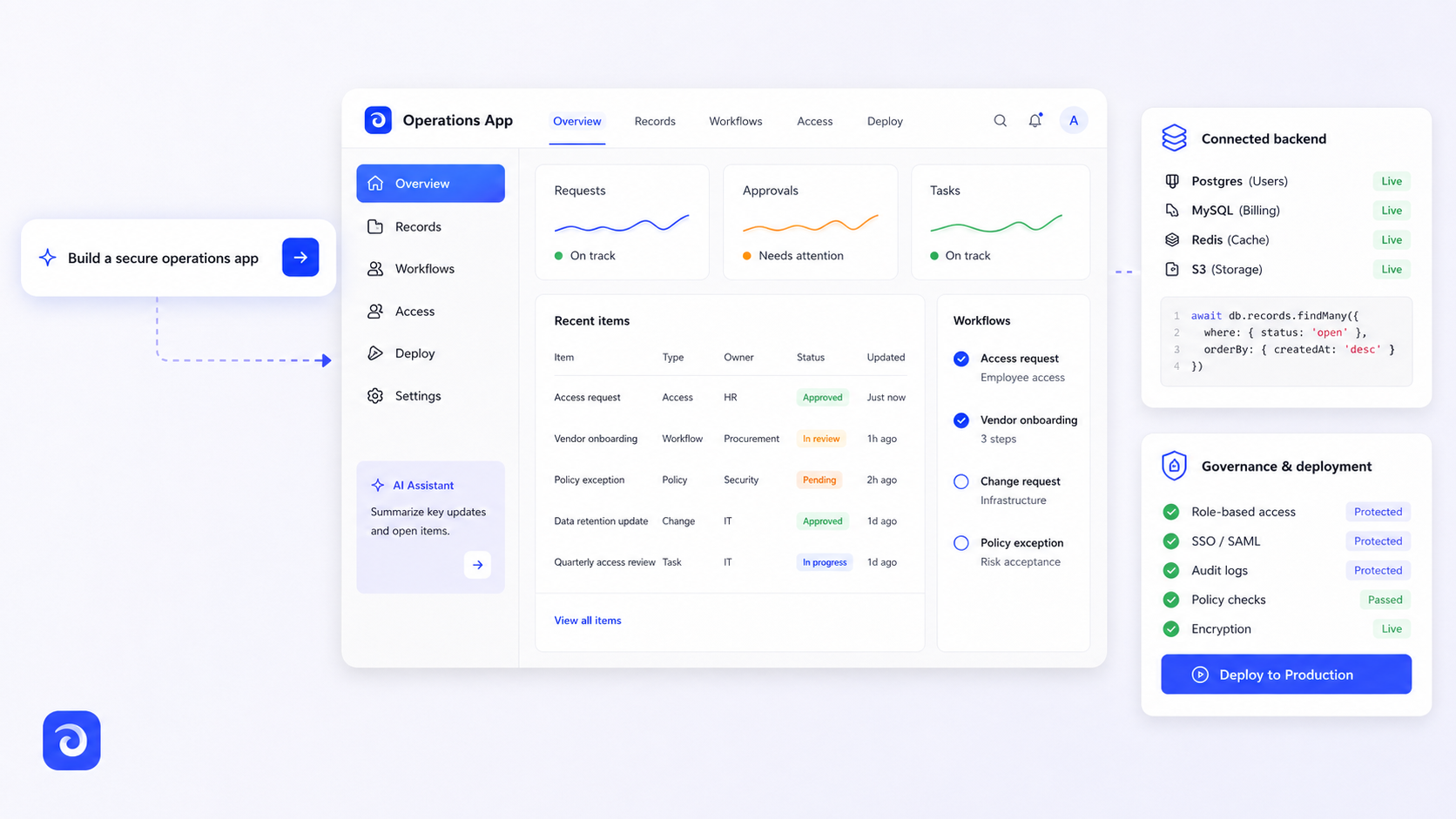
Vibe coding is changing how teams build software, but shipping a working prototype is not the same as running a production app. This article walks you through the full path from natural language prompts to a secure, maintainable deployment, covering everything from backend strategy and code quality to auth, permissions, and governance.
Key Takeaways
- Vibe coding is a style of software development where users describe features in natural language and ai tools handle most of the implementation details. Andrej Karpathy, the ai researcher and co founder of OpenAI, introduced the term in February 2025.
- The real challenge is not generating a working prototype. It is closing the gap between demo and production: test suites, granular permissions, code review, observability, and long-term maintenance.
- Effective vibe coding combines code generation with engineering discipline. Choose the right coding tools and ai agents, plan for auth and governance from day one, and treat ai generated code as a draft that still needs human oversight.
- Vibe coding can accelerate app development by up to 5.8 times, but ai generated code has 2.74 times more security vulnerabilities than human-written code. Speed without guardrails creates risk, not value.
What Is Vibe Coding in 2026?
Vibe coding was introduced by Andrej Karpathy in February 2025. His description: you describe what you want in plain english, let AI produce the code, and "forget that the code even exists." The idea is that the coding process shifts from writing code line by line to steering ai models with intent and context.
In practice, vibe coding spans a wide spectrum:
- Simple code completion assistants like GitHub Copilot that suggest functions as you type.
- Fully agentic ai systems that scaffold entire apps, wire integrations, and refactor existing codebases based on natural language instructions.
- Vibe coding tools can generate entire applications from natural language prompts, handling everything from UI to backend logic.
The contrast with traditional coding is clear. Traditional development centers on syntax, architecture, and manual implementation details. Vibe coding centers on intent, flow, and outcomes. But production apps still require engineering discipline: code quality expectations, generated code review, testing, and security do not vanish because AI wrote the first draft.
Key terms you will see throughout this article: ai tools, ai generated code, agentic ai, ai agents coordinating multi-step tasks, code structure, and technical debt.
Why Vibe Coding Matters for Teams Shipping Real Software
Between 2024 and 2026, product and operations teams have faced relentless pressure: faster release cycles, tighter security reviews, growing integration sprawl, and a persistent talent gap. According to industry surveys, 82% of businesses report a shortage of developer talent, making any tool that multiplies existing capacity worth investigating.
Here is why vibe coding matters:
- Vibe coding can reduce development time by up to 5.8 times, particularly for internal tools, dashboards, and CRUD applications.
- Vibe coding can reduce repetitive work by 80%, freeing developers for complex development tasks that actually require human judgment.
- Vibe coding tools enable non technical users to build applications easily, lowering the barrier for non programmers to contribute working apps.
- Vibe coding enables rapid feature iteration based on user feedback and supports faster experimentation across teams.
- Rapid prototyping is a common use of vibe coding, letting teams validate an idea before investing in full-scale development.
But leaders doing commercial investigation want to know: can ai generated apps meet production standards? The honest answer is "yes, with guardrails." Many teams get an impressive demo, then stall on test coverage, permissions, observability, and handoff. This "vibe vs. viability" gap is the central challenge this article addresses.

Vibe Coding vs Traditional Development (and Where They Meet)
At a glance, here is how the two approaches differ:
- Traditional development: spec → design → manual coding in specific programming languages → QA → deploy. Predictable, but slow for internal tools.
- Vibe coding: prompt → generated code → interactively refine → wrap with tests and guardrails → deploy. Fast, but requires discipline to avoid drift.
Key tradeoffs:
- Speed vs. predictability: vibe coding offers less effort to reach a working prototype. Traditional approaches give more control over architecture and code structure.
- Ownership: traditional coding keeps developers close to every code line. Vibe coding can diffuse understanding if teams accept ai generated code without reviewing it.
- Vibe coding facilitates a designer-first approach to software development, letting product and design lead the conversation before engineering refines.
In practice, the most productive teams run hybrid workflows. Senior engineers set architecture boundaries, define module contracts, and enforce code quality rules. AI agents handle scaffolding, boilerplate, and repetitive code changes across an existing project. Junior developers focus on reviewing, testing, and learning the codebase.
When to lean vibe: prototyping, UI experiments, CRUD dashboards, internal ops tools. When to lean traditional: safety-critical systems, complex distributed infrastructure, strict regulatory environments.
Core Building Blocks of Effective Vibe Coding
Effective vibe coding is not just about better prompting. It rests on four pillars:
- Intent and context: Clear natural language specs tied to real data schemas, user roles, and business rules. Without context, AI produces shallow or incorrect code.
- AI tools and agentic ai: Large language models and code generation agents that can decompose tasks, refactor, and maintain history. Vibe coding tools include AI code completion assistants and agentic coding tools that coordinate multi-step tasks.
- Guardrails: Tests, linters, code review, permissions enforcement, and rollback capability. These are what separate a demo from a production web app.
- Collaboration: Developers, operations, and business stakeholders sharing a workspace, version-controlling prompts and outputs, and agreeing on domain models.
Vibe coding can automate the generation of repetitive code, but connecting to an existing backend, handling auth, and ensuring observability are still human responsibilities.
Common coding tools in these workflows include GitHub Copilot, Cursor, and AI app builders that combine UI, backend logic, and integrations. Replit, GitHub Copilot, and Cursor are popular vibe coding tools used across teams of all sizes.

Choosing Your Data and Backend Strategy for Vibe-Coded Apps
Your backend strategy determines whether a vibe-coded app is a throwaway or a real world application. Three main patterns:
1. AI generated backend from scratch
AI designs schemas, writes endpoints, and generates data access logic. This is the fastest path for greenfield projects, but carries risk: duplicated business logic, weaker long-term maintainability, and potential security gaps if not reviewed. Best for early prototypes or tools without complex domain rules.
2. Connecting to an existing project or database
Use REST, GraphQL, or direct database connections so AI focuses on interface and orchestration while core business rules stay in trusted services. This keeps a single source of truth and avoids rewriting logic that already works.
Jet Admin, for example, connects to databases including PostgreSQL, MySQL, Supabase, MongoDB, BigQuery, Snowflake, and many others, as well as SaaS tools like Stripe, HubSpot, Salesforce, and Slack. This lets teams build apps on top of data they already trust without migrating anything.
3. Wrapping third-party SaaS/APIs as your backend
Treat external services as the source of truth: send events to Slack or Twilio, handle webhooks, embed Stripe or QuickBooks. Low development overhead, but you inherit vendor limits, latency, and billing constraints.
Concrete examples:
- Internal CRM: PostgreSQL as primary store, AI generates admin UI, forms, filters, and approval workflows.
- Ops console: real-time logs and dashboards connected to an existing data warehouse.
- Reporting dashboard: BigQuery or Snowflake providing data, AI building the query layer and visualizations.
Each pattern fits different stages of app creation. Many teams start with option 1, then migrate to option 2 as the app matures and stakes rise.
Integrations, Auth, and Granular Permissions
This is where most vibe-coded prototypes stall. A working prototype with "all access" is not a production app, especially in finance, healthcare, or operations.
Integration security
AI generated code should authenticate to external APIs using OAuth, service accounts, or securely stored api keys. Credentials must never be hardcoded in generated code. Every external service needs correct scopes, permissions, and rate-limit handling.
AI-generated code has 2.74 times more security vulnerabilities than human-written code. That statistic alone should make integration security a first-class concern, not an afterthought.
Authentication
Production apps require SSO (SAML, OIDC), directory sync via SCIM or LDAP, and proper onboarding and offboarding flows. Jet Admin supports multiple authentication methods including Google OAuth, OIDC, token-based auth, Auth0, and Supabase Auth.
Granular permissions
Role-based access control (RBAC) down to rows, columns, and actions is non-negotiable for business tools. You need per-team workspaces, enforced data visibility constraints, and audit logs tracking who ran which workflow or ai agent action.
Jet Admin provides role-based permissions to restrict dashboard and record access, plus activity logs tracking changes by user, which directly addresses the governance gap that kills most vibe-coded prototypes.
Vibe coding is often used by non technical users to develop applications, which makes strong permissions even more critical: the people building the app may not instinctively think about access control.
Managing Code Generation, Quality, and Technical Debt
AI generated code in vibe coding can contain bugs or security vulnerabilities. This is not speculation. In May 2025, 170 out of 1,645 Lovable-created apps had security issues. Code co-authored by AI had 1.7 times more major issues than human code. Over 10% of code changes involved duplication by 2024, increasing technical debt. Code refactoring dropped from 25% to under 10% by 2024, meaning teams were accepting more AI output without cleaning it up.
Common problems with ai generated code:
- Inconsistent patterns and duplicated logic across modules
- Missing error handling and unclear domain boundaries
- Weak typing or schema constraints
- Security gaps from unvalidated outputs
Vibe coding can introduce security debt due to unvalidated AI outputs, and vibe coding can create new technical debt called security debt when teams skip review.
A practical quality strategy:
- Treat all AI output as a draft. Every code change goes through code review and linters before merging.
- Run automated tests before accepting AI-proposed pull requests.
- Enforce architecture guidelines in prompts: keep AI within specific modules, require refactoring passes, and prune unused files.
- Document conventions, data models, and boundaries so future developers (and future AI sessions) have context.
Teams that report a "vibe coding hangover" typically skipped these steps. The problems are real but solvable with guardrails, not reasons to avoid AI entirely.
From Prompt to Production: End-to-End Vibe Coding Workflow
Here is how vibe coding works when teams treat it as a serious development workflow, not a toy:
- Capture intent: Write a one-page brief in plain language covering users, jobs to be done, data sources, integrations, and success metrics. This is the input that makes AI useful rather than generic.
- Sketch UI flows: Provide mockups or screen descriptions so the AI or app builder generates relevant interfaces rather than guessing.
- Generate and iterate: Let AI scaffold the initial UI, backend logic, and integrations. Vibe coding tools can generate entire applications with minimal human input at this stage. Review immediately for architecture fit and obvious errors.
- Add non-functional concerns early: Inject structured logging, configuration for environments (dev, staging, prod), secrets management, and monitoring hooks before anyone calls it "done."
- Import or connect existing components: If you have an existing React front end or working services, AI maps existing components and endpoints instead of rebuilding them. This preserves your preferred technology stack and avoids rewriting code that already works.
- Test and secure: Generate unit and integration tests. Review error paths, permissions, and dependencies. Run security scans on all generated code.
- Deploy: Package the app for a managed runtime or containerized environment. Configure secrets and environment variables. Set up observability and rollback paths before exposing real users.
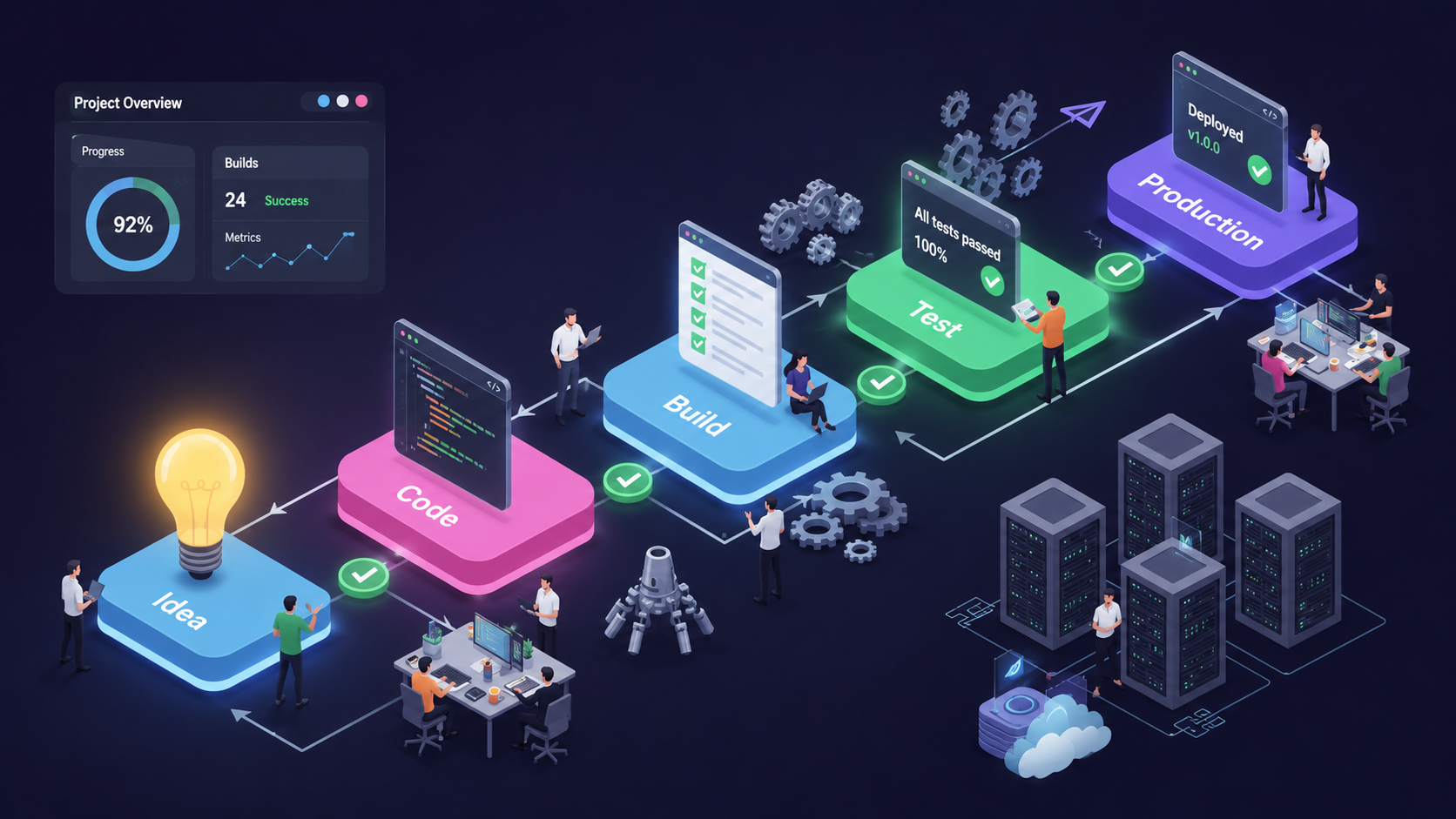
This is developing code with AI assistance, not replacing engineering judgment. The workflow looks different from traditional app development in its speed and starting point, but the destination is the same: working apps in production with clear ownership.
Comparing Build Modes: Prompts, Agents, and Existing Projects
Teams have multiple ways to build with AI. Each mode fits different scenarios:
Prompt-based building: Type "build an inventory dashboard for our PostgreSQL database" and get a generated UI plus basic logic. Fastest for greenfield internal tools and quick experiments. Risk: brittle output, limited context, lack of reusability. AI app builders like Replit Agent can create full applications with minimal coding using this approach.
MCP/agentic workflows: Dedicated ai agents that can read multiple files, plan multi-step code changes, update tests, and run commands. They act like a supervised junior developer. These handle complex development tasks better than single-prompt generation. Vibe coding makes this approach viable for real projects when combined with review and testing.
Importing an existing React codebase: AI analyzes components, routes, and state management, then helps add a new feature, refactor styles, or connect to new data with minimal boilerplate. This preserves your tech stack and investment.
Connecting an existing backend or SaaS stack: Treat warehouses, transactional databases, or APIs as the source of truth while AI focuses on orchestration and UX. This reduces logic drift and keeps business rules in trusted services.
Teams often combine these approaches over a project's life. Start with prompt-based prototyping, validate the idea, then progressively anchor the app to existing services. As research on agentic AI workflows shows, the move from ad hoc prompts to structured agentic engineering is where vibe coding grows up.
Testing, Governance, and Deployment for Vibe-Coded Apps
Production readiness is where generative ai meets engineering reality.
Testing strategies for ai generated code:
- Unit tests for critical business logic: domain rules, calculations, permissions checks.
- Integration tests for API and database interactions.
- Synthetic user flows covering key business operations end to end.
- Regression tests to catch AI-induced drift when prompts or models change.
AI can help generate tests and fixtures, but humans must define acceptance criteria, edge cases, and regulatory constraints like PII handling or audit requirements.
Governance:
- Change management with approvals for new integrations or substantial prompt changes.
- Documented data flows and periodic reviews of permissions and ai agent capabilities.
- Audit trails capturing every agent action and generated code change.
A JetBrains survey in April 2026 found 92% of US developers use AI coding tools, but far fewer fully trust the output or allow it unreviewed. Governance processes exist to close that trust gap.
Deployment:
- Maintain clear separation between dev, staging, and production environments.
- Use secrets management (vaults or environment variables), never hardcoded credentials.
- Set up observability: logging, metrics, error tracking, and rollback strategies.
- Where regulations require it, deploy on-premise or self-hosted. Jet Admin supports cloud or self-hosted deployment to meet these constraints.
Practical Build Checklist: Vibe Coding to Production
Use this as a sequential checklist for your next project:
- Define intent: Write a one-page brief covering users, jobs to be done, data sources, key integrations, and success metrics. Describe the idea in natural language so AI and stakeholders share context.
- Choose the build mode: Prompt-based generation, agentic AI workflows, importing an existing React app, or connecting an existing backend. Pick based on risk, timelines, and your preferred technology stack.
- Wire data and auth: Connect the correct databases and APIs. Configure SSO or other authentication. Sketch role and permission requirements before generating any code.
- Generate and review: Let AI scaffold UI and logic. Perform structured review for architecture, error handling, and security issues. Capture decisions in documentation.
- Add tests, logs, and flags: Generate and refine automated tests. Add structured logging and metrics. Wrap risky features in feature flags for controlled rollout.
- Deploy and assign ownership: Configure environments, secrets, and monitoring. Run a pilot with a small group of real users before broad release. Define an owner for ongoing maintenance and AI-driven updates.
This checklist turns vibe coding from a novelty into a repeatable process for build software that lasts.
Evaluating Platforms and Avoiding Lock-in
When evaluating platforms for vibe coding, ask concrete questions rather than accepting marketing claims:
- Data connectivity: Does the platform connect to your actual databases and SaaS tools? Verify against real catalogs, not feature lists. Jet Admin's integrations page lists supported sources including PostgreSQL, MySQL, MongoDB, Firebase, Airtable, Google Sheets, and dozens of APIs.
- Code export and control: Can you export or self-host generated code? Can you version-control it outside the platform? Proprietary runtimes and closed data models create lock-in that is painful to escape.
- Collaboration and governance: Does the platform support multiuser editing, review and approval flows, audit logs, and clear mapping between AI actions and human owners?
- Integration with existing workflows: Can you connect the platform to your CI/CD pipeline, observability stack, and identity provider?
Red flags to watch for: platforms where ai generated code cannot be meaningfully edited, where you cannot bring your own programming languages or frameworks, or where data lives in a closed model you cannot export.
Run a time-boxed pilot on a non-critical internal tool using real data and permissions. Evaluate performance, governance, and long-term maintainability before committing budget or migrating critical workflows.
Conclusion: How to Find Your Production-Ready Vibe
Vibe coding is not just a trend. It is becoming the default way teams explore ideas, build apps, and ship interfaces. But as Business Insider and other outlets have documented, the gap between "it works on my machine" and "it runs in production" is where most vibe-coded projects fail. The answer is not to avoid AI. It is to pair speed with engineering discipline, security, and governance.
Your decision path:
- Define where speed matters most: internal tools, dashboards, and ops workflows are natural starting points.
- Decide which build modes fit your stack: prompt-based generation, agentic workflows, React import, or connecting an existing backend.
- Set non-negotiables for code quality, auth, and auditability before you generate a single line of working code.
Start with one internal app. Insist on clear ownership and testing. Gradually expand AI involvement, from prompt-based helpers to more autonomous ai agents, once guardrails are proven. Jet Admin is built for exactly this kind of progression: explore the integrations catalog and run a pilot on your own data.
FAQ
Is vibe coding suitable for regulated industries like finance or healthcare?
Vibe coding can be used in regulated contexts, but only when paired with strict controls: documented requirements, human review of all ai generated code, strong access controls, and formal testing and change management. Start with low-risk internal workflows like reporting dashboards before touching systems that handle payments, medical records, or other highly regulated data. The key is treating ai assisted output with the same rigor you would apply to any code entering a regulated environment.
How do we keep our developers engaged if AI is writing most of the code?
Developers' roles shift toward architecture, quality, and problem framing. They define boundaries, review AI output, design tests, and tackle the hardest logic and performance problems. Treat AI as a powerful assistant or junior teammate. Engineers remain responsible for design decisions, code quality, and long-term maintainability. The teams that thrive with vibe coding are the ones where developers spend less time on boilerplate and more time on the problems that require a technical background.
Can we use vibe coding with a large, legacy codebase?
Start by letting AI assist with well-scoped changes: tests, documentation, or small refactors rather than entire features spanning many services. Use tooling that can index the existing project, enforce coding standards, and operate under explicit constraints so ai agents do not accidentally break legacy assumptions. Gradual adoption reduces risk and lets you build trust in the workflow before expanding scope.
What skills should non-developers have to participate in vibe coding projects?
Non-technical stakeholders should focus on describing user journeys, constraints, and desired outcomes clearly in natural language. Basic familiarity with data models (tables, fields, relationships) and security expectations helps prompts include the context AI needs to generate safe, relevant solutions. The ability to review prototypes for business correctness and UX is just as valuable as developing code in this workflow.
How do we measure success for a vibe-coded app beyond "it works"?
Use quantitative metrics like time-to-first-prototype, cycle time for code changes, incident rates, and test coverage alongside business KPIs such as time saved per workflow or error reduction in operations. A sustainable success definition also includes maintainability: ease of onboarding new developers, clarity of generated code, and the ability to evolve the app without rewriting it from scratch.